- Use long, unique, and random passwords for each account, avoiding personal information and predictable patterns.
- Use password generators and managers to create, evaluate, and store strong passwords without relying on memory.
- Strengthen your security with multi-factor authentication and be wary of emails or calls that ask for your password.
- In business environments, it applies password policies and corporate managers to control access and reduce leaks.
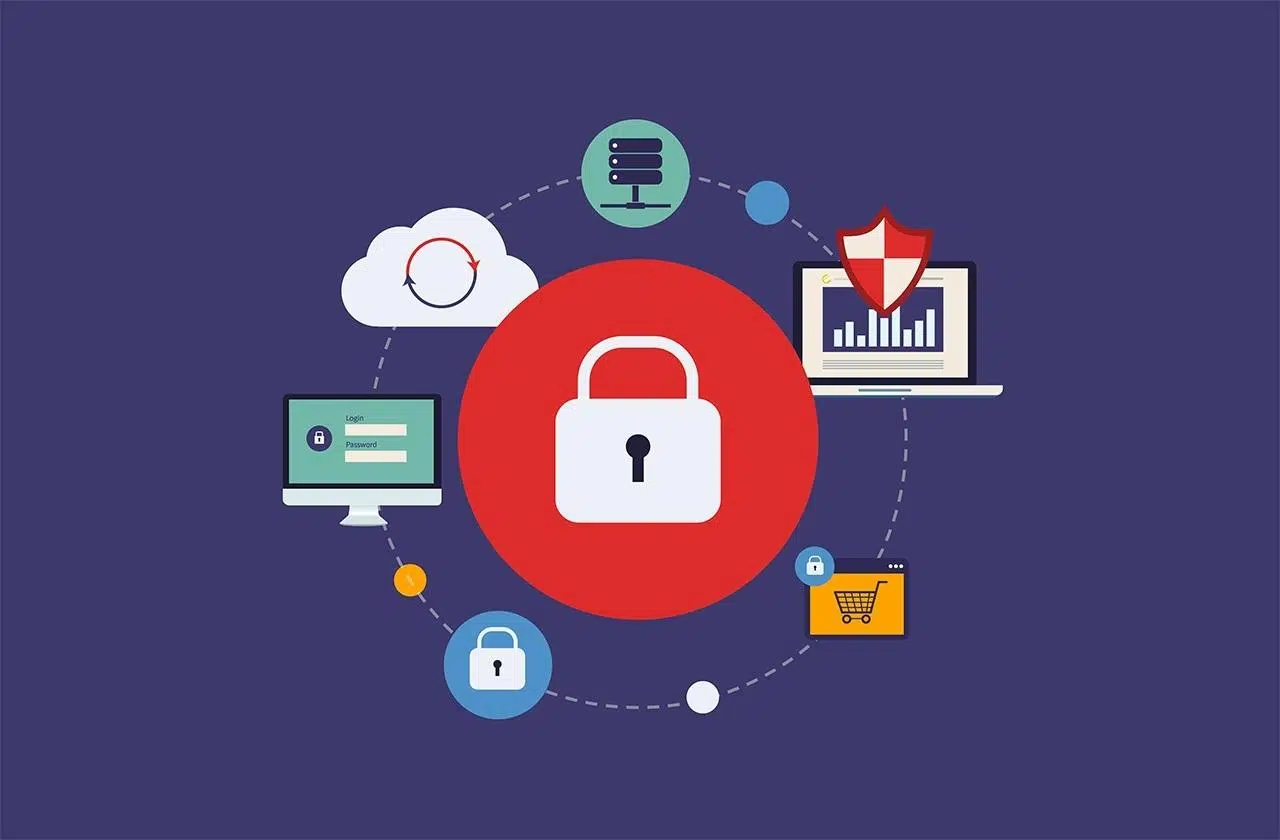
In our daily lives, we are surrounded by online accounts, logins, and forms that ask for usernames and passwords, but we rarely stop to think about how critical strong passwords are for protecting this entire digital world. From online banking to work email, and including social media and shopping platforms, a single broken password can expose a significant part of our lives.
Furthermore, cybercriminals never stop: they use automated programs, social engineering techniques, and massive data breaches to try to break into our accounts. That's why understanding how to create, evaluate, store, and update strong and unique passwords has become as essential as putting a good lock on your front door… but in a digital version.
Why strong passwords are so important today
Our passwords protect all kinds of information: personal data, banking information, emails, photos, videos, and private conversations . If someone manages to access one of our accounts, they can commit fraud in our name, empty accounts, review confidential emails, or even steal our digital identity.
Many of our accounts are also interconnected, so unauthorized access to one service can compromise other linked accounts : password recovery via email, social media logins, device synchronization, cloud backups, etc. This domino effect multiplies the potential damage of a single weak password.
Another significant risk is the impact on our reputation. Someone with access to our accounts can impersonate us online , send messages in our name, publish compromising content, or manipulate private conversations. It's not just a technical problem: it can also affect our professional and personal lives.
Properly protecting passwords allows us to maintain control over what we share, limit who can access our information, and ultimately gain peace of mind and security in everything we do online, both personally and professionally.
The most common password mistakes
It's very common for passwords to become a mere formality: we type them quickly, look for something easy to remember, and forget about it. This routine leads many people to choose overly simple or predictable passwords , giving attackers a huge advantage.
One of the biggest mistakes is extreme simplicity. Even today, annual rankings of the worst passwords show that "12345", "123456789", "password", "contraseña", and "login" remain among the most commonly used combinations. All of them are trivial to guess or crack with automated tools or even by sight.
The other major mistake is basing your password on obvious personal information: your name, your partner's name, your children's names, your pet's name, birthdates, anniversaries, or significant places. All of this information often appears on social media or can be deduced by reviewing your public profile, photos, or old posts.
Even when we try to be "creative," we make mistakes like substituting letters with very common symbols: using "@" instead of "a," "3" instead of "e," "1" instead of "i," etc. These patterns are so common that attack programs have them completely automated in their dictionaries , so they barely add any real security.
Finally, password reuse is one of the most serious problems: many people use the same password on dozens of sites . It only takes one insecure website to suffer a data breach for attackers to try those credentials on banks, email, social networks, or online stores, in what is known as a credential stuffing attack.
How cybercriminals crack passwords
To understand why we need strong passwords, it's helpful to know what techniques attackers use. It's not a matter of some patient guy manually trying passwords: they usually use automated programs and massive databases with millions of real passwords leaked from previous breaches.
A brute-force attack involves systematically trying all possible combinations of characters until the correct one is found. With the current power of graphics cards and dedicated servers, a short, complex password of only 8 characters (a mix of uppercase letters, lowercase letters, numbers, and symbols) can be cracked in a matter of hours.
Another very common method is the dictionary attack. Instead of trying random combinations, the program goes through lists of real words, leaked passwords, and predictable variations . If your password consists of a dictionary word, a very common phrase, or a combination that appears on these lists, decryption can take only seconds.
Beyond brute force or dictionaries, phishing and social engineering remain highly effective weapons. The attacker sends emails, messages, or even makes phone calls impersonating a bank, online store, or trusted service, attempting to trick the victim into revealing their password or entering their credentials on a fake website.
In many cases it is not even necessary to crack the password mathematically: it is enough to take advantage of mass email campaigns, malicious links on social networks or deceptive SMS messages for a percentage of users to fall for it and hand over their password on the spot , believing that they are on the legitimate site.
What is a truly secure password?
A secure password isn't just one that "looks complicated." It must meet a series of technical and practical criteria that make it difficult to both attack automatically and guess. Generally, a secure password is one that is long, unpredictable, and different for each service.
Regarding length, it is currently recommended that passwords be at least 12 characters long, and ideally 14 or more . Each extra character exponentially increases the number of possible combinations, making brute-force attacks much more costly and time-consuming.
A good password mixes uppercase and lowercase letters, numbers, and symbols. This combination of character types increases entropy (the degree of randomness), which greatly reduces the likelihood of an automated tool guessing it, even with significant computing power.
It's also important that the password doesn't contain simple words found in a dictionary, nor names of people, characters, products, companies, or organizations. The new password should be very different from previous passwords to avoid repeating patterns that have already been compromised in past data breaches.
Finally, a good password should be easy for you to remember but difficult for others to guess. A very useful technique is to turn an easy-to-remember phrase into a password, for example, a structure similar to "6MonkeysRLooking^", which combines meaningful phrases, numbers, and symbols without being impossible to remember.
Password phrases: long, easy to remember, and very strong
So-called "passphrases" are becoming increasingly popular because they allow you to create long and very strong passwords without the mental hassle of remembering them. The idea is simple: use a phrase or combination of several seemingly unrelated words, instead of trying to memorize a short, chaotic string.
Instead of randomly mixing letters and symbols, you can choose, for example, four unrelated words and combine them into a single sequence. By constructing something like "HorseScooterApricotHouse," you get a long password with a mnemonic structure that's much harder to crack than "xzv?75#b" or other short combinations.
Another possibility is to use phrases that only make sense to you, incorporating capital letters, numbers, or punctuation marks at certain points. By playing with creative variations, you can generate very specific clues that are difficult to decipher, even for someone who knows you well or has seen your social media.
The key to creating strong passwords is not simply taking a generic phrase and pasting it verbatim. Ideally, you should choose unrelated words or expressions, introduce variations in spelling, use unexpected capital letters, or incorporate symbols, so that the final phrase is long and has good entropy.
If you're having trouble coming up with ideas or want to add even more randomness, you can use a password generator and adapt them to a phrase format, always maintaining that balance between security and ease of memorization.
Practical examples of strong passwords
Applying all these recommendations might seem a bit abstract, so let's look at some strong password patterns that could be used as a reference (without copying them verbatim, of course). Good practices begin with designing the password structure before choosing the words.
One approach is the extended passphrase. You combine four or five words that are familiar to you but that, together, don't make any logical sense. Something along the lines of "HorseScooterApricotHouse" offers plenty of length and variety , and you can further strengthen it by adding numbers or symbols between the words.
Another model is the password with slight letter-to-number substitution, but used in a somewhat more original way. For example, you could take a phrase and replace some vowels with similar-sounding numbers, like in "Juli3taAm1gaLasHamburguesas," making it easy for you to remember and less obvious to an attacker.
If you want to increase the complexity, you can include symbols along with the substitutions, generating combinations like "Jul!eta@MeL3sHamburguesas". By adding punctuation and special characters in unexpected places, the password becomes much more resistant to automated pattern-based attacks.
Languages or special characters can also be mixed to increase the variety of symbols without losing memorability. A combination like "ßastónCalzónPiñasAmarillo" introduces non-standard letters and mixes Spanish words with uncommon characters, complicating the work of decryption tools.
Finally, examples automatically generated by password managers, such as "3rm7T#u7WF@2-e)V", are the most robust option mathematically: these are completely random strings that maximize entropy. The drawback is that they are almost impossible to remember without a password manager to store them.
Password generators: how they work and why they are so reliable
A password generator is a tool designed to create random and strong passwords based on user-defined parameters, such as desired length or character types. Its goal is to avoid predictable human patterns and produce passwords that are extremely difficult to guess.
For example, a popular security solution's password generator lets you specify how many characters you want, whether you need the password to be easier to read or pronounce , and whether it should include uppercase letters, lowercase letters, numbers, and symbols. Based on these preferences, the system generates a completely random password.
Once a password is generated, some services run it through specialized libraries like zxcvbn, an open-source standard used to assess password security . This library analyzes whether the password contains obvious patterns, repetitions, personal data, or common combinations, and assigns a score based on the estimated difficulty of cracking it.
Other tools, such as certain generators from cybersecurity companies, employ principles of mathematical entropy to ensure that the resulting character sequence is truly random. In these cases, the numbers, letters, and symbols are obtained using cryptographically secure methods and are neither sent over the internet nor stored on the provider's servers.
An important point is privacy: some services emphasize that they do not store any information about the passwords created with their generator and that, in fact, not even they can see the keys the tool produces. This drastically reduces the risk of a third party being able to exploit that data.
Password managers: the perfect ally for managing many passwords
Creating strong passwords is only half the battle; the other half is managing them without going crazy. That's where password managers come in—applications that let you securely save, organize, and autofill all your passwords, both for personal and business use.
An enterprise password manager, for example, helps prevent data breaches by making it easy for each team member to use strong, unique passwords for every service without having to memorize them. It also makes it possible to share specific access credentials with colleagues without resorting to spreadsheets, hastily arranged emails, or sticky notes.
These managers not only store passwords: they can also protect multi-factor authentication (MFA) codes, SSH keys, sensitive documents , and other confidential data. This makes them a key component of security strategy and regulatory compliance (for example, for standards like SOC 2).
Some solutions, such as certain credential management services, incorporate a password generator built into the browser or mobile app, so that when you sign up for a new tool or change an existing login, you can immediately create a unique and complex password without any additional effort.
Furthermore, these platforms often encrypt all information in a vault using advanced algorithms, such as XChaCha20, ensuring that only you (or your organization, with the appropriate policies) can decrypt and access the stored passwords . Each family member or team member can have their own secure vault while still sharing only what's necessary in a controlled manner.
Best practices for managing your passwords
An essential measure is to use a different password for each site . Reusing the same password for multiple accounts is very risky: if a website suffers a breach and credentials are leaked, attackers will try to use that email and password on other well-known services, from online banking to social networks or shopping platforms.
To avoid relying solely on memory, it's best to store your passwords in a secure password manager. This way, you can use long, random, and complex combinations without having to remember them all. Tools like some password management solutions synchronize your passwords across devices , encrypt them, and enable autofill, saving time and reducing errors.
Many password managers include a security center that analyzes the strength of existing passwords, flags weak or reused ones, and suggests improvements. They even offer pages or modules like "How secure is my password?" so you can evaluate passwords you haven't saved yet before you start using them.
It's advisable to periodically review passwords flagged as weak by the system and update them as needed, especially after receiving notifications of potential data breaches from the services you use. If you suspect an account has been compromised, the wisest course of action is to change the password immediately and enable additional security measures such as multi-factor authentication.
In the home environment, family-oriented solutions allow each member to have their own password manager, generating strong passwords for banking, shopping, social media, and any other service. This drastically reduces the likelihood of breaches due to weak or stolen passwords within the family.
Protect your passwords from carelessness and deception
Just as important as creating a strong password is not accidentally giving it away. The number one rule is simple: don't share your passwords with anyone , not even friends or family. If you need someone else to access a service, use secure sharing options or password managers that allow you to delegate access without revealing the password.
You should never send a password via email, instant messaging, or any other channel without strong encryption. These types of messages can be easily intercepted or forwarded , and although they may seem private, they are often stored on servers for a long time, becoming vulnerable in the event of a data breach.
If you have many accounts and don't want to memorize them all, consider using a password manager. The best ones automatically update saved passwords when you change them, keep the entire file encrypted , and require multi-factor authentication for access. Even browsers like Microsoft Edge include features to remember and fill in passwords, although a dedicated password manager is always preferable.
It's acceptable to write down passwords on paper if you do it wisely, but you should never have them written on sticky notes attached to your monitor, under your keyboard, or in other easily accessible places. If you choose to write them down, make sure to keep them in a very secure location , away from the devices they protect and out of reach of others.
Finally, be wary of emails, calls, or messages that ask for your password "to verify your identity" or "for security reasons." No reputable bank or major online service will ever ask for your full password through these means. If you have any doubts, always access the site by typing the address directly into your browser or using your trusted bookmarks, instead of clicking on links received via email or social media.
Multi-factor authentication and password policies in companies
Multi-factor authentication (MFA) adds an extra layer of protection by requiring more than one type of credential to log in: for example, something you know (your password) and something you have (a one-time code on an app or physical device). This means that even if someone manages to guess or steal your password , they still won't be able to access your account.
Whenever a service offers it, it's advisable to enable MFA: this can be done through authenticator apps, SMS (although it's less secure), physical security keys, or push notifications on your mobile device. This additional layer is especially important for critical accounts such as email, banking, and corporate access , where a failure could have serious consequences.
In larger organizations, password policies play a crucial role. Some enterprise solutions, such as certain access management platforms, allow you to define specific rules for the entire workforce: minimum length, use of special characters, password expiration, or alignment with official recommendations such as those from NIST . This ensures that all generated passwords meet consistent standards.
Furthermore, these systems are integrated into the company's procurement strategy, ensuring that each employee has access only to what they need for their job and nothing more. When someone joins or leaves, access can be activated or revoked centrally , significantly reducing the risk of orphaned or mismanaged accounts.
By combining strong passwords, corporate credential managers, and multi-factor authentication, companies strengthen their overall security posture and facilitate compliance with regulations and certifications, from internal audits to more demanding security and privacy standards.
Ultimately, protecting your passwords involves a set of simple yet powerful habits: creating long and unique passwords, using generators and managers to increase randomness and not rely solely on memory, enabling multi-factor authentication whenever possible, and being wary of any suspicious requests for your credentials. With this combination, you make things much more difficult for attackers and keep your accounts, data, and digital identity under much stronger control.