- A USB flash drive can run portable applications, function as a security key, and be used to install or repair operating systems.
- Old USB drives are being repurposed as time capsules, memory albums, password generators, or accessibility tools.
- Promotional USB drives offer high perceived value and can be delivered pre-configured with games, useful documents, or advanced features.
- Initiatives like Dead Drops show the cultural potential of USB drives as a medium for offline exchange and creative projects.
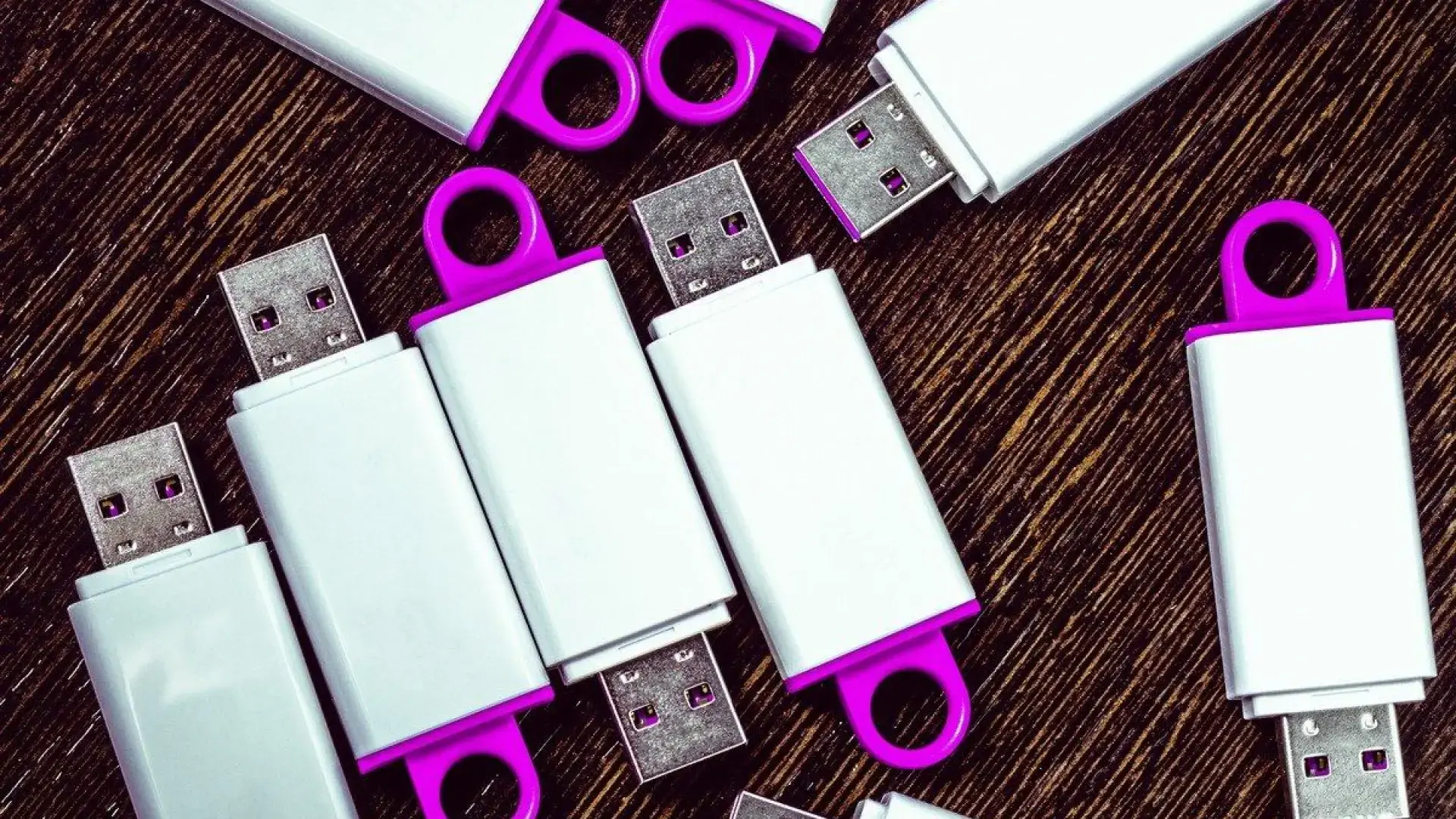
USB flash drives have been around for so long that we sometimes treat them as a simple "pen" for transferring documents from one computer to another. However, these small memory devices hide creative uses and powerful functions that go far beyond saving a university assignment or a few vacation photos. Many of these uses are designed to get the most out of promotional USB drives that companies give us or those older drives that have run out of storage capacity.
If you have several USB drives lying forgotten in a drawer, or if your company distributes personalized USB drives, you'll want to keep reading. We're going to review a great collection of practical, interesting, and original ideas : from turning a USB drive into a security key, portable web server, or time capsule, to using it as additional RAM, a music player you can always have on hand, or a rescue tool when Windows crashes due to a virus.
What exactly is a USB flash drive and why is it so useful?
A USB flash drive, also known as a USB memory stick, flash drive, or whatever you want to call it, is a small storage device based on NAND flash memory that connects to the USB port of your computer, television, or other devices. Its main advantage is that it not only stores files but can also run programs portable, without traditional installation.
This means you can carry fully configured applications and launch them simply by plugging in the USB drive. From emergency antivirus software to text readers, compact web servers, or accessibility tools like virtual magnifiers, this self-executing capability unlocks many of the tricks we'll explore.
Furthermore, current models, such as some flash drives from brands like Xiaomi, combine high speed (read speeds close to 150 MB/s) with excellent dust and water resistance and very affordable prices. This makes them an ideal everyday accessory, both for personal and professional use.
If you add to all this the fact that promotional USB drives are perceived as a useful and valuable gift , you have a perfect marketing tool that, if used properly, can offer much more than just a medium for delivering a PDF catalog.
Creative uses to give or reuse USB flash drives
When a company gives away a personalized USB drive, the user usually uses it for the same old things: saving documents, photos, or presentations and moving them from one computer to another . There's nothing wrong with that, but it's a shame to miss out on its potential. Let's see how you can go much further with original and useful ideas.
1. Always have your favorite video games with you.
Many PC games allow you to install some or all of their content on an external drive. If you choose the correct path in the installer, you can have a portable game ready to run from a USB drive , provided the PC you connect it to meets the minimum requirements.
From a promotional standpoint, this opens up an interesting possibility: giving away a corporate USB drive that includes a light and fun game , either your own or a licensed one. This way, the client not only has extra storage space, but also ready-to-use entertainment, associated with your brand every time they play.
2. Create a digital time capsule
You probably have an old 512MB or 1GB USB drive lying around that you no longer use because it's not enough storage. Instead of throwing it away, you can turn it into a personal time capsule . The idea is simple: for a year, you save documents, photos, short videos, personal notes, or whatever you like on that drive.
When your chosen period is over, hide the USB drive in a drawer and forget about it for a few years . The day you turn it up while cleaning, you'll have a kind of "digital treasure chest" filled with memories frozen in time: images, projects, and things you'd probably forgotten about.
3. Transform a USB drive into an 80s cassette tape
If you enjoy nostalgia, a fun idea is to turn a small USB drive into a modern version of those mixtapes we used to make on cassette tapes . Simply create a playlist of songs from a specific era, genre, or that remind you of a special person or moment, and copy it to the USB drive.
This USB drive becomes a "digital cassette" with your personalized playlist , perfect as a gift for someone special or to keep in your car, at work, or anywhere you like. It's a fun way to repurpose a USB drive that isn't exactly known for its large capacity.
4. Personalized pendrives as a corporate gift with high perceived value
In the business world, promotional USB drives work very well because they are practical and not as common as other promotional gifts (pens, keychains, etc.). The recipient usually perceives them as more valuable and useful, and therefore appreciates them more.
If we add to this some of the creative uses we're seeing, the impact of the gift increases . It's not the same to give away an empty USB drive as it is to give away a USB drive configured as a security key, loaded with a game, a photo album, or documents useful to the client. Furthermore, the brand will be physically present every time the user connects it.
5. Contractual and logistical documentation on company USB drive
In many USB drive customization services, the offer to the customer is usually accompanied by a detailed set of general contracting conditions , where aspects such as quantities, capacities, product references, marking techniques and positions, packaging and possible specific rates, such as the well-known digital levy, are established.
In practice, this means that the pro forma invoice the customer receives already includes all the key information about the custom USB drives they will be purchasing, along with the estimated delivery time (it's always advisable to allow a few extra days for potential shipping delays). Once the customer approves the digital samples and submits their billing and shipping information, the final pro forma invoice is generated, and the percentage to be paid in advance is determined.
After payment is received, the production order is activated and the delivery time begins . Once manufacturing is complete, the invoice is sent, and any outstanding balance is paid before the shipment is released. Many companies in this sector offer free shipping for orders over a certain number of units within mainland Spain and the Balearic Islands, and they work with specialized logistics providers that offer 24/48-hour delivery and online package tracking.
USB flash drive as an advanced technological tool
Beyond creative and emotional uses, a USB drive can become a technological Swiss Army knife for solving everyday problems : from recovering a computer full of viruses to speeding up old equipment, recording digital terrestrial television, or installing complete operating systems.
6. Recovering a computer infected with a virus
When a virus or malware prevents your PC from booting or running antivirus software normally, a rescue USB drive can save the day . Programs like AVG Rescue or similar suites can be installed on a USB drive configured as a bootable device.
The usual process involves downloading the rescue antivirus image, writing it to a USB drive using a bootable USB creation tool , and configuring the PC's BIOS or UEFI to boot from that USB drive. Upon startup, the computer will run the rescue environment from the flash drive, allowing it to scan the hard drive for infections and remove them, even when Windows refuses to load.
7. Encrypt private information and keep it safe
Many USB drives store highly sensitive documents: contracts, passport copies, confidential reports, personal data , etc. If you lose your USB drive or it gets stolen, anyone could read that content if it's not protected.
To prevent this, you can use encryption. Long-standing tools like TrueCrypt (and its modern alternatives) allow you to create encrypted volumes on your USB drive protected with a password. Without the correct key, the contents are inaccessible. This is a highly recommended solution if you use a USB drive for both personal and professional data.
8. Turn the USB drive into a physical key for your computer
One striking feature, especially in shared environments, is using a USB drive as a security key to lock and unlock the PC . Programs like Predator take advantage of the USB drive's presence to grant or deny access to the system.
It works similarly to a car key: with the USB drive connected, the computer can be used normally ; if you remove it, the screen goes dark and the keyboard and mouse become unresponsive. Control is only regained by reinserting the USB drive (or using a master password). The professional version of these tools may include extra features such as taking photos with the webcam when someone tries to use the PC without permission, hiding the taskbar, or controlling the computer remotely.
9. Run WordPress and web servers directly from a USB drive
If you're a web developer, blogger, or just enjoy tinkering with websites, you might be interested in carrying your development environment in your pocket . With packages like XAMPP Launcher, you can install a local server (Apache, PHP, MySQL, etc.) directly onto a USB drive.
This way, you only need to connect the memory to any compatible PC to launch a test website locally , display it in presentations, make design adjustments, or experiment with new templates and plugins without an internet connection. WordPress can even be installed on this portable environment, allowing you to work on your blog while traveling and upload your changes later.
10. Create a Windows or Linux installation USB drive
Another classic use is using the USB drive as an installation medium for complete operating systems , such as Windows 11 or any Linux distribution. This is especially useful if you want to perform a clean installation on a new laptop, troubleshoot serious problems after an update, or test a system in "live" mode without touching the hard drive.
The current procedure usually involves using tools like Rufus or similar programs, which allow you to copy the system's ISO image to a USB drive and make it bootable . Then, you simply select the USB drive as the boot device to format, repair, or install the operating system on the desired computer.
11. Use the USB as additional RAM (ReadyBoost)
If you're working with an older computer with limited RAM, some programs or games become incredibly slow or won't even launch. On Windows systems, ReadyBoost allows you to use a fast USB drive as additional cache memory , supplementing the physical RAM.
To do this, select the USB drive, access its properties through File Explorer, go to the ReadyBoost tab, and enable the feature. The system will use some of the memory space to store temporary data and speed up certain operations . It's not as effective as upgrading the original RAM , but it can get you out of a pinch and give an older PC a little extra life.
Ideas to get the most out of your USB drives in everyday life
Besides the more technical uses, there are a good number of everyday tricks that turn any forgotten USB into a very practical tool for your daily life , both for leisure and personal safety.
12. Record your favorite series from DTT
If your TV has a PVR recording function via USB, you can use a USB flash drive as a small digital terrestrial television (DTT) recorder . You just need to format the drive in a compatible format (usually FAT32 or exFAT) and connect it to a USB port on your TV.
From the TV menu, you can select the channel and time to record, and even schedule automatic recordings of movies or episodes that air in the early hours of the morning . Keep in mind that the TV must be turned on or, failing that, have a scheduled recording mode enabled in standby mode. Afterward, you can play back the recorded content directly from the TV using the USB drive as if it were an external hard drive.
13. Install Android TV applications using APK
Some Android TVs or devices don't allow you to install certain apps from the official store, either due to compatibility issues or because the developer hasn't released them there. In those cases, a USB drive becomes the perfect workaround.
Simply download the APK file of the desired application to your computer, copy it to a USB drive, and then connect it to the TV's port . After enabling the option to install apps from unknown sources (developer mode) in your system settings, just use a file manager on your TV to locate the APK file in its memory and proceed with the installation.
14. Back up vital documents when you travel
If you've ever had your wallet stolen or lost travel documents, you know the hassle it causes. A good practice is to carry a small USB drive on your keychain with digital copies of your ID, passport, health insurance policy, flight and hotel reservations , etc.
In case of an incident, you'll be able to quickly access the information from any computer and facilitate procedures with the police, consulate, or airline. However, if these documents are sensitive, it's advisable to encrypt them or, at least, password-protect them in a compressed file.
15. Your iTunes library and music always with you
One of the most enjoyable uses of a USB flash drive is as a portable music library . Some applications, like iTunes back in the day and other current music players, can be run from a USB drive along with your entire collection of songs and playlists.
With a pre-configured autorun file, every time you plug the USB into a compatible computer, your music will be ready to play without any installation required. Ideal for those who frequently switch computers, work in different offices, or simply want to take their soundtrack with them everywhere.
16. A relaxation or concentration USB drive
If you find it hard to unwind or need help concentrating, you can create a dedicated USB drive with relaxing music tracks or ambient sounds . Simply download the tracks, for example from YouTube using tools like JDownloader (always respecting copyright), and copy them to the drive.
When you feel your stress rising or you're having trouble concentrating on studying or working, plug in your USB drive, tell Windows to play its contents , and you'll have your own personal "calm-down button." It's a very simple way to give a concrete purpose to an old USB drive.
17. Create a memory album to give as a gift
Another very touching use is to transform a USB drive into a digital memory album for someone special . You can compile family photos, short videos, and meaningful music, and with tools like the Windows Photos app, create a video montage or slideshow.
Then you save the finished project, along with the original files, to the USB drive, and if you want to add a special touch, you can personalize the drive's casing with the recipient's name . It's a very inexpensive gift, but full of sentimental value for parents, grandparents, partners, or friends.
18. USB flash drive for instant text and audiobook reading
For people with visual impairments, or simply for those who prefer to "listen" to text while performing other tasks, a USB drive can hold a portable text reader that converts any document into speech . Programs like Balabolka can be installed on a USB drive and run from there without a permanent installation.
These types of applications support multiple formats (DOC, PDF, EPUB, MOBI, HTML, etc.) and read aloud whatever is on the clipboard or in a file . They also usually offer the option to save the narration as an audio file (MP3, OGG, WMA, etc.), turning any ebook or long document into a homemade audiobook to listen to on your phone or in the car.
19. Portable virtual magnifying glass for small screens
If you work on multiple computers and some have small screens or very high resolutions, text and icons may appear tiny . Instead of adjusting the accessibility settings on each computer, you can use a virtual magnifier on your USB drive.
Applications like Virtual Magnifying Glass, which run directly from a USB drive, offer configurable magnification that activates only when needed , with adjustable zoom and useful data such as the RGB colors of a specific pixel. Perfect for designers, developers, or anyone experiencing eye strain.
20. Pocket-sized strong password generator
If you struggle to create strong passwords, a USB drive can become your go-to password generator . Tools like PWGen run from the USB drive and allow you to create random passwords based on robust cryptographic algorithms (AES, SHA-2, etc.).
These applications combine letters, numbers, and symbols, and can even generate word-based passphrases to make them easier to remember. When you need a new password for a service or want to replace an old one, simply connect the USB drive, open PWGen, and copy the generated password.
21. Modified USB drives: the art of modding
Beyond software, you can also have fun with the physical appearance of your USB drive. With a little creativity and simple materials, you can practice modding and create unique cases . The basic process: remove the USB drive's original casing and replace it or cover it with another object.
Pinterest is full of examples: USB drives hidden in bottle corks, figurines, Lego pieces, toothpaste tubes , and much more. It's also a great idea for personalized gifts for geeky people or for keeping your memory sticky completely unnoticed in your bag or backpack.
Reusing old USB drives: culture, anonymity, and creativity
There are initiatives that take the use of USB drives to an almost artistic level. One of the most striking was the Dead Drops project, created by Berlin artist Aram Bartholl , which proposed embedding USB drives in city walls with cement, leaving only the connector visible.
The idea was to create an offline, anonymous file-sharing network, outside the control of the internet . Anyone could bring their laptop, plug it into a wall outlet, and upload or download content: music, texts, photos, videos… At its peak, there were more than 2.000 Dead Drops scattered around the world, with over 12 TB of shared data.
From a security standpoint, extreme caution is advised: connecting a laptop to an unknown USB drive is an open door to viruses, spyware, or illegal content . However, as a cultural concept and a form of protest against mass surveillance and the centralized "cloud," it proved highly influential. If you have unused USB drives, you can always revive the idea in a controlled and secure environment, for example, among friends or in a creative community.
Taken together, all these examples demonstrate that a USB flash drive is much more than just a file storage device . It can be a high-value corporate gift, an emergency system repair tool, a travel companion, a master security key, a portable entertainment device, or even the foundation for artistic and collaborative projects. Making the most of it is largely a matter of imagination and understanding all the possibilities it offers.
