- Ubuntu Studio is an official flavor of Ubuntu geared towards professional multimedia production with a low-latency kernel.
- It includes as standard a wide selection of applications for audio, video, photography, graphic design and 3D.
- It is based on Kubuntu/Ubuntu, uses KDE Plasma, and takes advantage of all the repositories and support of the Ubuntu ecosystem.
- It's a very solid option for creators with NVIDIA GPUs who are looking for a system that's ready to work right out of the box.
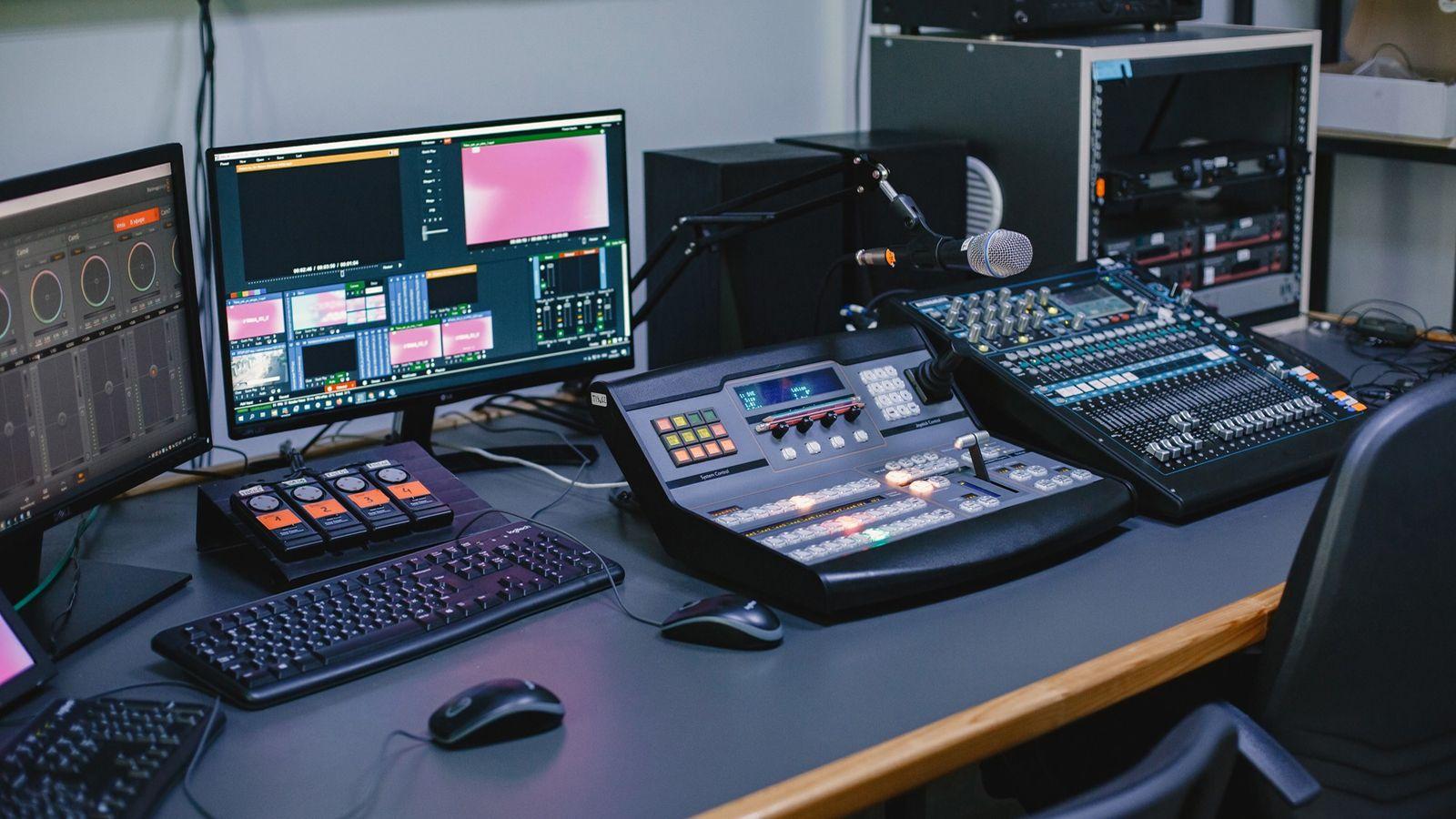
If you work in the world of multimedia creation on Linux —audio, video, photography, graphic design, or 3D—you've probably heard of Ubuntu Studio. This official Ubuntu variant has been a favorite for years among music producers, video editors, photographers, and digital artists who want a system ready to use right out of the box.
Instead of having to install and configure programs one by one, Ubuntu Studio offers a pre-tuned environment for professional creative production , with a low-latency kernel designed to reduce audio and video delays, JACK integration, and a huge selection of ready-to-use open-source applications. And all of this is built on the familiar and stable Ubuntu/Kubuntu base.
What exactly is Ubuntu Studio and how is it different?
Ubuntu Studio is a GNU/Linux distribution derived from Kubuntu , which is itself based on Ubuntu. It is an official flavor maintained by the Ubuntu Studio Team and recognized by Canonical, geared towards professional-level multimedia editing and creation of audio, video, graphics, and photography. It originated as an independent project within the Ubuntu ecosystem, and its first version was released alongside Ubuntu 7.04 (Feisty Fawn) in May 2007.
Unlike a generic Ubuntu, this distribution is designed from the ground up so you can focus on creating without wasting time tweaking the system. It includes a curated selection of creative applications , a low-latency Linux kernel optimized for low latency, dedicated tools for routing audio with JACK, and a graphics configuration geared towards providing stability while pushing CPU, RAM, and GPU to their limits with demanding projects.
On the technical side, Ubuntu Studio shares the same foundation as Ubuntu: it's a system with a monolithic Linux kernel , the dpkg package manager, and APT updates, offering only 64-bit (x86-64) versions. It also inherits all of Ubuntu's repositories, meaning access to a vast amount of additional software and the same security and maintenance updates as the other official Ubuntu flavors.
Over the years, Ubuntu Studio has changed its desktop environment. In its early versions, it used GNOME, then it migrated to Xfce (from 11.10 to 20.04), and since version 20.10, the default environment has been KDE Plasma , giving it a modern look, high configurability, and polished tools for a professional workflow.
Evolution, versions and current status of the project
Ubuntu Studio remains under active development and is part of the Ubuntu release schedule. It has appeared alongside different versions of Ubuntu, with distinctive codenames such as Feisty Fawn, Gutsy Gibbon, Hardy Heron, Intrepid Ibex, and Jaunty Jackalope in its early days.
Throughout its history, this distribution has had standard versions and LTS (Long-Term Support) versions, designed for those who need a stable, long-term environment for their projects. Among the most notable LTS releases are 12.04 Precise Pangolin, 14.04 Trusty Tahr, 16.04 Xenial, 18.04 Bionic, 20.04 Focal, and 22.04 Jammy Jellyfish , with extended support and security updates for several years.
Currently, Ubuntu Studio offers recent versions based on the regular Ubuntu release cycle and a stable LTS version, 24.04, for those who prioritize reliability over the latest features. Looking ahead, the project will continue to align with regular Ubuntu releases, maintaining its primary goal: to provide a robust platform for multimedia creation under free licenses (primarily GPL and other FOSS licenses).
An interesting detail is that, being an official flavor, Ubuntu Studio benefits from the same community support ecosystem as Ubuntu: forums, Launchpad, Ask Ubuntu, and other resources where it's easy to find help if something goes wrong during a production or editing session.
Low-latency kernel: the key to working with serious audio and video
One of the aspects that truly distinguishes Ubuntu Studio from other generic distributions is its optimization for low latency . In a system designed for office tasks or browsing, a small delay when processing audio or video hardly matters; but in a recording or mixing environment, those tenths of a second can ruin a take or make you lose your rhythm.
In its early years, Ubuntu Studio incorporated a real-time kernel (linux-rt) , specially modified to handle intensive audio, video, and graphics workloads. This kernel first appeared in Ubuntu Studio 8.04, disappeared in 8.10, returned in 9.04, and stabilized in 9.10. However, maintaining a separate rt kernel proved complex in the long run, especially as many parts of those real-time patches were incorporated into the standard kernel itself.
Starting with Ubuntu Studio 12.04, the project decided to use the linux-lowlatency kernel as its primary option. This kernel is essentially the generic Ubuntu kernel with a configuration optimized to ensure stable operation with low latency in audio applications. Pure real-time audio is no longer available in the project's official repositories since version 10.10, but lowlatency has proven to be a very solid balance between performance, stability, and ease of maintenance.
Technically, the kernel scheduler allows certain applications to request CPU time immediately , drastically reducing audio latency and minimizing issues like XRUNs (dropouts) when using JACK. Furthermore, the "Ubuntu Studio Controls" tool in versions like 9.10 allowed users to enable options such as "Enable Nice" to allocate more CPU time to real-time audio processing, while maintaining compatibility with Wi-Fi and proprietary graphics card drivers.
How is the low-latency kernel noticeable in everyday use?
The effect of a low-latency kernel is one of those changes you don't see but definitely notice from the first use . When you work with MIDI instruments, USB audio interfaces, or projects loaded with effects, every millisecond counts, and that's where this type of kernel makes all the difference.
In audio recording, for example, the response is much more immediate. When playing a MIDI keyboard, a guitar through real-time effects, or monitoring a vocal, that annoying latency that can appear in standard kernels disappears . This allows you to work with smaller buffers without the CPU crashing, which in turn translates into a more natural performance feel, as if you were connected to dedicated hardware.
When you open a large project with many plugins, synthesizers, or effects chains, on an unoptimized system it's easy to encounter usage spikes, dropouts, clicks, or synchronization issues. Thanks to the low-latency kernel, the system prioritizes critical audio tasks , significantly reducing interruptions, even when the project becomes demanding and you're approaching your machine's resource limits.
In video editing, the benefit is similar, though somewhat more subtle: it doesn't accelerate rendering itself, but it does help keep the desktop running smoothly while exporting or applying heavy effects. The timeline in editors like Kdenlive or Blender's own video editor plays back with less stuttering, and you can continue working on other parts of the system without everything becoming slow or clunky.
There's also greater precision in synchronization with external devices : MIDI controllers, pads, keyboards, and control surfaces respond more consistently, with less jitter and better response time stability. When recording multiple tracks simultaneously or playing complex virtual instruments, this stability can make the difference between a smooth session and a frustrating one.
Desktop environment and user experience
Since version 20.10, Ubuntu Studio has used KDE Plasma as its default desktop environment , one of the most complete and configurable desktops in the Linux world. This means you can customize almost every detail of the interface to your liking: panels, keyboard shortcuts, themes, desktop effects, and window behavior.
Historically, the project used GNOME in its early stages and Xfce for many years, prioritizing a lightweight design. The move to Plasma has brought increased customization possibilities and excellent integration with modern tools, without sacrificing stability. Furthermore, Plasma offers more than decent performance even on modest machines if configured judiciously.
Ubuntu Studio includes a set of its own visual themes , long characterized by a blue aesthetic on a dark background that distinguished it from Ubuntu's classic orange and purple. Furthermore, with an accelerated graphics card and its corresponding driver, you can activate advanced desktop effects using KDE technology, something that is often appreciated when you spend many hours in front of the screen editing.
Another advantage is that the distribution fully leverages the official Ubuntu repositories . This means frequent system updates and the ability to install virtually any software available for Ubuntu, whether from the Software Center, Synaptic, Discover, or via APT in the terminal. For a creative environment, where highly specific tools are often needed, this broad catalog is crucial.
Ubuntu Studio 12.04 and later offer a Live DVD image that allows you to try the system without installing it, with a size of approximately 1,8 GB. It's usually burned to a DVD or, more practical nowadays, to a USB drive. Additionally, you can convert an existing Ubuntu installation into an Ubuntu Studio environment by installing the "ubuntustudio-desktop" package from the repositories, which is useful if you don't want to reinstall the entire system from scratch.
Installation, hardware support, and graphics drivers
Installing Ubuntu Studio is quite simple, even for those with little Linux experience . The system uses an intuitive graphical installer (similar to Kubuntu/Ubuntu's), which guides you step-by-step through selecting the language, partitions, username, password, and additional packages.
During the process, you can check the box to install third-party graphics and multimedia software . This tells the system to automatically download and configure proprietary graphics card drivers (such as NVIDIA drivers) and multimedia codecs that aren't included by default due to legal reasons. For those who work with video or 3D editing and have an NVIDIA GPU, this greatly simplifies the process, as Ubuntu Studio itself manages the appropriate drivers.
In some older versions, there were important details to consider, such as the fact that the "ubuntustudio-audio" metapackage couldn't be installed offline during installation, or that a working network was required to complete certain components. In modern versions, the process is much more straightforward, although installing with network access is still recommended to ensure you have the latest packages and patches.
As with any Ubuntu-based distribution, after installing Ubuntu Studio it's important to connect your system to the internet regularly to receive security updates, kernel improvements, and new application versions . This is especially relevant if you plan to use it for professional or semi-professional work.
If you prefer not to touch your current system, you can always try Ubuntu Studio in Live mode from a USB drive or in a virtual machine . However, keep in mind that virtualization tests are not representative of real-world low-latency audio performance, where it's best to install it directly on the hardware.
Audio suite: recording, mixing, and music production
One of the reasons Ubuntu Studio became so popular is its powerful focus on professional audio . Out of the box, it includes a selection of tools that cover virtually the entire workflow of a home or semi-professional studio.
Among the most prominent audio applications are:
- ArdorA very complete multitrack DAW (Digital Audio Workstation) for recording, editing, and mixing. It allows you to work with large projects, supports plugins and automation, and integrates seamlessly with JACK.
- AudacityA simple yet highly versatile audio editor, ideal for quick tasks such as cutting, normalizing, applying basic effects, or cleaning up recordings. Perfect for both beginners and advanced users who need occasional editing.
- HydrogenAn advanced drum machine, ideal for creating drum tracks, patterns, and loops. It offers configurable sound banks, chainable patterns, and a user-friendly interface.
- JACK Audio Connection KitThe heart of real-time audio routing. It's a sound server that allows you to connect applications with very low latency, essential if you want to set up a modular studio with several apps working in parallel.
Alongside these core components, Ubuntu Studio adds a good assortment of specialized tools: a2jmidid to expose ALSA applications as MIDI in JACK, BEAST for modular composition and synthesis, Creox as a real-time guitar effects processor, FluidSynth with its QSynth interface for wavetable synthesizer, Jack Rack as a virtual LADSPA effects rack, or JAMin as a mastering interface on JACK.
For those who work with notation and scores, LilyPond , a powerful score recording system, is included , and in the area of MIDI/audio sequencing, tools like MusE and Rosegarden appear (the latter available from the Software Center in some versions, although it was no longer included by default starting with Ubuntu Studio 12). Applications such as Mixxx for DJ mixing, Timemachine for capturing the last 30 seconds of audio, TiMidity++ as a software synthesizer for converting MIDI to different formats, and Yoshimi and ZynAddSubFX as very complete synthesizers are also available.
To complete the ecosystem there are utilities such as Patchage , which offers a graphical view of audio and MIDI routing under JACK, Pure Data for visual multimedia programming, Tapiir as a multitap delay with real-time input/output, or Xwax , a very interesting vinyl emulator for DJs and digital scratch enthusiasts.
Video: from home projects to complex productions
In the realm of video, Ubuntu Studio is also very well equipped. The idea is that you can go from a simple home video to an HD feature film or complex projects with compositing and effects, all supported by free and stable software.
Among the featured tools we find:
- KdenliveA very robust non-linear video editor with support for multiple audio and video tracks, effects, transitions, titles, masks, and more. It is tightly integrated with the KDE environment and is one of the leading options on Linux.
- OpenShot: a simpler and more linear video editor, designed for users who need something quick and easy for light projects, without too much of a learning curve.
- BlenderAlthough it is primarily associated with 3D, it includes an integrated video editor that allows for editing, cutting, audio mixing, effects, and basic compositing on the timeline.
- Pitivi y Cinema (in older versions): video editing tools that have been part of the repertoire depending on the era, giving more options depending on the user's needs.
For more specialized projects, Ubuntu Studio also included applications like Stopmotion , designed for creating frame-by-frame animations, and Xjadeo , a video player that can be synchronized using JACK transport, very useful when you need to precisely align audio and video. Traditionally , VLC media player was also offered , although it was removed in some versions before Ubuntu 7.04.
The combination of these tools with the low-latency kernel and JACK integration makes Ubuntu Studio especially attractive to freelance editors, YouTubers, content creators, and small studios who want a consistent workflow on Linux without relying on proprietary solutions.
Graphics, photography and 3D for visual creatives
If you're into images, illustrations, photography, or 3D modeling, Ubuntu Studio also comes with a very decent arsenal of applications geared towards professional visual creation . The goal is to save you from having to search for each basic tool for your workflow individually.
In the field of graphic design and photo retouching, the following stand out:
- GIMP: the classic raster graphics editor, a free alternative to Photoshop for photo editing, banner creation, textures and all kinds of images.
- Inkscape: vector design tool similar to Illustrator or CorelDRAW, ideal for logos, icons, scalable illustrations and simple layouts.
- Chalk: geared towards digital illustration, comics and concept art, with a very clear focus on drawing with graphics tablets and advanced brushes.
For managing large photo collections and RAW processing, options include Darktable , a powerful Lightroom-style RAW developer, and DigiKam , very useful for organizing extensive photo libraries. The possibility of working with Shotwell in certain versions for simpler photo album management is also mentioned.
In the 3D realm, Ubuntu Studio includes Blender out of the box , which is practically the de facto standard in free software for 3D modeling, animation, rendering, and compositing. Alongside it, other utilities complete the graphics suite: CinePaint for high-color depth image retouching, MyPaint for freehand artistic drawing, Agave as a color palette generator, Enblend for image compositing, and Hugin for creating panoramas and combining multiple exposures (including HDR).
Also included is FontForge , a font editor that allows you to create and modify fonts, and Synfig , a 2D animation tool based on vectors and a timeline, designed to produce animation more efficiently than with traditional frame-by-frame methods.
Office automation, publishing and other utilities
Although Ubuntu Studio focuses on creative applications, it doesn't neglect the more general software you might need on a daily basis. It includes LibreOffice , the most widely used office suite in the free software world, covering word processing, spreadsheets, presentations, and more.
For layout and publishing, Scribus is offered , a desktop publishing (DTP) tool that allows you to prepare books, magazines, flyers, and other materials ready for printing or digital distribution. Combined with tools like Calibre (mentioned in some Ubuntu Studio promotional materials for managing and creating ebooks), the system becomes a very capable platform for publishing projects.
The idea is that you can tackle tasks like publishing a physical book or an electronic book without leaving the free software ecosystem, taking advantage of standard formats and professional tools that do not require paid licenses.
In addition to all this, Ubuntu Studio inherits from the Ubuntu ecosystem a multitude of administration tools, system utilities, graphical package managers (Software Center, Discover, Synaptic), firewall configurators like UFW, and much more that facilitate day-to-day computer maintenance.
Relationship with other multimedia distributions and the Linux ecosystem
Ubuntu Studio isn't the only distribution focused on multimedia production, but it is one of the best known and most accessible for users who want something functional right out of the box. In the past, other options have existed alongside it, such as 64 Studio (based on Debian and 64-bit), VideoLinux (based on PCLinuxOS), Planet CCRMA, Dyne:bolic, Puredyne, and Musix GNU+Linux, all with a focus on professional audio/video.
However, its direct integration with the Ubuntu ecosystem, access to the same repositories and tools, and the fact that it's an official flavor, gives Ubuntu Studio a very interesting balance between multimedia specialization and long-term support. Furthermore, by relying on such a popular base as Ubuntu/Kubuntu, it's easier to find documentation, tutorials, and help in forums or user communities.
Within the Ubuntu family, it shares space with other flavors like Kubuntu, Lubuntu, Ubuntu MATE, Xubuntu, Ubuntu Cinnamon, Ubuntu Budgie, Ubuntu Unity, Ubuntu Kylin, and Edubuntu, each focused on a different type of user. If you're unsure which distribution to choose, see how to choose a Linux distro based on your profile . Ubuntu Studio is clearly positioned as the option designed for content creators, designers, and artists.
In the broader Linux landscape, it coexists with major families like Debian, Fedora, openSUSE, Arch, and Manjaro, as well as specialized distributions such as Kali, Tails, and NixOS. Ubuntu Studio's advantage over other, lesser-known creative distributions lies in its access to a well-established ecosystem, both in terms of software and community and documentation.
Is Ubuntu Studio a good option for creators with NVIDIA GPUs and professional software?
If you have a laptop or desktop with an NVIDIA graphics card and you edit photos, work with Blender, or edit videos (even with proprietary software like DaVinci Resolve), Ubuntu Studio can be a very interesting choice. During installation, by selecting the option to include third-party drivers and codecs, the system automatically downloads and configures the proprietary drivers, greatly simplifying the process for less experienced users.
For photography and design, the combination of GIMP, Darktable, Inkscape, Krita, and photo managers like DigiKam more than covers the needs of most creators. In 3D, having Blender well integrated with the graphics environment and with access to the NVIDIA GPU via the appropriate drivers allows you to take advantage of hardware acceleration in many modeling and rendering tasks.
Regarding video editing, while Kdenlive, OpenShot, and the Blender editor cover a wide range of workflows, there's nothing stopping you from installing DaVinci Resolve on Ubuntu Studio as long as you meet the software's requirements (drivers, libraries, etc.). Ultimately, the system offers a stable foundation with good resource management, low latency, and hardware support, upon which you can add both free and proprietary tools.
Are there alternatives? Yes: some users prefer rolling-release distributions like Manjaro or Arch to always have the latest versions of their programs, others opt for Fedora Design Suite, and still others build their own multimedia system on a generic distribution. But if you want something that works well from the start, with an "install and start creating" spirit, Ubuntu Studio is a very solid offering for creatives of all kinds, from beginners to professionals.
Overall, Ubuntu Studio has established itself over the years as a very complete system for multimedia production, combining a low-latency kernel, a flexible desktop like KDE Plasma, a huge collection of creative applications, and all of Ubuntu's repository and support infrastructure, making it a very serious option if you're looking to work in audio, video, photography, design, or 3D under Linux without complicating things too much with advanced configurations.
