- A VPN encrypts traffic only between your device and its servers and hides your IP address, but it does not replace HTTPS encryption between your browser and the web.
- If a page does not use HTTPS, the VPN server ↔ web leg remains clear HTTP and your data can be intercepted or modified.
- A VPN improves your privacy from your ISP and public networks, but it doesn't prevent the risks of unsafe or malicious websites or fix their flaws.
- The safest option is to combine VPN with HTTPS and avoid sending sensitive information on sites that the browser marks as unsafe.
When someone tells you to "use a VPN and you're all set," the reality is much more complex. A VPN isn't a magic bullet that solves all security problems , especially when you visit websites that don't use HTTPS or are misconfigured. Understanding the limits of this protection is key to avoiding a false sense of security while browsing.
Imagine this very common situation: you visit a website you've been using for years, and suddenly your browser warns you that it no longer has the security padlock and doesn't use HTTPS . Someone tells you that if you connect through a VPN, "nothing will happen" because your information travels securely. Others, however, tell you that the VPN only protects your data up to its servers, but not from the website to the VPN. Who is right, and what exactly happens to your data during that journey?
What exactly is a VPN and what part of the connection does it protect?

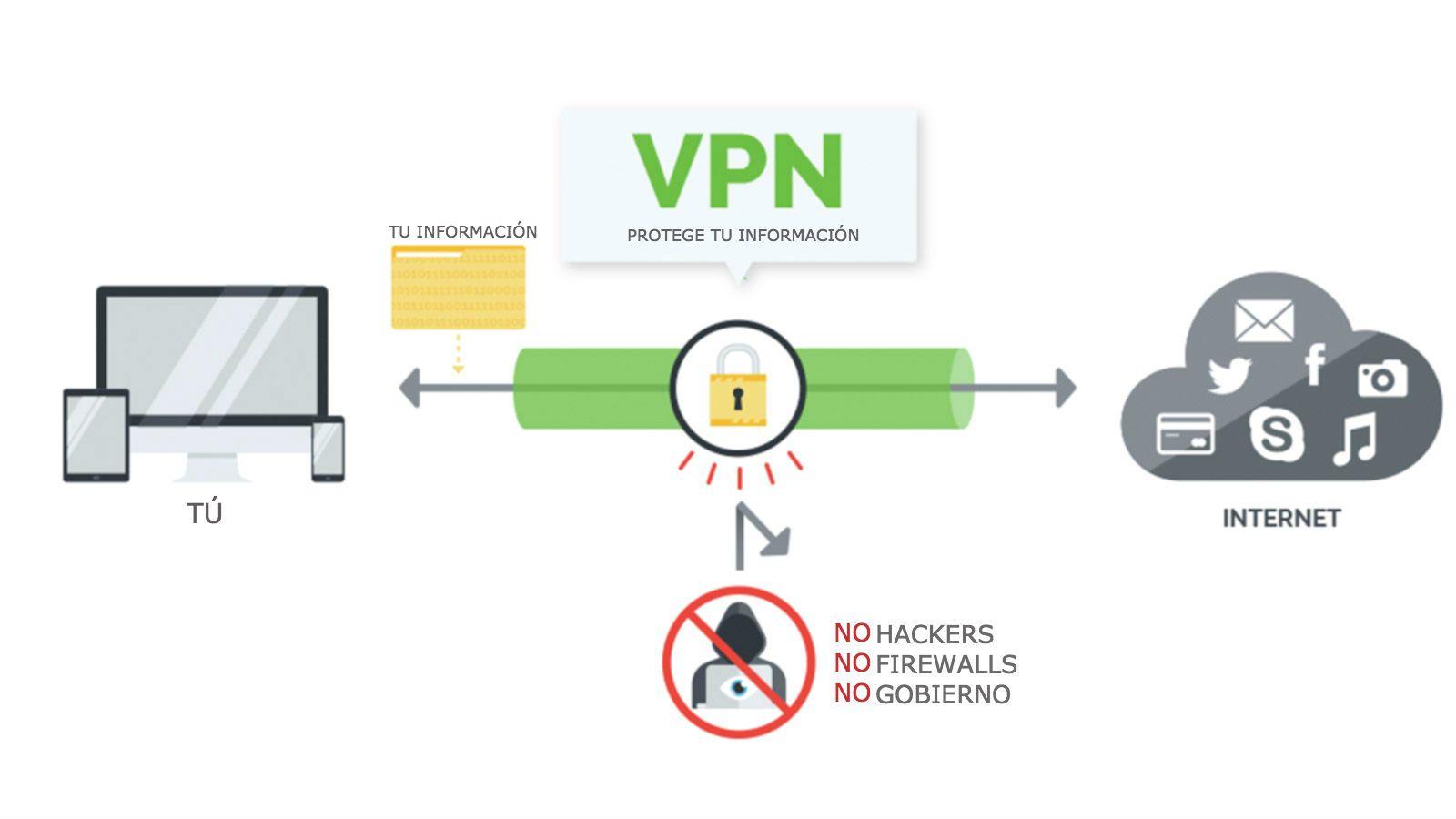
Before we delve into the complexities of HTTPS and insecure websites, it's worth clarifying what a VPN does in technical terms. A VPN creates an encrypted tunnel between your device and the VPN's servers . Everything that leaves your phone, computer, or tablet and goes to the internet first passes through this tunnel.
This means that from your internet access point (your home Wi-Fi, your work network, or a public Wi-Fi in a bar) to the VPN server, the traffic is encrypted . Anyone in between (your internet provider, network administrator, or an attacker on an open Wi-Fi network) will only see encrypted data, not the content of what you're sending or receiving.
However, once your data leaves the VPN server and reaches the website you're visiting, it's no longer protected by that tunnel. From the VPN to the website, your connection behaves like any other user's : protection (or lack thereof) depends on whether the website uses HTTPS, how the server is configured, and other factors.
That's why it's often said that a VPN protects the "your device ↔ VPN server" segment , but it doesn't have direct control over what passes from the VPN server to the destination web server. That last segment is key to understanding whether your data travels securely or not.
Differences between VPN and HTTPS: two distinct layers of protection
The concepts of VPN and HTTPS are often confused as if they were the same, but they are distinct technologies that operate at different levels . Both encrypt data, yes, but not in the same way or at the same point in the transmission process. Consult our web browser security guide.
HTTPS is an extension of HTTP that uses TLS/SSL encryption. When you see the padlock in the address bar, it means there is end-to-end encryption between your browser and the web server . No one in between (including your internet provider or the VPN itself) can see the exact content of the pages, your passwords, or any data you send to that site.
A VPN, on the other hand, encrypts the traffic between your device and its own server , but it doesn't define how that server then communicates with the website. If the website uses HTTPS correctly, the connection between the VPN server and the website is also encrypted. If the website only uses HTTP (without the 's'), that part of the connection is encrypted.
Simply put: a VPN handles the "path to the internet ," while HTTPS handles the direct connection between your browser and the website you're connecting to. They are complementary layers, not replacements.
When everything is properly configured (VPN + HTTPS), you have double protection: your ISP can't see the content thanks to the VPN, and the VPN itself can't see the encrypted HTTPS content . But when one of those layers is missing (for example, when the website doesn't use HTTPS), the situation changes considerably.
What happens when you access a website without HTTPS using a VPN?
Let's consider the scenario you described: you visit a website without HTTPS, your browser displays an alert, and you decide to use a VPN because someone told you it's "safe." In this case, your VPN only protects you from certain risks, not all of them.
From your device to the VPN server, everything is encrypted thanks to the VPN . Your internet provider, the owner of the Wi-Fi, or a nearby attacker cannot read exactly which website you visit or what data you enter (although they could infer some traffic patterns, but not the detailed content).
However, from the VPN server to the website without HTTPS, the connection is pure HTTP, meaning unencrypted plain text . In that segment, anyone who can monitor the traffic between the VPN server and the web server (for example, on intermediary networks or at the website provider itself) could view the content.
In practical terms, what changes is where the vulnerable point lies . Without a VPN, the insecure part of the connection extends from your device to the website. With a VPN, that insecure segment is moved to the "VPN server ↔ website" zone, but it still exists as long as the website doesn't use HTTPS.
Furthermore, it's important to remember that, by not using HTTPS, the host website receives your data in plain text . This means that everything you send (usernames, passwords, forms, personal data) arrives unencrypted at the site's server, and could therefore be intercepted or stored insecurely.
What does a VPN protect when a page doesn't have HTTPS?
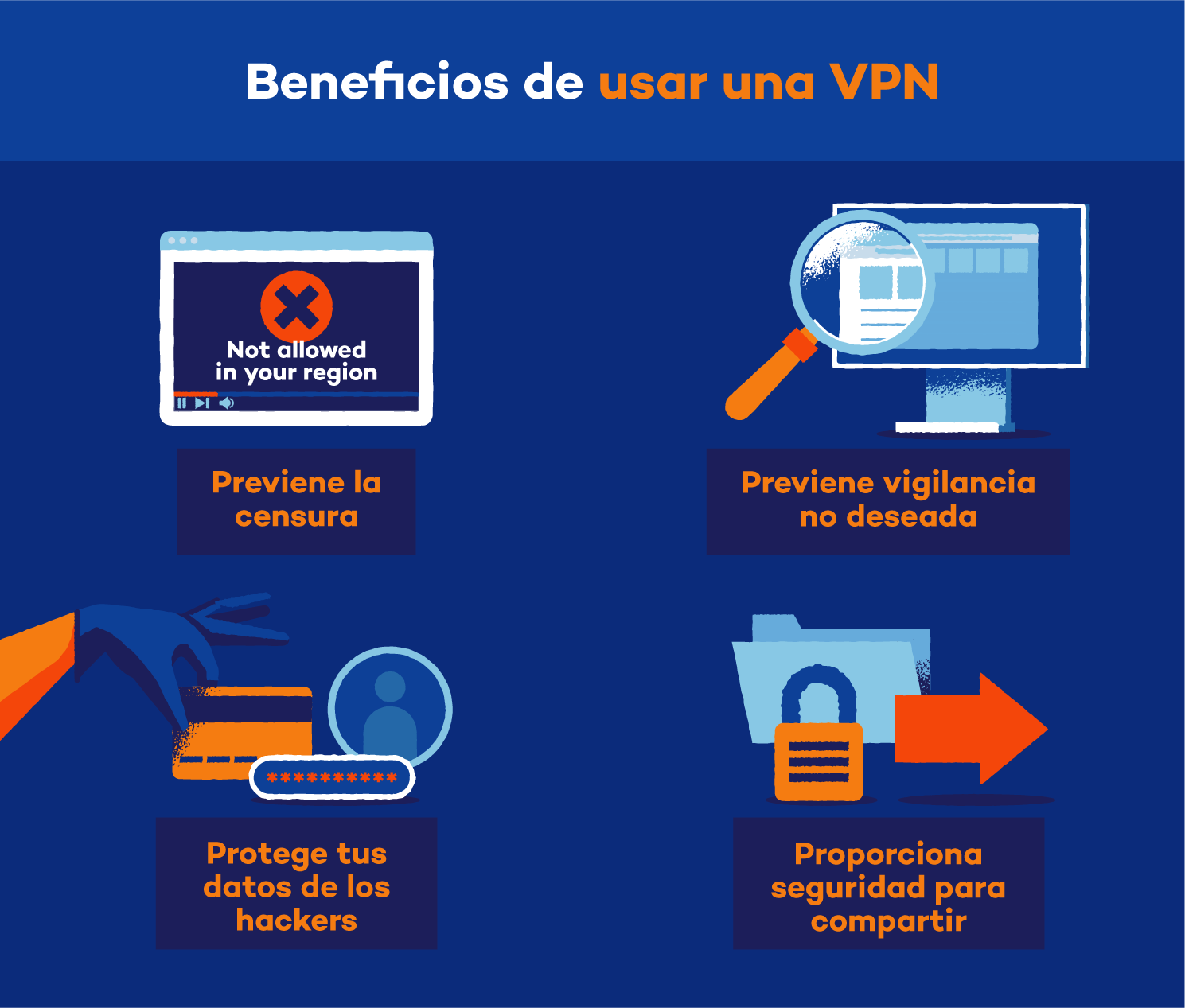
Despite its limitations, a VPN does offer some useful benefits, even when browsing websites without HTTPS. The first major advantage is hiding your real IP address . The site you're visiting doesn't see your IP address, but rather the VPN server's.
This means that the website (and any third party with access to its logs) cannot easily link your activity to your home internet connection or your exact location . For many people, this basic layer of anonymity is already very important, especially when accessing websites where they prefer not to identify their real IP address.
Another thing a VPN does protect is the area closest to you, where everyday risks are most common: it prevents your internet provider from seeing exactly which websites you visit and the content of your activity on them (even though they can tell you're using a VPN). It also protects against prying eyes on public networks, like the classic attacker on airport or hotel Wi-Fi.
To summarize this point: a VPN protects you from nearby spies (ISP, network administrator, local attackers) and hides your IP address from the web , but it doesn't magically transform an insecure website into a secure environment for entering sensitive data.
What a VPN CAN'T do on a website without HTTPS
The biggest source of confusion is what VPNs can't do. A VPN doesn't automatically encrypt the connection between the VPN server and the website if that website doesn't implement HTTPS. That segment will remain vulnerable to eavesdroppers near the website's server or in intermediate infrastructure.
A VPN also cannot prevent the website itself from seeing and storing the data you send it in plain text . If you enter your username and password on an HTTP page, the website receives those credentials exactly as they are, without protection. If the page has a security flaw, is compromised, or the administrator doesn't manage that data properly, your credentials could end up being leaked.
Another important limitation: VPNs don't protect you from malicious websites by design . If a page is a phishing scam, trying to trick you into entering data or downloading malware, the VPN won't prevent you from falling into the trap. You can remain "anonymous" thanks to the VPN's IP address, but you'll still be vulnerable to deception.
Furthermore, it's important to keep in mind that your VPN provider, depending on its logging policy and jurisdiction, may be able to see metadata about your activity (which domains you visit, when, how much traffic you generate, etc.). On websites without HTTPS, they could technically even see content if they intercept traffic from the VPN to the website, so trust in the provider is another key factor.
Finally, a VPN doesn't solve problems like operating system vulnerabilities, malware on your device, or poor basic security practices . If your computer is infected, it makes almost no difference whether you use a VPN: the malicious program can read what you type before it's encrypted. To reduce this risk, use cybersecurity software.
So, who is right about VPN protection?
Going back to the opinions you've received, there's some truth in both, but it's nuanced. Whoever told you that a VPN only protects from your device to the VPN servers is correct regarding traffic encryption : that is indeed the area where the VPN ensures that data travels encrypted.
However, that view falls short when it comes to identity and privacy. A VPN also affects how websites perceive you, as they detect the VPN server's IP address, not your own . In that sense, your identity is indeed protected throughout the entire connection, even in the unencrypted HTTPS portion.
On the other hand, those who claim that "a VPN protects you no matter how the information is sent" are oversimplifying and this can be misleading . If the page doesn't use HTTPS, the information is NOT end-to-end encrypted, and parts of the connection remain vulnerable.
The most accurate way to explain it would be: a VPN protects your connection from certain parties (ISP, local network, some intermediary observers) and hides your IP address, but it doesn't replace HTTPS encryption between your browser and the website . Without HTTPS, that last part of the journey is never fully secure.
Therefore, in the specific case of that page that warns you it no longer uses HTTPS, simply using a VPN doesn't make it completely secure for entering passwords or sensitive data . It can improve your privacy and reduce certain risks, but it doesn't eliminate the underlying problem: the website doesn't offer end-to-end encryption.
Practical risks of using websites without HTTPS even with a VPN
Beyond the theory, it's important to understand the specific risks you take when you continue using a website without HTTPS, even with a VPN. The first is the theft of credentials or personal data in the unencrypted sections . If someone gains access to the traffic between the VPN and the website, they can read what you send.
It also increases the possibility of man-in-the-middle attacks between the VPN and the website server. Without HTTPS, there's no strong verification that you're communicating with the legitimate server , which opens the door for an attacker to impersonate the website at that point.
Another problem is that data integrity isn't guaranteed . With HTTPS, if someone modifies the content mid-stream, the browser detects it. Without HTTPS, an attacker could inject malicious code into the page loaded from the web, even if you're using a VPN without realizing it.
Furthermore, your browsing may be subject to deep inspection by the website's server or by intermediaries in that final leg. Using a VPN does not prevent content from traveling unencrypted to the insecure server , so your privacy remains partially compromised.
Finally, many websites that have lost or disabled HTTPS are often poorly maintained or outdated . This increases the risk of other serious vulnerabilities and the possibility that your data could be compromised by an attack on the server itself, something a VPN cannot prevent.
Best practices when using VPNs with unsafe websites
Given all of the above, ideally you should use a VPN as an additional layer of protection, but still exercise common sense when visiting unsafe websites. The first recommendation is simple: avoid logging in or entering sensitive data on pages without HTTPS , even if you're behind a VPN.
If for some reason you have no alternative (for example, an older service that only works this way), consider creating specific credentials and not reusing the same password you use on other sites. This way, if your credentials are compromised, the damage will be less extensive.
Another good practice is to always check your browser's warnings . If your modern browser warns you that a page is not secure or that the certificate is invalid, take it seriously. A VPN doesn't override these warnings, and it's best to back out if the site doesn't seem trustworthy.
It's also wise to choose a VPN provider with a good reputation, clear no-logs policies, and strong encryption . If you're going to shift your trust from your ISP to a VPN, at least make sure it's a reputable and transparent company; or consider advanced self-hosted VPN options.
Finally, keep your system updated, use a good browser, and, if possible, enable features like HTTPS-Only or extensions that force the use of HTTPS when the page allows it. While these won't solve cases where the site doesn't offer HTTPS at all, they do help minimize unintentional insecure connections.
Looking at everything we've discussed, it's clear that a VPN is a very useful tool for improving the privacy and security of your connection, but it doesn't replace HTTPS or fix the vulnerabilities of a poorly secured website . The phrase "a VPN protects everything" falls far short of the technical reality: it protects you from certain actors, hides your IP address, and strengthens your browsing, but if a website has stopped using HTTPS, you'll still have a weak point in the final stage of the connection and when interacting with that website's server. Therefore, the decision to entrust your data to a VPN should be based on this risk, not on the false sense of invulnerability sometimes attributed to VPNs.
Table of Contents
- 1 What exactly is a VPN and what part of the connection does it protect?
- 2 Differences between VPN and HTTPS: two distinct layers of protection
- 3 What happens when you access a website without HTTPS using a VPN?
- 4 What does a VPN protect when a page doesn't have HTTPS?
- 5 What a VPN CAN'T do on a website without HTTPS
- 6 So, who is right about VPN protection?
- 7 Practical risks of using websites without HTTPS even with a VPN
- 8 Best practices when using VPNs with unsafe websites