- PyQt connects Python to the powerful Qt graphical framework, allowing you to create professional desktop applications.
- It allows you to design visual interfaces with Qt Designer and manage them with Python thanks to the included modules and utilities.
- It offers cross-platform support and a wide range of widgets, tools, and technical documentation to make learning easier.
If you're starting to delve into Python application development, you've probably become curious about tools that allow you to create professional, visual graphical interfaces. PyQt is undoubtedly one of the most prominent names in this field , and although other alternatives exist, its popularity and versatility make it a very attractive option. Today, we'll explain in detail what PyQt is, how it works, its advantages and disadvantages compared to other libraries, and its main use cases, so you have all the information you need before launching your first visual Python application.
Understanding PyQt and its ecosystem can open many doors in the world of software development, as mastering graphical interface creation is a highly valued skill in both personal projects and professional environments. Furthermore, understanding its relationship with technologies like Qt, PySide, and other alternatives will help you make better decisions when selecting the right tool.
What is PyQt?
PyQt is a set of bindings between Python and the popular cross-platform graphics library Qt . This means that, thanks to PyQt, you can use Qt's powerful tools and widgets from your Python scripts, combining the ease and speed of Python with the performance and robustness of Qt, which in its main version is programmed in C++.
Developed by the British company Riverbank Computing since the late 90s, PyQt provides a bridge for creating all kinds of graphical user interface applications on operating systems such as Windows, GNU/Linux, and Mac OS X. Its availability under different licensing models (GPL, LGPL, and commercial) has facilitated its adoption in both free software projects and commercial initiatives.
What is Qt and why is it important for PyQt?
Qt is a cross-platform, open-source, object-oriented framework well-known for its efficiency, stability, and speed, as it is developed in C++. Qt is interesting for several reasons: it allows the development of programs with the same codebase for different operating systems, it leverages the modularity and ease of learning of the object-oriented paradigm, and it offers a rich collection of widgets, design tools (such as Qt Designer), and utilities for internationalization, databases, networking, 2D/3D graphics, and multimedia.
PyQt was created as the Python version of all that potential : it offers a Python interface to the Qt framework, so developers can access Qt's extensive repertoire of widgets and utilities without leaving the Python environment. Furthermore, Qt has historically been supported by major companies and communities (Nokia, Digia, The Qt Company), which guarantees its continued evolution and support.
Differences between PyQt and other alternatives: PySide, Tkinter, PyGTK, wxPython
When looking to create graphical interfaces in Python, PyQt isn't the only option, although it is one of the most complete and professional . It's important to compare PyQt with other popular libraries:
- pyside: Born as a response to PyQt's licensing restrictions. Developed and maintained by The Qt CompanyPySide is the official Qt binding for Python and uses the LGPL license, which is more open to commercial projects. Although it was originally behind PyQt, it now has functional parity and is an excellent alternative if you're concerned about commercial licenses.
- Tkinter: It is the built-in library in Python for graphical interfaces. It is extremely simple and perfect for basic scripts and GUIs. However, It lacks advanced widgets and visual design tools like Qt Designer. Perfect for quick projects or prototypes.
- PyGTK y wxPython: These are other alternatives focused on different foundations (GTK and wxWidgets) and have their own repertoire of multiplatform widgets and styles. They are usually chosen for very specific projects or due to a preference for a particular visual environment.
In practice, PyQt and PySide are preferred for professional development or when advanced appearance and functionality are required , while Tkinter is reserved for simple utilities.
License and versions: what do you need to consider?
One of the key factors when choosing PyQt is its licensing model. PyQt is distributed under the GPL (GNU Public License) and a paid commercial license. This means that projects must either be free software or pay the cost of the commercial license (currently around $550). If your goal is to distribute closed-source software or for commercial purposes without releasing the source code, you need the commercial version.
On the other hand, PySide uses the LGPL license , which is less restrictive and allows its use in commercial applications without releasing the source code, which has made it gain popularity in recent years, especially with official support from Qt Company and an increasingly robust codebase.
Regarding versions, the current main branch is PyQt6 (latest stable version 6.4.2), although PyQt5 is still widely used due to its compatibility with previous projects and examples available on the Internet.
How to install PyQt?
Installing PyQt in your development environment is very simple. The most common way is to install PyQt5 or PyQt6 using pip, Python's package manager . Simply run the following command in your terminal:
pip install PyQt5o
pip install PyQt6Depending on the version you prefer. If you also want visual tools like Qt Designer, you can install pyqt5-tools : Qt Designer and visual tools
pip install pyqt5-tools --preThis will allow you to launch Qt Designer directly from your Python environment and take advantage of visual interface design.
First steps to create a graphical interface with PyQt
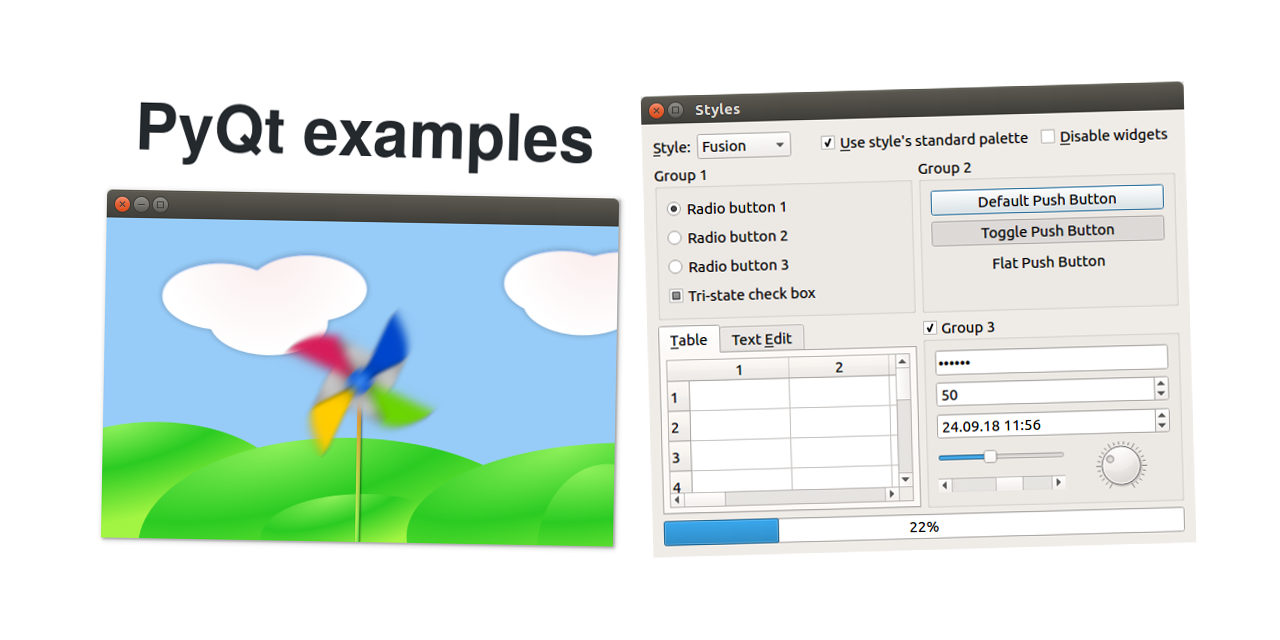
The basic development workflow with PyQt consists of creating an application, designing a main window, adding widgets, and handling events . A minimal example for creating a window with a button would be the following:
import sys
from PyQt5.QtWidgets import QApplication, QMainWindow, QPushButton

app = QApplication(sys.argv)
window = QMainWindow()
window.setWindowTitle('Mi Primera Aplicación con PyQt')
window.setGeometry(100, 100, 400, 200)

button = QPushButton('¡Haz clic en mí!', window)
button.setGeometry(150, 80, 100, 40)

window.show()
sys.exit(app.exec_())
In this example, we create a window with a button that, when pressed, executes the corresponding action . The structure also shows how any PyQt application is organized: a main QApplication class, one or more widgets, and an event execution loop.
Visual design with Qt Designer
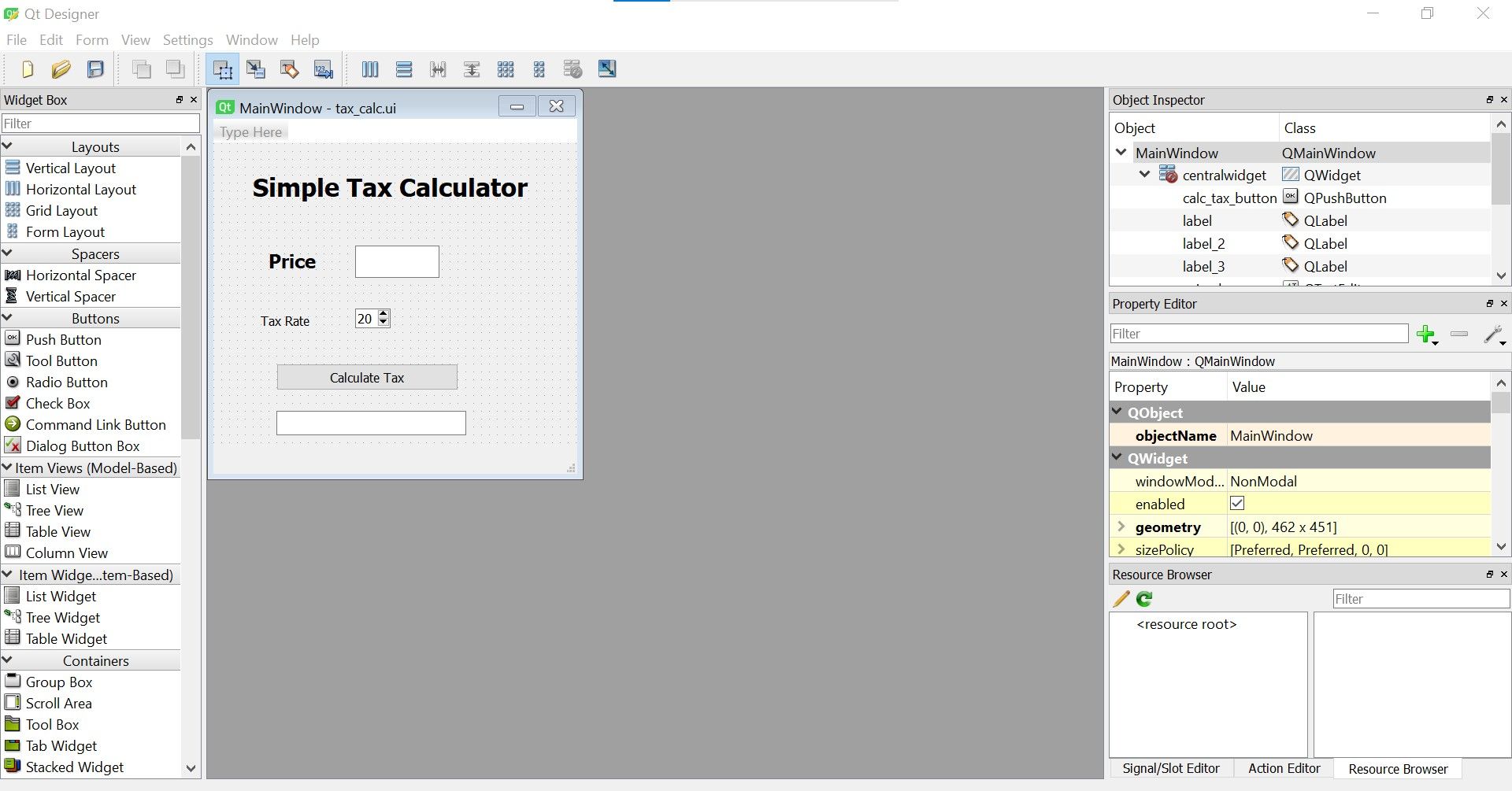
Qt Designer is one of PyQt's biggest advantages over other libraries . It's a graphical tool that lets you drag and drop widgets, configure visual properties, change text, assign colors, or modify your window's layout intuitively, without writing any code.
The usual flow would be:
- Open Qt Designer (installed with pyqt5-tools or included in full Qt distributions).
- Select the window template you want (for example, 'main window').
- Add all the widgets you need from the toolbox to your window and configure their properties from the inspector and the property editor.
- Save the file with extension .ui.
- Load this file from your Python program and connect the widgets to the corresponding functions or methods.
This allows for a clear separation of visual design from logical development , facilitating teamwork and interface reuse. Furthermore, you can modify the interface without altering the Python code, which greatly accelerates development and design iteration.

Main modules, utilities and features of PyQt
PyQt consists of several modules that replicate the various components of Qt. Some of the most commonly used are:
- QtWidgets: Includes all standard widgets (buttons, labels, text boxes, menus, etc.).
- QtGui: Tools for graphics and advanced visual manipulation.
- QtCore: Basic functions and utilities (signal and slot management, thread management, timers, etc.).
- QtNetwork: For network application development.
- QtSql: Database connection and management.
- QtXml, QtOpenGL, Qt Multimedia, among others.
Additionally, PyQt includes tools such as:
- pyuic: Converts .ui layout files created with Qt Designer into executable Python code.
- pylupdate: Extract translatable strings from your code and generate files for internationalization.
- Qt Linguist and Qt Assistant: Utilities for translations and online documentation.
Most popular widgets and components for interfaces with PyQt
When creating applications with PyQt, you can take advantage of a large number of advanced widgets , such as:
- QPushButton, QLabel, QComboBox, QLineEdit, QRadioButton, QCheckBox: basic elements of interaction.
- QListWidget, QTableWidget, QTreeWidget: to display and manage lists, tables and hierarchies.
- QTabWidget: tab management.
- QFileDialog: Dialog boxes for opening and saving files.
- QMenuBar, QStatusBar, QToolBar: typical menu and toolbar elements.
- Custom widgets: You can create and connect your own widgets by extending the base classes.
The flexibility is total: you can combine all these elements, modify their appearance, manage events, and connect widgets and application logic using signals and slots.
Advantages and disadvantages of PyQt
PyQt's strengths include flexibility, a wealth of components, and cross-platform integration . Signal- and slot-based programming enables agile and scalable object-to-object communication. Visual tools streamline design, and the active community provides extensive documentation and examples.
However, there are also some drawbacks . For example:
- The commercial license can be an impediment for some projects if the source code needs to be kept closed and the GPL cannot be used.
- The learning curve is steep for those unfamiliar with Qt, especially when compared to the simplicity of Tkinter.
- Although most widgets are well documented at the Qt level, PyQt-specific documentation may be missing for some specific classes or methods.
PyQt versus Tkinter
The comparison between PyQt and Tkinter is common among those starting out with Python. Tkinter comes integrated with Python and is extremely easy to use . It's ideal if you need a simple and fast interface, especially for scripts or internal tools.
On the other hand, PyQt stands out for its quantity and quality of widgets, visual design tools, and advanced capabilities (such as graphics, internationalization, multimedia, and databases). It is generally the choice for more complex projects, business applications, scientific applications, or multimedia applications.
The final choice will depend on your specific needs: if you're looking for professionalism, a modern look and flexibility, PyQt (or PySide) is the preferred option ; if you just need something functional and agile, Tkinter will suffice.
Use cases and real-life applications
Thanks to its robustness and ease of use in creating professional GUIs, PyQt is used in various sectors . Some examples are:
- Enterprise desktop applications.
- Text, graphics or database editors.
- Scientific and data visualization tools.
- Simple entertainment apps and games.
- Rapid interface prototyping for startups and agile development.
Its ability to integrate with other languages, such as C++, further expands its scope and versatility . This facilitates collaboration in multidisciplinary teams where modules in different languages are combined.
Internationalization, Unicode and compatibility
One of PyQt's greatest strengths is its full support for Unicode and application internationalization . You can define the interface in multiple languages, manage translatable strings, and take advantage of utilities like Qt Linguist and pylupdate.
Conversions between string types in Python ( str , unicode ) and Qt types ( QString ) are automatic in most cases; if necessary, there are specific functions to perform these conversions.
Additional tools needed
By installing PyQt along with its tools, you will obtain utilities such as:
- QtDesigner: for the graphic design of interfaces (previously explained).
- Qt Linguist: to manage translations and internationalization processes.
- pyuic: to convert .ui layout files into Python code.
- pyrcc: to integrate resources such as images or icons into executables.
- pylupdate: to extract translatable strings from the code.
With these tools, the design, development, testing, and deployment cycle becomes more efficient, saving time and reducing errors.
Recommendations and resources for learning PyQt
Thanks to its long history and active community, PyQt offers a wealth of training materials, tutorials, forums, and documentation . Whether you want to learn from scratch or refine your skills, you can start with the official documentation, tutorials, online courses, and practical examples.
Additionally, if you're looking for more structured training, there are bootcamps and specialized courses in application development with PyQt . These programs combine theory with practice, allowing you to create a solid portfolio for the job market.
Mastering graphical interface development with PyQt can be a key differentiator in the technology sector. Its integration with Python, power, and professional results make it one of the best options for creating visually appealing and functional cross-platform desktop software.