- Performance, metrics, and dependency management are key to making a mobile app fast and stable.
- Choosing the right technology, architecture, and data management directly impacts the user experience.
- Market research, safety by design, and a good business and marketing strategy determine success.
- Extensive testing, continuous analytics, and maintenance ensure that smartphone software remains competitive.
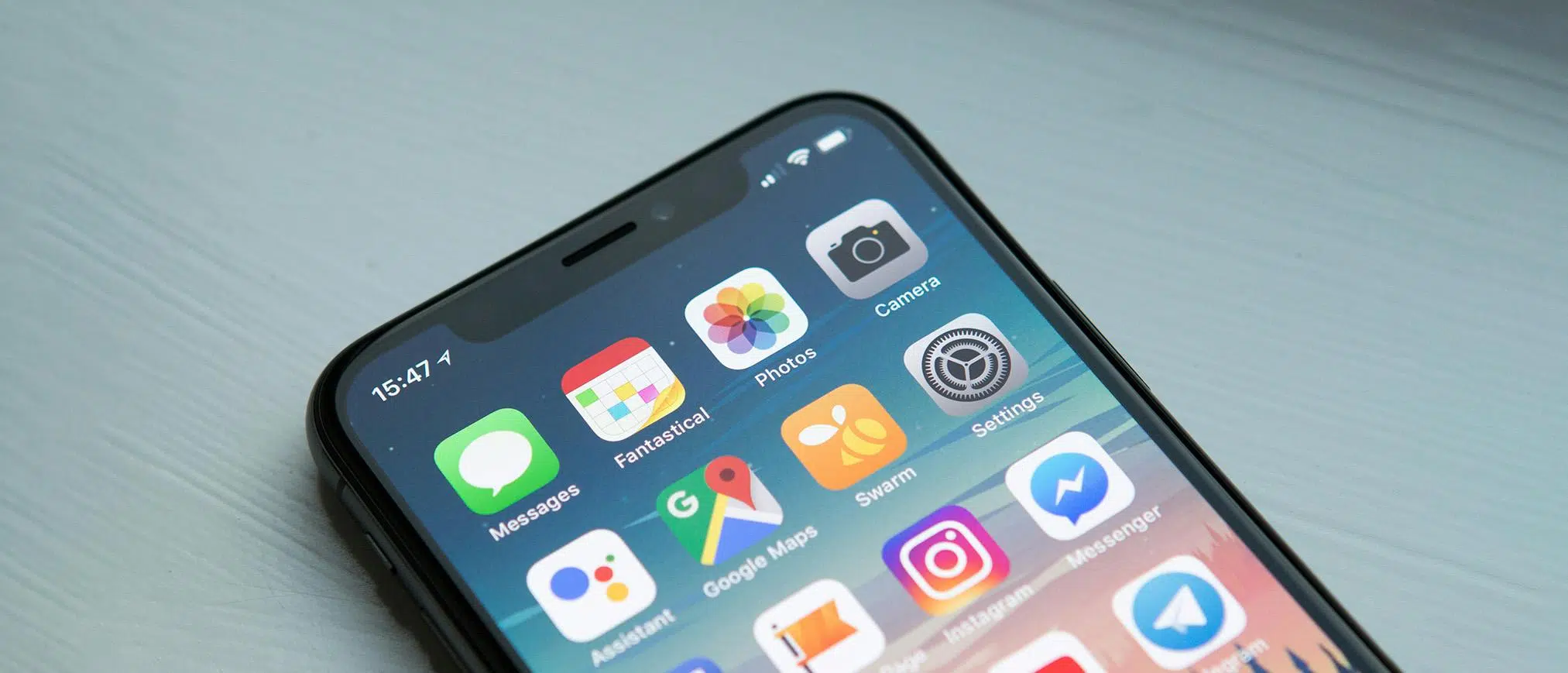
If you use your phone for everything—work, study, shopping, or simply entertainment—choosing the right smartphone software and paying attention to how an app is developed and maintained makes all the difference between a smooth experience and a real ordeal. From the type of app you install to how it's programmed, tested, and optimized, many factors influence whether your phone runs smoothly or sluggishly.
In this article, you'll find a comprehensive guide with tips on smartphone software, whether you're a user looking to get more out of your phone or you're thinking about creating, commissioning, or improving an app . We'll cover performance, security, design, frameworks, business, testing, metrics, maintenance, and even when it's a good idea to use an APK from outside the official app store… and when it's best to leave it alone.
What you should know before installing or distributing software on your smartphone
Almost everyone has experienced this: you read about an app that seems perfect for you, you search for it in the official store, and it doesn't appear on Google Play or the App Store . Or you only find an old version that's no longer available. This is where many users consider downloading the popular APK file for Android from third-party websites.
An APK is essentially the installable package for an Android application , the same type of file that Google Play manages under the hood, but obtained independently. It can be useful for accessing older versions, apps removed from the store, or software first available in other marketplaces, but it's not without significant mobile security risks.
The big problem is that APKs from outside the official store don't pass Google Play Protect's security checks and reviews . This means you could install an app that looks legitimate but is actually modified with malware, aggressive advertising, or code that steals your personal data . Not everyone has the knowledge to analyze the origin and integrity of an APK.
Furthermore, when you install from unknown sources, you assume the responsibility: you won't have automatic updates , you could get stuck on a vulnerable version, and if something goes wrong, there will be no official support. Therefore, unless you know exactly what you're doing and are certain of the source, it's best to stick to official stores and always prioritize security over curiosity.
Performance: Why a slow app kills the experience on your mobile
In the world of app development, it's common to fall in love with an app idea and start programming without considering its actual performance on the phone . But users don't care about the roadmap or your plans for future versions: all they see is what happens when they tap "open." If the app is slow, crashes, or feels clunky, the reaction is to uninstall it without hesitation.
Recent industry data shows that by around 2025, apps that take more than two seconds to launch or frequently crash will lose users at a dramatic rate. Reports such as those from Business of Apps indicate that 30-day retention after installation drops to around 2% on both platforms if the user experience is poor, even if the app concept is good.
If you want your app to stay on the user's smartphone and not end up in the trash the next day, you have to treat performance as a core feature , not an afterthought. This necessarily starts with measurement: without data, there's no way to know what to improve or where the bottleneck is.
Peer-reviewed studies in recent years have shown a direct correlation between high latency, frequent crashes, and user abandonment . When an app seems slow or unstable, most users don't open a support ticket: they simply delete it and move on to another alternative. And this holds true for both Android and iOS.
Some of the key metrics that any team should monitor are cold boot time (from when the icon is touched until the app can be used), crash and ANR (Apps Not Responding) rates, UI frame rendering time — if the threshold of about 16 ms per frame is exceeded, stuttering occurs — and accumulated network latency , which makes everything seem stuck even though the server responds “more or less well”.
Imagine a native app built in Kotlin with a polished visual design and a powerful marketing campaign that racks up thousands of downloads on its first day. Everything seems to be going smoothly except for one detail: the app takes more than three seconds to display the first screen. Within a week, user retention plummets. Users aren't complaining about the features; they don't even get around to discovering them because they're unwilling to wait every time they open the app.
Teams that incorporate observability and analytics tools from the first sprint avoid these kinds of setbacks. They monitor startup times, interface responsiveness, and failures on real devices before going into production. This way, performance optimization becomes a systematic and measurable process, instead of blindly putting out fires.
Choosing the right technology: native, cross-platform, and backend stack
The decision about which technologies to use in a smartphone app shouldn't be based on current trends, but rather on how the tools perform under real-world, long-term load . You need a product that can withstand the pressure of intensive use, regular updates, and a growing user base.
Cross-platform solutions like Flutter or React Native and web applications offer excellent efficiency when you want to reach iOS and Android with a single codebase and the application has moderate complexity. However, if the app requires deep system integrations, advanced hardware access, or millisecond response times (for example, in critical logistics or warehouse support apps), the native approach remains the most robust.
There are real-world cases where moving from a generic solution to a native app has resulted in dramatic time reductions. A typical example is that of internal warehouse applications: by rewriting an iOS client natively, process times have been reduced from around 15 seconds to about 3, simply by having complete control over memory, threads, and the interface.
On iOS, languages like Swift and Objective-C allow for very fine-tuning of memory management and the behavior of each visual element. This results in fast startups and immediate responses when tapping buttons or scrolling through lists. On Android, Kotlin and Java, when used correctly, help minimize ANR (Answer Not Reported), garbage collector pauses, and main thread blocking, even under heavy loads or multitasking.
On the server and web side, languages like Rust, .NET, Python, or JavaScript frameworks such as React and Vue.js are chosen based on expected workload, team size, and security requirements . Rust, for example, is increasingly used in services that need extreme performance and memory safety, while .NET or Python facilitate the rapid development of APIs, microservices, and business logic.
The important thing is to understand that every language and platform has its strengths and weaknesses. It's unwise to build a "hyper-modern" stack just for aesthetics if, under stress, it behaves like a race car mounted on a buggy chassis: flashy, but impractical. If you choose wisely from the start, your app will be able to continue receiving new features without losing stability or speed on the user's mobile device.
How dependencies and SDKs can sink (or improve) a mobile app
When discussing smartphone software development, most people focus on core architectures, languages, and frameworks, but often overlook a silent element: third-party libraries, SDKs, and dependencies . Every analytics kit, notification system, A/B testing module, or payment gateway introduces code that can impact performance without you even realizing it.
Many SDKs execute tasks when the app starts, schedule background work, make network calls without your direct control, or load scripts you've never reviewed. In practice, a simple push notification module can delay the home screen by almost a second if it's poorly integrated or hasn't been properly configured.
That's why it's crucial to manage dependencies with discipline. A good practice is to define startup and memory budgets for third-party modules: if an SDK consumes more time or resources than allowed, it needs to be reconsidered. It's also advisable to perform mandatory audits of new libraries, reviewing their impact on CPU usage, package size, and how they handle personal data.
Another key measure is having runtime monitoring tools that show which dependencies run when the app opens, what tasks are scheduled, and whether they generate hidden threads that later hinder troubleshooting. With this data, it's easier to decide whether something is worthwhile or if it's better to write a custom module that only does what's absolutely necessary.
In real-world projects, before integrating full marketing suites like AppsFlyer, Mixpanel, or GA4 into an app with technical debt, it has proven to be smart to stabilize the core codebase first . After a thorough audit and code cleanup, these tools can be added without compromising performance. Doing so can even increase conversion rates (for example, by 45% more subscriptions) while keeping the app running smoothly.
Neglecting dependency hygiene turns an initially clean architecture into a tangled mess that's difficult to maintain, even if the underlying code is well-written. The time to tidy up your SDKs is before the first user even clicks the icon, not after thousands are already experiencing crashes and slowdowns.
Architecture and data: speed, efficiency and user experience
The architecture of your app—both on mobile and in the backend—largely determines the speed perceived by the user . Sometimes the development team is blamed for not being "senior" enough when, in reality, performance problems stem from structural decisions made early on without considering future growth.
A monolithic design might seem like the best option at first because everything is "together and controlled." However, as features are added, each change introduces the risk of breaking another part of the system. Microservices solve the problem of isolation, but if implemented indiscriminately, they can significantly increase latency and operational complexity, with multiple services communicating with each other during every user action.
In the best-performing mobile apps, the architecture adapts to how the product is actually used. Priority is given to local interactions that avoid waiting (for example, visually confirming an action even if synchronization with the server happens later), background synchronization so that resource-intensive processes don't block the interface, and offline capabilities so the app remains useful even with poor coverage.
Without touching a single design screen, moving heavy business logic off the main interface thread can drastically reduce the failure rate. Isolating processes, using work queues, and properly managing data transactions have a huge impact on the stability perceived by the user.
Another classic problem that hinders smartphone software is moving more data than necessary. Many apps make huge queries, download entire lists where only a few fields are needed, or repeat requests over and over because they haven't implemented a smart cache on the device . The less redundant data that travels, the faster the application feels.
To optimize this, protocols such as HTTP/2 or gRPC are often used instead of old and cumbersome HTTP calls; GraphQL is introduced to request only the information that each screen needs; and complex calculations are offloaded to services written in high-performance languages such as Rust, replacing parts of Python or other slower environments when it is worthwhile.
Testing, metrics, and quality: how to ensure your app works on real mobile devices
Many performance and security issues aren't due to bad product ideas, but rather a lack of thorough testing before launch. Testing only on emulators and the developer's own phone is a near-guaranteed recipe for unpleasant surprises when the app reaches thousands of different smartphones.
Emulators are good for validating the basic logic, but they don't accurately reproduce everything that real devices do: background system tasks, battery management, interrupts, network changes, older operating system versions with peculiar behaviors… If this isn't taken into account, the launch becomes an expensive experiment paid for by your users.
In the day-to-day work of QA, tools like Firebase Performance (for logging boot times and network response times), Xcode Instruments (which uncovers memory leaks in iOS that aren't immediately visible), and Android Profiler (which shows CPU, GC, and memory usage spikes) are combined. These tools, used on physical devices, help detect bottlenecks long before release.
Testing should cover several layers: functionality (ensuring everything performs as promised), performance (boot times, RAM and battery consumption), compatibility (different models, resolutions, and system versions), and security (vulnerability detection, especially following guidelines like the OWASP Mobile Security Testing Guide). Penetration testing for apps handling sensitive data is also included.
In a mature process, automated testing and CI/CD pipelines are integrated to prevent a new version from reaching production if it performs worse than the previous one. No exceptions. This discipline keeps the app stable and predictable, and avoids regressions that users perceive as "this app is getting worse and worse, I'm deleting it."
It's equally important to extend testing beyond the technical team: other developers should review their colleagues' work, and it's also advisable to ask non-technical users to test the app. Their feedback on usability, clarity, and errors encountered in daily use is invaluable before delivering the product to the client or uploading it to the app store.
Market, design, security and business: tips for developing smart apps
If you're thinking about creating a smartphone app, whether on your own or with a development company, the work doesn't begin with the code, but with thoroughly understanding the market, the target audience, and the business model . Many projects fail not because of technical problems, but because there wasn't a clear fit between the idea and the user's actual needs. To stay up-to-date with industry news, it's a good idea to consult sources about mobile devices, apps , and market trends.
The first step is to research what's happening in your niche: what similar apps exist, what reviews they have, what mistakes others have made, and what users are asking for in their reviews. Analyzing this allows you to "learn from others' mistakes" and launch a better product from day one, avoiding wasting time on features that no one values.
Accurately identifying your target audience is equally important: who will use your app, what specific problem it solves for them, and how it fits into their daily lives. Many design decisions, feature prioritization, and even monetization strategies (subscription, one-time payment, freemium, in-app purchases, etc.) stem from the answers to these questions.
Regarding design, it's important to keep an eye on trends (for example, the current mix of clean, flat design interfaces and touches of skeuomorphism that improve visual comprehension), but without resorting to a "copy-paste" approach. Users appreciate an app that feels familiar yet different , that offers something unique and doesn't seem like just another clone of what's already available in the store.
Security is another area where many companies fall short. Reports like those from IBM have shown that around half of all companies don't allocate a specific budget to the security of their mobile apps, and that a huge percentage don't even check their code for vulnerabilities. The result: hundreds of millions of personal records exposed each year in breaches that could have been prevented.
As a product manager or developer, you should integrate security by design : review code, implement secure storage best practices, protect communications, use strong authentication, and comply with data protection regulations. An app that handles private information must convey that the data is in good hands, because users increasingly value this aspect.
All of this needs to be incorporated into a realistic action plan that takes into account the project stages (management, design, architecture, development, testing, improvement, and deployment), the available budget, and the timeline. Launching a controlled beta version first, gathering metrics and feedback, and then refining it is a very sensible way to reduce risks.
Finally, don't neglect your marketing and retention strategy . An excellent app is useless if no one knows about it. It's essential to plan how you'll promote it, what messages you'll use, on which channels, and how you'll generate buzz before launch. Then, analytics tools and dashboards (for example, with Power BI) help you understand which parts of the app are working, where users are dropping off, and where you should invest in improvements.
Designing and maintaining smartphone software is much more than just programming screens: it involves understanding the user, choosing the right technologies, prioritizing security, measuring what matters, managing dependencies, conducting thorough testing, and keeping the project alive with updates and ongoing support. The result of doing it right is fast, reliable, and useful apps that people keep installed because they truly deliver value day after day.
