- An ERP system centralizes the management of inventory, purchasing, sales, and finance, offering real-time stock control and reliable data.
- ERP + WMS integration improves traceability, optimizes picking locations and routes, and reduces discrepancies between physical and theoretical stock.
- Features such as minimum and maximum stock levels, breakage alerts, batch traceability, and dashboards transform the warehouse into a strategic asset.
- Digitizing stock control allows you to avoid stockouts and overstock, streamline processes, and increase the overall profitability of the business.
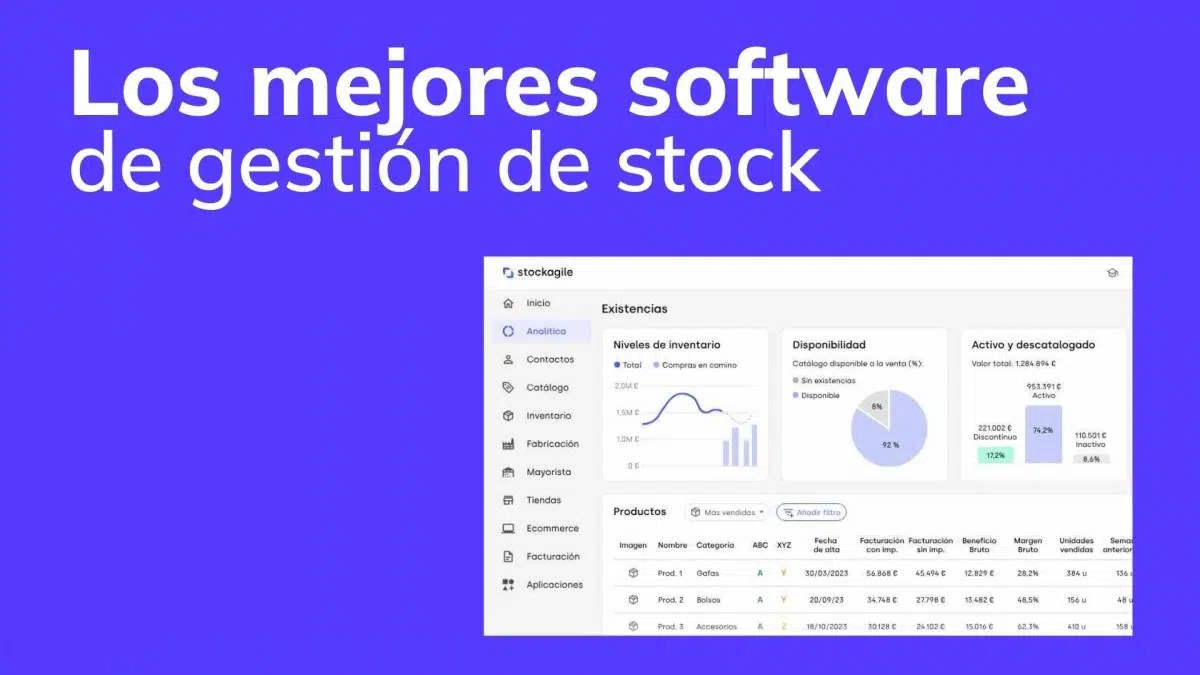
Stock management and inventory control have become one of the most critical aspects for any company, from a small retail business to a large distributor. When what comes in, what goes out, and what's actually in the warehouse isn't properly tracked, it's very easy to lose sales, see costs skyrocket, and complicate all daily operations.
A good ERP system specializing in inventory , often supported by WMS software for physical warehouse control, allows for the automation of processes, gains real-time visibility, and transforms the warehouse into a strategic part of the business, rather than a simple "checkout area" where things are improvised every day; all of this is part of the digital transformation in companies.
ERP system and stock management: basic concepts
When we talk about inventory management, we're referring to the entire process of tracking, controlling, and planning a company's stock: from procurement and storage to sales or internal consumption. This includes knowing what items are available, in what quantities, where they are located, and their condition.
A key part of this management involves maintaining balanced stock levels ; that is, neither falling short (leading to stockouts and lost sales) nor accumulating too much (resulting in additional financial costs, lack of space, and the risk of obsolescence). To achieve this, it is essential to anticipate future demand and adjust purchases strategically, rather than acting on intuition.
The ERP system comes into play as a centralized data platform that integrates inventory, purchasing, sales, accounting, contracts, after-sales service, and, in many cases, production. All information flows into a single database, reducing duplication, manual errors, and delays in data updates. This evolution is aligned with trends in technology and digital business.
Thanks to the ERP, the company can analyze stock behavior in real time , detect problematic items, see consumption trends and make more objective decisions about procurement, commercial offers or warehouse reorganization.
Furthermore, an inventory-oriented ERP system allows for the automatic recording and control of every incoming and outgoing transaction. When a purchase is made, the stock is updated; when a sale or production takes place, the corresponding units are deducted—all without relying on scattered spreadsheets or paper records.
Why an ERP is essential for inventory control
Having a modern ERP system for inventory management is no longer a luxury, but a practical necessity for companies that want to be competitive. Without this tool, inventory control often relies on manual processes, spreadsheets, and outdated systems that don't offer a reliable or up-to-date view.
With an ERP system, every transaction that affects inventory is recorded in a traceable manner : purchase orders, receiving slips, sales, returns, production consumption, and inventory adjustments. This traceability simplifies audits, incident review, and compliance with quality regulations in regulated sectors.
Another important advantage is the ability to optimize minimum and maximum stock levels for each item. The ERP system, using sales history and lead times, can calculate recommended minimum stock levels and generate alerts when there is a risk of stockouts or excess inventory.
In many cases, the system allows blocking the shipment of products with no available stock , preventing the dreaded "negative stock" that causes so many distortions. This helps maintain data consistency and reduce errors in high-turnover environments.
The ERP also facilitates a multi-warehouse view of inventory: different branches, stores, central warehouses and satellites can be managed in a coordinated manner, with internal transfers, a consolidated view of the global stock and analysis by logistics center.
Limitations of ERP without an advanced WMS in distribution
In distribution companies with a high volume of operations, multiple locations and a wide variety of references, an ERP alone may fall short at an operational level if it is not complemented with a specialized WMS (Warehouse Management System) software , and with automation solutions such as robots in logistics.
ERP systems are designed to plan, record, and analyze , but they don't always detail how products physically move within the warehouse: specific locations, picking routes, real-time internal movements, or advanced location and zone management, which often require autonomous operations for their execution.
Without a WMS, errors in order preparation , lack of traceability in internal movements, excessive picking times, and inefficient use of available space are common. All of this translates into delays, additional costs, and poorer customer service.
By integrating ERP and WMS, the ERP system handles planning and overall information , while the WMS executes and validates physical movements within the warehouse. Every receipt, transfer, putaway, picking, and shipping is recorded and synchronized with the accounting and sales inventory.
In this way, inventory management with ERP stops being based on theoretical data and starts to accurately reflect the real situation of the warehouse , reducing discrepancies between physical stock and recorded stock, one of the biggest headaches after intense sales campaigns.
Peak demand, sales, and stock imbalances
After high-volume campaigns such as sales, Black Friday or peak seasons (for example, winter in fashion), many warehouses find themselves in a complicated scenario: out-of-stock items not detected in time , surpluses of seasonal products, discrepancies between theoretical and physical inventory, and chaotic locations.
During these peak periods, the priority is usually to fulfill orders as quickly as possible . This leads to accelerated picking processes, manual inventory adjustments without proper validation, and incomplete records, resulting in accumulated errors that are difficult to locate once the campaign ends.
Meanwhile, some items sell like hotcakes and sell out without any planned replenishment, while others sit idle, taking up valuable space . This imbalance between high and low turnover limits the warehouse's ability to prepare for the next season.
All this imbalance has a direct impact on finances : overstock means immobilized capital, higher storage costs and the risk of the product becoming obsolete; stockouts represent lost sales and dissatisfied customers who may look for alternatives with the competition.
A well-configured ERP, connected to a WMS, helps to overcome this post-campaign situation through partial or general inventories, controlled adjustments and reorganization of locations, always relying on reliable data and automated processes instead of improvised corrections.
Strategies for regularizing the warehouse after an intense campaign
Once the initial surge in orders subsides, simply "letting the warehouse settle" is not enough. A structured reorganization is necessary to regain control of stock levels, adjust replenishment parameters, and physically reorganize the space.
One of the first decisions is choosing between a full inventory count and a cycle count . A full inventory count checks the entire warehouse at once, but it can require partially halting operations. A cycle count, on the other hand, checks groups of SKUs continuously, which is very useful after periods of high activity to detect discrepancies without slowing down business.
Another key step is the strategic reorganization of locations . Relocating products according to turnover forecasts (for example, moving items expected to sell best in the next campaign closer to the shipping areas) significantly improves picking efficiency.
Warehouse management systems (WMS) allow for the recording of discrepancies and the application of automatic stock adjustments in real time, preventing discrepancies detected during reconciliation from going unaddressed. Each correction is synchronized with the ERP system, ensuring that the inventory snapshot in the system matches the physical reality.
All this fine-tuning work results in a warehouse better prepared for the next season , with well-located references, adjusted stock levels, and clean data to refine purchase forecasts and avoid repetitive errors.
Use case: WMS module integrated into a distribution ERP
In demanding distribution environments, some ERPs include or integrate with a specific WMS module that manages locations, internal movements, detailed traceability, and warehouse process automation.
This type of module allows you to assign a specific location to each unit , whether by slot, shelf, aisle or zone, which greatly improves inventory accuracy and reduces errors when preparing orders, since the operator knows exactly where to go.
Every receipt, transfer, picking, replenishment, and shipment is instantly recorded in the system . This ensures that the inventory management displayed in the ERP is perfectly aligned with what happens in the warehouse, eliminating the need for duplicate records or relying on memory or handwritten notes.
In addition, these modules often include optimized picking routes and intelligent replenishment rules that assign tasks to warehouse staff in the most efficient way possible, reducing downtime and unnecessary movement.
Another powerful advantage is the availability of key performance indicators : product turnover, breakage rate, inventory discrepancies, service level, etc. With this data in hand, managers can make strategic decisions about which products to promote, which to review, or how to reorganize the logistics space.
Practical example in an SME: a3ERP and stock control
For many SMEs, the leap is usually from managing inventory with Excel or old programs to implementing an ERP like a3ERP, which integrates purchasing, sales, accounting, production and stock control in the same environment.
The a3ERP inventory module is designed to give SMEs real-time stock control . Every entry and exit is automatically recorded, allowing you to know at any time how many units of a product you have, where they are located, and their condition.
This system supports multi-warehouse management , which is very useful for companies with branches, physical stores, or multiple warehouses. Transfers between warehouses, adjustments, and consolidated reports of overall stock levels can all be performed.
One particularly interesting feature is the configuration of minimum and maximum stock levels with alerts . The user defines safety levels for each item, and the system notifies them when stock levels approach these thresholds, making it easier to anticipate potential stockouts or unnecessary excess inventory.
Furthermore, a3ERP has the option to prohibit negative stocks , so that a product cannot be recorded as an outgoing if there are not enough units, avoiding discrepancies and inconsistencies in high-turnover environments.
Advanced traceability: batches, series and expiration dates
In sectors such as food, cosmetics, healthcare, and manufacturing, complete product traceability is not a bonus; it's a legal or quality requirement. Here, ERP systems must go beyond simply tracking quantities.
With systems like a3ERP it is possible to manage serial numbers and batches , allowing you to track each unit or group of units from purchase or manufacture to sale or final consumption, making it possible to quickly locate any issues.
Features such as sizes, colors, or versions are also considered in sectors where items share a reference but have variations (fashion, footwear, technical products), which avoids duplicate records and reduces errors in orders.
For items that expire or have a limited shelf life, the ERP allows you to control expiration dates and coded locations within the warehouse, facilitating strategies such as FIFO or FEFO and minimizing the risk of losses due to expiration.
This level of detail in traceability facilitates compliance with regulations and audits , as the journey of any product can be reconstructed quickly and accurately, without having to search through files or physical documents.
Reports, dashboards, and decision making
Recording every transaction is of little use if the information isn't then used. That's why modern ERP systems incorporate stock reports and dashboards designed to allow management to see the health of the inventory at a glance.
Typical reports include those on product turnover, obsolete stock , margin analysis by reference, service level, and comparisons between warehouses or seasons, which helps to detect where money is being lost or which items are truly profitable.
In many cases, these lists can be easily exported to Excel or integrated with BI tools to perform deeper analysis, combine data from different areas of the company, or create visual dashboards tailored to each user profile.
Visualizing supply trends and projections allows for more precise purchase planning , reduces the risk of urgent orders, and minimizes logistics costs, which is especially valuable in markets with fluctuating prices or long lead times.
This ability to turn data into useful information makes the difference between a warehouse that simply reacts and one that anticipates problems and opportunities , using ERP as a true business intelligence tool.
Stock automation and an example of avoided stockouts
The automation offered by an ERP like a3ERP allows for a reduction in manual intervention in many repetitive tasks, decreasing human errors and freeing up team time for higher value tasks, such as process analysis or improvement.
Imagine a small electrical supply company launching a campaign for one of its flagship products. In an environment without an ERP system, it's easy to experience a flood of orders, stockouts , and logistical chaos, resulting in frustrated customers and emergency costs.
With a well-configured system, when the minimum stock level for that product is reached, the ERP sends automatic alerts to the purchasing manager , who can schedule replenishment orders with enough time to avoid stockouts.
Meanwhile, the warehouse module monitors shipments from different centers in real time , records outgoings and updates stock, and managers have daily reports on product turnover to adjust forecasts.
The result is a much more controlled campaign: without significant breakages, with a better level of customer service and without constantly resorting to urgent transport or rushed purchases that drive up costs.
Integration of the warehouse with the rest of the company
One of the major advantages of an inventory-oriented ERP is that the warehouse ceases to be an isolated silo and becomes fully integrated with sales, purchasing, accounting, and production . Everything that happens in one area automatically impacts the others.
When a sale is registered, the system immediately deducts the units from the corresponding warehouse, updating the availability for the rest of the users and preventing the sale of what is not available.
The moment a purchase is recorded, the ERP increases the stock and updates the average cost , which is reflected in the margin of subsequent sales and in the accounting, without entering data twice.
If the company manufactures, the production module automatically consumes raw materials from the warehouse and generates finished product stock when the manufacturing order is completed, closing the cycle in a coherent and traceable manner.
This total integration ensures that information is always synchronized, up-to-date, and available to all departments, reducing conflicts between areas and improving internal coordination.
When a company takes this step and connects the warehouse with the rest of the processes, it usually notices an overall improvement in efficiency, service and profitability , because decisions are made based on real data and not on perceptions or outdated spreadsheets.
Proper inventory control through an ERP system with a robust stock module and, when necessary, an integrated WMS , allows you to move from a reactive warehouse, constantly putting out fires, to a strategic warehouse that sustains business profitability, reduces financial risks from excess or lack of stock, and improves the company's ability to anticipate demand and better respond to its customers.
