If you're tired of streaming platforms constantly raising prices or removing your favorite movies overnight, you're probably thinking about setting up your own home entertainment center. The idea is simple: have a server that manages your files and lets you watch them from anywhere in the house or even outside, essentially creating your own personal Netflix without depending on anyone.
In this context, two names always dominate the conversation: Plex and Jellyfin. Although at first glance they seem to do the same thing, the philosophies behind them are completely opposite. One is a highly polished commercial product , and the other is a community project born from the freedom of open-source software. Choosing one or the other depends entirely on how much you enjoy tinkering and whether you're willing to spend a few euros for convenience.

What exactly is Plex and how does it work?
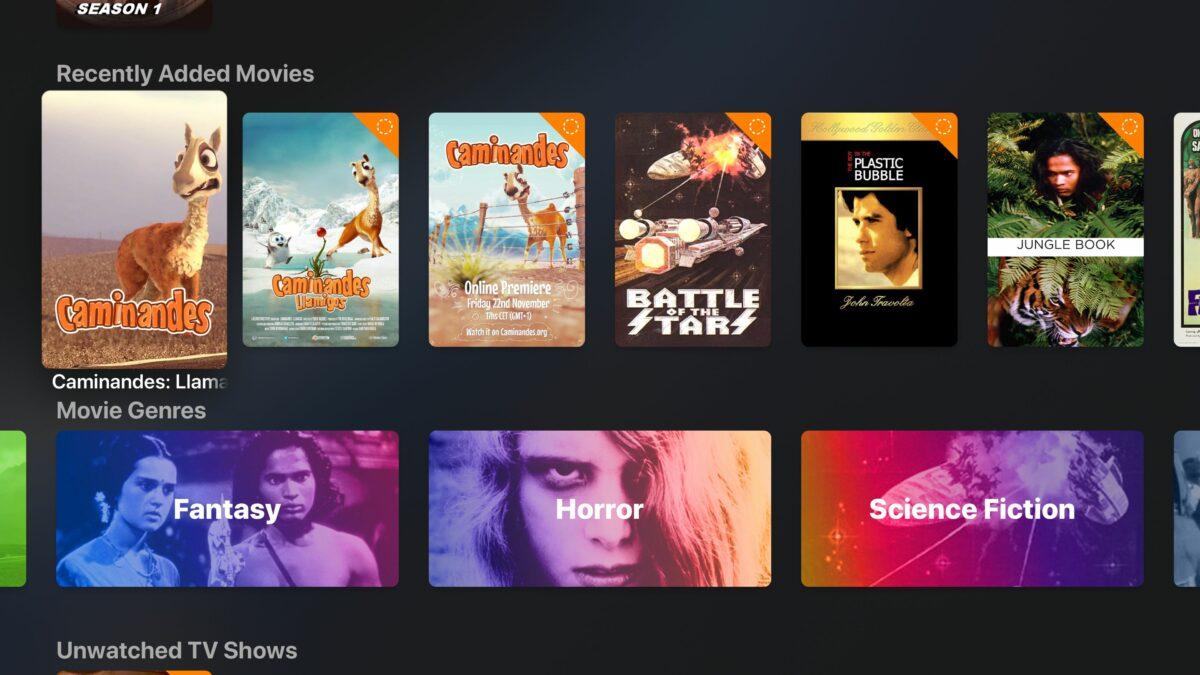
Plex is the industry veteran and has become the standard thanks to its exceptionally robust experience. It operates on a client-server model where the server organizes your videos, music, and photos, automatically adding cover art and descriptions. What makes it truly shine is its corporate backing , resulting in flawless native apps for Smart TVs (Tizen, WebOS), consoles like Xbox and PlayStation, and mobile devices.
However, Plex uses a freemium model. While you can use it for free, some features are locked behind the Plex Pass . This pass, which can be paid for monthly, annually, or with a one-time lifetime subscription, is required to unlock hardware transcoding , which is essential if you have a less powerful server and need your PC to convert the video in real time to prevent playback interruptions.
Furthermore, Plex isn't limited to just your local files. It offers an ecosystem where you can watch free live TV channels , trailers, and integrated legal content, making it feel more like a commercial OTT platform than a simple file manager. For many, this is a valuable addition, while others see it as unnecessary filler.

Jellyfin: The free and unrestricted alternative
Jellyfin was launched in 2018 as a fork of Emby, with the clear objective of offering a 100% open-source and free media server. There are no companies seeking profit or monthly subscriptions; all development depends on the community. This means there is no mandatory telemetry or external accounts required to access your own content, guaranteeing absolute privacy regarding your viewing habits.
Jellyfin's biggest competitive advantage is that it offers features for free that cost money in Plex. For example, hardware acceleration for transcoding is available to all users from the start. If you have a NAS with an Intel Quick Sync processor or an NVIDIA graphics card, you can take full advantage of it without paying a cent.
In terms of user experience, Jellyfin is very powerful but can feel a bit clunky in some areas. Because it relies on the community, some third-party apps can vary in quality. While it works wonderfully on Android TV, on systems like WebOS or Xbox, web-based apps are often used , which sometimes don't handle 4K content as smoothly as Plex.
Technical comparison and performance
When it comes to speed, both are exceptionally fast if the local network is properly configured. However, Jellyfin is generally lighter on older computers since it doesn't carry any commercial modules or internal advertising services. On the other hand, Plex offers a much more accurate and automatic metadata system, saving you time when organizing thousands of files.
The biggest difference lies in their plugins. Jellyfin has a highly extensible plugin system, although some, like the intro skip plugin, have become somewhat outdated. Plex has integrated these features natively, though again, many are reserved for Premium users . For music users, the Plexamp app is a gem, hard to beat in the Jellyfin ecosystem.
In terms of installation, both work well with Docker Compose in Homelab , which greatly simplifies deployment on any Synology, QNAP, or TrueNAS NAS. Plex is more "plug and play," while Jellyfin requires the user to be a bit more meticulous with the folder structure to ensure perfect file scanning and no errors in the cover images.

Which one should you choose based on your profile?
If you want a hassle-free experience, a modern interface that works right out of the box, and you have users at home who aren't tech-savvy, Plex is the logical choice . It's a robust system with professional technical support and apps optimized for every screen. If the cost of Plex Pass isn't an issue, you'll have the most polished streaming experience currently available.
On the other hand, if you're a privacy enthusiast, you like free software, and you don't mind spending a couple of afternoons configuring plugins or reverse proxies for remote access, Jellyfin is your best friend . It's the ideal tool for those who want total control of their data and don't want any external entity to know what movies they're watching, all while enjoying free transcoding.
From a practical standpoint, there's no need to choose sides. Since both read files directly from the hard drive, it's perfectly feasible to have both installed on the same server, pointing to the same folder. This way, you can enjoy the stability of Plex on your living room TV and experiment with Jellyfin on your other devices until you decide which one you prefer.
The final decision comes down to a balance between absolute convenience and total control. While Plex offers a polished, efficient, and self-contained package, Jellyfin gives you the keys to the machine so you can fine-tune it to your liking, removing any financial barriers to building your own digital library.
