- WmiPrvSE.exe is an essential Windows process, responsible for centralized management and monitoring of the system through WMI.
- High resource consumption is often related to abnormal queries, third-party applications, or corruption in the WMI repository.
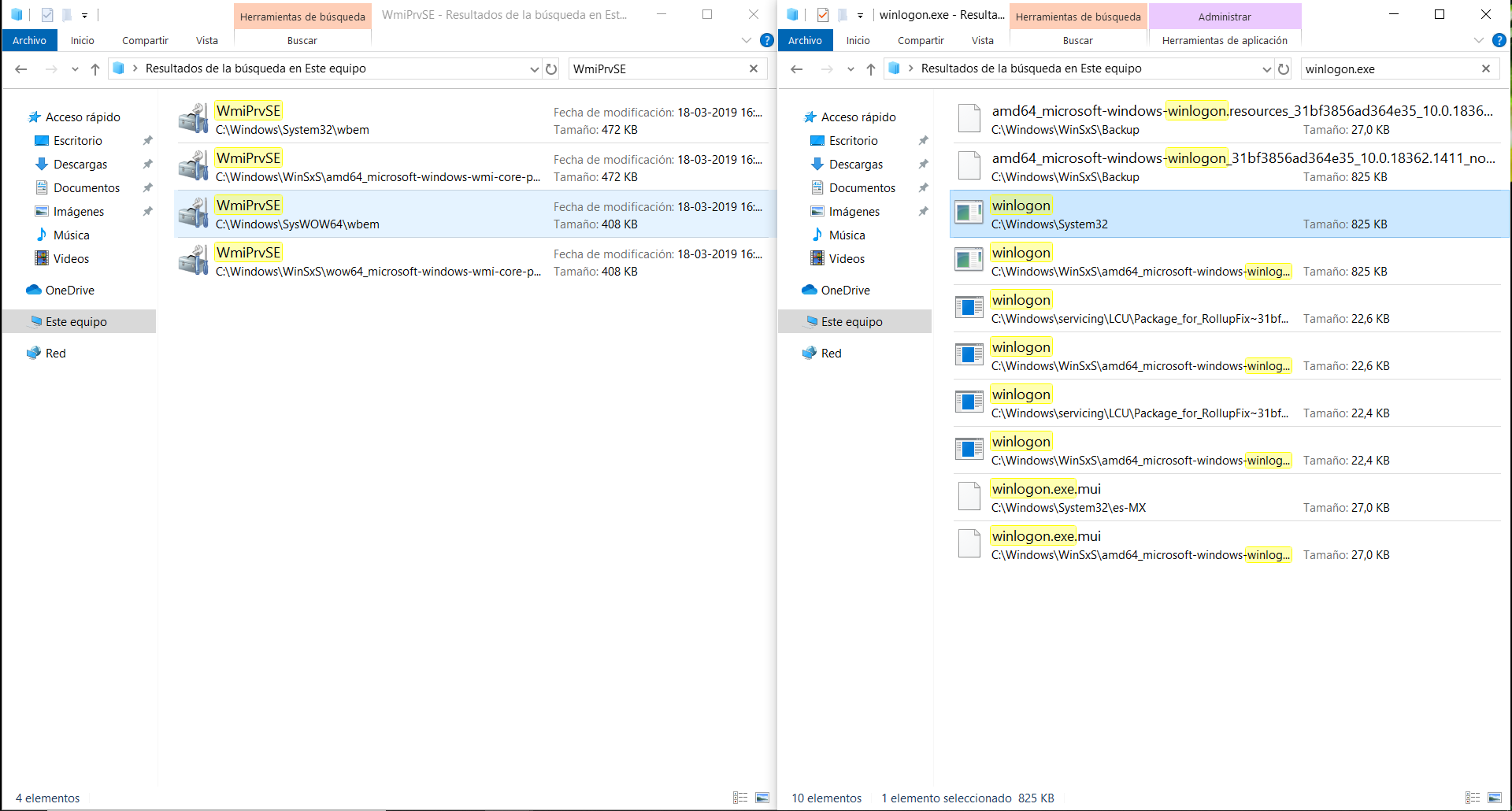
- The process is safe if it is located in System32, but variants outside of that folder may indicate the presence of malware.
Have you found a process called WmiPrvSE.exe in Task Manager and aren't sure if you should be worried? You've probably wondered what it's for, if it's safe, why it's consuming resources, or even if it could be some kind of virus. This article will clear up all your doubts and explain, in clear and comprehensive language, everything you need to know about WmiPrvSE.exe on your Windows computer.
Understanding how Windows internal processes work is increasingly important , whether you're looking to optimize your computer's performance, troubleshoot problems, or simply ensure everything is running smoothly. Here you'll find all the relevant information and answers to frequently asked questions about WMI Provider Host (WmiPrvSE.exe), so you can maintain control over what's happening on your system.
What is WmiPrvSE.exe and what is it used for?
WmiPrvSE.exe is the name of one of Windows' key processes, known as the WMI Provider Host . It's part of Microsoft's suite of management tools and is located in the C:\Windows\System32 folder. Its purpose? To allow Windows and applications to request, manage, and exchange system and resource information . In other words, it's the component that enables programs, scripts, and services—both from Microsoft and third parties—to obtain data about the hardware, network, drivers, and events occurring on your computer.
Specifically, WmiPrvSE.exe acts as an intermediary between the operating system kernel and the WMI (Windows Management Instrumentation) providers. These providers are small modules that handle requests regarding the computer's status, configuration changes, critical error detection, and many other tasks related to internal OS information.

Why does WmiPrvSE.exe appear to be running?
On any Windows computer, the WmiPrvSE.exe process usually starts automatically in the background , without you having to do anything. It typically kicks in when an application, remote management tool, or even the system itself needs to gather information about the computer's components or receive alerts for specific events. Common examples include antivirus programs, monitoring tools, or even when accessing system information options.
Main functions of WmiPrvSE.exe
- Collection of hardware and software information: Provides access to details about performance, network settings, hard drive status, active processes, and much more.
- Event monitoring and alert generation: It enables you to receive automatic notifications of critical changes, system errors, or configuration modifications.
- Remote administration and automation: It facilitates the execution of maintenance scripts and the management of equipment remotely without the need to physically interact with each one.
- Support for third-party applications: Many utilities and programs use WMI to interact with Windows, obtain statistics, or perform administrative operations.
Is WmiPrvSE.exe safe? Could it be a virus?
This is where the biggest concern usually arises: by default, WmiPrvSE.exe is completely safe and an integral part of Windows . However, there are rare cases where malware can disguise itself using an identical or very similar name (for example, wmiprvsw.exe instead of wmiprvse.exe).
To determine if the process is legitimate, you must ensure that the file is located in the C:\Windows\System32 path and that it has the correct size and authentic Microsoft digital signature. If the file is located in another folder (such as Program Files, a user folder, or an unusual location), the likelihood of it being malicious is much higher . Furthermore, certain known viruses use this trick to remain undetected and execute harmful code without the user noticing.
Tip: If you have any doubts, always perform a scan with an up-to-date antivirus and use process management tools to inspect the file's location and properties.
WmiPrvSE.exe Performance Impact and Common Issues
Normally, WmiPrvSE.exe consumes very few resources . It runs silently and should rarely cause high CPU or memory usage. However, in some cases, it can lead to high resource consumption, crashes, or errors that affect overall computer performance. This is usually related to:
- Anomalous or poorly designed queries from third-party applications, which continuously request information from the WMI provider without properly releasing resources.
- Memory leaks (memory leaks) caused by faulty or incompatible WMI providers.
- Improper resource quota settings assigned to the process, which may result in failures or service shutdowns.
- Corrupt WMI repositories after failed updates, unexpected outages, or malware infections.
What happens if WmiPrvSE.exe produces errors or high CPU usage?
The most common symptoms are:
- The process appears to be consuming an unusually high percentage of CPU, memory, or handles constantly or intermittently.
- Warning or error events are logged in the Windows Event Viewer, usually associated with codes such as 5612.
- Applications that rely on WMI crash, display error messages, or stop working correctly.
Error Codes and Events: Identifier 5612 and Quota Issues
One of the most common warning messages related to WmiPrvSE.exe is event 5612. This indicates that the process has reached or exceeded the predefined limit of resources allocated by Windows (such as memory or identifiers). It is a security mechanism that prevents the provider from consuming all system resources, but it does cause the affected process to terminate and associated queries to be interrupted.
Resources that may reach their limits include:
- HandlesPerHost
- MemoryAllHosts
- MemoryPerHost
- ProcessLimitAllHosts
- ThreadsPerHost
When this happens, messages like the following (with the names of the affected vendor DLLs) often appear in the event log:
Windows Management Instrumentation has stopped WMIPRVSE.EXE because a quota reached a warning value. Quota: PrivatePageCount Value: 538353664 Maximum value: 536870912 WMIPRVSE PID: xxxx Providers hosted in this process: %systemroot%\system32\wbem\ntevt.dll, ...These messages help identify which provider or query may be causing the problem.
Troubleshooting and diagnosing WmiPrvSE.exe
If you find that WmiPrvSE.exe is causing excessive resource usage or you are receiving frequent errors, you can follow these steps to diagnose and resolve the problem:
- Check the Task Manager and Event Viewer to identify which process is causing the high consumption and if there are any recent 5612 events.
- Check the affected WMI providers. Use tools like Process Explorer to examine the threads and DLLs loaded in the WmiPrvSE.exe process.
- Analyze the queries made by applications using tools such as WMIMon, operational logs of WMI activity or even by consulting system trace files.
- Identify the name or PID of the client process responsible for the problematic queries and check if it belongs to third-party software, antivirus, monitoring, PowerShell scripts, etc.
- If possible, uninstall or temporarily disable the suspicious application, or limit the number and frequency of its WMI queries.
- In cases of corrupted repositories, use the commands:
winmgmt /salvagerepositoryowinmgmt /resetrepositoryto try to repair it. - Restart the WMI service from the Windows Services console, or directly using the command:
net stop winmgmt && net start winmgmt - Make sure your operating system is up to date and free of known conflicts.
- As a last resort, contact Microsoft support or use advanced diagnostic collection tools such as TSS.ps1 to send relevant information to professional support.
What impact does stopping or removing WmiPrvSE.exe have?
It is not recommended to terminate or stop the WmiPrvSE.exe process . Doing so would disrupt critical Windows functions, and many applications and services would stop working correctly. While you can end the process from Task Manager, Windows will restart it when needed, potentially causing system errors or failures in tools that require the centralized management and monitoring that only WMI can provide.
Only in emergency cases (such as malware infections using the same name) should you take more drastic measures, and always under the supervision of a professional.
How to protect your computer from fake WmiPrvSE.exe?
Some variants of viruses, Trojans, or spyware may use the name WmiPrvSE.exe to hide themselves, especially if the file appears outside the System32 folder. What can you do?
- Check the exact location of the file from Task Manager or tools like Process Explorer.
- Scan any suspicious copies with multiple antivirus programs, including online scans of individual files.
- Pay attention to files with the same name that appear in "Program Files" or in user folders. These are potentially dangerous.
- Watch for the appearance of processes with similar names (wmiprvsw.exe, wmptrsh.exe, etc.) since these are known variants of malware.
Best practices to avoid problems with WmiPrvSE.exe
- Keep Windows and your apps up to date to avoid incompatibilities and vulnerabilities.
- Perform regular system cleanings using tools like cleanmgr and sfc /scannow.
- Uninstall unnecessary programs and check the autostart items.
- Scan your system regularly with updated antivirus and advanced scanning tools..
- Use restore points and make backups regularly so that changes can be reversed in case of problems.
Frequently Asked Questions about WmiPrvSE.exe
- Is WmiPrvSE.exe a virus? No, unless the file appears outside of System32 or is not signed by Microsoft, in which case you likely have camouflaged malware.
- Can I disable it to make my PC run faster? It's not recommended. It's essential for Windows and many programs to run properly. If it causes slowness, diagnose the cause.
- What do I do if it gives an error or consumes too many resources? Try restarting the service, repairing the WMI repository, and scanning your computer for viruses or abnormal queries.
- I have noticed strange behavior after completing the process, is this serious? Windows will restart if necessary, but applications that require WMI may fail.
Whenever you see WmiPrvSE.exe running, remember that it's a fundamental component that allows Windows to gather information, manage events, and enable many tools to function smoothly . If you experience problems, the most effective approach is to perform a thorough diagnostic and take informed action. By paying attention to its behavior and applying the security and maintenance guidelines we've outlined, your computer will run stably and securely without unnecessary issues.