- Expense sharing apps automate calculations and provide complete transparency between participants.
- Splitwise, Tricount, Settle Up and Splid stand out as the most comprehensive options for trips, apartments and large groups.
- Other tools such as the BBVA app, Fintonic, Plum, Emma or Monefy complement the control of your personal finances.
- Choosing the right app reduces money disputes and makes it easier to settle debts in different currencies and payment methods.
Managing shared expenses with friends, partners, or roommates can become a real headache: lost receipts, endless spreadsheets, arguments over a couple of euros… The good news is that today there are apps designed precisely to avoid these unpleasant situations and make everything clear from the start.
In recent years, several apps have emerged for splitting expenses such as travel, rent, dinners, or events. These apps automate calculations, keep track of who paid for what, and even integrate with payment methods like Bizum, PayPal, or Venmo. Below, you'll find a detailed overview of the best options, their strengths, their limitations, and the situations in which each one is best suited.
Why use an app for shared expenses instead of a spreadsheet?
When several people pay for things over several days or weeks, it's easy for confusion to arise about who owes money . An expense-sharing app solves precisely that problem: it saves each payment, assigns it to a group, and divides the cost according to the rules you decide (equal shares, percentages, specific amounts, etc.).
In addition to the calculations, these tools provide complete transparency among participants . Everyone can see the notes, who paid, in what currency, and how much each person is charged. This greatly reduces tension when discussing money, which is a sensitive topic even among friends.
Another key point is that many apps allow you to work with multiple currencies simultaneously . If you're traveling abroad and some people are paying by card while others are exchanging cash, the app will record all those transactions and, in many cases, convert them to a base currency to balance the final accounts.
Finally, many of these apps integrate with payment platforms and reminders , so you can not only see who owes money, but also claim or settle debts directly from the app, without having to chase anyone down on WhatsApp.
Splitwise: the global benchmark for splitting expenses
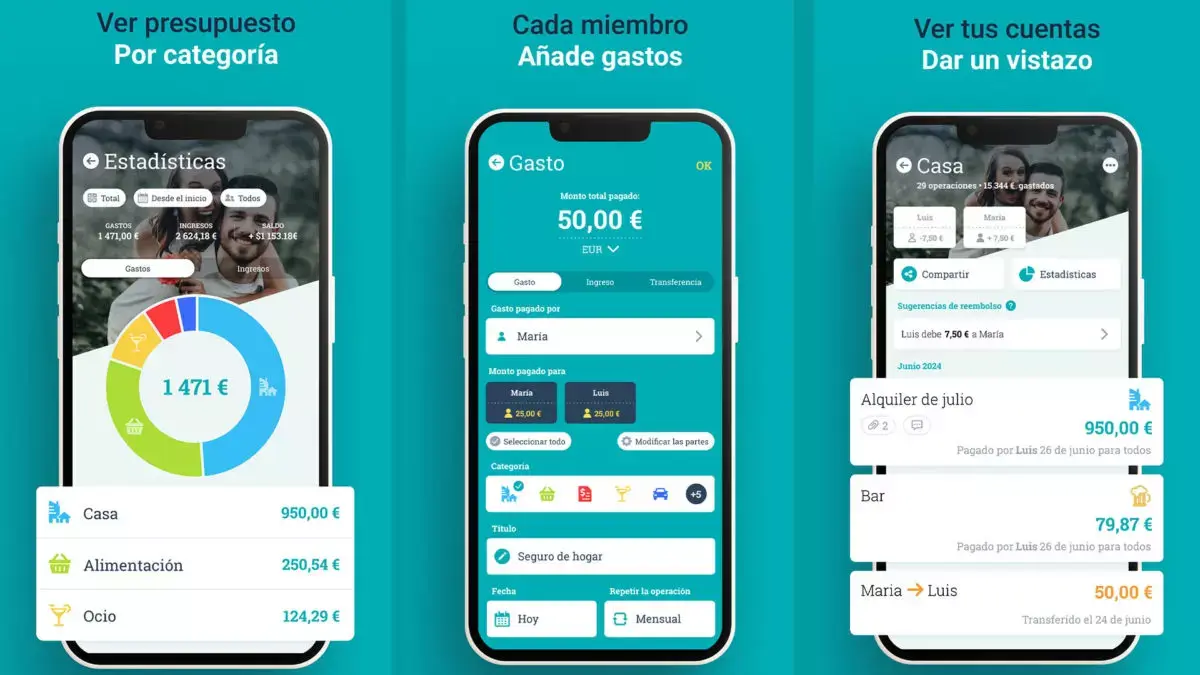
Splitwise has become the most popular app for sharing expenses among friends and family . It's used worldwide to manage everything from roommate rent to group trips, bachelor/bachelorette parties, weddings, regular meals with colleagues, or small loans between friends.
It works simply: you create a group (for example, "Trip to Rome" or "Shared Apartment" ), add the participants, and record the expenses, indicating who pays and how the cost is split. The app automatically calculates each person's balance and clearly shows who owes how much and to whom.
One of its biggest advantages is that it allows you to create both groups and one-on-one private relationships . This is great if you want to keep track of debts with your partner, a specific friend, or a colleague with whom you usually split the bill for meals or gas.
Splitwise is especially useful in situations with a lot of transactions because it simplifies debts into a minimal payment network . Instead of each person making multiple transfers to different group members, the app calculates the simplest payment combination to settle everything with the fewest transactions.
Key features of Splitwise
Splitwise lets you record expenses and IOUs (informal debts) in virtually any currency, even offline, and syncs everything to the cloud when you're back online. Its most powerful features include:
- Flexible cost splitting: in equal parts, by percentages, by "shares" or by exact amounts.
- Multi platform: Android and iOS app and web version to view and edit from your computer.
- Categorization and totals: It allows you to categorize expenses (accommodation, transport, food, etc.) and view group totals.
- History and export: Change log, ability to export to CSV and restore deleted groups or expenses.
- Payment integration: In some countries, it connects with PayPal, Venmo, or Paytm to settle debts directly.
- Notifications and comments: You can comment on each expense and receive notifications when someone adds or modifies something.
The app also offers Splitwise Pro , a paid plan that adds interesting extras: currency conversion with updated exchange rates, spending charts by category, OCR receipt scanning, extended receipt storage, advanced searches, and additional backups in JSON format.
It's worth noting that some recent guides mention a limitation in the free version that restricts the number of expenses you can add per day, pushing many frequent travelers towards the Pro plan. Before a long trip, it's a good idea to check the current terms and conditions in the app itself to avoid any surprises.
Tricount: total clarity for travel, shared apartments and events
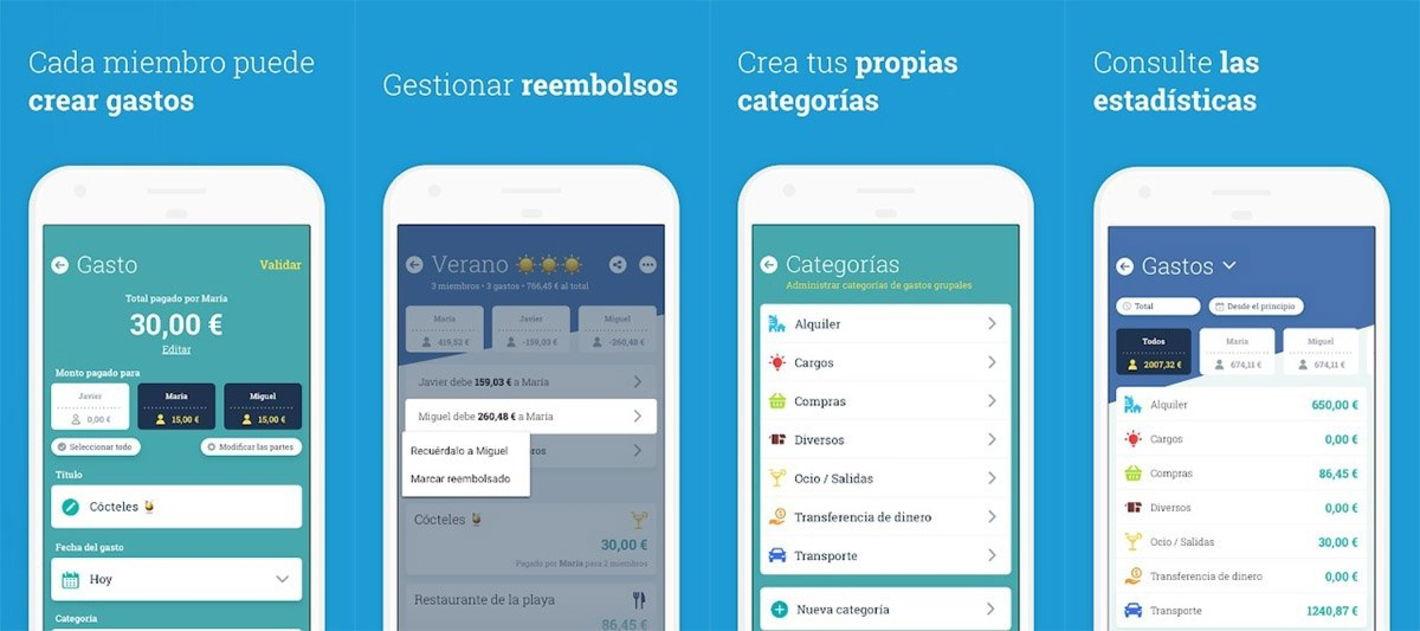
Tricount is another of the great apps for shared expenses ( more about Tricount ), with more than 17 million users who use it to balance accounts for trips, student apartments, couples who share expenses or groups that organize specific activities.
The app's philosophy is to centralize all shared expenses in one place . You create a "tricount" for each situation (a vacation, an apartment, an event) and then add payments, indicating who is making them and who they are for. Each member of the group can check their own balance and everyone else's at any time.
One of its great strengths is that it is very much designed for the real life of groups : it can be used both online and offline, records expenses in multiple currencies, allows sharing the group link so that anyone can add payments, and supports uploading high-quality photos (for example, tickets or invoices).
Furthermore, the app boasts being 100% free, with no ads or limits on basic use. This makes it one of the most attractive alternatives for those who don't want to see ads or worry about limits on the number of groups or recorded expenses.
Key features of Tricount
Tricount is highly focused on simplifying the daily management of shared accounts . Among its most interesting features are:
- Very flexible cost split: They can be divided equally, in specific amounts, or in shares tailored to each person.
- Offline use: It allows you to register payments without internet and sync them later, which is very useful when traveling.
- Multicurrency: It accepts a wide variety of coins, which facilitates international travel.
- High quality photos: You can save tickets and receipts directly with each expense.
- Access from mobile and web: Available on most mobile devices and also in a web version.
Tricount generates clear summaries of who owes whom and makes it easy to agree on the best way to settle debts. Some reviews mention that its offline functionality can be somewhat more limited than other apps, so it's best used with a good internet connection for most of the trip.
Another point in its favor is its wide language support : the app is available in a long list of languages, including Spanish, Catalan, English, French, German, Portuguese, Italian, Russian, Swedish, Turkish, Arabic, Chinese (Simplified and Traditional) and many more, making it convenient for international groups.
Settle Up: perfect for large groups and online or offline use
Settle Up is a great option when you frequently travel with large groups , whether for trips, stays in rural accommodations, or recurring activities. Their motto, "good accounting makes good friends," perfectly reflects their objective: keeping the accounts clear to avoid any unpleasant surprises.
With this app, you can keep a detailed record of all group expenses , sync the information so everyone can see changes in real time, and calculate who owes whom how much. It offers statistics per member and transaction filters, making it easy to review total spending.
Among its advantages is the ability to export data via email or in CSV format , something that is very appealing to those who want to keep a history or review accounts in more detail in a spreadsheet.
It also allows for offline operation, which is useful when traveling or in areas with poor coverage, and supports multiple currencies, making it well-suited for international trips.
What to keep in mind with Settle Up
The free version of Settle Up includes advertising and has some limitations on advanced features , such as the ability to attach photos of receipts or set up recurring transactions. For groups that travel occasionally, this may be more than enough, but those who use it daily may notice these drawbacks.
Even so, the overall balance is very positive: it is a mature app, designed for large groups , with a clear interface and a flexible system for dividing expenses (in equal parts or adjusting the distribution individually for each expense).
Splid: simplicity for small trips and groups
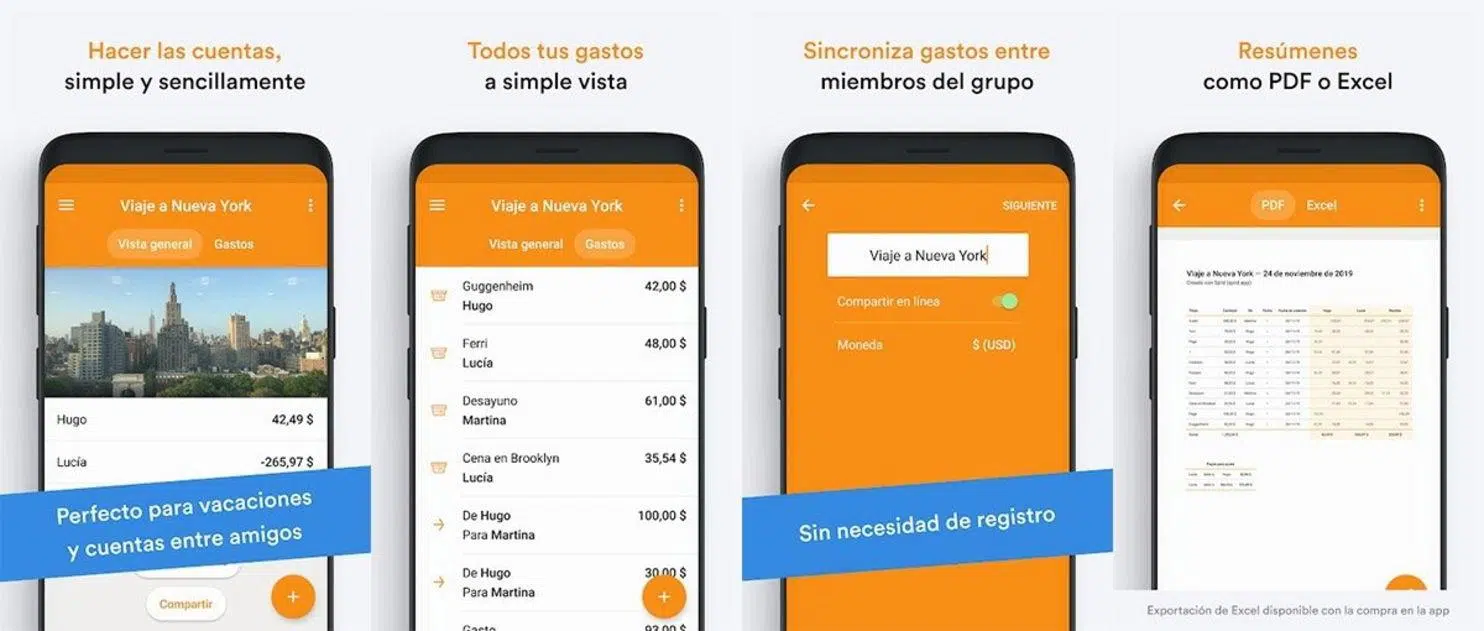
Splid is a highly rated app for those looking for a simple and straightforward way to split expenses, especially when traveling. It supports over 150 different currencies and allows you to convert all expenses to a single currency when closing accounts, which is very practical when using cards and cash in different countries.
One of its standout features is that, even in the free version, you can easily export the expense summary to PDF or Excel . This way, all group members can keep a clear record of what has been spent and how it has been divided.
Splid works well offline: it allows you to sync expenses without needing to be constantly online and adjust payments between participants in the simplest way possible. The app suggests the best debt combination to minimize transfers.
The free tier has a significant limitation: you can only have two active groups simultaneously . This isn't usually a problem for a one-off trip, but if you want to manage several groups at once (roommates, partner, gym buddies, etc.), it might fall short.
Banking apps and personal expense tracking tools
In addition to apps focused exclusively on splitting expenses, there are broader financial applications that incorporate features for dividing expenses among several people or that help control individual budgets.
Shared expenses feature in the BBVA app
The BBVA app has added a specific feature for sharing expenses with friends or partners , available to both customers and non-customers. From the "experiences" section of the side menu, users can create spending groups for one-off events, such as a vacation, or for recurring expenses, such as rent or bills for a shared apartment.
This tool allows you to invite participants even if they're not bank customers , record each payment, and track it all within the app. You can also choose your preferred payment method for settling debts: cash, bank transfer, or Bizum. It integrates seamlessly with common payment solutions in Spain, making it incredibly easy to settle accounts.
In addition to this shared expenses feature, the BBVA app includes other digital financial solutions ( fintech and online banking ): BBVA Invest (for investment advice), BBVA Valora (to analyze which property best suits your needs), and vehicle comparison tools that calculate the savings between electric and gasoline cars. These tools are fully operational in Spain and will be rolled out to other countries where the bank operates.
Fintonic: global control of your finances
Fintonic isn't, strictly speaking, an app for splitting expenses among several people, but rather a long-established personal financial management tool in Spain, Mexico, and Chile. It was recognized with the Google Mobile Innovation Award.
Their approach is to help you organize your bank accounts, cards, and insurance policies in one place, categorizing income and expenses so you can quickly see where your money is going. They also suggest financial products (insurance, loans, etc.) and advise on terms and conditions at dozens of financial institutions.
While it doesn't replace Splitwise or Tricount in terms of splitting expenses with friends, it can be the perfect complement to keep your personal finances under control after those trips or events where you've shared a lot of costs.
Plum, Emma and Monefy: saving and controlling individual expenses
Other apps mentioned in the reference content are Plum, Emma, and Monefy , all of which are geared towards managing personal finances, rather than splitting expenses among several people.
Plum combines artificial intelligence with personal finance : once linked to your bank account, it automatically calculates small amounts you can save based on your ability to pay and sets them aside to help you build a financial cushion. It also offers simple investment options for those who want to take their financial planning a step further.
Emma works like a smart financial assistant , analyzing your income and expenses, detecting active subscriptions and hidden bank fees, and suggesting ways to optimize your finances. It's ideal for those who want to cut unnecessary spending without having to review every single transaction.
Monefy, on the other hand, is a very visual manual expense tracking app . Users enter each payment manually, without needing to link accounts or cards, and the app displays charts and percentages by category. It's perfect for those who prefer not to share their bank details but still want clear control over where their money goes.
Other options for sharing and paying expenses
Beyond specialized apps, there are generalist payment tools that incorporate features to split bills or, at least, facilitate sending money between people when the accounts are already settled.
PayPal and Venmo
PayPal, widely used internationally, allows individuals to quickly send and receive money. While it's not as focused on detailed expense splitting, some services and apps integrate with PayPal to facilitate payments.
Venmo, very popular in the United States, combines peer-to-peer payments with the option to split expenses . It's ideal when the whole group uses the same app and travels within the same country, as it allows you to claim and settle amounts in seconds. The problem is its limited availability: for international trips or users in regions where it's not offered, it ceases to be a viable option.
Divvy and tools for businesses
In the professional sphere, Divvy is geared towards managing business and team expenses . It allows you to define budgets, distribute funds using corporate cards, and record expenses in a highly organized manner. It is especially useful for work projects, business trips, or corporate events.
However, its focus is far removed from informal use among friends, so it may be somewhat excessive if you are just looking to split the cost of a holiday or a shared apartment.
Real advantages of using apps for shared expenses
Beyond the specific features of each app, they all share a series of benefits that make a difference compared to the typical notebook or improvised Excel spreadsheet.
Automatic and error-free division
The first major benefit is the complete automation of calculations . You can forget about adding, subtracting, dividing percentages, or adjusting for cents. The application does all the calculations and avoids human errors, which are what often lead to arguments over minor discrepancies.
Plus, you can add expenses as you go , right after paying. That way you don't forget anything and you don't have to reconstruct your account days later by looking at statements and crumpled receipts.
Transparency and conflict reduction
With everyone having access to the same information, expense management becomes much more transparent and less contentious . Any participant can review what has been recorded, correct an amount if there is an error, and clearly see how each expense has been allocated.
Automatic notifications when a payment is added or when someone modifies something help keep everyone informed and avoid surprises at the end.
Management of multiple currencies and payment methods
When traveling internationally, these apps are practically indispensable. They allow you to record purchases in different currencies and, in some cases, convert them to a common currency. This way, even if one person pays in cash exchanged at a currency exchange and another pays by card, the app can reflect the total expense in a consistent manner.
Integration with payment platforms such as PayPal, Venmo, Bizum or bank transfers makes the final step, settling debts, quick and clean, without having to reconcile outside the application.
A complement to good personal financial control
Combined with tools like Fintonic, Plum, Emma, or Monefy, shared expense apps become another pillar of your financial health . On the one hand, you ensure that no one is left out of a trip or shared house; on the other, you see how these expenses fit into your overall budget and identify where you can cut back or save.
In day-to-day life, any method is valid (Excel spreadsheets, pen and paper, or even your phone), but the key is maintaining a balance between income and expenses . Paying off debts as soon as possible and avoiding spending more than you earn remain the golden rules, no matter how many apps you use.
Thanks to the current ecosystem of apps like Splitwise, Tricount, Settle Up, Splid , and the features of banks and financial managers, it's much easier today to share expenses without hassle, maintain trust within the group, and, incidentally, take care of your personal finances with clear data, without having to go crazy with calculators or endless Excel spreadsheets.

Table of Contents
- 1 Why use an app for shared expenses instead of a spreadsheet?
- 2 Splitwise: the global benchmark for splitting expenses
- 3 Tricount: total clarity for travel, shared apartments and events
- 4 Settle Up: perfect for large groups and online or offline use
- 5 Splid: simplicity for small trips and groups
- 6 Banking apps and personal expense tracking tools
- 7 Other options for sharing and paying expenses
- 8 Real advantages of using apps for shared expenses