- Versatile hardware options ranging from refurbished towers to efficient Mini PCs.
- Advantages of the Linux ecosystem in terms of security, stability and zero license cost.
- Recommendations for popular distributions based on user profile and available hardware.
If you're considering making the leap into the world of free software, it's normal to feel a bit overwhelmed by the sheer number of options. Many people look for affordable or refurbished computers to start experimenting with Ubuntu without breaking the bank, seeking that balance between power and price that allows them to learn without fear of breaking anything.
Setting up a dedicated experimental system is a fantastic idea, whether in a traditional tower or a modern compact PC. The truth is, Linux works wonderfully with almost any hardware , making second-hand computers a golden opportunity to revive an old PC and have a robust and stable machine without spending a fortune.
Hardware Options: Refurbished Towers and Computers
For those seeking reliability, refurbished professional-grade computers are the safest bet. For example, the Dell OptiPlex series is a classic ; models like the 5050 with an i5 processor, 16GB of RAM, and a 256GB SSD are more than capable of smoothly running Ubuntu for learning and entertainment tasks.
There are other very reliable alternatives on the secondhand market. The Dell OptiPlex 7010 is very popular for its near-total compatibility with Fedora and Ubuntu. On the other hand, if you're looking for efficiency, the HP ProDesk 600 G1 is a gem for office environments. And for those who are already venturing into advanced or development territory, the Lenovo ThinkCentre M93p stands out for its reliability and ease of configuration.
Buying these 100% refurbished devices allows you to obtain virtually identical performance to a new device, with the peace of mind of having extended warranties of up to three years , thus avoiding the usual risks of purchases between individuals.

The Rise of Mini PCs with Linux
Lately, compact computers are gaining ground on traditional towers in many homes. These machines consume much less energy and take up minimal space, making them ideal for those who need an efficient computer that won't clutter their desk.
The combination of a Mini PC and Linux is a game-changer in a good way: you get stability and security in a portable format. Although Windows still dominates sales, more and more users are migrating to Linux on these devices because the performance is entirely comparable to that of a standard desktop computer.
If you're going to choose one, you should carefully consider the components based on your intended use. For browsing, writing, and watching movies, an Intel Core i3 or Ryzen 3 with 4GB of RAM is sufficient . But if you're into video editing or light gaming, don't go below an i7 or Ryzen 7 with 16GB of RAM and a generous 512GB or more of storage, and you can even use a Mini PC to reuse the SSD and RAM.
What exactly is Linux and why choose it?
For those just starting out, Linux is technically the kernel that manages communication between the software and the physical components of the PC. While it might sound complex, most of us already use it: Android is based on Linux , as are countless cloud servers and even connected car systems.
The main difference with Windows is that Linux is a free and open-source system . While other systems handle everything with clicks, Linux commonly uses the terminal. It might seem a bit daunting at first, but the learning curve is well worth overcoming to gain complete control over your computer.
Among its most powerful advantages is its extraordinary stability ; it's very rare for the system to crash completely, which is why even Microsoft uses it in its Azure services. Furthermore, it's a programmer's paradise, as it natively supports major languages like C++ and JavaScript.
Recommended layouts and ease of installation
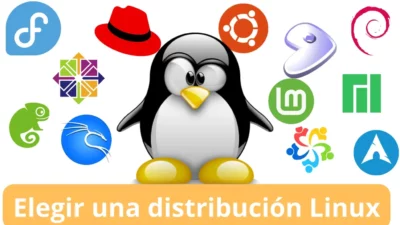
There isn't just one "Linux," but rather several distributions or "distros." Ubuntu is the top choice for beginners thanks to its huge community and ease of use. If you're looking for something with a more polished and minimalist design, Elementary OS is a safe bet, while Manjaro is ideal for its excellent compatibility with current hardware.
To install it, the best option is to download the ISO image from the official website of your chosen distribution and use an installer. If you prefer a simpler approach, there are Mini PCs with Linux pre-installed (such as Tuxedo OS or Ubuntu MATE) that allow you to power on the machine and start working without any configuration. Alternatively, you can learn how to convert your PC to Linux using a USB drive.
In today's market, brands like GEEKOM offer devices that, while coming with Windows, are fully compatible with Ubuntu and Android x86 . The A7 MAX model is an example of power and flexibility, ideal for enthusiasts who want to deploy their own development environments without complications.

If you're looking for a compact and powerful computer, models like the Intel NUC 10 Performance , the HP EliteDesk 800 G3 Mini, or the Lenovo ThinkCentre M720q Tiny are absolute benchmarks. All of them allow you to optimize your workspace without sacrificing consistent and reliable performance for demanding tasks.
Having a computer with Linux, whether it's a refurbished tower or a state-of-the-art Mini PC, means access to a secure, free, and highly customizable environment . From the most modest hardware to the most powerful machines, the versatility of Linux distributions allows any user to find the perfect balance between cost, performance, and operational stability.