- Ubuntu-based distributions, such as Linux Mint or Zorin OS, are the ideal entry point due to their stability and ease of use.
- There are specialized options for technical profiles, such as Fedora for developers or Arch Linux for those seeking total system control.
- The hardware defines the choice, with ultralight variants like Puppy Linux or Lubuntu available to revive old computers.

If you're considering making the leap to the world of free software, you're probably feeling a bit overwhelmed by the sheer number of options out there. And that's understandable, because Linux isn't a single system; it comes in the form of distributions, or distros , which are essentially the system kernel combined with different tools and interfaces depending on the user's needs.
Whether you're someone who just wants to browse the web without complications, a programmer looking for the most powerful work environment, or someone who wants to breathe new life into a laptop that's long overdue for retirement, there's a perfect option for you. The important thing is not to be swayed solely by aesthetics and to analyze what your priorities are: stability, cutting-edge technology, or absolute control over your machine.

What on earth is a Linux distribution?

To put it simply, imagine the Linux kernel is the engine of a car. A distribution is the complete car: the engine, the body, the seats, and the dashboard. Each distro chooses a different desktop environment (the visual part) and a different package manager (the way to install programs). That's why some feel like Windows, others like macOS, and still others seem like something out of a 90s hacker movie.
When choosing, you should consider the learning curve . Some distributions make everything easy, while others force you to type commands from the very beginning. The support community also plays a role , since in Linux, when something goes wrong, forums and documentation are your best lifeline.

Ideal options for those starting from scratch
If you don't want to rack your brains and are looking for something that works "out of the box ," these are the top recommendations:
- Ubuntu: It's the industry standard. Backed by Canonical, it boasts incredible hardware compatibility and a massive community. Its LTS versions guarantee you won't have to reformat for years thanks to its long term support.
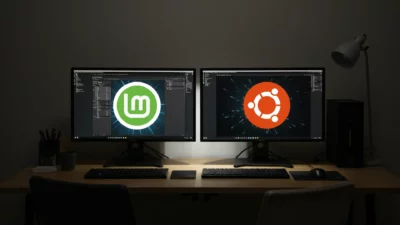
- Linux Mint: For many, it's the best option if you're coming from Windows. Its Cinnamon desktop is very familiar and focuses on stability. It's basically Ubuntu, but without the controversial decisions and with a more classic experience.
- ZorinOS: It boasts a modern and meticulously crafted aesthetic. It's ideal for impressing someone visually, as it allows you to change the desktop's look to resemble Windows or macOS with just a couple of clicks.
- Pop!_OS: Created by System76, it's a productivity gem. It comes with NVIDIA drivers pre-installed, which makes it a favorite for those who don't want to struggle with the graphics card.
- elementary OS: If you're an Apple fan, this is your distro. Its Pantheon environment is minimalist and elegant, prioritizing the visual coherence and simplicity.
For technical profiles and developers
Once you have a basic understanding or want to learn how Linux works internally, you can take it to the next level with these options:
If you're looking for a challenging but rewarding path, Arch Linux is the ultimate test. There's no graphical installer; you build the system piece by piece from the terminal. This forces you to understand disk partitioning and network management , making you an expert in the process. For those who want the power of Arch but without spending three days installing it, there's Manjaro , which offers a simple installation and access to the AUR repository.
In the professional server arena, Rocky Linux and Debian reign supreme. Debian Linux is renowned for its rock-solid stability, while Rocky is the free and robust alternative for those requiring full RHEL compatibility.

Specialties: Privacy, Security, and Legacy Hardware
Not everything is for general use. There are distributions designed for specific purposes:
- Cybersecurity: Kali Linux is the standard tool for auditing and ethical hacking, loaded with penetration testing utilities. It is not recommended as a daily operating system, but rather as a... Testing laboratory.
- Full anonymity: Tails is the option for journalists or activists. It runs from a USB drive, erases everything upon shutdown, and routes all traffic through Tor so that no one knows who you are.
- Old hardware: If you have a PC from 2010 or earlier, don't try to install standard Ubuntu. Go for Lubuntu or Xubuntu, which use lightweight desktops (LXQt and XFCE). If the machine is prehistoric, Puppy Linux or Tiny Core They can revive it since they load almost everything into RAM.


How to take the leap without fear
You don't need to delete Windows to try Linux. The smartest thing to do is use a Live USB created with tools like Rufus or BalenaEtcher. This lets you install Linux on a USB drive and check if it recognizes your Wi-Fi or sound before making any changes to your hard drive.
Another option is virtualization with VirtualBox . You create a virtual machine and can experiment with the distro without any risk of breaking your main system. Once installed, the first thing you should do is run `sudo apt update` (on Debian-based distros) to update the system.
For those who want to learn the terminal, memorizing commands is pointless. The ideal approach is to use them daily: `ls` to list files, `cd` to navigate between folders, and `pwd` to check your current location. Remember to avoid constantly using the root account and only use `sudo` when absolutely necessary to prevent system crashes caused by a typo.
Having an operating system based on the Linux kernel lets you choose from the absolute stability of Debian to the constant experimentation of Arch. Whether you're looking for a Windows-like interface, an environment optimized for programming, or an ultralight solution for an older laptop, there's a configuration to suit your needs, allowing you to manage your privacy and hardware performance in ways that proprietary systems simply don't allow.