- Converting PDFs to audio improves accessibility, multitasking, and auditory learning.
- The most commonly used formats are MP3, WAV, AAC, and M4B, depending on quality and compatibility.
- Tools like SpeechGen, Transmonkey, or Speechify offer natural and multilingual AI voices.
- It is crucial to review limits, security, and usage rights before distributing the audio.
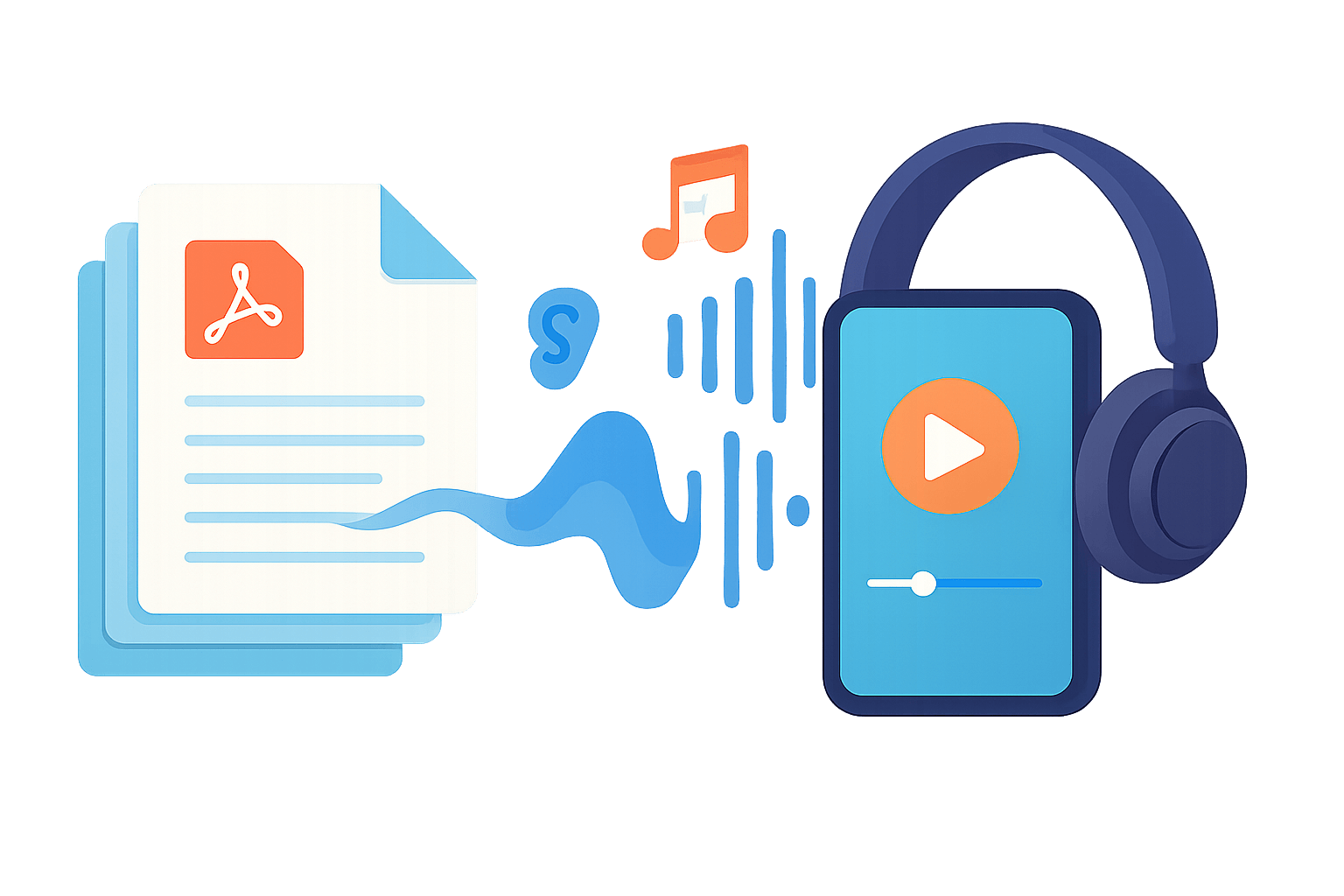
Converting a paper document into a sound track you can listen to on your phone while commuting, exercising, or cooking is no longer science fiction. These days, converting a PDF to MP3 audio or other sound formats takes only seconds thanks to tools based on artificial intelligence and text-to-speech (TTS) technology.
If you're interested in productivity, accessibility, or simply find reading long documents on screen tedious, you'll want to master these solutions. Throughout this guide, you'll learn exactly what a PDF-to-audio converter is, how it works, its advantages , the available output formats, and the best tools and apps currently available for converting PDFs from your browser, mobile device, or even integrating them via API into your own projects.
What does it mean to convert a PDF to audio, and why is MP3 so important?
When we talk about converting a PDF to speech, we're referring to using TTS technology capable of reading the document's text aloud and saving it as a sound file . That file almost always ends up in an ultra-popular format: MP3.
MP3, short for "MPEG-1 Audio Layer 3 ," emerged in the early 90s as a method for compressing audio to create much smaller files while maintaining acceptable quality. It is a standard maintained by the ISO (International Organization for Standardization) and has become the universal format for digital music, podcasts, and, of course, audiobooks and text-to-speech.
The key is that MP3 uses lossy compression : some of the original audio information is discarded and cannot be recovered, but in return, the file size is significantly reduced. For listening to voice (for example, a PDF read by AI), it's more than sufficient in most cases, and you can play it on virtually any device: mobile phones, tablets, computers, car stereos, smart speakers, etc.
It's true that some people prefer higher-quality formats like FLAC or WAV , especially for music, because they don't lose any information. However, their file size is larger and they aren't always as compatible. For reading documents converted to audio, the balance between quality and file size makes MP3 the best choice.
Main audio formats for your converted PDFs
When converting a PDF into an audiobook or sound file, MP3 isn't the only option. There are several popular formats with different uses that you should be aware of to choose the one that best suits your needs.
MP3 remains the most widely used format . It's the de facto standard because it works on almost any modern device, from Android and iPhone phones to Windows, Mac, and Linux computers, as well as audiobook players, tablets, and Bluetooth speakers. It's ideal if you want to listen to content anywhere without any hassle.
If sound quality is your top priority and you don't mind taking up more space, then WAV files are the way to go. This format is widely used in professional settings because it offers uncompressed (or very lightly compressed) audio, guaranteeing extremely high fidelity, although the files can get quite large.
Another widely used format is AAC (Advanced Audio Coding) , especially within the Apple ecosystem. It typically offers slightly better quality than MP3 for the same file size, making it a good option when using an iPhone, iPad, or Mac and wanting to maintain good quality with relatively small files.
For those specifically thinking about audiobooks, there's the M4B format . It's designed for this type of content and, apart from the audio track, allows you to save placeholders to continue listening right where you left off—very convenient when converting long PDFs into audiobooks.
Most PDF to audio conversion tools allow you to choose the output format or, at least, download the MP3 and, in some cases, other alternative formats depending on the platform.
Real advantages of converting PDFs to audiobooks or audio files
Beyond the "wow" factor of listening to a document read aloud, there's a very specific list of advantages that make these converters almost indispensable. It's not just about convenience, but also about accessibility and ease of learning.
The first major advantage is accessibility . For people with visual impairments or reading difficulties (dyslexia or other disorders), listening to the content of a PDF can be the difference between accessing that information or not. TTS technology converts text into clear and understandable speech, making legal documents, notes, or reports accessible to everyone.
Another key reason is multitasking . Being able to listen to a report, manual, or book in audio format while exercising, driving, or doing housework multiplies your productive time, and when combined with software tricks , the result is even greater. Instead of having to sit in front of the screen, you simply put it in your headphones and you're good to go—something especially useful for busy schedules.
Learning improvement also comes into play . Many people retain information better when they listen to it than when they read it. Transforming educational PDFs, academic articles, or summaries into audio can help solidify concepts, review for exams, or reinforce understanding simply by having a voice narrate it.
For language learners, PDF-to-speech converters are a godsend. Listening to text read aloud with good pronunciation improves listening comprehension and pronunciation . Tools that read PDFs in multiple languages, such as NaturalReader or Adobe Acrobat Reader, allow you to convert texts in English, French, German, etc., into highly effective listening sessions.
Added to all this is the ease of use of modern apps. Most TTS solutions work on iOS, Android, Windows, and macOS; they typically allow you to adjust the reading speed, choose from natural AI voices, change the pitch, and select the language or accent. You don't need to be a techie: they're designed for everyday users.
Finally, converting PDFs to audio reduces eye strain . Spending hours in front of a small screen reading tiny print can be tiring; switching to audio frees your eyes and makes information consumption more sustainable in the long run.
Specialized tools for converting PDF to audio: key features
There are many text-to-speech services on the market, but some are specifically designed to work with PDFs. Let's take a look at what platforms like SpeechGen.io, Transmonkey, and online PDF-to-MP3 converters that focus on this type of document have to offer.
SpeechGen.io, for example, presents itself as a service for converting PDF documents into AI-powered audio experiences . The idea is to upload your files and have them ready to listen to as if they were audiobooks, internal podcasts, or training materials.
Their usual workflow starts with step 1: uploading your PDF . From a folder icon in the toolbar, you choose the file you want to convert, upload it, and the system automatically extracts the content, replacing any previous text you had in the editor.
Step 2 involves reviewing and editing the extracted text. This is important because the system cannot read text embedded as an image within the PDF (for example, scans without OCR). In many cases, it's advisable to edit the text using PDF2Go or adapt the tables to make the audio version clearer and avoid a confusing jumble of cells and numbers.
Step 3 involves choosing a language and voice from a vast library of over 150 languages and dialects. You can also adjust the pauses between paragraphs and sentences, and pressing the "generate" button produces the final audio from the uploaded PDF, usually as an MP3 file.
These types of tools have general applications: they are useful for students, professionals, or audiobook enthusiasts who want to convert PDFs, Word documents, or even subtitles into audio . Some platforms offer specific pages for dubbing subtitles or converting DOCX files into audio tracks, thus covering more use cases.
Transmonkey: PDF to Audio with AI, cloned voices and API
Transmonkey is another example of a service designed to get the most out of the text in your PDFs. Its offering focuses on very natural, multilingual audio that's easy to integrate via API into personal or business projects.
First, its TTS engine boasts engaging and realistic audio . The AI voices have a natural timbre, good expressiveness, and clear diction, making listening comfortable whether you're working, studying, or relaxing with long content.
The tool features a wide repertoire of voices in various languages , from the most widely spoken in the world (English, Spanish, French, Mandarin, etc.) to different regional accents. With this, the platform aims to ensure the message is tailored to the target audience with the correct nuance and intonation.
The TTS is powered by advanced AI systems capable of delivering accurate pronunciation, natural tone, and smooth rhythm . The result is polished, professional-sounding, and consistent audio, even in long documents, making it ideal for course narration, corporate materials, or audiobooks.
Another strength is its extensive voice library , which includes male and female options in a variety of styles: serious and corporate voices, conversational voices, and more emotional ones. This allows you to choose the personality that best suits the text you're reading.
One of the most striking features is AI-powered voice cloning . By uploading voice samples, the platform creates a digital version that mimics that timbre and style. The neural engine supports more than 20 languages (including Spanish, English, and Japanese), making it ideal for creating personalized audiobooks, branded content with a unique voice, and projects where sonic identity is important.
Finally, Transmonkey prioritizes easy integration with existing workflows . It offers intuitive tools and APIs that allow you to integrate the PDF-to-audio service into internal systems, enterprise applications, or custom projects without significant technical friction.
Online PDF to MP3 converters: features, limitations, and security
In addition to general-purpose platforms, there are specific online converters labeled as "PDF to MP3 Converter" or similar names. Their purpose is essentially to quickly and securely transform PDFs into MP3 files with AI-simulated human narration .
These tools typically include a very simple interface: you upload your file, choose the voice, preview a few seconds, and download the MP3. In many cases, it's cloud-based processing , meaning the conversion takes place on remote servers and doesn't overload your device, while also protecting the privacy of your files.
Common features include the ability to select different voice styles (more serious, more expressive, youthful, etc.) to match the reading tone to the content. Many also support multiple languages, allowing PDFs to be read in their original language to avoid intermediate translations.
Most allow you to save audio files to your device's storage for offline listening, include an integrated audio player to hear the result without leaving the web or app, and make it easy to share the file via messaging, email, or cloud storage services.
In terms of user experience, they typically offer a simple and user-friendly interface with few buttons, designed so that anyone can convert without much trouble. This is complemented by freemium business models: a free plan with limited features and a paid version (for example, "Pro") with advanced capabilities and a monthly subscription with automatic renewal.
A very important aspect is security and data handling . Many PDF-to-MP3 converters explain that they extract the text locally in the user's browser, sending only the processed text to their servers, not the entire PDF. To understand the risks of using online converters, it's advisable to review these policies. In other cases, they clarify that they don't store either the original files or the final audio to protect privacy.
There are usually size and character limits . Free plans typically allow you to upload PDFs up to about 10 MB and convert around 10,000 characters per month, while paid plans extend the limits to 50 MB per file and hundreds of thousands of characters. Some even offer batch conversion for advanced users, allowing you to transform multiple PDFs into separate MP3s at once.
Frequently asked questions about converting PDF to MP3
Many people who are new to these tools have similar questions. Below are the most common ones regarding functionality, languages, usage rights, and conversion times.
One of the first questions is which languages the converters support . Reputable services usually include at least English (American and British), Japanese, French, German, Spanish, Simplified Chinese, and Brazilian Portuguese. Within each language, it's common to find several voices (for example, 27 for American English, 8 for British English, or 10 for Spanish) that can be previewed before converting the entire PDF.
Another common question concerns the maximum file size . With free plans, many services limit PDF uploads to around 10 MB and a small number of characters per month. With paid subscriptions, this maximum usually increases to 50 MB, and the amount of text per document skyrockets (for example, up to 225,000 characters), allowing you to work with very long books or reports. More advanced plans also include simultaneous conversion of multiple PDFs.
Regarding conversion times , most converters generate an audio preview in about 2-5 seconds. For full documents, a 10-page PDF can take between 30 and 60 seconds; for 100 pages, the process could take up to 3-5 minutes, depending on both the service and its server load. Users with higher-tier plans usually receive priority in the processing queue.
Many people ask if they can download MP3 files and what they can do with them. Free plans typically include at least one MP3 download; paid plans allow you to download all generated audio files in high quality. For documents you own, you usually have complete freedom to use those MP3s however you like: podcasts, audiobooks, training materials, commercial content, or social media, without needing to pay royalties or credit the tool. It's also a good idea to organize your files on your computer to keep them easily accessible.
However, if the PDF content is copyrighted and you don't own it, it's the user's responsibility to ensure they have the necessary permissions before redistributing the audio. The converter only handles the technical process, not the legal aspects.
Regarding security , many providers state that the text is processed securely and that neither the original PDF nor the audio file is permanently stored. Some extract the text directly in the browser and only send the minimum information necessary to generate the MP3, reinforcing the privacy of sensitive documents.
Practical applications of converting PDF to audio in everyday life
Converting PDFs to audio tracks isn't just useful for ebooks. There's a long list of practical uses that take advantage of the flexibility of the audio format in studies, work, and personal life.
One of the clearest examples is access to regulations and standards . Being able to listen to building codes, urban planning laws, health and safety regulations, or any other technical document while you're on the go saves a huge amount of time. Instead of reading hundreds of dense pages, you can absorb the information during commutes or spare moments.
It's also very useful for newsletters and regular updates . Many platforms allow you to transform PDF newsletters into audio files, so you can stay up-to-date on the latest industry news, company announcements, or press summaries without having to sit down and read them—simply by adding them to your daily playlist.
In the educational field, converting notes, PDF slides, summaries, and scientific articles to audio helps review material while doing other tasks . Students, exam candidates, and professionals in continuing education take advantage of these tools to make better use of their time.
For those working with branded content or internal training, PDF-to-audio converters make it easy to create audio versions of manuals, process guides, and corporate documentation . With advanced features like voice cloning, you can even maintain a consistent voice across all materials.
Finally, let's not forget the more playful use: converting novels, short stories, or essays in PDF format into improvised audiobooks. Current AI voices are very natural , and some services even offer celebrity voices or highly charismatic styles, making listening a rather entertaining experience.
The best apps and readers for converting PDFs to speech
In addition to web converters, there are specialized apps and readers that offer advanced text-to-speech features, integration with other services, and customization options. Some of the most prominent names in the current landscape are Speechify, Adobe Acrobat Reader, VoiceDreamReader, NaturalReader, ReadSpeaker, docReader, and Balabolka.
These tools typically support not only PDFs but also other formats such as DOC, TXT, HTML, PowerPoint presentations, and even images with text using OCR . This allows you to centralize all your reading in a single app that converts virtually any document into audio.
Speechify, for example, presents itself as the go-to app for reading PDFs and converting text to speech . Besides PDFs, it can read content from Google Drive, web pages, Dropbox documents, Excel files, presentations, handwritten notes, and more, all transformed into audio with very natural AI voices.
Among its standout features is voice-synchronized text highlighting . As the app narrates the document, it illuminates the corresponding words or phrases on the screen, which is very useful for those who combine listening with visual reading or for people with concentration difficulties who need clear guidance.
Another key feature is reading speed control . Speechify lets you adjust the speed up to 4x, so you can listen slowly for better comprehension or speed up to consume large volumes of text in less time. This is especially useful for quick reviews, summaries, or revising notes before an exam.
The app includes a wide catalog of realistic AI voices in various languages and accents , making it very appealing to users worldwide. The variety of accents and languages helps create a more natural experience, avoiding the robotic feel of older TTS systems.
For premium plans, some versions offer AI-generated celebrity voices , such as those of Snoop Dogg or Gwyneth Paltrow. It's more of a fun addition, but it does make listening to certain content more enjoyable and memorable.
Thanks to its OCR scanning function , Speechify can also transform physical documents, photos, or images (e.g., JPGs) containing text into audio. This allows you to directly convert printed books, handwritten notes, or photocopies into MP3 or other audio tracks, greatly expanding the available content sources.
How to read PDFs aloud with Speechify step by step
While Speechify isn't the only option, it's one of the most comprehensive examples of how to read PDFs aloud from the web, browser, and mobile devices . The basic workflow is similar to other apps in the sector.
If you prefer to use the web player, simply open your browser, go to the Speechify website , and log in or create an account. From the sidebar, you can select "Create a new item," choose to upload local documents, upload your PDF, or paste the text you want to convert, customize the voice and speed, and finally, press the play button to begin streaming the reading.
In Chrome, the Speechify extension lets you read PDFs and web pages without leaving your browser . Once installed from the Chrome Web Store, you access the icon, sign in, select the text or PDF, and adjust the voice and speed settings. With a click of the play button in the pop-up window, the extension begins narrating the content while you continue browsing.
On mobile, the app is available for iOS and Android . After downloading it from the App Store or Google Play, open the application, log in or create an account, and add content using the "add" option. You can import PDFs from your computer or phone storage, or simply copy and paste text. Then, just choose your voice, adjust the speed, press play, and take advantage of extra features like text highlighting or changing your voice to suit your preferences.
Speechify, like other similar tools, offers a free trial so you can see if its PDF reading method suits you. The combination of accessibility, mobility, and a personalized listening experience makes it very appealing to students, professionals, or anyone who wants to read more without being constantly glued to a screen.
How to convert a PDF to MP3 audio in practice
Although each tool has its own interface, the basic process of converting a PDF to an MP3 audio file always follows the same general logic.
First, you upload the PDF file to the service, either by dragging and dropping the document onto the browser window or by selecting it from the file explorer. The tool then extracts the text and, if it has OCR capabilities, can also recognize text in scanned PDFs.
Next, you choose your preferred AI voice from the available options. Many services offer dozens of male and female voices with different timbres, styles, and accents, including several professional Spanish voices for documents in our language.
The next step is to adjust some parameters such as reading speed and tone . If the document is very technical, it might be helpful to reduce the speed; if it's a simple text you're already familiar with, you can speed it up to save time.
Once everything is set up, click the convert or generate button . The tool produces the audio in a matter of seconds or minutes, depending on the length of the PDF and the speed of the service. When it finishes, a preview is usually offered, along with the option to download the file, almost always in MP3 format.
In some cases, the recording is automatically saved to your account, and you can listen to it directly from the app or website without needing to download it. There are also usually options to share the link or file with others, integrating it into your daily workflow.
As you can see, converting a PDF to MP3 or another compatible audio format is a very affordable process from a technical standpoint and opens the door to consuming written information in a much more flexible way , combining traditional reading and listening according to what you feel like at any given moment.
Between the evolution of MP3 and high-quality formats, the current capabilities of AI to generate natural voices, and the vast array of apps and services available, we now have the ability to transform almost any PDF into a portable audio track at our fingertips. A thorough understanding of these tools, their size and usage limitations, language and voice options, and the security and copyright implications allows you to take full advantage of them and turn your static documents into dynamic, accessible, and much more easily digestible content.