- Wi-Fi 7 introduces MLO, 320 MHz channels, and 4K-QAM to deliver faster speeds, lower latency, and better spectrum management than Wi-Fi 6/6E.
- Actual performance depends on the end device: only mobiles, laptops and consoles with a Wi-Fi 7 chip can take full advantage of it.
- Operators such as Movistar and Orange are already deploying Wi-Fi 7 routers (Smart WiFi 7, Livebox 7) linked to very high-speed fiber connections.
- The investment pays off when you coordinate the renewal of routers and devices, avoiding paying for a network that the old equipment cannot take full advantage of.
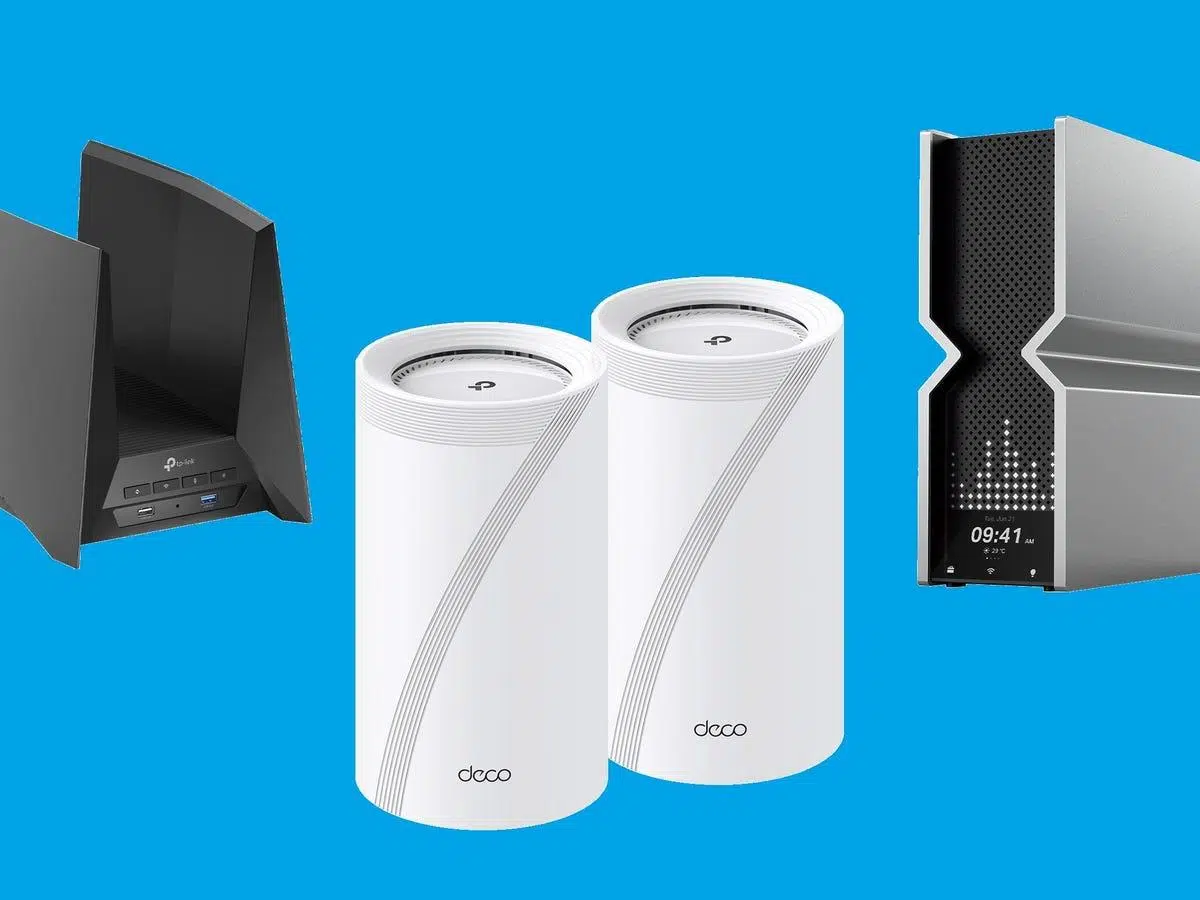
If you're thinking about upgrading to a Wi-Fi 7 router , you're probably wondering the same thing as many other users: will you really notice a difference compared to your current connection, or is it just another technological fad? The arrival of very high-speed fiber optic connections, like the 10 Gbps offered by some providers, and new top-of-the-range routers has set the bar very high, but the actual experience will depend on both the router and the devices you connect.
Today, there are already Wi-Fi 7 home routers on the market, high-end mobile phones that support it, and operators starting to deploy compatible equipment (such as Movistar's Smart WiFi 7 or Orange's Livebox 7). However, the bottleneck is no longer usually the router itself, but rather the mobile phone, laptop, or game console that connects to it. Therefore, before spending any money, it's wise to fully understand what the standard offers, which devices take advantage of it, and what the operators are doing.
What exactly is Wi-Fi 7 and why does it represent such a big leap?
Wi-Fi 7 is the commercial name for the IEEE 802.11be standard, also called Extremely High Throughput (EHT) . Its goal is not only to increase maximum speed, but also to manage the radio spectrum much more effectively and reduce common problems such as lag, congestion, or dropouts when many devices are connected at home.
Unlike previous generations, Wi-Fi 7 operates simultaneously on the 2,4 GHz, 5 GHz, and 6 GHz bands , making the most of the entire available spectrum. Where Wi-Fi 6 focused primarily on handling a large number of devices, Wi-Fi 7 goes a step further, delivering significantly faster speeds for each device, with greater efficiency and stability even in congested environments.
Manufacturers summarize this leap by saying that a Wi-Fi 7 router can offer up to 4,8 times the speed of Wi-Fi 6 and about 13 times the speed of Wi-Fi 5 , always referring to theoretical values under ideal conditions. In practice, what matters is not just the raw figure, but the ability to maintain those speeds with multiple devices simultaneously without the network crashing.
One of the key elements of the standard is the use of 320 MHz channels in the 6 GHz band. These are twice as wide as those of Wi-Fi 6E (160 MHz), allowing for a huge bandwidth for data transmission. In ideal scenarios, wireless speeds of tens of Gbps can be achieved (for example, some manufacturers claim up to 46 Gbps theoretically), something that was unthinkable in a home environment not long ago.
Key Wi-Fi 7 technologies: MLO, 320 MHz, 4K-QAM, and Co.
Beyond the marketing figures, what truly makes the difference in Wi-Fi 7 are several new technologies that change how your mobile phone, console, or computer connects to the router and how network resources are distributed.
The star of the show is Multi-Link Operation (MLO) . This feature allows a single device to connect simultaneously to multiple frequency bands (2,4 GHz, 5 GHz, and 6 GHz), with the system deciding in real time which is best for each data stream. It can even combine multiple bands at the same time for a single connection, as if you had several parallel highways dedicated to the same download.
In everyday use, MLO means that a mobile phone, a PS5, or a virtual reality headset can use multiple Wi-Fi "paths" simultaneously , reducing latency, increasing effective speed, and improving stability when there is interference or congestion. This is especially useful for online gaming, 4K/8K video streaming, or wireless virtual reality.
Another important feature is the use of 4096-QAM (4K-QAM) modulation , which compresses more bits per symbol at the same frequency, increasing data capacity without significantly increasing bandwidth. Combined with 320 MHz channels, this allows for very high transmission rates within a single link.
Wi-Fi 7 also optimizes resource management with techniques such as Multi-RU, enhanced OFDMA, and advanced MU-MIMO . In practice, this allows the router to communicate with multiple devices simultaneously more efficiently, distributing bandwidth evenly without any one device throttling another. Combined with WPA3 for security, this results in a much more robust experience for homes with dozens of connected devices.
The real bottleneck: your mobile phones, laptops and consoles
With routers promising spectacular speeds, the real limitation is no longer usually the network equipment. The problem typically arises in the end device: the smartphone, laptop, tablet, or game console . If that device doesn't include a Wi-Fi 7 compatible chip, it will never be able to take advantage of all these improvements.
Currently, most mobile phones on the market still integrate Wi-Fi 6 (802.11ax) or, at best, Wi-Fi 6E . Compatibility with Wi-Fi 7 depends on major chip manufacturers (Qualcomm, MediaTek, Samsung, etc.) integrating the new modems and controllers into their high-end processors. Therefore, for now, only some premium models are starting to include Wi-Fi 7, and widespread adoption will come with future generations.
This has a direct consequence: that top-of-the-line phone from two or three years ago, however high-end it may have been at the time, limits the potential of the Wi-Fi 7 router . The network might be powerful, but the device will only be able to communicate in the "language" of Wi-Fi 6 or 6E. It's like putting a racing engine in a car with mud tires: the power is there, but it's not being transferred to the road.
The same is true for many laptops, tablets, and Smart TVs. Unless they've been recently updated with the latest chip, they're usually still stuck on older Wi-Fi generations. Therefore, if you're considering a Wi-Fi 7 router, it makes sense to also think about when you're going to replace your main mobile phone or laptop.
In the smartphone ecosystem, Wi-Fi 7 compatibility is starting to appear in the high-end ranges of manufacturers like Apple, Google, Samsung, Xiaomi, OnePlus, Oppo, Realme, Honor, Huawei, vivo, Nothing, and ZTE (nubia) . Some already have models ready, and others will be incorporating it into their upcoming flagship devices. Specific models like the Sony Xperia 1 VII are even expected to support the new standard.
List and overview of mobile phones with Wi-Fi 7
The transition to Wi-Fi 7 in the smartphone world is gradual and heavily focused on the high-end market. Each new generation of premium processors adds support for this standard, while many models from the previous year remain at Wi-Fi 6E at most.
In practice, this means that within the same phone family, the new model might have Wi-Fi 7 while its predecessor, virtually identical in every other respect, only has 6E. For the user, this difference can be crucial if they plan to take advantage of new home or office networks.
Generally speaking, manufacturers that are or will be adopting Wi-Fi 7 in their high-end ranges include brands like Apple, Google, Honor, Huawei, Nothing, OnePlus, Oppo, Realme, Samsung, Sony, vivo, Xiaomi, and ZTE (nubia) . In many cases, these are their flagship models (the typical "Pro," "Ultra," or "Max"), which are the first to feature the latest chips with EHT support.
There isn't a completely final list yet , because each brand updates its catalog year after year. The important thing to understand is that if you want to get the most out of a new-generation router, your next phone should clearly advertise Wi-Fi 7 compatibility . Otherwise, you'll end up using the router almost like a souped-up Wi-Fi 6.
This leads to a rather practical conclusion: the most sensible strategy for many users is to coordinate their purchases. First, wait until your next premium mobile phone includes Wi-Fi 7, and only then consider investing in a router that supports this standard . This ensures that the performance leap is real and that you don't overpay for an underutilized technology.
Specific Wi-Fi 7 routers: examples and frequently asked questions
Among the Wi-Fi 7 routers that have started to attract attention are models like the TP-Link Archer BE800 and the TP-Link GE800 . These devices are designed for demanding users, especially gamers or those who use wireless virtual reality between a PC and headset.
A very typical scenario is having the router in the same room as the PS5, the gaming PC, and a VR headset streaming over Wi-Fi from the computer. In that context, a well-configured Wi-Fi 7 router can make a big difference in latency and stability compared to older models, especially if you take advantage of the 5 and 6 GHz bands and advanced interference reduction features.
When comparing an Archer BE800 with a GE800, in addition to the purely technical specifications, there are practical details worth considering. For example, the GE800 has an internal fan , and some users have noted that it can be somewhat noisy under certain conditions. The BE800, on the other hand, is fanless, which can be an advantage if you are sensitive to noise or have your router very close to your gaming or work area.
Beyond this specific case, almost all top-of-the-range Wi-Fi 7 routers share a common philosophy: powerful processors, multiple antennas, MLO support, high channel widths, and, in many cases, multi-gigabit Ethernet ports to connect devices such as PCs or consoles via cable and take advantage of connections of 2,5 Gbps or more.
However, it's important to remember that the speeds advertised by manufacturers are always theoretical. They themselves clarify in the fine print that actual performance will depend on factors such as building construction, interference, the number of connected devices, regulations in each country, and the limitations of the devices themselves . Even listings like "up to 9,3 Gbps" are usually only achieved when connecting with other 802.11be devices designed for those speeds.
Wi-Fi 7 routers on operators: Movistar Smart WiFi 7 and Orange Livebox 7
Fiber optic operators are also making moves. In the case of Movistar, the big news is the rollout of its 10 Gbps fiber optic network , still in the testing phase, which requires the use of the Smart WiFi 7 router to take full advantage of the connection's speed.
This 10 Gbps fiber optic connection has generated a lot of interest because, in theory, it offers one of the fastest internet speeds in the country. However, the rollout is being phased in: the company prefers to test the service with a limited number of customers and verify that the user experience meets expectations before making it available to the general public.
To participate in this trial, Movistar has set a series of requirements. Regarding your plan, you must have a miMovistar Base, Max, Unlimited, Unlimited X2, or Unlimited X4 plan . The 10 Gbps fiber optic connection is not compatible with other plans. Additionally, your address must be within the coverage area that the operator is using for the pilot program.
If these conditions are met and the operator approves it, the Smart WiFi 7 router will be installed . This device is designed to handle the speed and capabilities of the new fiber optic network. The final price of the service after the testing phase has not yet been made public and will depend on each customer's plan, so we will have to wait for the company to announce its plans.
One important detail is that this 10 Gbps fiber optic connection is offered at no extra cost until February 15, 2026. Until that date, customers who join the trial program can enjoy the connection for the same price as now. The first additional charge will begin to apply from February 16, 2026, at which point each user will have to decide whether it's worth keeping that speed or if they prefer to switch to a different plan.
If you meet the requirements and haven't received an invitation, you can always contact Movistar through their official channels and ask if it's possible to join the test. However, there are no guarantees of availability: inclusion depends on the pilot's status and the company's internal planning.
Livebox 7: Orange's Wi-Fi 7 router in detail
Orange has also made a strong commitment to the new standard with its Livebox 7 router , a device that integrates advanced technologies to improve the home experience and is also designed with energy efficiency and sustainability criteria.
The Livebox 7 includes support for Wi-Fi 7 with speeds up to 11,5 Gbps on the 6 GHz band , enabling very fast and stable simultaneous connections even with many devices connected. Its vertical design helps optimize space and ventilation, and the integrated ONT (i.e., it has built-in fiber optic conversion) eliminates the need for additional equipment.
In terms of physical connectivity, the router features a 2,5 Gigabit Ethernet LAN port for devices requiring speeds exceeding gigabit, three additional Gigabit Ethernet LAN ports, a high-power (1A) USB 3.0 port, and an FXS RJ11 port for landline telephony. It supports services such as Orange TV, internet access, telephony, and advanced network features like firewall, NAT, UPnP, dynamic DNS, and DLNA.
As for the internal hardware, the Livebox 7 features 4 GB of eMMC ROM and 1 GB of DDR4 RAM , along with a GPON port with an integrated ONT capable of handling speeds up to 2,5 Gbps download and 1,25 Gbps upload. This configuration aligns with the operator's high-speed fiber optic offerings.
In terms of Wi-Fi, Orange offers two options: dual-band (2,4/5 GHz) with Arcadyan or tri-band (2,4/5/6 GHz) with ZTE . Specifications include a 4x4 band with 320 MHz channels and speeds up to 11,5 Gbps; a 5 GHz band also with 4x4 channels, 160 MHz channels, and speeds up to 5,7 Gbps; and a 2,4 GHz band with 3x3 channels, 40 MHz channels, and speeds up to 1 Gbps. Supported technologies include MLO, OFDMA, 4K-QAM, 320 MHz, MU-MIMO, and WPA3 encryption.
Lights, connectors and practical use of the Livebox 7
To make life easier for the user, the Livebox 7 incorporates a series of light indicators and physical buttons that allow you to know the connection status at a glance and perform basic actions without entering the web interface.
On the front panel, there are three main lights: Internet, Wi-Fi, and Telephone. The Internet light is two-tone (white/green) and changes state depending on whether the fiber optic connection is established, the password is correct, or if there is data traffic . For example, a fast flashing white light indicates that the fiber optic connection is not present; a solid white light indicates that the fiber optic connection is present but the internet password has not been entered or is incorrect; a slow flashing white light indicates that the password is correct but there is no connection; a fast flashing green light indicates that the connection is being established; and a solid green light indicates that everything is working correctly.
The Wi-Fi light is also two-tone. Off means the wireless network is disabled; solid green indicates the primary Wi-Fi network is active; fast flashing green indicates WPS pairing in progress ; slow flashing green indicates temporary remote management is enabled; and solid white shows the guest Wi-Fi network is on.
The Telephone light, also two-colored, shows the status of the landline telephone service. If it is off, the service is not configured; slow flashing white indicates that telephony is unavailable; solid green means that the service is operational; and slow flashing green indicates that there is a call in progress (incoming or outgoing).
Regarding the Ethernet ports, the yellow and green lights indicate both the synchronization speed and the presence of traffic. With both lights off, the port is not connected; solid yellow means a 100 Mbps connection; flashing yellow indicates 100 Mbps with traffic; solid green indicates 1 Gbps; flashing green indicates 1 Gbps with data transmission; and when both yellow and green are lit simultaneously, it indicates a 2,5 Gbps connection, with the flashing indicating transmission.
The connectors are located on the back: the landline phone ports (gray, RJ11), the 2,5 Gigabit LAN port (blue), the three Gigabit LAN ports (black), the USB 3.0 port, the fiber optic port (green), the reset button, the power switch, and the power connector. The WPS button and the Wi-Fi on/off button allow you to connect devices without entering the password or quickly turn off the wireless network .
Labels, Wi-Fi networks and connection modes on the Livebox 7
On the bottom of the Livebox 7, there's a label with everything you need to connect. It shows the main Wi-Fi network name (SSID) Livebox7-XXXX and the default Wi-Fi password. It also includes a QR code that you can scan with your mobile phone to set up the connection without having to manually enter the password.
The same key that appears on the label serves as the password to access the router's web configuration interface , accessible from the addresses http://livebox or http://192.168.1.1. There you can change network settings, open ports, manage guest Wi-Fi, and so on.
The router also includes a second, dedicated Wi-Fi 7 network, usually named Livebox7-XXXX-Wi-Fi7 . If you have a compatible device, Orange recommends connecting to this network as well, using the associated Wi-Fi password or QR code. This allows newer devices to take advantage of the 6 GHz band and the advanced capabilities of the standard.
The label also details the device's serial number and its MAC address, or physical address , which is unique to each router. This information can be useful for technical support, MAC filtering, or identifying devices on the network.
In terms of operating conditions, the Livebox 7 requires a 12V-2,5A power supply, connects to a 220-240V 50-60Hz electrical network, and has a typical power consumption of between 10 and 20W. The recommended operating temperature range is from +5°C to 40°C, which is suitable for the typical home environment.
Warranty, additional services and fine print
In the context of Wi-Fi 7 routers from manufacturers like NETGEAR and others, it's common to find footnotes clarifying that the maximum wireless speed is a theoretical value derived from the IEEE 802.11 standard specifications. They warn that actual performance and coverage will likely be reduced by environmental factors, interference, network traffic, and limitations of connected devices.
It's also often pointed out that to take advantage of gigabit or multi-gigabit internet speeds, you need suitable service plans and compatible modems or ONTs . In other words, a router capable of handling several gigabits is of little use if your fiber plan is limited to 300 Mbps or if the provider's equipment isn't up to par.
Some manufacturers include added services such as integrated security like NETGEAR Armor or advanced parental controls (Smart Parental Controls). These services typically offer a free trial period (for example, 30 days) and then require an annual subscription or a Premium plan to continue protecting all devices connected to the network.
Regarding warranty, consumer routers typically offer a one-year limited warranty and approximately 90 days of free technical support , provided the product was purchased from an authorized retailer. Beyond this period, support may still be available, but replacement in case of malfunction is generally no longer free.
Finally, most manufacturers' and operators' websites mention the use of their own and third-party cookies to improve services and display advertising based on browsing habits. Their cookie policies explain the types of data collected and how to change the settings, which is something you should review if you're concerned about privacy.
The arrival of Wi-Fi 7 routers and the first multi-gigabit fiber optic offerings is paving the way for home networks in the coming years. The infrastructure (operator routers and manufacturer equipment) is already ready to support services that demand high bandwidth and low latency , but to truly experience the leap, it's essential that end devices also upgrade to Wi-Fi 7. Meanwhile, those with older mobile phones or laptops may not notice significant differences, so the most sensible approach is usually to plan a double upgrade—router and device—when it's time to replace them. This way, the investment truly translates into a better user experience and not just impressive specifications on paper.