- Public WiFi networks share an environment with strangers, which facilitates attacks such as fake networks, Man in the Middle attacks, and data theft.
- Always use HTTPS, disable file sharing, keep firewall and antivirus active, and avoid accessing sensitive services to greatly reduce the risk.
- A VPN encrypts all traffic on open networks, hides your IP address, and adds a crucial layer of protection when connecting from cafes, hotels, or airports.
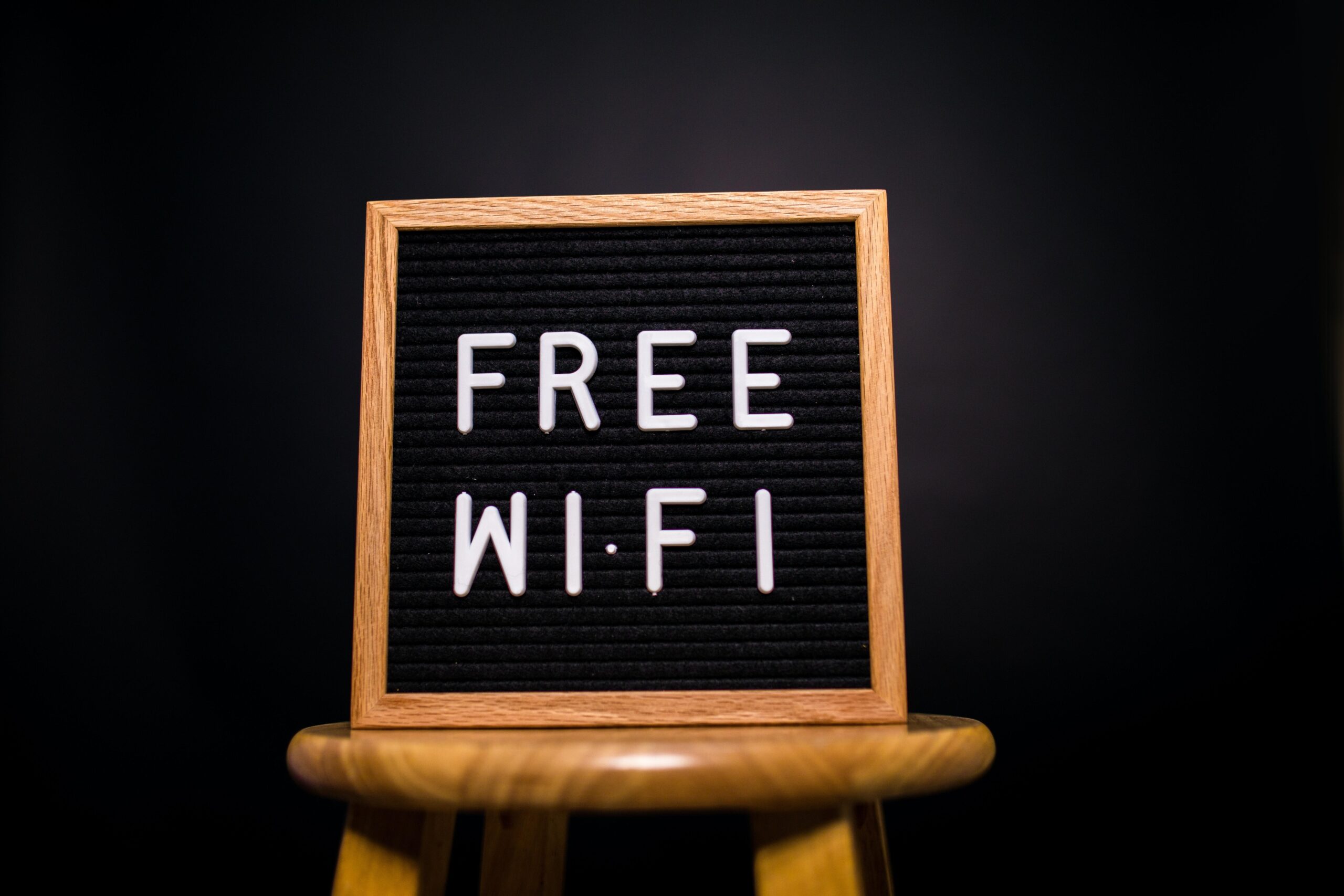
Connecting to a free Wi-Fi network in a cafe, airport, or shopping mall may seem like the most normal thing in the world. It's convenient, saves mobile data, and often gets us out of a tight spot. When we're traveling or have run out of data. But that convenience comes with a catch: behind every open Wi-Fi network there can be risks that aren't immediately apparent.
Public Wi-Fi networks function as a kind of "shared highway" where your data travels along with that of many other people. If you don't take precautions, anyone connected to that same network could spy on you, steal your passwords, or even install malware. on your mobile phone or laptop. Let's take a closer look at the dangers, the warning signs you should check for, and the specific measures you can take to use these networks much more safely.
What exactly is a public Wi-Fi network?
A public wifi network is basically a wireless connection that a third party makes available to many people in a freely accessible space. It's the typical Wi-Fi found in cafes, hotels, libraries, stations, airports, universities, or even the Wi-Fi offered by some city councils on the street..
Within public wifi networks we can distinguish two main types, with somewhat different behaviors and risks, but which share the same underlying problem: You connect in a shared environment with strangers.
On one hand there are completely open networks, without a password. These are the ones you see without a lock in your mobile phone's list of Wi-Fi networks, often with generic names like "FreeWifi" or "Free Wi-Fi".Just tap and you're in, although sometimes, when you open the browser, they ask you to accept some conditions or fill out a short form.
On the other hand, we have password-protected networks that are also public. This is the case with the Wi-Fi in a bar, hotel, or university, where the password is shared with all customers, students, or visitors.Even with a password, it's still a public network because many people you don't know connect to it, and therefore the environment isn't completely trustworthy.
Even in some hotels or accommodations where you pay for Wi-Fi access, the network is still considered public from a cybersecurity point of view. Paying does not automatically mean that the network is working. well configured or that other people can't see your trafficTherefore, the same precautions must be applied.
Why public Wi-Fi can be dangerous
Open Wi-Fi networks are as attractive to users as they are to cybercriminals. The same characteristics that make them convenient — easy to use, with minimal authentication — make them a perfect target for attacks.
In many cases, these Wi-Fi networks do not have a robust security configuration, or they simply do not have encryption between the access point and devices. This makes it easier for an attacker to position themselves "in the middle" of the communication and intercept unprotected data., as if he were sitting and listening to someone else's conversation at a nearby table.
The most well-known risk is the famous "Man in the Middle" attack. Instead of your data going directly from your device to the router, it first passes through the attacker's equipmentwho can read, copy, modify, and forward them without you noticing.
In addition, on a public network anyone can try to scan other connected devices. If you have file or printer sharing enabled, or your firewall is misconfigured, you could be leaving doors open to intrusions. that give access to your documents, photos, or personal data.
Another major problem is the distribution of malware. Attackers can exploit an unprotected network to sneak malware in through pop-ups, fake downloads, or even bogus updates of well-known programs.which actually install viruses, spyware, or ransomware on your computer.
Types of attacks and scams most common on public wifi
Beyond simply intercepting traffic, cybercriminals have been perfecting specific techniques to take advantage of public networks. Some of these strategies are very difficult to detect if you don't know what to look for..
Fake Wi-Fi networks that impersonate real ones
One of the most dangerous traps is the creation of fake networks that mimic the name of the place where you are. Imagine you enter a bar called “Café Centro” and two networks appear on your mobile phone: “CaféCentro-Wifi” and “Cafe_Centro_Free”If you choose the wrong one, you could be connecting directly to an attacker's router.
In that scenario, all your traffic passes through a device controlled by the cybercriminal. It can record the websites you visit, the passwords you enter, the forms you fill out, and even inject malicious content into the pages you load. without you suspecting anything strange.
Man-in-the-Middle attacks and silent information theft
In a "Man in the Middle" attack, the hacker intercepts the communication between your device and the server of the website or service you are using. It doesn't need to do anything flashy: it can simply copy everything you type or receive..
This includes login credentials (usernames and passwords), emails, bank card details, your company information, attachments, and anything else that passes through the network without strong end-to-end encryption. Since many people reuse the same password on multiple sites, stealing a password from a forum or online store can be used to later gain access to a bank or corporate account..
Malware, spyware, and ransomware exploiting the network
Another common method is using the public network to spread malware. An attacker can exploit file sharing on the network to inject malicious software into your computer.or modify the traffic so that an "urgent update" window for popular software appears.
As soon as you click and accept the download, the supposed “patch” starts running malicious code. This could be spyware that records your activity, Trojans that open remote doors, or even ransomware that encrypts your documents and demands a ransom to recover them..
Theft of personal data and identity theft
When someone gains access to your device or network traffic, they don't just get passwords. It can also be done with photos, videos, emails, conversations, personal and professional documentsalong with all the information they reveal about your life.
With this information, a cybercriminal can impersonate you on social media, access your online services, blackmail you, or sell your data on underground forums. Sometimes the damage isn't immediately visible: it materializes weeks or months later in the form of fraud, unauthorized purchases, or hijacked accounts..
Confusion between public networks and third-party private networks
There is another less technical but important risk: accidentally connecting to a private Wi-Fi network that does not belong to the establishment you are in. It's the typical "wifi theft" when you grab a neighbor's network thinking it's the bar's..
In Spain, accessing a private network without authorization can lead to legal problems if it is proven that you did so knowingly. Beyond the potential penalty, on someone else's network you have no control over who is behind the router or what use they will make of what you do while connected..
How to recognize if a public wifi network is minimally secure
Not all public networks are equally dangerous, and there are some clues that allow you to know if what you have in front of you meets basic security requirements. The golden rule is simple: if you're not sure that the network is legitimate and properly configured, it's best not to connect..
The first thing to do is confirm that the network is the official one of the site you are on. Don't rely solely on the name; ask an employee, check the receipt, the menu, or the signs in the establishment.where the wifi name and sometimes the password usually appear.
It's also worth checking if the network uses modern encryption. In the network settings (Settings > Wi-Fi on your mobile phone or laptop) you can see which protocol it uses: ideally it should say WPA2 or WPA3These systems encrypt the traffic between your device and the access point, making it difficult for anyone to spy on that communication.
Always be wary of generic network names like "FreeWifi", "FreeInternet" or similar, especially if they appear duplicated or very similar to each other. These types of names are common in trap networks set up by attackers to catch unsuspecting users..
Many shopping centers, universities, or large spaces use a captive portal that forces you to register or accept certain conditions. Review it calmly: you should not have to provide excessive data such as your document number, full address or banking information just to connect for a few minutes.
Finally, it's a good idea to read—even if only skimmed—the terms of use. Sometimes it is indicated that your browsing data will be used for marketing or analysis purposes.Something you might prefer to avoid if you can use your mobile data instead.
Best practices when using public Wi-Fi networks
Even if you have verified that the network is the official one and uses modern encryption, you are still in a shared environment. It's not about demonizing public Wi-Fi, but about using it wisely and with a few extra precautions..
The most important thing is to limit the type of activities you do while connected to this type of network. For sensitive tasks such as online banking, accessing your company's intranet, dealing with government agencies, or any critical service, the wisest course of action is to use mobile data or wait until you are on a trusted private network..
If you still need to connect to sensitive services from a public Wi-Fi network, adding an extra layer of protection with a VPN is almost mandatory. A virtual private network encrypts all your traffic from your device to the VPN server, so even if someone controls the Wi-Fi, what they will see is an incomprehensible stream of data..
Using encrypted HTTPS connections on the websites you visit also helps a lot. Check that the address starts with “https” and that the padlock icon appears. in the browser's address bar. Many services allow you to activate the "always use HTTPS" option, which forces that extra layer of security whenever possible.
Another healthy habit is to disable file, printer, or folder sharing while on public networks. On Windows, macOS, and many mobile devices, you can specify that you are connecting to a public network, and the system itself adjusts the settings to minimize exposure..
The VPN as an essential security layer
The most effective tool to secure your connection on public Wi-Fi is a VPN. Its role is to create an "encrypted tunnel" between your device and a remote server, through which all your protected traffic travels.regardless of how insecure the network you've connected to is.
Without a VPN, your device communicates directly with the access point and, from there, with the websites or services you visit. With a VPN, your device first connects to the VPN server, and that server is responsible for accessing the internet.hiding your real IP address and encrypting the data along the way.
This has two key effects: on the one hand, it makes it much harder for an attacker on the same Wi-Fi to read what you're doing; on the other hand, it makes it appear to websites that you're connecting from the VPN server's location. If someone intercepts traffic on the public network, they will only see encrypted data that they cannot easily decrypt..
It's important that, if you're going to use a VPN to connect to your company's network or financial services, you choose a reliable provider. Many reputable solutions offer simple mobile and computer applications, with features such as automatic connection when an unsecured network is detected.which prevents you from forgetting to activate it.
Even so, it is worth remembering that no technology is infallible. A VPN greatly reduces risk, but it is not a substitute for common sense or other basic security measures.such as keeping equipment updated or using strong and unique passwords.
Configure your devices to minimize risks
In addition to VPN and using HTTPS, there are simple settings on your devices that make a big difference when using public networks. These are small changes that you configure once and then they work for you in the background.and can be supplemented with guides for Fix Wi-Fi problems on your PC.
The first thing to do is check the list of Wi-Fi networks saved on your mobile phone, laptop, or tablet. It's a good idea to delete those you no longer use or that you don't fully trust.Because an attacker can create an access point with the same name and get your device to connect automatically without you noticing.
It is also advisable to turn off the wifi connection when you don't need it, especially if you are out and about or on the move. Even if you're not actively connected, the device continues to advertise itself and search for known networks.This can be used for more advanced attacks and also wastes battery power unnecessarily.
Don't forget to activate and keep your system's firewall updated. In Windows, macOS, and many mobile devices, the firewall is integrated; you just need to make sure it's turned on.Its function is to filter suspicious incoming connections and block malicious traffic, and you might also consider change the DNS settings on the router to improve navigation safety.
Regarding file sharing (AirDrop, Nearby Sharing, Quick Share, etc.), it's best to limit it when you're away from home or the office. Configure it so that only your contacts can send you things, or simply turn it off when using open Wi-Fi networks.This way you'll prevent any stranger from sending you scam files.
And, of course, always keep security updates enabled for the operating system and the most critical applications. Each patch fixes vulnerabilities that attackers could exploit, especially on devices that frequently connect to unsecured networks..
Beyond the technical configuration, how you use the internet on a public network greatly influences the level of risk. There are things you can do without any problem, and others that are better reserved for a private network or your mobile data..
On the "relatively safe" side are tasks such as checking news, searching for general information, watching videos, browsing social networks without logging into sensitive accounts, or using entertainment apps. These are activities where, even if someone observes your traffic, they won't have much to gain..
On the side to avoid are all the procedures that involve very sensitive data: online banking, card purchases, access to company portals, procedures with public administrations, insurance companies, medical records, etc. Any service where a third party could cause harm by obtaining your username and password should be excluded from public Wi-Fi.Unless you use a good VPN, and even then, proceed with caution.
You should also be extremely careful with the links and files you receive. Don't open suspicious email attachments, don't download programs from pop-up windows, and be wary of unexpected messages with files in messaging apps.because they are common ways to sneak malware in by taking advantage of the fact that you are on a network without much protection.
If a network asks you for excessive personal information to grant you access—for example, your ID number, phone number, postal address, and other details—seriously consider whether it's worth connecting. Sometimes it's wiser to use a few megabytes from your data plan than to give away that information in exchange for occasional Wi-Fi..
The role of antivirus and other layers of protection
A good antivirus is still a fundamental pillar for safe browsing, especially on networks you don't control. Modern solutions not only detect viruses, they also block attack attempts, malicious websites, and suspicious downloads. before they can do any harm.
If you frequently use your mobile phone on public networks, consider installing a security app on your smartphone, whether it's Android or iOS. Today there are free and paid options that analyze applications, links, and files for malware or dangerous behavior..
Many security suites include features specifically for Wi-Fi networks, such as alerts when you connect to a potentially unsafe network or tools to analyze router settings. In a business environment, these solutions allow for the protection of both office equipment and employees who travel and connect remotely..
Even if you take all precautions, nobody is 100% free from problems in this hyper-connected age. That's why it's crucial to complement technical barriers with habits such as making regular backups, using password managers, and enabling two-step authentication whenever possible..
Ultimately, security in public Wi-Fi combines technology and common sense: Always validate the network, limit sensitive uses, rely on tools such as VPN, antivirus and firewall, and keep devices updated It's the best way to enjoy the benefits of free Wi-Fi without turning your data into the loot of an opportunistic hacker.

Table of Contents
- What exactly is a public Wi-Fi network?
- Why public Wi-Fi can be dangerous
- Types of attacks and scams most common on public wifi
- How to recognize if a public wifi network is minimally secure
- Best practices when using public Wi-Fi networks
- The VPN as an essential security layer
- Configure your devices to minimize risks
- What to do and what to avoid when browsing on public Wi-Fi.
- The role of antivirus and other layers of protection