- Comprehensive analysis of encryption protocols and detection of critical vulnerabilities such as active WPS.
- Implementation of open source technical tools for device discovery and traffic analysis.
- Professional security methodologies for network segmentation and migration to WPA3 standards.

When we talk about home or office security, we often think that simply using a moderately complex password is enough to keep us safe. However, the reality is that wireless networks are one of the weakest points in any digital infrastructure, making them the preferred entry point for those seeking sensitive data without leaving a trace.
Performing a network audit is simply a thorough examination of your connection to uncover vulnerabilities and misconfigurations before malicious actors exploit them. It's not just about speed; it's about ensuring the integrity of your data is protected against dictionary attacks and unauthorized intrusions.

What does a WiFi audit actually involve?
Basically, it's a systematic process to assess whether your network is secure or if it has vulnerabilities that could allow a third party to infiltrate it. A comprehensive audit isn't just about testing the key; it involves analyzing six fundamental layers to ensure there are no data leaks or unauthorized access.
First, a network discovery scan is performed to locate all access points and detect any unauthorized access points (the infamous rogue APs) that someone may have installed without permission. Then, the encryption is analyzed to see if outdated protocols like WEP are being used, which are easily broken nowadays.
It's also vital to check your router's configuration, ensuring the firmware is up to date and that there are no default administrator credentials (such as the typical admin/admin). To optimize your hardware, you can consult the Fritz!Box setup guide if you're using that device.

Finally, coverage is mapped to see if the signal escapes too far outside the building, and an inventory of connected devices is taken to detect unknown equipment or traffic behaving strangely.
The technical arsenal: Essential tools
For serious work, a simple speed test app isn't enough. You need specialized software that allows you to view the entire environment. The Aircrack-ng suite is the best in this field, as it allows you to capture handshakes and analyze packets, although it requires a network card compatible with monitor mode and, ideally, Linux.
If you want to perform real-time network traffic analysis , Wireshark is the ideal tool. It allows you to decapsulate packets and detect unencrypted communications, such as HTTP or FTP protocols, which are a goldmine for an attacker.

For device discovery, Nmap is the standard. With a simple scan, you can find out which devices are active, which ports they have open, and what operating system they are running, helping to reduce the attack surface.
For those who prefer Windows or need something more visual, there are options like Acrylic WiFi , very useful for analyzing channels and devices, or NetSpot , which is the star tool for creating heat maps and detecting dead zones or interference in the office.
There are also complete distributions like Kali Linux or Wifislax , which come with the entire repository of tools pre-installed, greatly simplifying the task of performing penetration tests without having to install each software separately.
Step-by-step methodology for an effective audit
If you want to pursue a professional path, you can base your work on the OWISAM methodology, which divides the process into clear phases. The first is passive reconnaissance , where we scan the airwaves to see which networks are visible, their SSIDs, channels, and the type of encryption they use.
Once the target is identified, we proceed to protocol verification. The security order ranges from WEP (completely broken), through WPA and WPA2, to WPA3, which is the most robust standard thanks to the SAE (Simultaneous Authentication of Equals) protocol, which prevents traditional dictionary attacks.

A critical step is checking for WPS (Wi-Fi Protected Setup ). Many routers have it enabled by default, but it's a serious vulnerability that allows attackers to obtain the PIN via brute force in a matter of seconds. If you detect that it's active, it's best to disable it immediately in the router's settings.
Next, traffic analysis and device inventory creation take place. If you find a device that shouldn't be there, it's a red flag. This entire process should culminate in a detailed report that classifies vulnerabilities by severity (critical, high, medium, or low) and proposes an action plan with specific deadlines.
Common vulnerabilities and how to fix them
In practice, it's very common to find weak passwords or those that use the company name, which can be cracked in minutes with a dictionary attack. The solution is to use passwords of at least 12 characters , combining uppercase letters, numbers, and symbols. You can also review how to manage your saved Wi-Fi passwords on your mobile device to ensure they are strong.
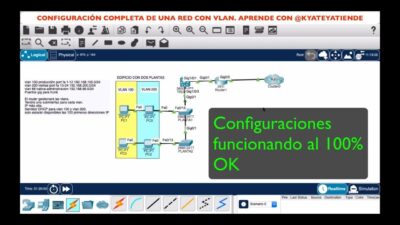
Another critical flaw is having an unisolated guest network, which allows any visitor to access the company's internal servers. Implementing proper VLAN configuration and network security is the only way to avoid this risk.
Using SSIDs that reveal sensitive information (such as "WiFi_Company_Accounting") is another common mistake, as it tells the attacker exactly which network is the most interesting to target. Ideally, generic names that don't give away any clues about the organization should be used.
To mitigate everyday risks, especially for those working remotely using public Wi-Fi networks in cafes or hotels, the use of a corporate VPN with AES-256 encryption is recommended . This ensures that even if the Wi-Fi network itself is insecure, the communication tunnel remains fully protected.
Maintaining the security of a wireless network requires a balance between using scanning tools like Nmap and Aircrack-ng, migrating to modern standards like WPA3, and consistent maintenance that includes disabling WPS and updating firmware security software . Performing these checks regularly transforms a vulnerable environment into a robust infrastructure capable of withstanding the most common intrusion attempts.