- Key differentiation between carpal tunnel syndrome (nerve compression) and tendinitis (tendon inflammation) to choose the right mouse.
- Advantages of the vertical design that reduces forearm pronation and relieves pressure on the median nerve.
- Key technical factors include DPI adjustment, device weight, and the importance of a size adapted to the hand.
- Recommendations for effective models ranging from budget-friendly options to high-end professional ranges.
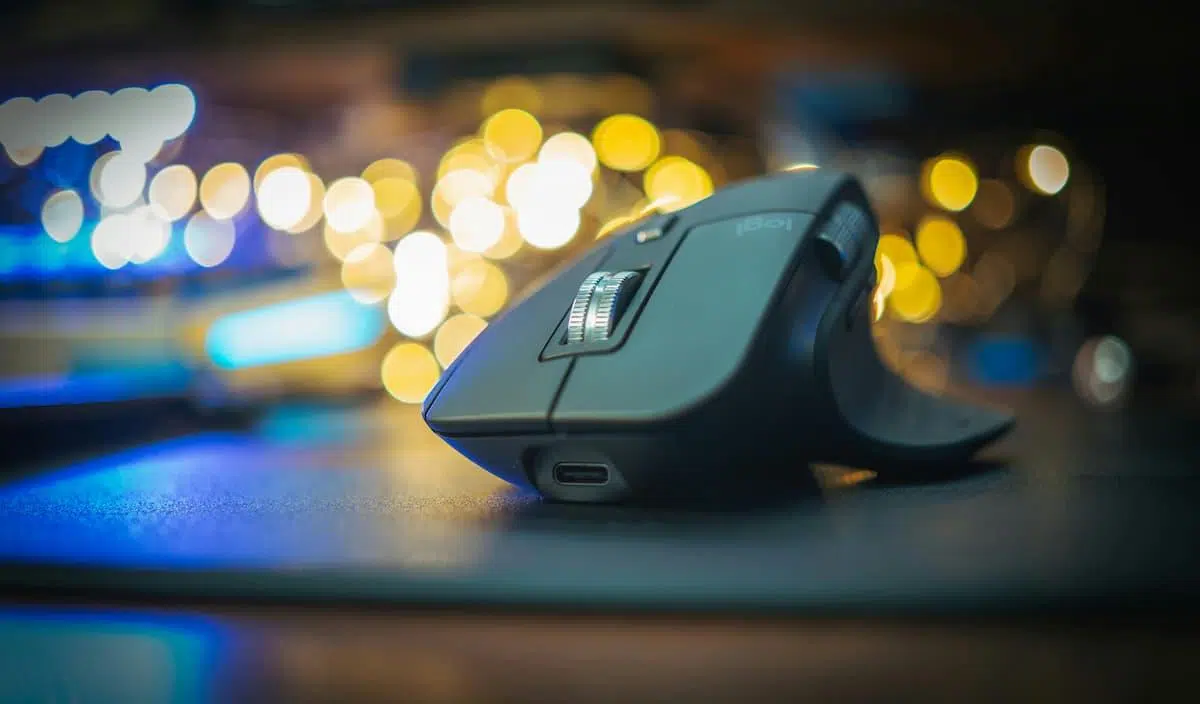
We spend countless hours glued to a screen, whether coding, writing reports, or simply browsing the web. The problem is that, while we make sure we have a decent chair, we often forget that hand posture is crucial for preventing long-term injuries. Using a conventional mouse forces our wrist into an awkward position that, over time, takes its toll.
If you've started to feel that annoying tingling or a dull ache that's preventing you from working comfortably, it's very likely you need to make the switch to healthy PC ergonomics . It's not just a trend, but about adapting the tool to your anatomy , not the other way around, preventing your body from suffering due to a flat design that doesn't respect the natural position of your arm.

Carpal tunnel syndrome or tendinitis? Don't make the wrong choice when buying.
Many people make the mistake of buying any ergonomic mouse thinking it will do the trick, but injury is a factor . Suffering from carpal tunnel syndrome is not the same as having tendinitis. While the former occurs due to compression of the median nerve in the wrist, the latter is an inflammation of the tendons due to repetitive movements. If you buy a lightweight mouse for carpal tunnel syndrome or a vertical mouse for acute tendinitis, you could actually worsen the situation.
To differentiate between them, look at the symptoms. Carpal tunnel syndrome usually causes electric-like pain or numbness in the thumb, index, and middle fingers, and it's very common to be woken up by tingling at night. Tendinitis, on the other hand, manifests as a dull, sharp pain that appears mainly when moving the hand or exerting force, affecting the base of the thumb and the forearm more.
There are simple home tests that can help you determine if you have carpal tunnel syndrome. The Phalen test involves pressing the backs of your hands together for one minute; if you feel tingling, it could be carpal tunnel syndrome. The Finkelstein test, which involves flexing your wrist with your thumb in your fist, is key to detecting De Quervain's tenosynovitis . However, these tests do not replace a visit to the doctor, who is the one who should make the definitive diagnosis.

The impact of flat mice on your health
The biggest problem with traditional mice is full pronation. By placing the palm completely downwards, we reduce the opening of the carpal tunnel by up to 20%, creating a screw-like pressure effect on the median nerve. If we then bend our wrist upwards to reach the buttons, we have the perfect recipe for chronic injury.
On the other hand, the massive volume of daily clicks (which can reach 10.000) causes micro-tears in the tendons. If the mouse is also very heavy, the effort required to move it is even greater, which accelerates chronic tissue inflammation . This is where the need to change usage patterns and explore more advanced peripheral hardware comes into play.
The solution: Vertical mice and trackballs
Vertical mice change the hand's orientation into a handshake position , rotating it between 60 and 90 degrees. This rotation opens up the carpal tunnel and can reduce nerve pressure by more than 30%. Crucially, they must have a raised thumb rest to prevent the hand from collapsing back onto the table.

For those who suffer from tendonitis, trackball mice are a godsend, as they eliminate the sweeping motion of the arm. By moving the ball with the fingers or thumb, the wrist remains stationary , drastically reducing tendon activity. Ultralight models (less than 100g) are also recommended to avoid straining the inertia of the movement.
Keys to choosing your ideal match
Size is a critical factor. A mouse that's too bulky will force you to stretch your fingers, while one that's too small will force you to crumple your hand. The key is that the grip feels natural and that you don't have to perform acrobatics to reach the buttons. Additionally, it's advisable to look for non-slip materials to prevent the mouse from slipping during a design session or a game.
Regarding technique, pay attention to the following points:
- Adjustable DPI: High sensitivity allows the cursor to travel further with minimal hand movement, relieving muscle strain.
- Programmable buttons: They allow you to assign functions such as copy or paste, reducing the number of repetitive index finger clicks.
- Connection: The wireless system is preferable to eliminate cable resistance, although the cable is still king in precision and forgetting about batteries.

Recommended models based on your budget
If you're looking for professional quality, the Logitech MX Vertical is the benchmark. With a 57-degree tilt, it significantly reduces muscle strain and allows you to pair with multiple devices simultaneously. It's a worthwhile investment if you spend many hours programming or editing.
For those seeking a more affordable yet effective option, Trust offers some interesting choices. The Trust Voxx stands out for its LED display that shows battery level and DPI settings. If you're looking for something more basic, the Trust Verto is a very affordable and functional option, while the Trust Bayo adds a touch of style with color bars and superior sensitivity.
Another viable alternative is the DeLUX M618 , which maintains the ergonomic 57-degree angle and offers a stable wireless connection at a very competitive price, making it ideal for those who want to try the vertical format without spending too much.
Extra tips to keep your hands healthy
Changing your mouse is a great step, but it's not the only solution. It's vital to perform strategic stretches every 30 minutes , extending your hand and flexing your fingers backward to open up the ligaments in the carpal tunnel. Consistency in these micro-breaks is much more effective than doing one long stretching session just once a day.

It's also advisable to optimize the rest of your desk. Keep your PC keyboard flat, without raising the legs, to avoid bending your wrists. Position your monitor at eye level to prevent shoulder strain that can travel down your forearms, and avoid using wrist rests directly under your mouse, as these can compress the nerve from below.
Knowing when to see a doctor is crucial. If you notice muscle weakness at the base of your thumb, have difficulty buttoning a shirt, or the numbness persists for more than an hour, it's time to seek professional help. Most early cases respond well to ergonomic changes, but ignoring it can lead to the need for surgery.
Ultimately, combating wrist discomfort requires a personalized approach: a vertical mouse if there is nerve compression, and a low-resistance mouse or trackball if tendon inflammation is the primary issue. By combining the right device with proper posture and active breaks, it's possible to regain comfort during the workday and prevent chronic injuries.
