- Air cooling is cheaper, simpler and requires less maintenance, ideal for general-purpose PCs.
- Liquid cooling offers better thermal performance and less noise, designed for high loads and overclocking.
- The type of cooling influences performance, noise, lifespan, and cost in both computers and combustion engines.
- The right choice depends on power, intensive use, budget, and the ability to handle maintenance.
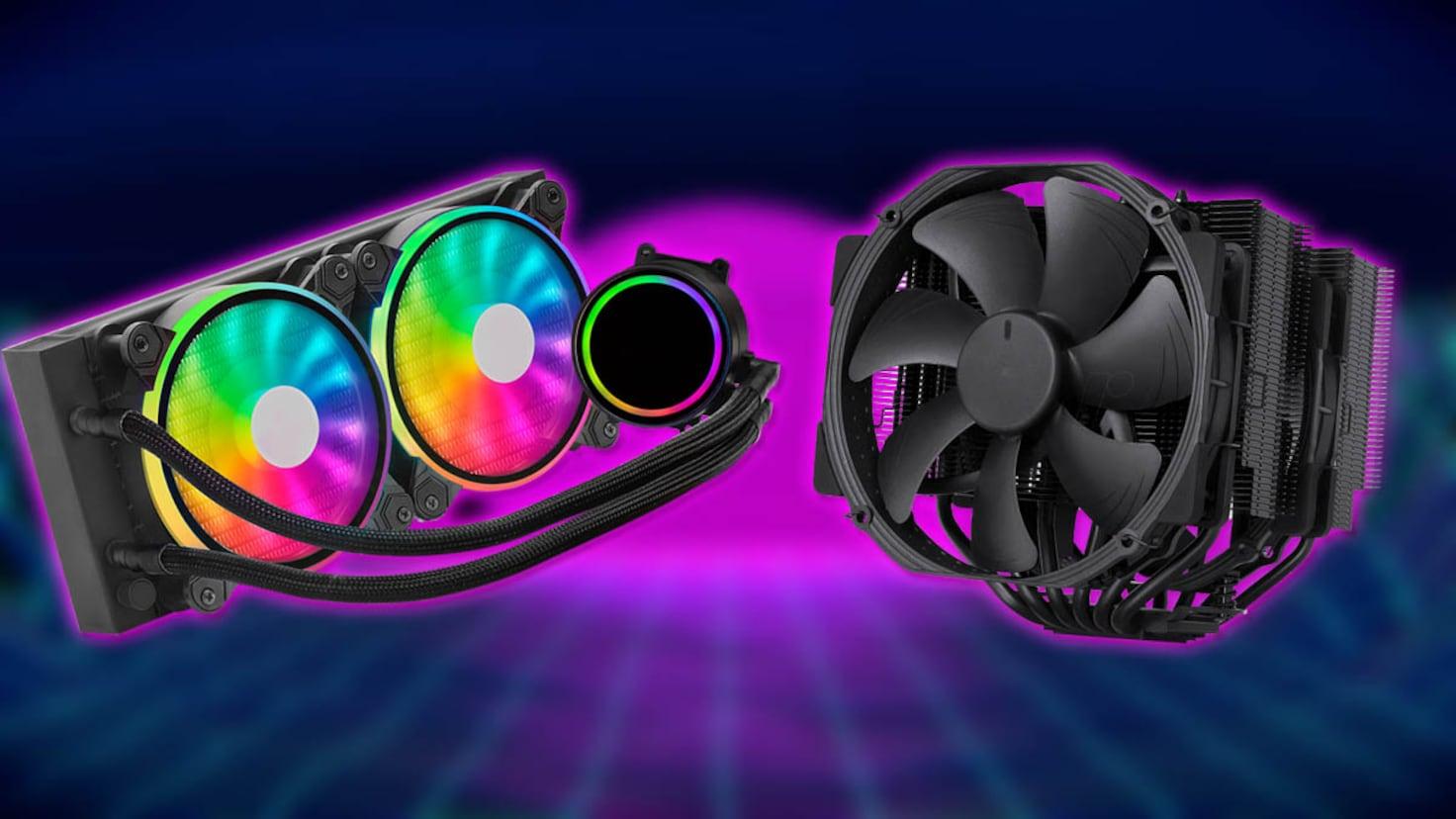
If there's one topic that can ignite endless arguments among hardware enthusiasts, it's liquid cooling versus air cooling . Each side defends its system like it's a religion, and you're stuck in the middle, trying to figure out what's best for your system.
You've heard that air cooling can be better than liquid cooling in some scenarios , but you've also been told that water (or liquid coolant) is ideal for keeping a processor under heavy load. Between myths about leaks, fear of noise, and doubts about system maintenance , it's normal to feel confused.
Why any PC (and almost any machine) needs cooling
Before delving into the details of air vs. liquid cooling, it's important to understand that any processor operating at high temperatures needs to dissipate heat . This includes a computer's CPU, GPU , or even a motorcycle engine: all of them generate a considerable amount of heat when running at full load.
In a PC, the CPU acts as the brain of the system and handles much of the heavy lifting: high-resolution gaming, video editing, 3D rendering, code compilation, and so on. The more resources a task demands, the more energy is converted into heat , which accumulates inside the tower if not efficiently dissipated.
If that heat isn't properly dissipated, the processor starts protecting itself by lowering its clock speed: this is known as thermal throttling . In practice, what you see are stutters, drops in FPS, and a general feeling that the PC is "choking" when you need it most.
Furthermore, manufacturers like Intel and AMD design their CPUs with safety mechanisms that automatically shut them down when certain temperature thresholds are exceeded, often around 100°C. Reaching these temperatures not only reduces performance but can also shorten the lifespan of components and, in extreme cases, cause serious damage.
Cooling systems (whether air or liquid) have a simple but critical function: to remove heat from the components and expel it from the chassis. This ensures stable performance, extends the machine's lifespan, and prevents safety issues.
How air cooling works in a PC
Air cooling is the traditional method: fans and heatsinks that move air in and out of the case . It's the most common system in home and business computers because it offers a price-performance ratio that's hard to beat.
In a typical CPU air cooler, heat is transferred from the processor's metal heat spreader (IHS) through thermal paste to a highly conductive metal base, usually made of copper or a combination of copper and aluminum. From there, it passes to heat pipes that distribute the heat to a set of metal fins.
One or more fans then push cool air between the fins of the heatsink , so that this air absorbs the heat and expels it into the case. Other fans in the tower then exhaust this hot air, creating a continuous airflow.
The actual effectiveness of this system depends on several factors: the size of the heatsink, the quality of the materials, the number and pressure of the fans , and how well the overall airflow of the chassis is designed. A good air cooler, with a couple of decent fans in the case, can keep very powerful processors running smoothly.
Types of air coolers
Not everything is the same when it comes to air cooling: there are several types of heatsinks with very different levels of performance and noise . It's important to understand these differences to avoid either underperforming or overpaying.
Basic CPU coolers are the typical ones that come with many processors or pre-built PCs . They are small, inexpensive, and relatively quiet, but their heat dissipation capacity under heavy loads is limited. The fins are very close to the base, and the fan blows directly onto them, making them adequate for office work and little else.
One step up are advanced air coolers , designed for higher-performance systems. They incorporate efficient heat pipes and much larger fin blocks, resulting in a significant leap in cooling capacity. They typically offer excellent value for money, although their size can be considerable and the noise increases when the fan is running at full speed.
Finally, there are so-called passive heatsinks , which do without a fan. Here, all heat dissipation depends on the surface area of the fins and the overall airflow within the case . The main advantage is absolute silence, but they require good overall ventilation and are not the best idea if the system is constantly being pushed to its limits.
How liquid cooling works in a PC
Liquid cooling is based on the same physical principle as air cooling: removing heat from the processor and dissipating it . The main difference lies in the medium that carries that heat: instead of relying solely on air, a coolant is used that circulates in a closed loop.
In a typical system, the block that attaches to the CPU (or GPU) includes a metal base and a microchannel through which the liquid flows. Thermal paste is again key to ensuring efficient heat transfer between the CPU cover and this metal base, just as in air cooling.
The liquid absorbs the heat and is pumped through pipes to a radiator , which is usually located at the front, top, or rear of the case. There, one or more fans expel the heat , cooling the liquid, which then returns to the CPU block to repeat the cycle.
The beauty of this system is that water (or the coolant) has a much higher thermal conductivity than air , allowing it to move large amounts of heat more efficiently. That's why liquid cooling has become the darling of those who overclock or build very powerful PCs in compact cases.
The pump, tubing, radiator, and coolant form a closed circuit similar to a racetrack : heat is drawn from the processor, travels to the radiator, dissipates, and the coolant returns for more. As long as the system is properly sized and in good working order, temperatures remain well controlled even under prolonged loads.
Types of liquid cooling: AIO and custom
Within the world of liquid cooling, we can distinguish primarily between two main categories: AIO kits and custom systems . The choice between one or the other greatly influences price, ease of assembly, and overall capabilities.
All-in-one (AIO) liquid coolers come practically ready to use . They include the block, pump, hoses, radiator, and fans already assembled and sealed from the factory. You simply screw the radiator to the case, attach the block to the CPU, and connect the cables. They are by far the most affordable and easiest way to get started with liquid cooling.
However, most AIO coolers are designed to cool only the CPU , and little else. In return, they are safer than a custom-built system, and the user doesn't have to worry about refilling the coolant or designing the loop.
At the other end of the spectrum are custom cooling systems , which allow you to cool not only the CPU, but also the graphics card, RAM, or even the motherboard chipset. They are a dream come true for many enthusiasts and serious overclockers because they offer incredible heat dissipation capabilities.
However, they do require considerable experience: you have to choose the pump, blocks, reservoirs, fittings, tubing, radiators… and assemble everything without a single leak . A mistake in a fitting or tubing can result in liquid spilling onto the GPU, motherboard, or power supply, with disastrous consequences. Furthermore, these systems can cost several hundred euros.
Thermal performance: air vs. liquid under high load
When the system is under heavy load (AAA games, complex rendering, large builds, streaming), heat generation skyrockets . This is where the differences between a good air cooling system and a good liquid cooling system become most apparent.
Liquid cooling, thanks to the high heat capacity of the liquid and the size of the radiators, typically keeps CPU and GPU temperatures several degrees lower than even a high-end air cooler could achieve. This allows the processor to maintain its turbo frequencies for longer periods.
In an overclocked system, this difference is even more pronounced: the CPU can operate at higher voltages and frequencies without throttling. That's why many advanced enthusiasts almost take it for granted that serious overclocking is accompanied by liquid cooling.
Air cooling, on the other hand, usually works well under normal or moderate loads . A good, advanced heatsink and proper airflow are sufficient for most users, even gamers who aren't looking to push their systems to the limit. The problem arises when the processor or graphics card generates more heat than the air can dissipate.
In these cases, the hardware starts to cut performance to protect itself, and the experience suffers: sudden drops in FPS, stuttering, longer rendering times , and a general feeling of instability when the system is running at maximum capacity.
Fluidity, stability and thermal throttling
Beyond temperature readings, what's important for the user is how the PC performs in everyday use . Here, cooling has a direct impact on performance, especially when the hardware is under heavy load.
A properly sized liquid cooling system maintains lower and, above all, more stable average temperatures . This allows the CPU's automatic boost algorithms (such as Precision Boost or Turbo Boost) to remain at their maximum values for much longer without safety caps.
This way, when working on demanding projects for hours or playing games for extended periods with the graphics card maxed out, performance doesn't plummet after a while . The system remains agile and responsive, without those sudden drops sometimes seen in high-end air-cooled configurations.
With air cooling, the temperature varies depending on the heatsink's height. For office work, moderate gaming, or standard tasks , a good air cooler and a well-ventilated case work smoothly and maintain stable performance.
But when you combine a high-TDP processor, a powerful GPU, and perhaps some overclocking, air cooling often falls short. The result is that the CPU reaches its thermal limit and is forced to throttle frequencies repeatedly , with the consequent loss of performance and smoothness.
Noise: Which system is quieter?
Noise is another major concern when discussing liquid cooling versus air cooling. Ultimately, any system that relies on fans will generate sound , but the intensity can vary significantly.
Modern liquid cooling systems are typically quite quiet . The pump, if well-designed, is barely noticeable, and the radiator fans can operate at lower speeds due to their large heat dissipation surface. Furthermore, the heat is usually expelled directly to the outside, preventing the inside of the case from becoming an oven.
In practice, for the average user, a quality AIO cooler offers a very good balance between low temperatures and quiet operation . However, if the CPU is pushed to its limits, the radiator fans will eventually increase their speed, and absolute silence will no longer be the case.
In the realm of air cooling, things have improved dramatically: today's fans are much quieter than those of just a few years ago, and advanced heatsinks include models optimized to reduce turbulence and vibration. With a good setup, very low noise levels can be achieved even with air cooling.
However, some inexpensive or poorly configured high-performance CPU coolers can generate a noticeable buzzing sound when running at maximum speed , especially in small cases or those with poor airflow. The key is to check the noise specifications (dB) and properly adjust the fan curves in the BIOS or motherboard software.
Overclocking and extreme hardware usage
When serious overclocking comes into play, the scales tip clearly: liquid cooling is the natural ally of overclocking . Increasing frequencies and voltages implies a massive increase in heat, and without a system up to the task, the processor will overheat in seconds.
With a good liquid cooling system, the effects of thermal throttling are drastically reduced, and greater stability is guaranteed during extended sessions . This is especially important for those working with sustained workloads (4K video editing, professional 3D modeling, scientific computing, etc.) or those seeking benchmark records.
Air cooling, on the other hand, is not recommended as the primary solution for aggressive overclocking . Although there are very high-end air coolers capable of handling some extra headroom, their heat dissipation capacity ultimately falls short of that of a good liquid cooling system, especially in closed cases.
In summary for this section: if your idea is to tinker with voltages, significantly increase frequencies and push the processor to its limits, the realistic option is either a powerful AIO or a well-built custom cooler.
Gaming performance and usage
In the gaming world, the question is often: do I really need liquid cooling to play games? The answer, in many cases, is that it depends on both the hardware and your aspirations, as well as the rest of your setup.
Liquid cooling gained popularity in the gaming world when it began to be used to cool very hot GPUs , especially those with a single fan and a weak heatsink. There, a clear difference in temperature and stability was noticeable.
Today, many high-end graphics cards feature their own heatsinks with multiple fans and highly efficient heatpipes. In these cases, the priority is often investing in a better GPU rather than a liquid cooling system for the graphics card, as it will offer more FPS for the same price.
For the CPU, a good, advanced air cooler is usually more than enough for high-resolution gaming with demanding graphics , provided the overall airflow in the case is adequate. Many gamers prefer this option because it's cheaper, less complex, and very easy to maintain.
Liquid cooling makes more sense when, in addition to gaming, you also stream, edit video, or work with demanding software on the same machine, or when you use high-TDP processors that heat up easily. In such cases, a well-sized AIO can make a significant difference in stability and noise levels.
Cost and maintenance of air and liquid cooling
Another area where there are clear differences is in the purchase price and the maintenance required by each system . Here, air conditioning is a significant advantage for those who want to avoid complications.
Air cooling systems are generally cheaper than their liquid cooling counterparts . You can find everything from basic coolers bundled with the processor to very powerful advanced models for less than the price of a mid-range AIO.
Its maintenance is also very simple: just clean the dust that accumulates on the fins and fans every so often. There's no liquid to check, no pumps, no risk of leaks, and no complicated parts. For the average user, this is pure gold.
Liquid cooling, on the other hand, involves more components: radiator, pump, coolant, tubing, fittings… All of this increases both the initial purchase price and any subsequent maintenance costs. Higher-quality models typically use specific coolants that need to be replenished or checked periodically (especially in custom systems).
Furthermore, it's important to consider that some manufacturers may void the warranty if you open the system to change the coolant or modify the loop, which further complicates home maintenance. Added to this is the risk, though low in quality AIOs, of corrosion, slow evaporation of the coolant, or minor leaks over time.
Summary of advantages and disadvantages: liquid cooling
If we lay all the cards on the table, liquid cooling has a number of very clear strengths and some significant drawbacks . It's wise to keep everything in mind before taking the plunge.
Among its main advantages is superior cooling performance . A good liquid cooling system is capable of keeping very demanding CPUs and GPUs at much lower temperatures than most air cooling solutions, reducing the risk of thermal throttling and extending the hardware's lifespan.
Another advantage is the generally quieter operation . Thanks to the liquid's ability to move heat, the radiator fans don't need to spin as fast to achieve the same effect, and the pump is usually almost inaudible in well-designed products.
Furthermore, liquid cooling effectively unlocks moderate or even extreme overclocking for those who want to push their processor to its limits without risking thermal disaster. It's no coincidence that many high-end systems include liquid cooling solutions as standard.
On the other hand, there are also drawbacks. The first is the much higher price , both for good quality AIO kits and, especially, for custom systems, which can reach very high figures if you want to cool the entire system.
Maintenance is another crucial aspect: cleaning the radiator, checking for leaks, inspecting the pump , and, in custom systems, changing or topping up the coolant. All of this requires care and, in many cases, technical knowledge beyond what the average user is willing to undertake.
Finally, although you don't need to be an engineer to install an AIO, understanding how it works and how to maintain it properly does require more experience than simply tightening a few screws on a basic air cooler.
Advantages and disadvantages of traditional air ventilation
Air cooling, despite being the oldest solution, remains the default option for most users , and not by chance. There are compelling reasons why it continues to reign supreme in so many systems.
Firstly, it is the most cost-effective alternative : for little money you can assemble a very decent air cooling system, and models from well-known brands usually offer excellent reliability over the years.
Installation is extremely simple and quick : screw the heatsink to the motherboard and connect the fan. The most complicated part, sometimes, is connecting and configuring the RGB lighting, if it has it. Maintenance is as simple as blowing off the dust occasionally, and that's it.
There's also a huge variety of models available on the market . It's practically impossible to walk into a computer store and not find air coolers of all sizes, brands, and prices, making it much easier to find one that fits your case and budget.
Its disadvantages lie in its performance limits and noise. In very high-power or overclocked systems, air cooling isn't always able to dissipate all the generated heat , making it less than ideal for professionals or extreme enthusiasts.
On the other hand, although many modern fans are quiet, some coolers (especially the cheapest ones or those working at their limit) can generate noticeable noise levels , especially if the airflow in the case is poor or if many small, fast fans are used.
Parallels with motorcycle engines: air vs water
Although the main focus is usually on PCs, the same principles of air and liquid cooling apply to combustion engines , such as those in many motorcycles. Understanding this parallel helps to see that this isn't a discussion exclusive to the hardware world.
In an air-cooled engine, the outside air cools the cylinder and cylinder head . Heat is dissipated through radial fins located in the engine block, eliminating the need for a pump, radiator, or coolant. It's a simple, inexpensive system that requires virtually no maintenance.
Its main advantages are its low cost, lighter weight, and mechanical simplicity . Since it doesn't rely on a water circuit, it quickly reaches the appropriate operating temperature and is ideal for simple motorcycles, urban use, and temperate climates.
However, air-cooled engines have less stable temperature regulation , are less efficient in very hot climates, and are more prone to overheating. Furthermore, they are generally noisier and offer less precise thermal control.
Water cooling (or coolant cooling) in motorcycles circulates a specific fluid through channels around the cylinder walls. This fluid absorbs heat, carries it to a radiator where it cools, and returns to the engine, repeating the process with the help of a pump and thermostat.
This system is more expensive, heavier and requires periodic maintenance (checking fluid level, pump condition, thermostat, hoses, etc.), but in return it offers much finer thermal regulation, quieter motors, lower consumption and the possibility of working at higher power and revolutions safely.
If we compare two motorcycles of the same engine displacement, one air-cooled and the other water-cooled, there is usually a difference of 5 to 10 horsepower in favor of the liquid-cooled one, precisely because this system allows the engine to operate within a constant, optimal temperature range. Furthermore, water cooling is generally more environmentally friendly as it allows for better-controlled combustion.
Seen this way, the parallel is clear: air is synonymous with simplicity and lower cost , while liquid implies greater complexity and maintenance, but also greater thermal control and higher performance , both in PCs and in motors.
Ultimately, choosing between air and liquid cooling (whether for your computer or a motorcycle) comes down to carefully considering your actual usage, the power level you require, your budget, and your willingness to handle maintenance and some complexity . For a general-purpose PC, moderate gaming, or standard work, a good air cooling system offers an inexpensive, reliable, and easy-to-maintain solution. However, if you're looking to push a powerful processor or engine to its limits for extended periods, liquid cooling becomes almost essential to keep temperatures, noise, and performance under control.

Table of Contents
- 1 Why any PC (and almost any machine) needs cooling
- 2 How air cooling works in a PC
- 3 How liquid cooling works in a PC
- 4 Thermal performance: air vs. liquid under high load
- 5 Fluidity, stability and thermal throttling
- 6 Noise: Which system is quieter?
- 7 Overclocking and extreme hardware usage
- 8 Gaming performance and usage
- 9 Cost and maintenance of air and liquid cooling
- 10 Summary of advantages and disadvantages: liquid cooling
- 11 Advantages and disadvantages of traditional air ventilation
- 12 Parallels with motorcycle engines: air vs water