- Bazzite is a Fedora-based distro designed for gaming, with Steam, Proton, and Lutris pre-configured to make the most of your library.
- It offers near-Windows performance thanks to Vulkan, an optimized scheduler, and good support for NVIDIA and AMD GPUs, while maintaining high stability.
- It also allows you to play titles from other platforms and use the PC for everyday tasks, although limitations remain with some anti-cheat software and recent releases.
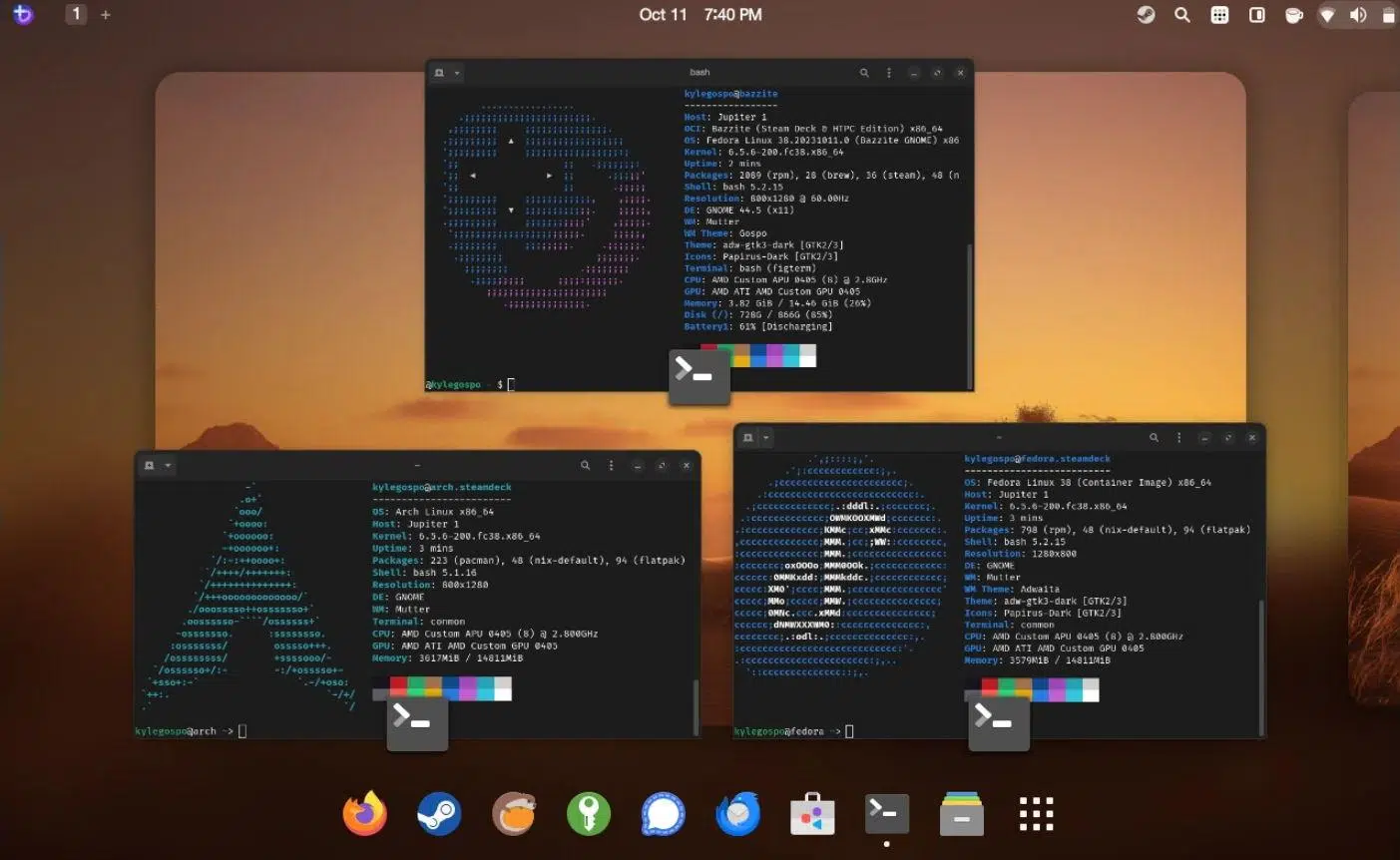
If you've been thinking about it for a while Leave Windows and play on Linux with BazziteYou're not alone. More and more users, fed up with annoying updates, telemetry, and interface changes, are building "console-style" PCs with this distro designed almost exclusively for gaming, but which also works for everyday use.
Many wonder if, after installing Bazzite and their graphics card drivers, You need to tweak something else to get the most out of your performance. Whether for gaming or everyday tasks, or if the system is already optimized out of the box, Bazzite comes very "ready to use." However, it's worth understanding what it includes, what advantages it has over Windows, and what subtle differences might affect your experience depending on the types of games you usually play.
Why has Bazzite become so popular for PC gaming?
In recent times the Linux ecosystem has experienced one of his sweetest moments at the deskespecially in the gaming sector. The withdrawal of Windows 10 and the (unfair) push towards Windows 11 have led many people to seriously consider switching to an open-source system rather than following the path laid out by Microsoft.
Amid this change, several distributions have set out to facilitate this migration, and Bazzite stands out because bets unapologetically on the gambling publicFor those coming from Windows, the idea is clear: boot up the PC, open Steam and start playing, with an experience more reminiscent of a console than an office operating system with "added" games.
Bazzite leverages the enormous popularity of SteamOS and the Steam Deck, offering an experience very similar to that of Valve's consoleBut it runs on desktop PCs, laptops, or even handheld devices from other manufacturers. This has made it a very attractive option for those who want a system designed for gaming, but one that isn't as limited as a traditional console.
Furthermore, this distro is growing at a good pace because It greatly reduces the fear of "fighting" with Linux.The interface is user-friendly, the initial setup is guided, and most of the tools needed to play come pre-installed, which significantly reduces the learning curve for the average user.
Bazzite, the “SteamOS clone” based on Fedora
Bazzite is often defined as A gaming-focused SteamOS clone on LinuxBut with a different technical base: instead of being built on Arch Linux like Valve's official system, it relies on Fedora (specifically Fedora Silverblue), which gives it a number of interesting features in stability, updates and compatibility.
The distro uses a system image-based architectureAfter each update, the complete previous version of the operating system is preserved, so if something goes wrong, you can easily boot the previous image from the Start menu. Furthermore, these images are stored in the repositories for a period of time (ninety days), allowing you to revert even from the terminal if needed, which provides peace of mind when large updates are released.
In terms of graphics, Bazzite offers the following as standard: A KDE Plasma desktop with a theme heavily inspired by SteamOSIt has a bottom taskbar, start menu, widgets, and a highly customizable environment, but with an immediately familiar look for those coming from Windows. For those who prefer a different style, GNOME is also an option, and the layout is optimized to work well on touchscreens.
One of the strengths of its Fedora base is the good driver support and modern hardwareThe distro integrates support for NVIDIA's proprietary drivers, offers solid compatibility with AMD graphics cards, and has been designed to ensure that desktop PCs, laptops, tablets, and unofficial handheld consoles can take full advantage of the system.
Total focus on gaming: Steam, Proton, Lutris and company
Where Bazzite truly shines is in its arrival pre-set to play from the first startYou don't have to scour forums to find out what to install: the initial experience itself takes care of getting the essentials ready to use your Steam library and much more.
Steam is coming pre-installed and updates automatically During your first login, you can start downloading games as soon as you enter your account information. The integration with Big Picture Mode/Game Mode makes your PC behave almost like a console, especially if you use a gamepad like those for Xbox or PlayStation.
In addition to Steam, Bazzite includes Proton as a compatibility layer for running Windows games on Linux. This means that much of your catalog that doesn't have a native Linux version can run with minimal tweaking. Compatibility isn't perfect, but the number of playable and well-performing titles is enormous, thanks in large part to the ongoing work of Valve and the community.
To go even further, the distro comes with Lutris pre-installed, which is A tool designed to manage games from multiple stores and launchersWith Lutris you can run EA App titles, Epic Games StoreGOG, itch.io, Rockstar Games Launcher or Ubisoft Connect and integrate them into your Steam experience, so that they end up appearing within Game Mode itself and are handled as if they were titles from the main library.
Another interesting addition is Waydroid, which It allows you to run Android apps and games within Bazzite. It doesn't replace a mobile phone or turn the system into a perfect emulator, but it opens the door to enjoying some mobile titles or utilities from the Android ecosystem on your PC without too much trouble.
Performance, drivers, and optimizations to get the most out of your hardware
One of the most common concerns when considering switching to Bazzite is whether, from the point of view of pure performanceYou'll be sacrificing a lot compared to Windows. The reality is that numerous users report performance very close to that of Microsoft's system in most games, and in some cases even with more efficient resource usage.
Part of this good performance is due to Bazzite integrating Full support for the Vulkan APIVulkan is an open alternative to DirectX that allows modern GPUs to take full advantage of their capabilities. Many current titles have native support for Vulkan, and others run through Proton, also leveraging this API, which helps reduce CPU load and optimize FPS.
Another point that helps performance is the inclusion of System76 CPU programmerThis is specifically designed to prioritize game-related tasks and make better use of the processor cores. This is especially noticeable in demanding scenes, where the system distributes the workload more efficiently and avoids unnecessary lag.
Regarding graphics drivers, Bazzite offers compatibility with NVIDIA proprietary drivers And it has excellent support for AMD Radeon cards. In many cases, simply selecting your GPU type in the initial setup wizard will get you the right driver ready to go, without needing to install additional packages or deal with external repositories.
Several gamers who have built compact SFF or mini-ITX systems with Bazzite highlight that, after properly configuring the case cooling and removing unnecessary fans, Temperatures remain under control And the system performs very stably during long gaming sessions. Here, as always, the quality of the build plays a significant role, but the distro doesn't introduce any unusual overhead that would penalize the hardware.
Real gaming experience on Linux with Bazzite
Beyond the technical specifications, what's important is How does it feel to play on a daily basis? with Bazzite. Those who haven't used Linux for many years and have returned with this distro usually agree that the progress has been impressive, both in ease of use and in compatibility with modern games.
Building a compact PC with a mini-ITX motherboard, a mid-range Ryzen 5 processor, a Radeon RX 6700 XT graphics card, 32 GB of fast RAM, and a high-capacity NVMe SSD is sufficient for Enjoy AAA titles solo at very high levels of detailAction, horror, or narrative adventure games run without a hitch, and configuring minor settings is just as, if not less, annoying than on Windows.
Some say he no longer spends as much time on competitive shooters like Fortnite or Call of Duty, and prefers to focus on single-player experiencesIn that scenario, Bazzite more than delivers: network latency ceases to be so critical, and what really matters is stability, graphic quality, and the absence of serious errors.
The controller support is another plus: Xbox, PlayStation, and generic gamepads usually work instantlyOften, this doesn't even require manual installation. Even features like wake-on controller can be further refined if you want to turn your PC into a full-fledged living room console.
Those who are already familiar with Unix or Linux-type systems find it especially easy navigate through the file system and adjust as neededFor the less technical user, the key is that many of these advanced tasks are already handled by default, so it's enough to use a graphical interface and software centers to install, update, and maintain the system.
Specific advantages of using Bazzite as your main gaming system
When assessing whether it's worth taking the plunge, it's helpful to list the specific advantages that Bazzite offers compared to continuing on Windowsespecially if you primarily use your PC as an entertainment platform.
The first is that the system comes fully focused on gaming from the first minuteSteam, Proton, Lutris, and Waydroid are included in the base package, and the initial setup focuses on getting your games ready as quickly as possible. There's no bloatware or unnecessary applications to distract you from what's important.
The second is stability. Because it is designed on an immutable image model, System updates are more predictableAnd if something goes wrong, you can easily revert to a previous, working state. This is invaluable when you're having a great night of gaming and don't feel like spending it fixing the operating system.
Another strong point is overall performance. Users who have migrated from Windows confirm that The FPS in most games is very similarAnd in some cases, improved resource management is noticeable, especially when Vulkan is involved. Combined with the enhanced scheduler, the system feels agile and has very good response times.
We mustn't forget the dedicated hardware support for gamers. Bazzite It recognizes most modern console controllers without problems., offers compatibility with technologies such as HDR and VRR And it's designed to work on powerful desktop computers but also on laptops and portable gaming devices, which greatly expands the range of scenarios where you can use it.
Finally, although it's a gaming-focused distro, it doesn't fall short as a general-purpose system. Thanks to the Linux ecosystem, Bazzite It allows you to browse the Internet, work with office software, enjoy multimedia, and perform daily tasks. without sacrificing anything important. Firefox comes pre-installed, and the Discover software center simplifies the installation of almost any application you might need.
Current drawbacks and limitations of playing games on Linux with Bazzite
It would be unfair to portray Bazzite as a perfect, flawless solution, because Gaming on Linux still faces certain obstacles. which can be decisive depending on the type of player you are and the catalog of games you have.
One of the most discussed problems is the incompatibility of some titles with aggressive anti-cheat systemsCompetitive games that rely on Easy Anti-Cheat or BattlEye, if poorly configured for Linux, may refuse to start altogether. This means that if you're focused on esports or popular online shooters, you should thoroughly check compatibility before making the switch.
You also have to keep in mind that The latest releases may take It takes a few days or weeks to run smoothly under Proton. It's not that they won't be playable, but the day-one experience is almost always more polished on Windows, where most of the developers' target audience is.
The topic of mods may also require more patience. Although many work without problems, Advanced mods that rely on specific Windows tools or specific injectors sometimes need manual adjustments, route changes, or additional tricks to make everything fit into the Linux environment.
In terms of usability, if you've been using Windows your whole life, The learning curve existsThe good news is that the difference isn't as pronounced as it was a decade ago, but you will notice changes in how you install programs, mount drives, and manage permissions. This might be a little overwhelming at first if you're not interested in the technical side of things.
Finally, for some users, Bazzite's level of customization feels something more limited than the "wild" Windows approachAlthough KDE Plasma allows you to tweak almost any detail, the very philosophy of an immutable system and the focus on gaming means that the distro is not designed to be tuned to the extreme in all aspects of the system, which may leave some very "tweaker" profiles wanting more.
Installation, first impressions and daily use beyond gaming
Installing Bazzite is not much different from perform a clean installation of Windows or another modern Linux distributionDownload the ISO image from the official website. You save it to a USB drive With a tool like Rufus, you boot from that USB and follow the wizard step by step.
The project offers different variations depending on the type of deviceDesktop, laptop, or handheld devices, plus options related to the GPU and desktop environment. A short online questionnaire helps you select the most suitable ISO, so you don't have to wade through technical names or cryptic versions.
Once the system is installed, a welcome application is launched that It allows you to enable or disable services and applications by default. It will then finish downloading and updating to the latest version of Steam. In a matter of minutes, you can log in to your Valve account and start downloading games just like on any Windows PC.
For those who prefer to proceed with caution, a highly recommended option is Try Bazzite first in a virtual machineThis way you can check compatibility, approximate performance, and overall experience without touching your current setup. Obviously, the graphics performance will be worse than on real hardware, but it's enough to see if you're comfortable with the environment.
In everyday life, outside of games, Bazzite behaves like a complete and relatively lightweight Linux distroWeb browsing, multimedia playback, document editing, and everyday tasks work without major problems, and most popular desktop software has versions for Linux or equivalent alternatives.
Community, game development, and contributions to the Linux ecosystem
One of the most beautiful aspects of the rise of gaming on Linux is that More and more developers are venturing to release native versions for this systemA recent example is the case of Tearscape, a game that its creator has worked hard to publish on Linux as well, despite the headaches involved in cross-platform builds.
These types of initiatives demonstrate that The Bazzite and Linux gaming community is alive and well and eager to grow.Many of the first testers of these titles are users of Steam Deck or gaming-oriented distributions, and their feedback helps to iron out bugs and demonstrate that there is a real player base outside of Windows.
Furthermore, Bazzite's own design, with tools created by the community for Optimize performance, adjust the scheduler, or improve compatibilityThis reflects a collaborative environment where any contribution can ultimately benefit thousands of users. It's not uncommon to find shared scripts, configurations, and small patches to improve the performance of specific games.
In this context, using Bazzite is not just a matter of personal comfort; for many people it means participate in a trend change which aims to break Windows' monopoly in PC gaming. The more gamers there are on Linux, the more pressure there will be on developers to release official support and ensure that anti-cheat software works correctly on this system.
This entire movement is also supported by the advancement of platforms like Steam, where Support for Linux and Proton has gone from being experimental to become a key part of Valve's strategy, especially since the launch of Steam Deck and the consolidation of SteamOS as the benchmark system for games.
Looking at all of the above with some perspective, Bazzite positions itself as a very serious alternative for gamers tired of Windows They want a robust system, well optimized for gaming and capable of handling everyday computing tasks, assuming that there are still limitations with some competitive titles and that the launch experience for certain new games is still somewhat more comfortable on Microsoft's system.
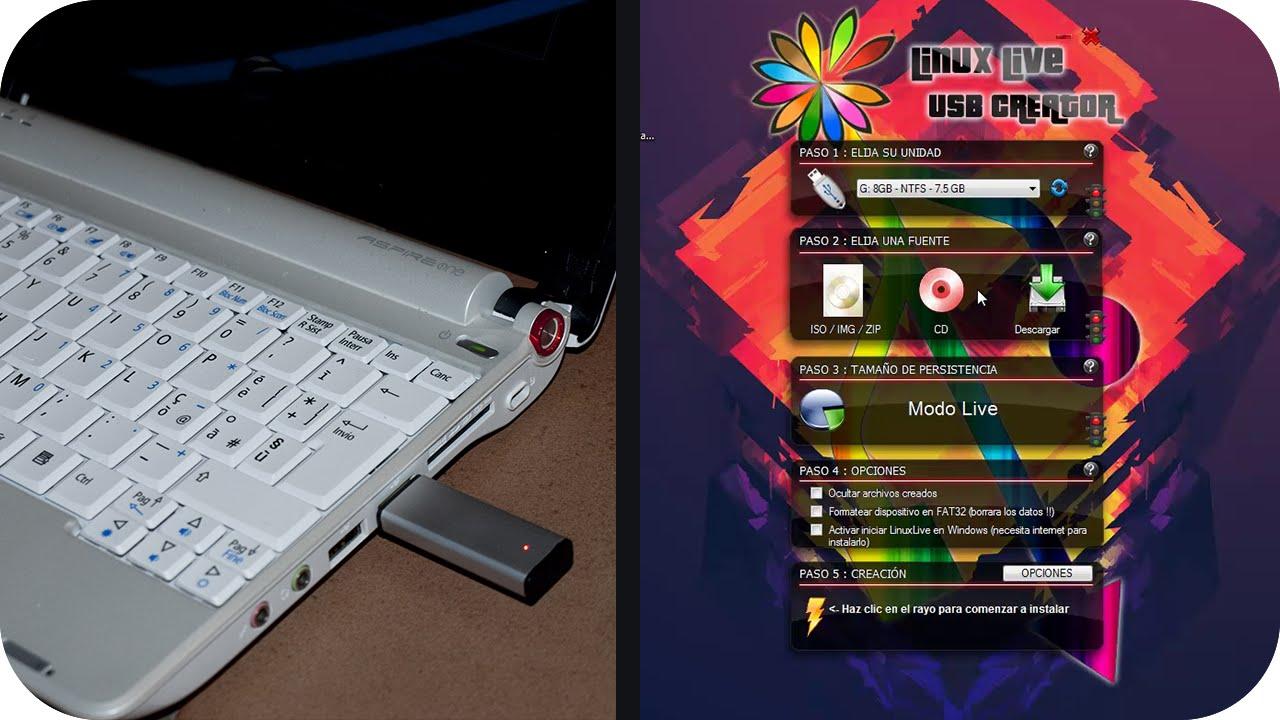
Table of Contents
- Why has Bazzite become so popular for PC gaming?
- Bazzite, the “SteamOS clone” based on Fedora
- Total focus on gaming: Steam, Proton, Lutris and company
- Performance, drivers, and optimizations to get the most out of your hardware
- Real gaming experience on Linux with Bazzite
- Specific advantages of using Bazzite as your main gaming system
- Current drawbacks and limitations of playing games on Linux with Bazzite
- Installation, first impressions and daily use beyond gaming
- Community, game development, and contributions to the Linux ecosystem