- A UPS provides backup power and stabilizes voltage, preventing sudden shutdowns and damage to your equipment.
- There are three main types of UPS (offline, interactive and online) with different levels of protection and cost.
- To choose well you must calculate the necessary power (VA), the desired autonomy and the margin for future growth.
- The lifespan of the UPS depends on the care of the batteries, the working environment, and proper periodic maintenance.
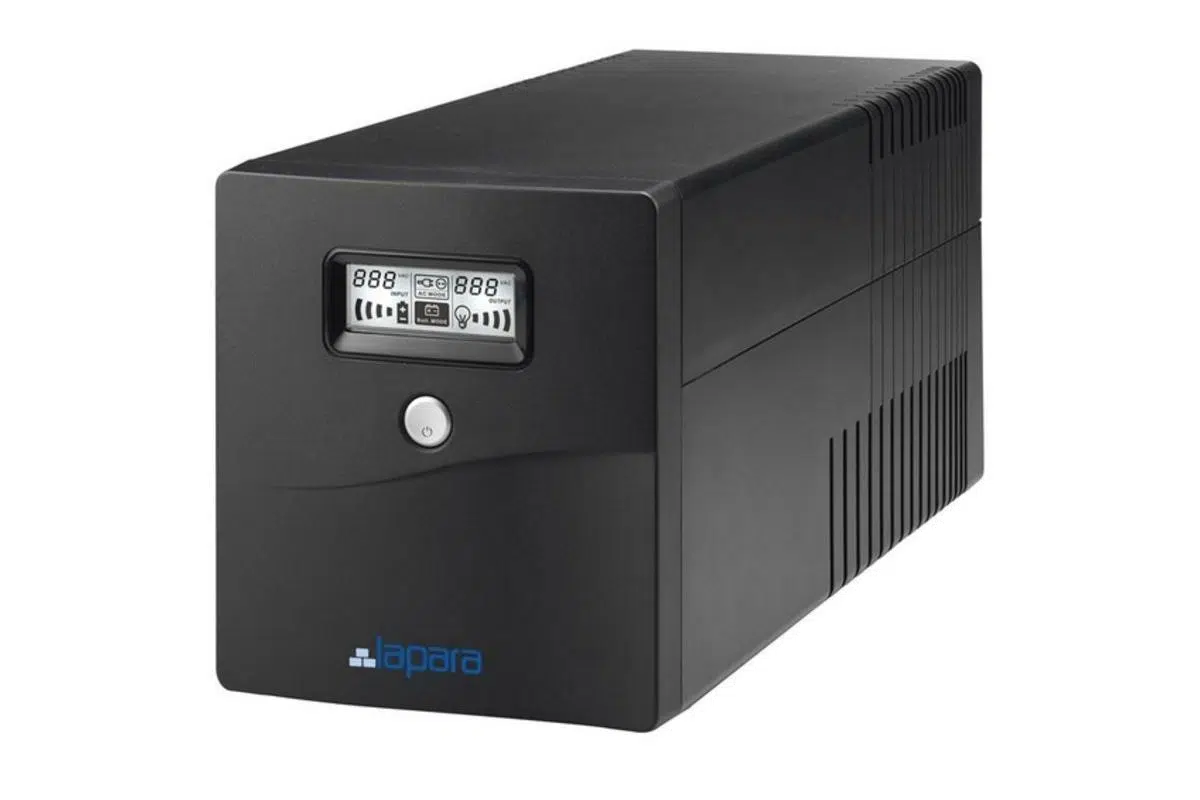
If your home or office experiences frequent power outages or voltage fluctuations , sooner or later you'll risk losing your data, your work... and even the lifespan of your computer. A power cut at the worst possible moment can corrupt files, damage your hard drive, or crash a server just when you need it most, as we explain in our article on errors that shorten the lifespan of your PC.
That's where the UPS, the famous Uninterruptible Power Supply , comes in . It's that device that almost no one pays attention to, but when the power goes out, it becomes the silent hero that gives you a few minutes of backup power, stabilizes the current, and prevents costly repairs. Let's take a detailed look at what it is, how it works, the different types available, and how to choose the right one for your PC or your business.
What is a UPS and why does your PC need one?
The acronym UPS stands for Uninterruptible Power Supply. It is an electrical device placed between the mains power supply and your devices (computers, servers, routers, network electronics, medical equipment, etc.) that provides backup power via batteries when the mains power fails or there are serious problems with the grid.
Under normal conditions, the UPS allows or conditions the mains power, but as soon as it detects a blackout, voltage drop, or dangerous spike, it automatically switches to its internal battery in milliseconds. This way, your PC doesn't shut down abruptly, giving you time to save your work and shut it down properly.
In addition to extended battery life, many models include an AVR (Automatic Voltage Regulator) , which smooths out voltage fluctuations, filtering out spikes, noise, and irregularities from the electrical grid. This reduces stress on the computer's power supply, lowers operating temperature, and extends its lifespan.
Basic components and operation of a UPS
Inside, a UPS is not just a "box with batteries." It combines several electronic modules that coordinate to give you a stable and uninterrupted power supply, even when the grid goes down or behaves erratically.
The first key component is the battery , which is the energy storage device. It can consist of one or more lead-acid or lithium cells, depending on the model and range. When the mains power supply is working correctly, the UPS keeps the batteries charged; when the mains power fails, it uses them to keep your equipment running for a limited time.
The second component is the rectifier , which converts the alternating current (AC) from the mains into direct current (DC). This DC current is used both to charge the batteries and to power the inverter. In the most advanced UPS systems (online double-conversion), the rectifier is always operating.
The third component is the inverter , which performs the reverse process: it transforms the direct current from the batteries or rectifier back into high-quality alternating current, with the appropriate voltage and frequency to power your equipment. In many mid-range and high-end models, the inverter is capable of generating a pure sine wave, ideal for power supplies with active PFC , motors, boilers, or sensitive electronics.
Finally, many UPS systems incorporate a static switch or bypass relay . This component allows the mains to directly power the load if the UPS experiences an internal failure or needs to bypass the mains, bypassing the UPS's electronics. It acts as a kind of "last line of defense" to prevent your equipment from losing power if the UPS malfunctions.
UPS vs Voltage Regulator (AVR): Key Differences
It's common to confuse a UPS with a standalone voltage regulator or AVR , because both are related to electrical protection. However, they are not the same and do not serve the same purpose, although they complement each other very well.
A standalone AVR is a device that solely stabilizes voltage : it corrects surges and dips, filters spikes, reduces distortion, and maintains an output as close as possible to 230V. However, it has no batteries, so if the power goes out, your equipment will still shut down.
A UPS, on the other hand, includes batteries and backup electronics . In addition to regulating power (if it has an AVR), it can keep your devices running for a period of time when the mains power fails. Therefore, it protects against power outages, micro-outages, voltage drops, and blackouts, not just voltage fluctuations.
In terms of safety, a UPS is the right choice when you can't afford a sudden power outage (data centers, healthcare, servers, video surveillance systems, workstations). An AVR is more commonly used for power quality protection in installations where a power outage is acceptable, but you want to prevent damage from recurring surges.
In terms of price and maintenance, a UPS is more expensive because the batteries are a significant cost and need to be replaced periodically. A pure AVR is more economical, requires less maintenance, and typically has a longer lifespan. Therefore, many intermediate solutions combine interactive UPS (already with integrated AVR) to have both features in a single unit.
What exactly is a UPS used for?
The primary function of a UPS is to prevent your equipment from shutting down unexpectedly , thus avoiding data loss or hardware damage due to a power outage. But its advantages extend far beyond those "extra minutes" to save your work.
On one hand, it acts as a buffer against voltage spikes, dips, and fluctuations . The electrical grid, especially in certain areas or older buildings, can introduce harmonics, noise, and sudden changes that damage power supplies, overheat components, and reduce the lifespan of hardware.
On the other hand, in critical environments such as data centers, hospitals, industrial facilities, or telecommunications centers , a UPS is an essential part of the infrastructure. It allows a server, communications system, or medical equipment to have constant power while a diesel generator starts or the system switches to another redundant installation.
Even at home, a properly sized UPS can protect computers, game consoles, routers, IP cameras, NAS devices, or small home servers . For a user who works remotely, missing an important video call or corrupting a local database due to a power outage can be far more expensive than the cost of the UPS.
In practical terms, a UPS ensures that in the event of an electrical problem, your daily life doesn't fall apart : you remain operational for a few minutes, protect your devices, and avoid electrical surges that could leave you without equipment.
Types of UPS: what technologies exist and when to use each one
Not all UPS systems offer the same level of protection or are designed for the same purpose. The internal technology determines the level of protection , switching time, power quality, and, of course, the price. Broadly speaking, there are three main types for computer use.
Offline or backup UPS (Off-Line)
The offline UPS is the simplest and most economical design. While the mains power is on, it operates in "bypass" mode : the current passes almost directly to the devices, without advanced filtering, and the UPS only charges its batteries and monitors the line status.
When it detects a power outage, a complete blackout, or a significant drop in power, it switches to battery power within milliseconds (typically between 2 and 10 ms). From that moment, the internal inverter powers your devices until the battery is depleted or the grid is restored.
This type of UPS typically does not include an integrated AVR , so it does not filter out "small" voltage variations. Therefore, it is recommended for areas with a stable power grid and few disturbances: it provides backup power during outages, but does not significantly improve power quality.
They are suitable for entry-level PCs, televisions, monitors, routers, and small home computers in environments where network quality is acceptable. They are not ideal for highly sensitive devices or particularly "dirty" electrical networks.
Interactive or In-Line UPS (Line-Interactive)
The line-interactive UPS is the best fit for most users and small businesses. Its operation is similar to an offline UPS , but it incorporates additional electronics to regulate the voltage before it reaches your equipment.
The key is that it integrates an AVR that automatically corrects fluctuations of around ±15% . When moderate rises or falls occur, it adjusts the transformer (buck/boost effect) without drawing power from the battery, reducing battery wear and delivering a more stable voltage.
When there is an actual power outage or a serious problem, the interactive UPS also switches to battery power in a few milliseconds . This brief interruption is usually tolerated by most computers and electronic equipment, but it can be critical for extremely sensitive devices.
Among the interactive models, we find those that generate a "pseudo-sinusoidal" waveform (sufficient for computers and many office equipment) and others with a pure sinusoidal waveform , recommended for power supplies with active PFC, boilers, pumps, motors, etc. The latter are usually quieter and suitable for demanding work environments.
They are an excellent choice for mid-range and high-end PCs, consoles, small servers, network equipment, security cameras, and office use . In general, they are the recommended UPS systems for most modern computing devices.
UPS online or double conversion (On-Line)
The online UPS is the top-of-the-line protection system. Instead of allowing current to pass through and only activating when there are problems, it works in double conversion mode continuously : it constantly converts the mains AC power to DC and then back to AC for your equipment.
This means the load is constantly isolated from the mains electricity supply . Any spikes, noise, distortion, micro-cuts, or dips are absorbed by the system, which always delivers a pure, stable sine wave with no perceptible switching times (the switch to battery power is virtually instantaneous).
Due to its design, it is the only type of UPS capable of guaranteeing total protection against over and under voltage, harmonics and micro-cuts , and is the most suitable when the equipment must never be left without power or withstand significant network alterations.
They are primarily used in critical servers, clusters, data centers, medical equipment, large telecommunications networks , and high-cost industrial facilities. They are more expensive and their batteries undergo more cycles, making maintenance more demanding.
Other professional designs and variations
In the industrial and data center environment, variants such as resonant industrial UPS, delta conversion UPS, or hybrid designs have been developed that combine features of various topologies to balance efficiency and protection.
These systems can better manage the input power factor, reduce the UPS's own energy consumption , and adapt to very demanding loads or those with complex consumption profiles. They are common in large data centers, research facilities, and hyperscale infrastructures.
Which type of UPS to choose depending on your situation
Choosing the right type of UPS is just as important as considering its power output. Ultimately, it's about matching the level of protection to the value of what you want to protect and the quality of your power supply.
An offline UPS is a good option for areas with a fairly stable network and less sensitive equipment . For example, a basic desktop PC, a TV, a router, and a monitor or two in a house where power outages are infrequent and the voltage doesn't usually fluctuate much.
The interactive UPS is the recommended workhorse for most situations. It protects against both power outages and voltage fluctuations without breaking the bank, and is perfectly suited for personal computers, game consoles, NAS devices, small servers, cameras, POS systems, and entire offices.
You should consider an online UPS when dealing with critical or high-cost infrastructure : servers that cannot be shut down, industrial systems, data centers, business data networks, and, in general, any installation where a power failure results in significant losses or security problems.
Before deciding, it's also worth considering whether the environment will grow: if you plan to add more equipment in the future, it might be worthwhile to opt for a UPS with slightly higher capacity so you don't run out of power after a few months.
How much UPS power do you need (VA and power factor)
Another key point is correctly sizing the power. UPS systems indicate their capacity in VA (volt-amperes) or kVA , which is the apparent power. But the devices you plug in usually specify their consumption in watts (W), which is the actual power.
To relate these two quantities, the power factor (PF) is used , a number between 0 and 1 that indicates what part of that apparent power is converted into useful real power. In a home or office network, the PF is usually between 0,6 and 0,7, although many modern UPS systems offer factors close to 0,9.
The basic formula is clear: W = VA × PF . If you want to know how many VA your UPS needs to power a given watt load, simply divide the actual power by the estimated power factor of the installation or the UPS itself.
For example, if your computer and peripherals together consume around 400 W and you estimate a power factor of 0,6, you would need 400 / 0,6 ≈ 667 VA . In practice, it's recommended to add margin for startup peaks and future upgrades, so it's reasonable to opt for a power supply of around 800-900 VA.
As a general rule, it's advisable that the UPS have at least 20% more capacity than the sum of the power consumption of all connected devices. In other words, add up the wattage of each device and multiply by 1,2 to have a comfortable margin.
How long can a UPS keep your equipment powered on?
The runtime of a UPS depends primarily on the capacity of its batteries and the connected load . Powering a PC and a monitor is not the same as powering an entire rack of servers.
Battery capacity is usually expressed in Wh (watt-hours) or Ah (ampere-hours) . If you know the capacity in Wh and the power consumption of your devices in W, you can make a simple theoretical estimate: divide Wh by W. For example, a 1000 Wh battery powering a 100 W load could provide, under ideal conditions, about 10 hours of use.
In practice, factors such as ambient temperature, battery status, the actual charge level at the time of the power outage, and inverter efficiency all play a role. Therefore, most manufacturers provide typical ranges: between 5 and 15 minutes of runtime with a reasonable load, enough to save work and shut down.
If you connect very low-power devices (routers, IP cameras, a mini PC), the runtime increases significantly, while if you load the UPS almost to its maximum capacity, the runtime drops considerably. It's important to remember that it's not advisable to constantly "push" the UPS to the point of completely draining the battery, because deep discharges shorten its lifespan.
In professional environments such as data centers, it is common practice to size the system to provide between 1 and 15 minutes of backup time, intended to allow for starting diesel generators or switching to another data center. In these environments, more than maintaining operating hours, the crucial factor is that the transition is orderly and secure.
Lifespan and maintenance of a UPS
A well-maintained UPS can last between 3 and 5 years in domestic ranges and easily 10 years or more in professional models, provided it is properly maintained and the batteries are replaced when necessary.
Batteries are usually the most critical component. Manufacturers recommend replacing them approximately every three years , although this depends heavily on the number of discharge cycles, operating temperature, and typical charge level. In large systems or those with multiple batteries connected in series, a single faulty cell can compromise the entire battery bank.
To extend the life of your UPS, it's essential to keep it in a cool, dry, and dust-free environment , and to avoid static electricity . The ideal temperature is around 20-25°C; above that, for every 10°C increase, battery life can be reduced by almost half.
It's also important to avoid overloading the device: ideally, the load shouldn't exceed 80% of its nominal capacity . Constantly operating at its limit puts extra strain on the electronics, raises the temperature, and accelerates battery aging.
In simple home models, it can be helpful to simulate a power outage once a month or every two months by disconnecting the UPS from the mains and letting it run on battery power for a few minutes before allowing it to recharge. This helps prevent the batteries from remaining in a perpetual state of inactivity.
Good practices for maintenance and environmental control
For professional installations, it's ideal to have a maintenance checklist and record all inspections. This allows you to detect failure patterns and take action before a serious problem arises during a power outage.
Routine maintenance tasks include checking battery status (voltage, capacity, temperature), inspecting capacitors, wiring, connections, and circuit breakers , and cleaning dust from fans and filters. Any signs of swelling, corrosion, or abnormal heating should be addressed immediately.
The environment also matters: the UPS should be installed in a temperature-controlled, well-ventilated, and dry area . Avoid placing it near open windows, heat sources, or in areas with corrosive gases. Ventilation grilles should never be blocked by furniture, papers, or other obstructions.
Although many UPS systems can withstand temperatures slightly outside their specifications, doing so continuously leads to capacity loss and premature failure . Operating at the "edge" of the specifications is generally not cost-effective in the long run.
UPS management and monitoring software
Most modern UPS systems, especially mid-range and high-end models, include management and monitoring software that communicates with the equipment via USB, serial, or network. This software is much more than just a simple information panel.
On the one hand, it allows you to schedule automatic shutdowns and startups of the operating system during prolonged power outages, preventing the device from suddenly running out of battery. This is especially useful on servers or NAS devices, where a dirty shutdown could corrupt data.
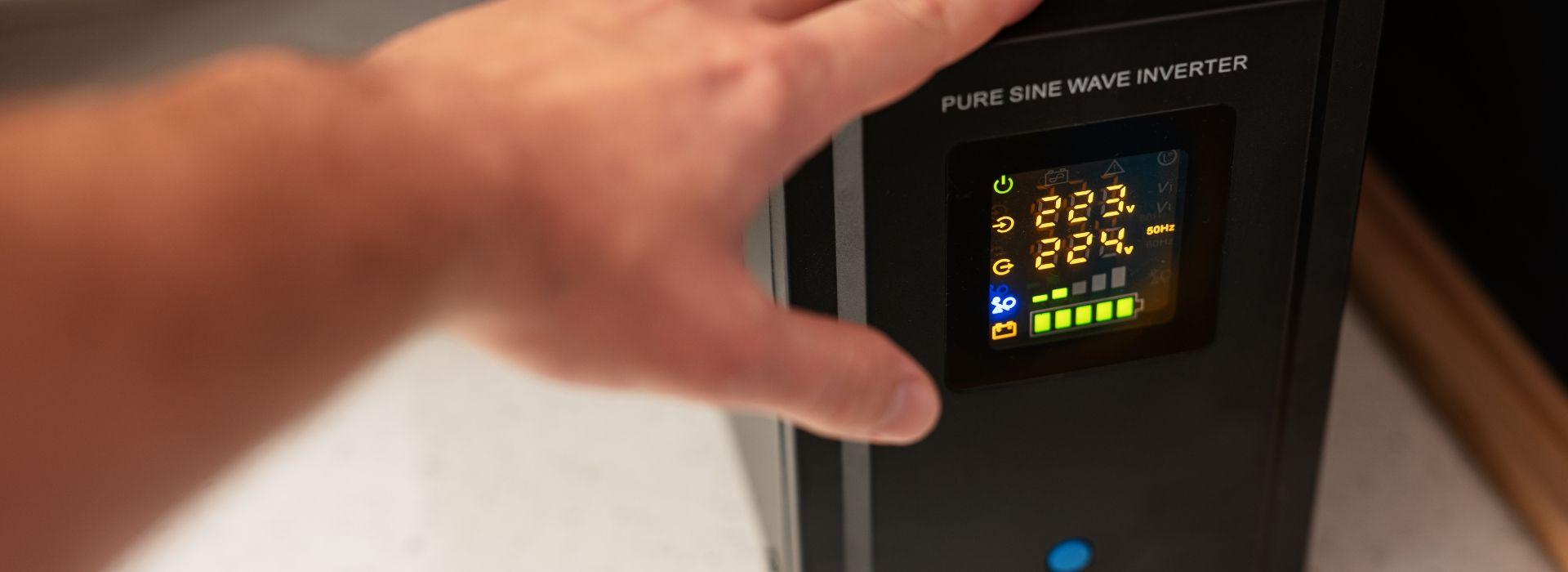
On the other hand, it offers real-time data on input and output voltage, frequency, load level, battery percentage, events, and alarms . Many programs allow you to view historical data, export logs, and generate graphs to analyze how the electrical grid behaves.
In complex installations, the software is also used to monitor multiple networked UPS systems, receive notifications of failures or faulty batteries, and coordinate actions between different devices. This gives the administrator a comprehensive overview of the power supply status.
Practical aspects to consider when buying a UPS
Beyond technology and power, there are very practical details that make a difference in everyday use. One of them is the number of outlets the UPS offers. Many home models come with two, three, or four protected outlets, enough for the tower, monitor, and some peripherals.
If you want to protect a larger installation (for example, a small business with several pieces of equipment ), you might be interested in a higher capacity rack or tower UPS and then distribute the protection through monitored power strips or dedicated installations.
Another key factor is the battery life you actually need . If you just want to avoid losing your work, a few minutes will suffice; if you need to keep devices powered on for half an hour or more, you'll have to opt for models with higher-capacity batteries or even configurations with external battery banks.
Don't forget to also consider the availability and price of replacement batteries . Just like with some printers, there are inexpensive devices whose original or compatible batteries are expensive. Check availability and cost before buying.
Finally, keep in mind that certain devices, such as laser printers or equipment with high startup currents , should not be connected to the UPS, as these spikes can damage the device or trip its protective devices. Ideally, the UPS should be reserved for sensitive electronics and more stable power supplies.
Having a good UPS not only prevents unexpected power outages at the worst possible moment, but it also protects your equipment from unreliable power grids, extends hardware lifespan, and gives you time to react . Choosing the right technology (offline, interactive, or online), properly sizing the power output, and taking care of the batteries transforms that small "drawer" under your desk into a key component of your daily IT security.

Table of Contents
- 1 What is a UPS and why does your PC need one?
- 2 Basic components and operation of a UPS
- 3 UPS vs Voltage Regulator (AVR): Key Differences
- 4 What exactly is a UPS used for?
- 5 Types of UPS: what technologies exist and when to use each one
- 6 Which type of UPS to choose depending on your situation
- 7 How much UPS power do you need (VA and power factor)
- 8 How long can a UPS keep your equipment powered on?
- 9 Lifespan and maintenance of a UPS
- 10 Good practices for maintenance and environmental control
- 11 UPS management and monitoring software
- 12 Practical aspects to consider when buying a UPS