- Operator routers often limit advanced functions, so it's advisable to know and take advantage of manuals and technical specifications to get the most out of generic routers, 4G CPEs, and professional APs.
- 4G LTE CPE routers offer a real alternative to fixed broadband in areas without fiber, with easy installation, good speed and backup options for businesses and homes.
- Specific models such as the EnGenius ECW520 (WiFi 7) or the VSOL LTE CAT4 CPE illustrate how detailed specifications guide the choice based on coverage, performance, and remote management.
- Solutions like SmartNetVPN allow secure access to devices behind the router using VPN IPs, avoiding opening ports and making the most of the available network infrastructure.
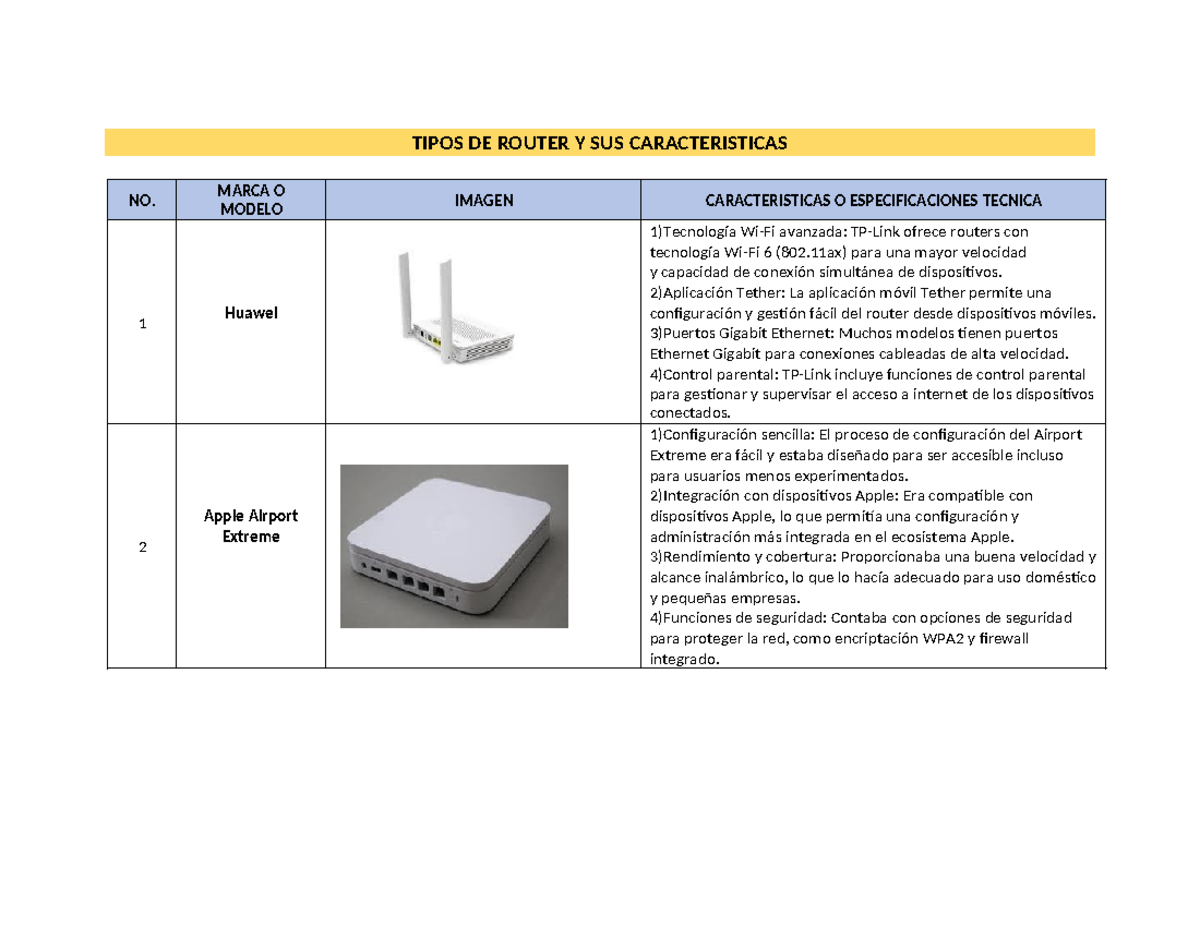
If you've been struggling with your home WiFi for a while, the culprit is most likely the router your provider gave you. The equipment provided by companies is usually basic.With few advanced options and, in many cases, less-than-ideal wireless coverage, many users are considering buying their own third-party router, a mesh WiFi system, or even opting for 4G/5G solutions when decent fiber or ADSL connections are unavailable.
Count on good router manuals and technical specifications It makes all the difference when it comes to getting the most out of your network. Not only to improve range and speed, but also to enable more serious setups: sharing files via USB, creating a secure VPN to access your home from outside, connecting IP cameras or powerline adapters, or deploying professional access points managed in the cloud. In the following lines, you'll find a comprehensive guide that includes different types of routers, real-world configuration examples (including VPN), recommendations for 4G LTE CPE equipment, and resources for locating manuals for over two thousand different models.
Why ISP routers fall short
In most homes, the first contact with the network is the router provided by the internet company, but These devices are usually very limited.It's not uncommon to find WiFi that doesn't reach all rooms, constant drops when streaming, or lag in online games due to underpowered hardware.
Besides the lack of power, ISP-provided routers often cut back on advanced featuresVPN options, fine-tuned Quality of Service (QoS) controls, configurable firewalls, or functioning file servers are often lacking. Many times, they don't even allow you to change advanced Wi-Fi or local network settings without delving into hidden menus.
When you decide to replace this equipment with your own, you usually choose a higher-level neutral router or a mesh WiFi system. With a neutral router you gain total configuration freedomYou choose the WiFi standard, the security type, segment the network for guests, adjust channels, power levels, and you can add additional security features.
A good neutral router usually includes High-speed USB 3.0 ports which allow you to set up a small file server at home without needing a dedicated NAS. You connect a hard drive or USB flash drive and share folders on the local network and even over the internet, with usernames and passwordsto access your documents from outside.
Another key point is the possibility of setting up your own VPN server directly on the router. This way you can connect securely from your laptop or mobile device when you're away from home and access your network as if you were on your local network: PCs, IP cameras, NAS, home automation, etc. This, combined with a proper firewall configuration, provides a security level and flexibility that the operator's team rarely offers.
Router manuals and datasheets: how to find them and why they are key
When you get serious about your network, manuals stop being worthless. Have official documentation and detailed technical specifications available It helps you really understand how far you can push the router and what limitations it has.
There are specialized websites that compile manuals for thousands of routers. One of them, for example, clearly states: There are over 2.000 router manuals available.It works simply: you choose the brand from a menu, find your model, and download the manual in PDF format or view it online. If it doesn't appear immediately, you can enter the specific brand and model in a search bar to locate the document.
Having these types of repositories is especially useful when you have lost the original box or the router's CD. In the manual you will find the IP address for accessing the configuration panelThe default username and password, the steps to change the SSID, the WiFi key, update the firmware, or restore the device to factory settings.
Technical specifications, on the other hand, are perfect for comparison. They list the exact specifications of each model: Supported WiFi standard (WiFi 4/5/6/7), number and type of antennas, Ethernet ports (1G, 2.5G, 10G), processor, memory, USB ports, VPN support, security protocols (WPA2, WPA3) and extra features such as cloud management or TR-069 for remote administration.
Thanks to this information, you can know in advance if a router will be compatible with your connection speed, if it supports your mobile operator's LTE bands, or if it will be useful for more advanced tasks such as setting up a separate guest network or securely integrating IoT devices.
Virtual assistants and carrier apps: basic but limited help
Some telecommunications companies incorporate virtual assistants in their mobile apps to help the user with simple tasks related to their line: checking consumption, invoices, contract length or tariff changes.
A typical example is that of an operator who encourages you to enter their application and "ask their bot" (in this case called Djingo). This type of assistant is primarily intended for business transactions.: see how much you've spent, review contract terms, or open a support ticket if you've had an outage.
When the assistant is unable to resolve the doubt, the normal thing to do is automatically redirects you to a human agent via chat, phone call, or even scheduling a later call. This significantly speeds up support, but it still falls short for those who want to delve deeply into the router's configuration.
In practice, if your goal is to fine-tune the network, open advanced services, set up VPNs, or integrate third-party equipment, You'll need to consult manuals and specialized forums. or more in-depth technical documentation. The operator's app is fine as a first layer of help, but it doesn't replace the router's detailed manual or the manufacturers' technical specifications.
Real-world example: VPN connection with SmartNetVPN to access your network behind the router
A very illustrative case of why technical specifications and manuals matter so much is that of VPN connections. SmartNetVPN is a dedicated VPN client. It allows you to connect a PC, mobile phone, or Mac to a remote network, so you can access devices behind a router without manually opening ports.
The typical installation process on Windows involves downloading and installing the SmartNetVPN client. During installation, Simply accept the wizard's steps.Once installed, it is recommended to locate the shortcut created on the desktop, right-click it, go to Properties, and check the "Run as administrator" box to avoid permission problems.
The second step consists of copy the specific VPN certificate for that PC in the program's configuration folder. For example, it's usually something like: C:/Program Files/SmartNetVPN/config. It's important not to open or modify the certificate file; simply copy and paste it into that location so the client can use it.
Once you've done this, you'll see a SmartNetVPN icon next to the Windows clock. To connect, you can right-click and choose “Connect” or double-click directly. The icon will first turn yellow and, if everything is working correctly, will turn green in a few seconds, indicating that the VPN tunnel has been successfully established.
Keep in mind that Some antivirus programs or firewalls may block the VPN connection.If you notice that the indicator doesn't turn green or there's no traffic, it's advisable to review your security suite and grant the program the necessary permissions to establish outgoing connections on the ports used by the VPN.
When the icon is green, that PC is already inside the remote network via the VPN. From that moment on you can access the different devices behind the router using his IP address within the VPN network, without the need for port redirections or complicated NAT configurations.
The operation is best understood with a practical example. Imagine an installation where the router has the LAN IP address 192.168.1.1. By establishing the VPN, that router could receive the IP address 10.230.1.1 within the virtual networkA PLC with local IP 192.168.1.101 would become VPN IP 10.230.1.101, and an IP camera with 192.168.1.102 would become 10.230.1.102 in the VPN.
The rule is clear: The last digit of the LAN IP matches that of the VPN IPWhenever you access the system from outside, you will use the VPN address (10.230.xx in this example), never the internal one (192.168.xx). This ensures consistent and easy-to-remember access and avoids exposing services to the outside world through unnecessary port forwarding.
In addition to the Windows client, the following are typically offered: Dedicated clients for Apple smartphones, Android devices and Mac computersThis allows mobile phones and laptops to connect to the remote network as easily as a desktop PC. All this versatility relies on proper router configuration and a thorough understanding of its VPN capabilities, which is always detailed in its manuals and technical specifications.
Professional routers and WiFi 7: the case of the EnGenius ECW520
In the professional sphere, especially in offices, shops or environments with many connected users, Enterprise access points offer a huge leap in performance. compared to a basic home router. A good example is the EnGenius ECW520, a mid-to-high-range WiFi 7 access point that is very interesting for its performance-to-price ratio.
It is a professional model based on a powerful Qualcomm Pro 1220 chipsetIt is capable of handling a large number of simultaneously connected devices and leveraging the advantages of the WiFi 7 standard (higher speed, lower latency, better spectrum utilization, etc.). Although not all client devices are yet WiFi 7 compatible, having a compatible access point ensures a network ready for the coming years.
One of the differences compared to other high-end APs from the brand is in the network port. Instead of having a 10G Ethernet portThe ECW520 incorporates a 2.5G connection, sufficient for most current business needs and more economical than top-of-the-range models. This makes it a particularly competitive access point for SMEs and medium-sized offices.
Its main advantage lies in cloud management through EnGenius Cloud. Thanks to this system, you no longer need a local WiFi controller.It's not available as dedicated hardware or server-installed software. All configuration is done through a user-friendly, fast, and intuitive web interface.
From this cloud panel it is possible deploy complex configurations centrally For all APs, switches, and gateways on the network: multiple SSIDs, VLANs, guest networks, security policies, bandwidth limits, scheduling, etc. Changes are applied remotely and almost immediately, greatly simplifying the management of networks with many devices.
In manuals and technical specifications such as those for the ECW520 you will find essential details about operating modes, transmission power, available channels, PoE requirements, consumption and recommended installation scenarios. This information is invaluable for properly planning the network and avoiding surprises once everything is deployed.
4G LTE CPE routers: an alternative when there is no fixed broadband
In rural areas, second homes, or locations where fiber optic or decent ADSL is unavailable, the 4G LTE CPE routers have become a very serious solutionInstead of relying on a copper pair or a fiber optic cable, these devices use the mobile phone network to provide high-speed internet.
A 4G LTE CPE (Customer Premises Equipment) router acts as bridge between the cellular network and your devicesIt works with a SIM card, connects to your carrier's 4G LTE network, and distributes the connection via Wi-Fi and Ethernet cable. It's like a "mobile data router" with all the functions of a fixed router.
Compared to a simple USB modem or sharing internet from a mobile phone, The 4G CPE offers greater WiFi coverage and better stability. and the ability to connect multiple devices simultaneously (computers, Smart TVs, game consoles, home automation systems, etc.). Furthermore, by having dedicated internal or external antennas, it makes better use of the available mobile signal in the area.
These routers are ideal for homes, temporary offices, construction sheds, mobile businesses, or anywhere else where Deploying wired infrastructure is not economically worthwhileThey are also a very good backup option when the landline fails, maintaining connectivity until the operator fixes the fault.
A comprehensive guide to 4G LTE CPE routers typically covers everything from basic concepts to usage scenarios, selection criteria, and configuration stepsThanks to this information, even users with limited technical knowledge can establish a stable and secure connection using the mobile network.
Main advantages of a 4G LTE CPE router
One of the great strengths of these teams is the high-speed connectivity using 4G LTE networksIn many cases, the actual speed achieved with good 4G coverage is higher than that of old ADSL lines, allowing HD streaming, uninterrupted video calls, and intensive use of the cloud.
Installation is very simple: Insert the SIM card, turn on the router, and you're done.There's no need for a technician to come to your house or for anyone to run cables. This is especially useful for temporary spaces, rentals, or places where you don't want the hassle of construction and setting up fixed services.
Portability also works in its favor. As long as there is mobile coverage, you can take the router with you.: town hall, temporary office, outdoor event, fairs, etc. Some models even incorporate a battery, allowing them to be used completely autonomously for several hours.
Another very important advantage is its ability as backup connection for traditional broadbandMany companies and advanced users configure the 4G CPE as a "plan B": if the fiber goes down, traffic automatically goes through the mobile network, keeping critical applications, POS systems, security cameras or cloud services operational.
In economic terms, in areas where deploying fixed broadband is expensive or unfeasible, A 4G LTE CPE router is presented as an affordable alternativeYou can subscribe to specific data plans, adjust consumption, and size the expense according to the actual use that will be made of the connection.
Typical use cases for 4G LTE CPE routers
One of the contexts where these devices make the most sense is in rural or remote areas without access to fiberWhile operators can take years to deploy wired infrastructure, 4G networks are usually already in place, so CPE becomes the fastest and most realistic way to have decent internet access.
In the professional sphere, they are very useful for remote work or small offices that need a stable connectionThey allow you to work remotely with video calls, upload and download files from the cloud, and keep corporate services connected without depending on a landline that could break down.
They also work wonderfully in temporary environments: events, fairs, stands, works, filming, commercial campaigns on the street, etc. In these cases, setting up a fixed connection hardly makes sense, while installing a 4G CPE with a good SIM gives you instant connectivity.
In homes where broadband is already available but a backup plan is needed, the 4G LTE CPE router acts as “safe” against main line outagesIf you configure failover correctly on your network, users will barely notice the change when switching from fiber to 4G.
Finally, for users who travel a lot or change residence often, have your own unlocked CPE router It allows them to use different SIM cards depending on the country or area, taking advantage of the best data rates without depending on local operators' routers.
How to choose a good 4G LTE CPE router
Before you rush into a purchase, there are several key technical aspects you should review. The first is the compatibility with your mobile operator's LTE bandsNot all routers support the same frequencies, so it is vital to check the technical specifications to ensure they correspond to those used by your internet service provider in your country.
It is also important to look at the maximum supported speed. Models with LTE-Advanced (LTE-A) offer more performance Thanks to band aggregation, there are already network-level improvements. If you're going to use demanding applications (4K streaming, heavy video conferencing, online gaming), it's worth investing in a model with advanced capabilities.
The type and number of antennas makes a difference in signal quality. Routers with high-gain external antennas They usually provide better coverage and stability, as well as allowing some orientation to "point" towards your operator's antenna.
Regarding the WiFi component, it's advisable to check that the router supports it. current standards such as 802.11ac or higherand it has good range. If the house is large, you might want to combine it with repeaters or a mesh system, but as the network foundation, the CPE must be robust.
Don't forget the Ethernet ports. If you need to connect Smart TVs, consoles, or PCs via cableCheck how many ports it has and what speed (100 Mbps, 1 Gbps, etc.). It's also important that the SIM slot is compatible with your card type and that the router is unlocked or, at least, compatible with your carrier.
In terms of security, it is advisable to choose routers that integrate modern protocols such as WPA3 and VPN supportThis adds an extra layer of protection, especially if you're going to use it in sensitive environments or with frequent remote access.
Finally, all of this must be weighed against the price. The quality-price ratio is key.You might not need the top-of-the-range model if you're only going to check your email and do some streaming, but it will be worth investing a little more if you're going to use it as your main connection in a small business.
VSOL High-Performance LTE CAT4 CPE: an example of a well-equipped 4G CPE
Among the recommended models within the 4G LTE CAT4 range, the following stands out: VSOL High-Performance LTE CAT4 CPE, a router that combines balanced hardware with features designed to take advantage of the mobile network.
Its internal design incorporates a high-performance chipset geared towards efficient communicationThe PCB is designed to minimize interference and improve connection stability, resulting in fewer dropouts and a smoother experience, even when multiple devices are connected at once.
One of its strengths is the improvement of signal strength. It features four external high-gain 5 dBi antennas (two for WiFi and two for LTE), providing better signal penetration through walls and wider coverage within the home or office.
In terms of speeds, this CPE allows Download speeds up to 150 Mbps and upload speeds up to 50 Mbps over the mobile network, in addition to wired Ethernet connections of up to 100 Mbps. For most home and small business uses (browsing, streaming, cloud work), these figures are more than sufficient.
Another interesting aspect is remote management. The router is compatible with TR-069 and FOTA (over-the-air firmware updates), which facilitates remote monitoring and configuration from Windows or Linux systems. This is especially useful for operators or installers managing multiple locations.
For all these reasons, the VSOL CAT4 CPE is positioned as a reliable option for those seeking stable 4G connectivity without paying the premium for still-emerging 5G solutions, but with professional management and maintenance capabilities.
4G LTE CPE vs 5G CPE: Which is better for you?
The big question today is whether to invest in 5G equipment now or continue with mature 4G LTE technologies. Theoretically, 5G CPEs offer significantly higher speeds and lower latencyThis makes it ideal for bandwidth-intensive applications, smart cities, or companies with very high needs.
However, the reality is that 5G coverage remains uneven in many areasAnd in some cases, it's only available on bands that don't offer such a dramatic improvement over 4G. Furthermore, 5G equipment and associated plans usually involve a larger investment.
On the other hand, 4G LTE CPEs benefit from a much more widespread and mature network. In practice, they guarantee stable connectivity in almost any location where there is basic mobile coverage, and their prices are much more affordable, both in terms of hardware and data plans.
In general, it makes sense to opt for a 4G LTE CPE if You prioritize reliability, good coverage, and a tight budgetOr if you're going to use it as a backup connection. In contrast, a 5G CPE is better suited for scenarios where you need ultra-high speeds, extremely low latency, and you have confirmed high-quality 5G coverage in your area.
How to configure a 4G LTE CPE router step by step
Setting up one of these routers is much easier than it seems. The first thing is Make sure your SIM card is active and compatible Check with the carrier and data plan you'll be using. It's also a good idea to check LTE coverage at the location where you'll be placing the device to avoid dead zones.
If your router includes external antennas, you will need to install them. Simply screw them carefully onto the corresponding connectors.making sure they are securely fastened so they don't loosen over time or when moving the equipment.
The next step is to locate the SIM card slot. Insert the card following the instructions in the manual.The chip usually faces a specific direction. If the slot is micro or nano and your SIM is a different size, use the adapters that your carrier typically provides.
Next, connect the router to the power supply using the supplied adapter and turn it on using the power button, if it has one. Wait a few minutes until the device boots up and connects to the 4G networkThis is usually indicated by signal or coverage LEDs.
To configure network settings, open a browser on a device connected to the router via cable or Wi-Fi. Enter the management IP address in the barThis is usually 192.168.1.1 or 192.168.0.1, although the equipment manual specifies it clearly. Log in there with the default username and password.
Within the interface, go to the Internet or WAN settings section. Select 4G or LTE as your connection type and enter the APN (Access Point Name) provided by your mobile operator. This information is available on their website or in the customer area.
If your router also offers WiFi, take advantage of this to access the wireless menu and Configure the network name (SSID) and a strong passwordIt is recommended to enable WPA2 or WPA3, disable weak keys and, if desired, create a separate guest network.
Once the changes are saved, the router itself may request a restart. After restarting, test your internet connection. from multiple devices to ensure that everything works properly, both wired and WiFi, and that the speed is consistent with the available coverage.
If problems arise (it won't connect, it keeps dropping, the speed is very low), review the user manual again, check the antenna positions and 4G signal strength, and if necessary contact the manufacturer's or operator's support to verify that the data line is properly provisioned.
Frequently asked questions about 4G LTE CPE routers
A common question is whether it is possible Use any SIM card in any 4G CPE routerThe answer is not always: some routers are locked to a specific carrier, and each model also supports certain LTE frequency bands. That's why it's essential to check your router's specifications and compare them with your carrier's before buying.
In the case of unlocked routers, yes you can insert SIM cards from different providers and take advantage of the best rates or coverage depending on your location. This is especially useful for those who travel frequently or work in different countries and don't want to be constantly charged for roaming.
Another recurring question is whether A 4G LTE CPE can be used for online gamingThe answer is yes, provided the mobile network is of good quality: relatively low latency and sufficient speed. For demanding competitive games, it's advisable to use models with LTE-Advanced and, whenever possible, connect via Ethernet cable instead of Wi-Fi for greater stability.
Some people also wonder if these routers are truly portable. Most are designed for fixed useMost are plug-in powered, but there are more compact models with integrated batteries that you can take on trips or to events. Before buying, consider whether you need that extra portability or if it will mostly stay in the same place.
Finally, many users want to know if A 4G LTE CPE can replace fixed broadbandIn many cases, yes, especially in rural areas where there is no other option. Although stability and speeds may not match fiber in all scenarios, for streaming, video conferencing, and everyday internet use, they are usually more than sufficient, provided the data plan and coverage are adequate.
This entire ecosystem of carrier routers, advanced third-party routers, professional WiFi 7 access points, 4G LTE CPEs, and VPN clients like SmartNetVPN is much better understood when you have access to it. complete and well-structured manuals and technical data sheetsHaving this documentation on hand allows you to choose the equipment that best suits your needs, configure it thoroughly without always depending on operator support, and get the most out of your network's performance and security, whether you're at home, in the office, or working in the middle of the countryside with a 4G connection.

Table of Contents
- Why ISP routers fall short
- Router manuals and datasheets: how to find them and why they are key
- Virtual assistants and carrier apps: basic but limited help
- Real-world example: VPN connection with SmartNetVPN to access your network behind the router
- Professional routers and WiFi 7: the case of the EnGenius ECW520
- 4G LTE CPE routers: an alternative when there is no fixed broadband
- Main advantages of a 4G LTE CPE router
- Typical use cases for 4G LTE CPE routers
- How to choose a good 4G LTE CPE router
- VSOL High-Performance LTE CAT4 CPE: an example of a well-equipped 4G CPE
- 4G LTE CPE vs 5G CPE: Which is better for you?
- How to configure a 4G LTE CPE router step by step
- Frequently asked questions about 4G LTE CPE routers