- Mesh WiFi networks create a single network with multiple interconnected nodes that offer wide, stable, and uninterrupted coverage throughout the home or business.
- Compared to traditional repeaters, Mesh offers better performance, automatic roaming between nodes, less interference, and easy centralized management from an app.
- Its main advantages are maximum coverage, uniform speed, advanced security and compatibility with many IoT devices, although they involve a higher initial investment.
- Operators and manufacturers offer multiple Mesh solutions, from services integrated into the router to proprietary systems, adaptable to all types of homes.
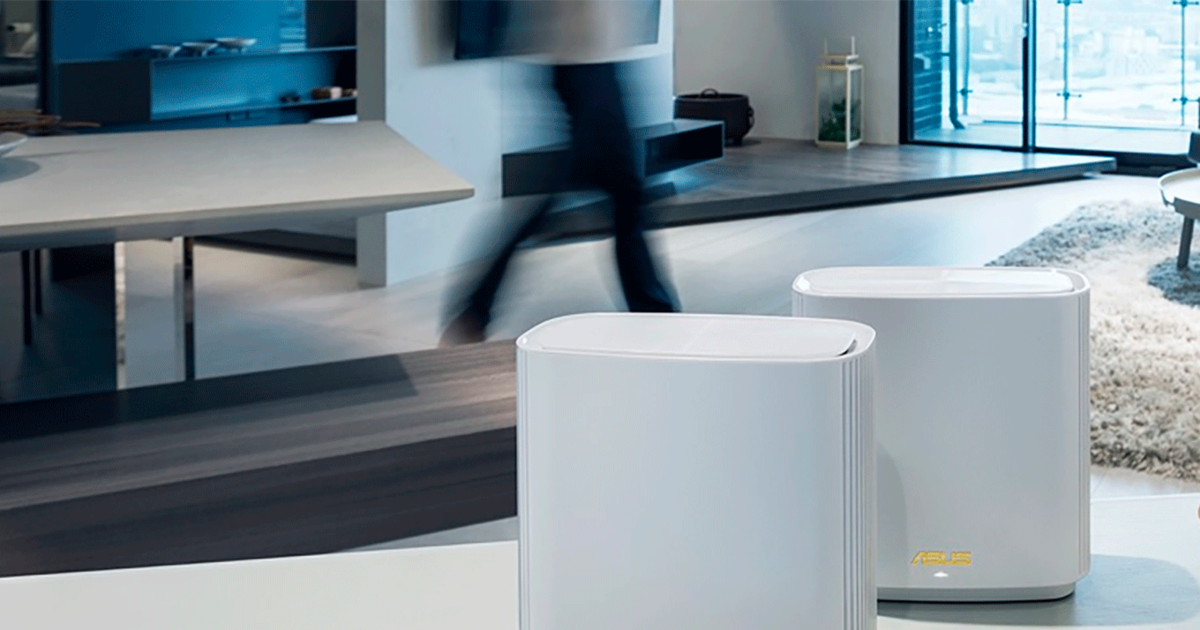
Mesh WiFi networks have become the go-to solution for those fed up with dropouts, dead zones, and the typical slowness of traditional WiFi with a single router. This technology, which until recently was almost exclusively reserved for businesses, hotels, and large offices, has made the definitive leap into the home and is now a very accessible option for any user who wants a stable, fast, and well-distributed connection throughout their house, as detailed in our high-speed WiFi network guide.
If you're familiar with the frustration of searching your house for a good Wi-Fi spot , struggling with repeaters that keep disconnecting, or having to switch networks from room to room, a mesh network can be a game-changer. Throughout this article, you'll learn in detail what a mesh Wi-Fi network is, how it works internally, its advantages and disadvantages, how it differs from traditional repeaters, what major internet providers offer, and which mesh systems you can buy yourself if you want to take things to the next level. If your problem is an insufficient repeater, check out our guide to Wi-Fi signal boosters to compare options.
What is a WiFi Mesh network or mesh network?
A mesh WiFi network is a system consisting of a router or base station and several additional access points called nodes or satellites, which connect to each other to create a single, shared WiFi network . All nodes share the same network name (SSID) and password, so for you and your devices, it's as if there's only one network, but with "access points" distributed throughout your home or business.
The key advantage of mesh networks over traditional repeaters lies in the fact that the nodes communicate not only with the central router but also with each other. This creates a kind of wireless mesh or spiderweb that allows the signal to travel along multiple possible paths, choosing the most efficient one at any given time to ensure good coverage, speed, and stability throughout the network. Furthermore, if you need to reduce noise and interference at home , the coordination between nodes helps minimize these problems.
In practice, a mesh network translates into a single Wi-Fi network that "follows" you throughout your home without you having to do anything at all. Your phone, laptop, smartwatch, or TV always connects to the node that offers the best signal, not necessarily the closest one, but the one that, at that moment, guarantees the highest quality based on network congestion, distance, and environmental interference.
This technology originated and gained popularity in professional environments (large offices, hospitals, hotels, or retail spaces) where broad, uninterrupted coverage was essential. With the rise of remote work, streaming, online gaming, and the Internet of Things (IoT), its use in homes has skyrocketed: large houses, apartments with thick walls, duplexes, and villas all benefit greatly from these mesh networks. For a more in-depth look at their implementation and challenges, please see the dedicated analysis.

How a WiFi Mesh network works from the inside
The internal workings of a mesh network rely on several intelligent nodes that cooperate to manage data traffic as efficiently as possible. While everything is transparent and automatic for the user, several interesting processes take place behind the scenes, explaining why the experience is so much better than with a traditional router and repeaters. To better understand the equipment involved, consult our guide to analyzing routers and access points.
In a typical setup, one of the nodes acts as a base station : it connects to the operator's modem or ONT and serves as the gateway to the Internet. The remaining nodes are strategically placed throughout the home (hallways, distant rooms, upstairs, etc.) to extend coverage, and are linked wirelessly or via Ethernet backhaul to the main node and to each other.
When a device connects to the Mesh network , the system automatically decides which node is best suited at that moment. It doesn't simply choose the closest one physically, but rather the one that can provide the best signal based on several factors: distance, received signal strength, number of devices connected to each node, interference, available bands (2,4 GHz, 5 GHz, or even 6 GHz in WiFi 6/6E and WiFi 7 systems ), etc.
Furthermore, the mesh network performs adaptive data routing . This means that each packet travels along the optimal path within the mesh: if a node is congested, if a path experiences interference, or if a satellite goes down, the network recalculates the path and reroutes the traffic through another node. This behavior is known as self-healing, and it has a very clear consequence: the connection remains stable even if one of the satellites fails.
From a management perspective, Mesh nodes are administered through a single interface , typically a very simple mobile app or, in some cases, a website. From there, you can view all nodes, check their status, add new ones, change the Wi-Fi name and password, create guest networks, apply parental controls, and review connected devices without having to access each device individually. Many users also appreciate the excellent integration with AVM FRITZ! devices.
Elements that form a WiFi Mesh network
To fully understand the system, it's helpful to review the basic components you'll find in any Mesh kit, regardless of the specific brand you choose or whether you get it from an operator or buy it yourself.
The ISP's router or modem is the device that receives the internet connection (fiber or cable) and usually acts as a gateway to your home network. In many modern mesh setups, this router simply functions as a bridge, and the main node of the mesh system is the one that actually controls the Wi-Fi network. If you're unsure which device to choose, follow our guide on how to choose a router.
Base station or main node : This is the "brain" of the mesh network. It connects directly to the modem or the ISP's router via an Ethernet cable and creates the WiFi Mesh network. In some kits, this main node can completely replace the traditional router if it integrates router functions.
Additional nodes or satellites : These are access points distributed throughout the house. They connect wirelessly or via cable to the main node and to each other, extending coverage to ensure a strong and stable signal in every room. Some models include multiple Ethernet ports for connecting Smart TVs, game consoles, computers, or even for wired backhaul between nodes.
Management software and mobile app : Almost all mesh systems include a very intuitive application, designed so that any user can install and configure the network in just a few minutes. They usually include step-by-step wizards, coverage maps, diagnostic tools, parental control options, guest management, and, in some cases, cloud-based security and analytics services.
Main advantages of WiFi Mesh networks
Mesh networks stand out for offering a hard-to-match combination : wide coverage, good speed, stability, and very easy management. This has made them the go-to solution for large homes, small offices, hospitality businesses, or any environment where traditional Wi-Fi falls short.
1. Maximum coverage and no “dead zones”
By using multiple nodes distributed throughout the home or business, the signal reaches places where there was previously little to no coverage: distant rooms, upper floors, basements, terraces, or areas separated by multiple walls. The Mesh system creates a continuous WiFi "bubble" that covers very large areas, which is especially useful in large homes, townhouses, houses with two or more floors, or establishments such as hotels and restaurants.
2. Uniform performance and high speed
In well-designed systems, the interconnection between nodes is optimized to maintain speed and stability even when you move away from the main access point. Many models include technologies such as MU-MIMO, Beamforming, or dedicated channels for communication between nodes, helping to deliver performance very close to what you would get right next to the router in almost any part of the house.
3. Single network without interruptions or manual changes
All nodes share the same SSID and password, so you don't have to switch networks when you move around (as happens when using repeaters with WiFi_2, WiFi_EXT, etc.). The system handles roaming intelligently: your device switches from one node to another automatically and almost instantly, without interrupting calls, video calls, online games, or streaming.
4. Less interference and better-utilized channels
Many mesh systems reserve specific bands or channels for internal communication between nodes, so the Wi-Fi you use for browsing doesn't compete with the network's internal traffic. Furthermore, technologies like Dynamic Frequency Selection (DFS) allow the use of less congested channels, reducing interference from other routers, microwaves, cordless phones, or nearby Bluetooth devices.
5. Advanced security and modern encryption
The latest kits support strong encryption (WPA2 and especially WPA3-Personal), robust authentication, and, in many cases, extra services such as content filtering, malware protection, blocking of dangerous websites, and advanced guest device management. All of this is configured through the app without requiring in-depth technical knowledge.
6. Careful aesthetics and discreet design
Unlike traditional repeaters with their numerous visible antennas, mesh nodes typically feature a clean, compact, and often decorative design. They blend seamlessly into living rooms, offices, or any other space without being too conspicuous, making it easy to place them in optimal positions without them looking out of place.
7. High compatibility with current devices
Any device that connects via Wi-Fi (phones, laptops, TVs, game consoles, sensors, smart plugs, or bulbs) is compatible with a mesh network. There's no need to install any specific software or change any hardware on your devices; simply connect them to the new SSID network and you're good to go.
8. Ideal for smart homes with many IoT devices
In homes filled with connected devices (robot vacuums, IP cameras, smart speakers, lights, thermostats, etc.), a mesh network distributes traffic more effectively, avoids bottlenecks, and maintains acceptable connection quality even with dozens of devices running simultaneously. Some systems even integrate support for Zigbee, Thread, or other home automation protocols; you can see how this fits into the home technology trends.
Disadvantages and limitations of Mesh networks
While mesh networks are highly recommended in many scenarios , they're not without their drawbacks. It's important to be aware of their weaknesses and know when they might not be the best solution, or what aspects you should consider before investing.
1. Higher price than a conventional repeater
A complete mesh kit (main node plus one or two satellites) is usually significantly more expensive than buying a simple WiFi repeater or signal booster. Although the cost has decreased over time and there are now more affordable options, it's still a larger investment, especially if you need several nodes to cover a very large home.
2. Possible node placement problems
Placing satellites too close together or too far apart can cause the network to malfunction. If the nodes don't have a good "sight" of each other, or if the walls are too thick, the network may struggle to determine which point to connect each device to, or it may overload some nodes while others remain underutilized. Sometimes it's necessary to experiment with different locations or consult a professional installer; for troubleshooting specific issues, check out our guide on How to troubleshoot WiFi problems.
3. Influence of walls, structures and other physical elements
As with any wireless system, dense building materials, pillars, false ceilings, complex electrical installations, or other sources of electromagnetic waves can complicate transmission between nodes. In such cases, using Ethernet backhaul between some satellites may be advisable to ensure optimal performance, which may involve some cabling work.
4. Slight increase in latency between nodes
When data has to pass through several nodes before reaching the internet, each hop adds a small delay. In modern mesh networks, this increase is usually minimal and imperceptible for most uses (browsing, video, remote work), but it technically exists. In well-designed systems, the improved coverage and stability more than compensate for this small increase in latency.
5. Less suitable than cable in highly sensitive environments
For offices with highly sensitive information or critical corporate networks, a wired connection remains the most secure and controllable option. A WiFi mesh network with modern encryption is secure for homes and most businesses, but it will never achieve the level of physical isolation of a 100% wired network, where an attacker needs to physically connect to gain access.
6. Profile still perceived as “professional” in certain models
Some high-end mesh systems, or solutions designed for hotels and large offices, can have prices and setup complexities that are unreasonable for the average home user. Even so, the home market is full of simpler and more affordable alternatives; you just need to choose the right range and brand that fits your budget and the actual dimensions of your home.
Differences between WiFi Mesh and classic WiFi repeaters
Comparing a mesh network with one or more traditional Wi-Fi repeaters is almost essential, because both are used to improve coverage, but their philosophy and results are very different. Understanding these differences helps you decide when it's worth making the switch to mesh.
In a traditional repeater network , the central router broadcasts the signal, and each repeater captures and rebroadcasts it, typically creating a separate network (with a different Wi-Fi name). There's no intelligent communication between repeaters: each one operates independently, and you decide which network to connect to based on your location.
In contrast, in a mesh network, the nodes are fully interconnected and coordinated. There are no separate networks or different SSIDs for each satellite: everything is managed as a single, coordinated network that automatically moves your devices from one node to another without manual intervention. The connection quality is usually much better and more consistent, especially when transitioning between rooms or floors.
In terms of performance, simple repeaters typically penalize speed by repeating the signal on the same band they receive, thus reducing the effective bandwidth. In a well-designed mesh system, some of the wireless capacity is reserved for backhaul between nodes, or additional bands are utilized, so the speed drop is much smaller or virtually nonexistent.
In practice, the difference is noticeable in everyday details : with repeaters, you might experience brief interruptions when your phone switches between the router's and repeater's networks; with Mesh, the transition happens in the background and is barely perceptible. Furthermore, in Mesh, if one node fails, the network reorganizes itself and you maintain your connection; with a repeater that goes down, you lose Wi-Fi in the area it covered.
EasyMesh: towards a unified mesh between brands
One of the common problems with early mesh networks was that each manufacturer had its own closed system, so you couldn't always mix nodes from different brands. To solve this, the Wi-Fi Alliance promoted EasyMesh, a specification that defines how different mesh devices should communicate with each other to be interoperable.
EasyMesh is based on the IEEE 1905.1 standard and allows compatible routers, access points, and repeaters from different manufacturers to be part of the same mesh network. The idea is that you can expand your system with new nodes without being locked into a single vendor for life—at least in theory.
This standard has gained the support of major industry names such as Qualcomm, MediaTek, Broadcom, and Intel, and some operator routers (for example, certain Smart WiFi models from Movistar or Livebox from Orange) already integrate it. Key features associated with EasyMesh include:
- Client steering supported by Agile Multiband technologies, which improves the speed and reliability with which a device switches from one node to another.
- Traffic separation across multiple logical networksFor example, a main network and a guest network, both benefiting from the Mesh advantages but isolated from each other.
- Coordinated channel management with DFS, so that the network can dynamically choose less congested channels.
- WiFi Data Elements, which offers detailed diagnostic data for manufacturers and operators to optimize performance and user experience.
Mesh networks with operators: what each one offers
If you don't want the hassle of buying and installing your own mesh system , many providers already offer mesh network services to improve your home fiber optic coverage. These typically work by providing or renting smart extenders that create a mesh network integrated with your existing router.
Vodafone, with its Super WiFi 6 service , allows you to set up a mesh network powered by WiFi 6. Customers with bundled TV and cable plans can get a WiFi 6 router included and add Super WiFi 6 for a monthly fee. The service includes one or two nodes depending on the router model, with the option to expand to up to five extenders in total. Installation is carried out by a technician who analyzes your home, determines how many nodes you need and where to place them, and the network is then managed through the Vodafone Super WiFi app, which uses artificial intelligence and continuous monitoring to ensure you always connect to the most suitable node.
Movistar is promoting its Smart WiFi and Smart WiFi 6 amplifiers. If you already have a Smart WiFi router, you can add one or more Mesh amplifiers to extend your network throughout your home. The operator highlights significant improvements in coverage and speed, and in some models, compatibility with EasyMesh, which expands the options for combining devices. These amplifiers are typically sold as one-time purchase units, with the option of professional installation or guided self-installation.
Orange incorporates Mesh technology into its Livebox Infinity via EasyMesh, complementing its offering with services like WiFi Premium and compatible repeaters. While its primary focus remains the advanced router, EasyMesh support allows users to integrate other compatible Mesh nodes and create their own mesh network without waiting for the operator to release specific devices.
Regional operators like Euskaltel, Telecable, and R have also invested in routers and mesh amplifiers to improve their customers' experience. They typically offer kits with several smart amplifiers that significantly increase coverage, with monthly rental models and, in some cases, one-time activation fees. However, it's important to note that this equipment is considered loaned, so it must be returned if the fiber optic service is canceled.
Mesh WiFi systems you can buy on your own
If you prefer to own your own equipment and not depend on devices provided by your internet service provider, the market is full of mesh systems in different price ranges. Many allow for easy self-installation and integrate seamlessly with any fiber optic network, either by using the provider's router as a bridge or replacing it if possible.
D-Link COVR-1102 and COVR-1103
These D-Link kits offer two or three nodes with dual-band AC1200 Wi-Fi (up to 300 Mbps on 2,4 GHz and 867 Mbps on 5 GHz). They integrate technologies such as SmartBeam, SmartConnect, SmartRoaming, and MU-MIMO to optimize coverage and performance, are EasyMesh certified, and support WPA3-Personal. Each node includes Gigabit ports, supports Ethernet backhaul, and can be managed via an app, with compatibility for voice assistants like Alexa and Google Assistant.
TP-Link Deco (M4, M9 and other variants)
TP-Link's Deco family is one of the most popular for home use. Models like the Deco M4 (AC1200) and Deco M9 (AC1300) are dual-band with support for MU-MIMO, Beamforming, seamless roaming, and intelligent band management. Some models also integrate the HomeCare platform with advanced parental controls, antivirus, and QoS. Installation is done via the Deco app, which guides you step-by-step through setting up your mesh network.
Asus Zen WiFi XT8
This is a tri-band WiFi 6 system designed for demanding users, capable of reaching theoretical speeds of up to 6600 Mbps and covering hundreds of square meters. It's compatible with Asus' AiMesh technology, allowing it to be combined with other Asus routers. It includes several Gigabit LAN ports, integrated security tools, parental controls, and a comprehensive management app.
FRITZ! Repeater 3000
The FRITZ!Repeater 3000 is a high-end repeater that, when combined with a FRITZ!Box router, allows you to create a robust, high-performance mesh network. It offers tri-band support (one band at 2,4 GHz and two at 5 GHz), with technologies such as Beamforming, Smart Connect, and intelligent roaming. Combined speeds reach up to WiFi AC3000, making it a powerful option for extending existing FRITZ! networks.
Netgear EAX80
This high-end mesh Wi-Fi repeater features Wi-Fi 6, eight data streams, four Gigabit LAN ports, and a USB 3.0 port. It supports speeds up to 6 Gbps and can provide coverage for dozens of simultaneous devices, making it ideal for 4K/8K streaming, gaming, and other demanding applications. Its universal compatibility allows it to be integrated with routers from any brand.
Other interesting systems such as TP-Link Deco M4, Tenda Nova MW6 or the Nova Mesh MW5C system offer more economical solutions for medium or large-sized homes, with coverage ranging from about 260 m² to 500 m² with several nodes, support for dozens of connected devices and apps that allow you to control access, prioritize traffic, create guest networks and apply parental controls.
When is it advisable to install a WiFi Mesh network?
Setting up a mesh network isn't always necessary , but there are situations where the improvement is so significant that it's worth the investment. Some typical cases where WiFi mesh is a particularly good fit are:
- Large or multi-story houses where the signal doesn't reach all the rooms well.
- Houses with thick walls or materials that attenuate the signal, such as concrete, stone, or metal structures.
- Homes with many connected devices at the same time (large families, smart homes, small offices).
- Working from home, online gaming, or remote classes where stability and low latency are key.
- Businesses such as hotels, bars, restaurants, or open offices They need to offer good WiFi throughout the premises without interruptions or network changes.
Installation is usually relatively simple : you choose the Mesh system (or your internet provider's service), connect the main node to the modem or router, follow the app's wizard to create the network, and then add satellites, distributing them logically (not too close together or at the edges where the signal from the previous node is weak). With two or three nodes properly placed, the difference compared to a bare router is very noticeable.
Ultimately, WiFi Mesh networks have established themselves as the most reliable option for those who want to forget about "black spots," micro-cuts, and the hassle of different networks within their homes, combining wide coverage, good speed, up-to-date security, and very convenient management from their mobile phones; all with the flexibility to expand them with new nodes as needs grow or when moving to a new home or changing providers.