- Detailed analysis of the most intuitive distributions for those migrating from Windows or macOS.
- Comparison of operating systems according to available hardware, from modern equipment to old computers.
- Exploring distros specializing in cybersecurity, extreme privacy, and professional software development.
- Practical tips for trying Linux using a Live USB and avoiding common mistakes during installation.
If you've been using Windows for years and feel like everything is running smoothly, you may not have had a compelling reason to switch. However, there comes a time when curiosity to experience something different leads us to look towards open source. Perhaps you're looking for a system that doesn't force you to wrestle with the terminal every five minutes, or one that's simply more respectful of your privacy and the security of your personal data.
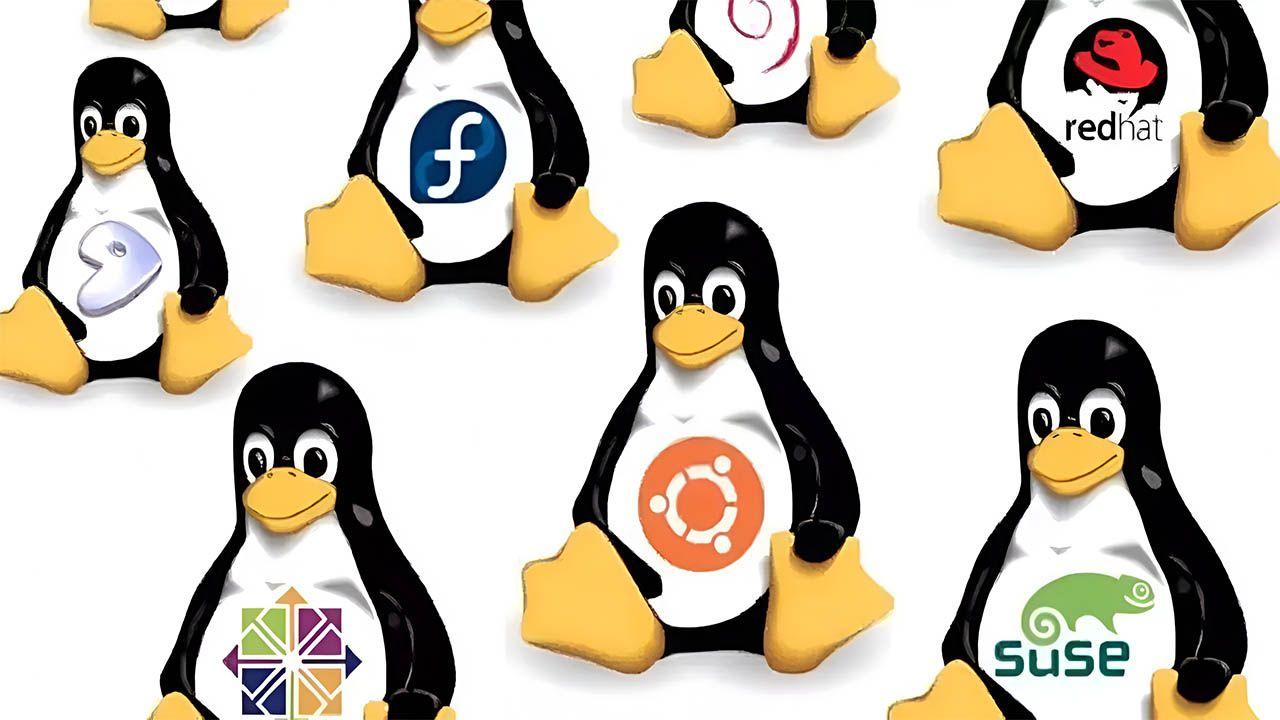
The world of Linux is an ocean of possibilities where you'll find what are called distros or distributions . Basically, they are versions of the Linux kernel that come packaged with different tools, visual interfaces, and software managers to suit every need. To learn more, you can consult this complete guide to Linux distributions . Wanting a computer for browsing the web is not the same as setting up an ethical hacking environment or reviving an ancient laptop.
The best options for making the leap without complications
For those who don't want to overcomplicate things and are looking for something self-explanatory and simple , three names stand out above the rest. Ubuntu is probably the most common entry point; it's like the industry standard where almost all software is tested first, guaranteeing enviable hardware compatibility and massive community support.
If you're looking for a system that feels like classic Windows, Linux Mint is the logical choice. It's built on the stable foundation of Ubuntu but enhances the user experience with the Cinnamon desktop, making the transition virtually seamless and much more predictable for novice users.
On the other hand, we have Zorin OS, which boasts a modern and polished aesthetic . It's specifically designed to appeal to those coming from commercial systems, offering a meticulously crafted and visually appealing design and a highly intuitive installation process. It's one of the best Linux distributions for beginners today.
We can't forget Kubuntu, which offers the power of Ubuntu but with the KDE Plasma desktop environment. It's ideal for those who enjoy a traditional yet powerful environment , with unified software management that simplifies everyone's life.
Systems optimized for limited hardware and older PCs
Not everyone has a state-of-the-art computer. When RAM is limited, choosing a lightweight distribution is essential to prevent the system from slowing down. Lubuntu and Xubuntu are Ubuntu flavors that replace the resource-intensive GNOME environment with more efficient ones like LXQt or XFCE, making laptops from a decade ago usable again.
For more extreme cases, Puppy Linux is a real gem. It's so small that it loads entirely into RAM, making systems with as little as 512 MB fly compared to any modern operating system. If you want to further optimize performance, you'll be interested in learning how to optimize RAM with ZRAM . Along similar lines, we find Tiny Core, which is minimalism taken to the extreme with an ISO image of just 21 MB.
Other honorable mentions include AntiX and Slax, Debian-based distributions that require negligible resources to run. There are even options like Dawn SmallLinux, capable of booting on Intel 486 processors with only 16 MB of RAM, demonstrating that Linux can power even the most basic operating systems.

Extreme privacy and professional security
Some users aren't just looking for convenience, but a digital bunker. For them, Tails is the ultimate solution. This system routes all traffic through Tor and, when shut down, completely erases all traces of the session, making it the preferred tool for journalists and activists who need total anonymity.
If you're looking for compartmentalized security, Qubes OS is the most robust option. It uses virtual machines to isolate applications, so if a malicious PDF file infects one window, the rest of the system remains unharmed . It's ideal for those seeking the best Linux distributions to protect their security . However, it has a fairly steep learning curve and isn't suitable for casual users.
For cybersecurity professionals, Kali Linux is the Swiss Army knife. It comes loaded with over 600 penetration testing and auditing tools. It's not an everyday system, but a specialized environment for running penetration tests and forensic analysis.
The domain of developers and advanced users
Those who write code or want complete control often prefer Fedora or Arch Linux. Fedora is at the forefront of open source, where emerging technologies are first implemented. It's stable yet constantly updated, forming the foundation for what later becomes Red Hat Enterprise Linux. Many consider it one of the best Linux distributions for programmers.

Arch Linux, on the other hand, is a blank canvas. It doesn't have a graphical installer by default; it forces you to configure everything using commands. This is a blessing for those who want to understand the system thoroughly and enjoy a rolling release model , where updates are constant and you don't have to reinstall versions every six months.
For those who want the power of Arch but without spending the weekend reading manuals, Manjaro is the solution. It offers a user-friendly installer and automatic driver detection , while maintaining access to the vast Arch User Repository (AUR).
Tips for a successful and stress-free transition
One of the most common mistakes is rushing to install Arch or Gentoo without knowing what a terminal is. The golden rule is to start with the basics . You don't need to be a scripting expert to use Linux, but learning basic file management commands will save you a lot of headaches.
Before deleting Windows, the smartest thing to do is try Linux without installing it on your PC using a Live USB . Tools like Rufus or Balena Etcher allow you to burn the ISO image to a USB drive to boot the system without touching the hard drive. This way, you can check if the Wi-Fi, sound, and graphics card are working correctly before taking the final step.
It's vital to avoid the temptation to install five different desktop environments at the same time, as this often leads to package conflicts and unnecessary RAM consumption. Ideally, choose one, try it out, and if you're not satisfied, try another complete distribution from a USB drive.
