- The ESP32 integrates a powerful CPU, WiFi, Bluetooth, and numerous peripherals into a single low-cost SoC.
- Its highly multiplexed pinout allows up to 34 GPIOs with ADC, DAC, PWM, touch and RTC functions.
- There are multiple families (WROOM, WROVER, S2, S3, C3, C6, CAM) adapted to different types of projects.
- It can be programmed with Arduino, ESP-IDF or MicroPython, covering everything from simple prototypes to professional products.
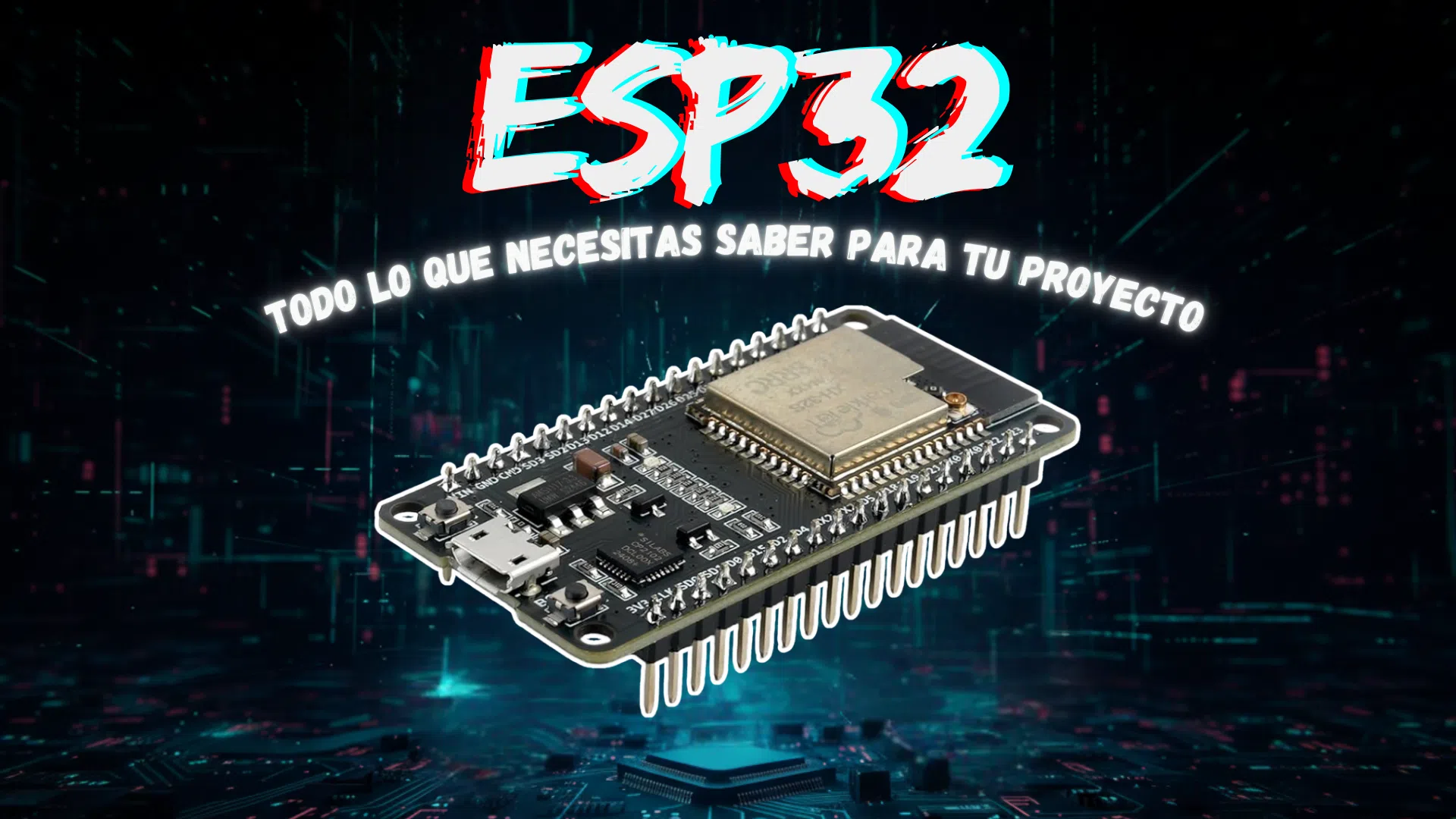
If you work in the world of IoT, home automation, or automation systems , sooner or later you'll come across the ESP32. And when you start looking for information, it's easy to end up more confused than when you started: pins here, models there, low-power modes, WiFi, Bluetooth, cameras, PSRAM… It seems chaotic, but in reality, it's a very coherent platform if you understand it calmly.
In this article, you'll find a comprehensive and well-organized overview of the ESP32 : what it is exactly, what it can do at the hardware level, how its pins and special functions are organized, what chip families exist, how they differ from each other, which boards are most common, when each one is best suited to your needs, and how to start programming it in practice. The goal is for you to end up with a clear mental picture of the ESP32 ecosystem and know how to choose and use the right board without fear of making a mistake.

What is the ESP32 and why has it become so popular?
The ESP32 is a low-cost, low-power, 32-bit system-on-a-chip (SoC) developed by Espressif Systems. It integrates a powerful microprocessor, Wi-Fi, Bluetooth (both standard and BLE), memory, analog-to-digital converters, and a wide range of peripherals onto a single chip. This makes it a kind of "Swiss Army knife" for connected projects.
The classic variants use a dual-core Xtensa LX6 microprocessor , which typically operates at 160 or 240 MHz and achieves up to 600 DMIPS of performance. More recent families (such as the ESP32-C3 or C6) use low-power RISC-V cores, while others, like the S2/S3, have seen improvements in memory, power consumption, and lightweight AI capabilities.
One of the key features of the ESP32 is that it integrates WiFi 802.11 b/g/n and Bluetooth (BR/EDR and BLE) on the same silicon chip, sharing the radio. This eliminates the need for external connectivity modules, saves board space, and reduces costs. As a result, it has become a de facto standard for home automation projects, connected sensors, automation systems, and commercial prototypes.
In addition to the processor and radio, the ESP32 integrates 520 KiB of SRAM and ROM directly into the SoC, along with controllers for managing external flash memory via SPI. Commercial modules (such as WROOM or WROVER) typically include between 4 and 16 MB of integrated flash memory, and some add external PSRAM for more demanding applications (graphics, cameras, AI, etc.).
Internal architecture, memory and energy management
In its internal architecture, the ESP32 combines one or two main Xtensa LX6/LX7 or RISC-V cores with an Ultra Low Power (ULP) coprocessor . This coprocessor is designed to perform small tasks in low-power modes, such as periodically reading sensors while the rest of the chip sleeps to conserve battery power.
The memory is organized into several areas: in addition to the main 520 KiB SRAM used by the processor, the chip has a fast RTC RAM region (approximately 8 kB) and a slow RTC RAM region (approximately another 8 kB). The fast RTC RAM allows data to be retained during deep sleep mode, so that upon waking, settings or states can be recovered without having to recalculate everything.
Regarding storage, the typical design is based on SPI-connected flash memory where the firmware and other non-volatile data are stored. Many ESP32 WROOM modules come with 4 MB of flash memory, while more advanced or camera-oriented versions (ESP32-WROVER, ESP32-S3 with PSRAM, etc.) can have 8, 16 MB, or more.
Power management is another of the platform's strengths. The chip integrates an internal low-dropout regulator (LDO) , different power domains, and various power-saving modes. In deep sleep mode, consumption can drop to around 5 μA, waking up via GPIO, timer, touch sensor, or ADC measurements, depending on how the RTC and ULP coprocessor are configured.
In terms of security, the ESP32 supports all standard IEEE 802.11 features (WPA, WPA2, WPA3 in recent versions, WAPI) and offers secure boot mechanisms and flash encryption . It also integrates hardware accelerators for AES, SHA-2, RSA, ECC, and a random number generator (RNG), as well as a 1024-bit OTP area where immutable keys and parameters can be stored.
ESP32 pinout and functionality multiplexing
One of the most striking things when you first encounter an ESP32 DevKitC or similar is the number of pins and alternative functions . You can have up to 34 GPIO pins on the chip, but many of them are multiplexed with other internal peripherals or reserved for very specific purposes.
Pin multiplexing is a key feature of the ESP32. Most internal signals (UART, I2C, SPI, PWM, etc.) can be routed to almost any GPIO by configuring the chip's pin matrix, without any noticeable performance penalty. The pinouts shown on boards are the default assignments, but you can generally reassign functions if needed.
When designing a project, it's important to keep in mind that some pins have special restrictions : some are used during boot (strapping pins), others are connected to SPI flash memory, and others are related to debugging interfaces like JTAG. If you use them incorrectly, the system may fail to boot or become unstable.
ESP32 DevKitC or NodeMCU-32S development boards expose these pins through two rows of headers. Although each manufacturer may follow a slightly different layout, they generally share the same GPIO numbering and most functions, so pinout diagrams and tables are transferable from one board to another.
Special pins: strapping, input only, RTC, and tactile
Within the GPIO pinout, there is a group of boot configuration pins, also known as strapping pins. These are used to determine how the chip boots, the voltage of certain internal components, and some parameters of the SPI flash memory. These pins are read during a system reset, and their logic level at that time is latched until the next reset or power-off.
Common strapping pins on the ESP32 include GPIO0, GPIO2, GPIO4, GPIO5, GPIO12, and GPIO15 . For example, GPIO0 must be low to enter download mode; GPIO2 should not be forced high during startup; GPIO5 and GPIO15 typically have pull-up resistors to ensure correct states; and GPIO12 is involved in selecting the voltage for certain memories. Although these pins can be reused in your circuit, it's best not to overload them or use circuitry that changes their level during power-on.
There is also a small group of pins that are digital and/or analog input only ; that is, they cannot be used as outputs: GPIO34, GPIO35, GPIO36, and GPIO39. Furthermore, unlike the rest of the GPIOs, these do not have internal pull-up or pull-down resistors, so you will have to add them externally if you need to stabilize their level.
Some GPIOs are connected to the low-power RTC subsystem and are known as RTC GPIOs . They include combinations such as RTC_GPIO0-GPIO36, RTC_GPIO3-GPIO39, RTC_GPIO4-GPIO34, RTC_GPIO5-GPIO35, RTC_GPIO6-GPIO25, RTC_GPIO7-GPIO26, RTC_GPIO8-GPIO33, RTC_GPIO9-GPIO32, RTC_GPIO10-GPIO4, RTC_GPIO11-GPIO0, RTC_GPIO12-GPIO2, RTC_GPIO13-GPIO15, RTC_GPIO14-GPIO13, RTC_GPIO15-GPIO12, RTC_GPIO16-GPIO14 and RTC_GPIO17-GPIO27. These pins allow, among other things, waking the chip from deep sleep mode using the ULP coprocessor or low-power interrupt sources.
In addition, the ESP32 integrates 10 capacitive touch sensors associated with specific GPIO pins: TOUCH0 (GPIO4), TOUCH1 (GPIO0), TOUCH2 (GPIO2), TOUCH3 (GPIO15), TOUCH4 (GPIO13), TOUCH5 (GPIO12), TOUCH6 (GPIO14), TOUCH7 (GPIO27), TOUCH8 (GPIO33), and TOUCH9 (GPIO32). When a capacitive load (for example, a finger) approaches these pins, the chip detects the change in capacitance, allowing you to use it for touch buttons, sliders, or proximity sensing without additional components.
Finally, we must mention the EN (Enable) pin , which controls the module's internal 3,3V regulator. It typically has a 3.3V pull-up resistor, and pulling it low disables the regulator, effectively resetting or powering down the ESP32. Many applications utilize this pin as a global reset.
GPIO, interrupts and analog functions (ADC, DAC, PWM)
In general terms, the ESP32 offers up to 34 GPIO pins configurable as digital inputs or outputs, with the option to enable internal pull-up or pull-down resistors on most of them. Almost all of these pins can be configured as interrupt sources, which greatly simplifies the design of event-reactive systems (buttons, sensors, detectors, etc.).
The analog section is quite comprehensive: the ESP32 incorporates two 12-bit SAR ADCs that provide up to 18 input channels. The channels are divided between ADC1 (8 channels) and ADC2 (10 channels). The typical assignment is as follows: ADC1_CH0-GPIO36, ADC1_CH1-GPIO37, ADC1_CH2-GPIO38, ADC1_CH3-GPIO39, ADC1_CH4-GPIO32, ADC1_CH5-GPIO33, ADC1_CH6-GPIO34, ADC1_CH7-GPIO35; and ADC2_CH0-GPIO4, ADC2_CH1-GPIO0, ADC2_CH2-GPIO2, ADC2_CH3-GPIO15, ADC2_CH4-GPIO13, ADC2_CH5-GPIO12, ADC2_CH6-GPIO14, ADC2_CH7-GPIO27, ADC2_CH8-GPIO25 and ADC2_CH9-GPIO26.
If you're working with active Wi-Fi or Bluetooth, there's an important detail: ADC2 is unavailable while the radio is in use . In those cases, for analog readings, you must use the ADC1 channels, which can be used without limiting connectivity. The 12-bit resolution gives you 4096 levels (0-4095), which in a typical 0-3,3V range translates to steps of around 0,8mV.
For generating analog output signals, the ESP32 includes two 8-bit DACs , connected to GPIO25 (DAC1) and GPIO26 (DAC2). These converters allow you to convert a digital value between 0 and 255 into an analog voltage between 0 and 3,3 V, useful for generating simple waveforms, voltage references, basic audio, or signal modulation without the need for external chips.
In the PWM field, the board features 16 programmable PWM channels managed by a dedicated controller. Any PWM channel can be mapped to different GPIO pins, and both the frequency and duty cycle can be adjusted. It's ideal for controlling LEDs (including dimming), servos, DC motors, and generally any load requiring an adjustable PWM signal.
Communication interfaces: UART, I2C, SPI and others
The ESP32 also stands out for its diverse integrated interfaces. At the serial level, it has three hardware UARTs: UART0, UART1, and UART2 , capable of operating in asynchronous modes (such as RS232 and RS485) and even IrDA, at speeds up to 5 Mbps. On most development boards, the UART0 pins are connected to the USB-to-serial converter and are used for programming and debugging, so it's best not to reuse them in final projects unless you are very familiar with the process.
UART1 is usually reserved for the integrated SPI flash memory , especially in modules like the ESP32-S3 or versions with more complex external flash memory. For this reason, many guides recommend always using UART2 as the user serial port when you want to connect other UART devices (for example, GPS modules, other microcontrollers, etc.).
In terms of the I2C bus, the ESP32 incorporates one or two I2C controllers (depending on the family) and, by default, allows a standard I2C bus with SDA pins on GPIO21 and SCL on GPIO22 . However, as with other peripherals, you can remap SDA and SCL to other GPIOs using software, for example, with the `wire.begin(SDA, SCL)` function in Arduino. You can connect dozens of sensors and devices to a single I2C bus, provided they respect the available addresses.
Regarding SPI, the chip offers three SPI buses: SPI, HSPI, and VSPI . The basic bus is typically used internally for the onboard flash memory, so for your projects, you'll primarily be interested in HSPI and VSPI. Many standard libraries use VSPI by default to communicate with displays, SD card readers, external radio modules, and so on.
There is a set of particularly sensitive pins associated with the internal SPI flash memory: GPIO6 (SCK/CLK), GPIO7 (SDO/SD0), GPIO8 (SDI/SD1), GPIO9 (SHD/SD2), GPIO10 (SWP/SD3), and GPIO11 (CSC/CMD). These pins are reserved for communication with the flash memory and should not be used in your circuits; connecting them to anything external will often cause crashes, boot errors, or data corruption.
In addition to UART, I2C, and SPI, the ESP32 integrates I2S, CAN 2.0, Ethernet MAC, SD/SDIO controllers, TX/RX infrared controllers, pulse counters , and other advanced peripherals. This allows it, for example, to function as a network gateway, play or capture digital audio, communicate with industrial buses, or act as a controller for more sophisticated motors and encoders.
ESP32 families and models: WROOM, WROVER, S2, S3, C3, C6 and ESP32-CAM
When you're looking for an ESP32 to buy, names like WROOM, WROVER, S2, S3, C3, C6, or ESP32-CAM quickly start appearing . They're not the same, even though they all belong to the ESP32 ecosystem. On one hand, we have the "pure" SoC chip, and on the other, the modules and development boards that integrate it along with other components.
An " ESP32 module " (e.g., ESP32-WROOM-32 or ESP32-WROVER) is the rectangular metal block that houses the chip, flash memory, sometimes PSRAM, and the antenna. These modules are designed to be soldered directly onto custom boards. Many manufacturers then mount " development boards " on top of them, adding a USB port, regulators, accessible pins, and reset/boot buttons, such as the DevKitC, NodeMCU-32S, LOLIN32, etc.
Within the chip families we have, among others, these main variants: the classic ESP32 series (the original, dual-core, WiFi + BT, very well documented), the ESP32-S2 series (single-core, without Bluetooth, with native USB, ideal for devices focused on WiFi and USB), the ESP32-S3 series (dual-core, more RAM and improved support for BLE 5 and camera or light AI applications), the ESP32-C3 series (RISC-V core, low cost, WiFi + BLE 5, aimed at replacing the ESP8266) and the ESP32-C6 series (with WiFi 6, BLE 5 and support for technologies such as Thread in certain scenarios, designed for home automation and modern networks).
The ESP32-WROOM module is the most common in traditional DevKit boards. It typically comes with 4 MB of flash memory (although variants with 8 MB or more exist), standard internal RAM, and integrated Wi-Fi and Bluetooth. It's ideal for general projects such as sensors, automation, and home automation, where you don't need a camera or large amounts of additional RAM.
The ESP32-WROVER module adds external PSRAM, making it more suitable for projects that require a lot of memory: image processing, large buffers, graphics applications, or embedded AI. It's usually a bit more expensive; if your project isn't going to use that extra memory, you're essentially paying for something you won't use.
The ESP32-CAM board has become a classic for low-cost video surveillance projects. It integrates an ESP32 with a camera (usually an OV2640 sensor) and a microSD card slot. It's perfect for building home IP cameras, smart doorbells, or simple vision experiments. However, it offers significantly fewer available GPIO pins and is somewhat more delicate to program and power.
How to choose the right ESP32 model for your project
Choosing the right ESP32 model isn't so much about memorizing all the names, but about being clear on four key requirements : whether you need a camera, whether your priority is low battery power, whether your application requires a lot of memory (for example PSRAM), and whether you need specific technologies like BLE 5 or WiFi 6.
If you're just starting out and want a board to learn on, mount sensors, experiment with Wi-Fi and Bluetooth, and follow most tutorials, the most sensible option is usually an ESP32 DevKit with a WROOM module . It's inexpensive, highly compatible with examples and libraries, and has tons of documentation. For many "normal" IoT and home automation projects, this option will be more than enough.
When your project includes an integrated camera , you have two main options: use an ESP32-CAM board (which is very economical and compact, ideal for simple WiFi cameras) or go for an ESP32-S3 with camera support and more memory, if you need more performance, somewhat more complex algorithms or a user interface with a screen.
If your priority is low power consumption with battery power , especially for sensor nodes that spend most of their time in sleep mode, the ESP32-C3 family is very interesting. It uses RISC-V architecture, has modern Wi-Fi and BLE, very low power consumption, and enough power for sensing, data transmission, and basic logic tasks.
For "next-generation" home automation projects, where WiFi 6, BLE 5, and future support for Thread or Matter are valued, the ESP32-C6 family is particularly promising. It's somewhat newer and not yet as ubiquitous as the classic ESP32, but it's designed to fit into increasingly complex home ecosystems.
Typical use cases and comparison with other platforms
In everyday use, the ESP32 is used for home automation, sensors, wearables, automation, and IoT prototypes . A typical example is controlling relays for lights, sockets, blinds, or motors, communicating via Wi-Fi to a local server or the cloud. Another common application is temperature, humidity, presence, or air quality sensors that periodically report data to a backend.
Thanks to integrated Bluetooth (including BLE), it's also widely used in portable devices or wearables that communicate with your mobile phone: heart rate monitors, pedometers, small sleep monitors, etc. WiFi can be reserved for uploading data to the internet or providing a web configuration interface, while BLE handles communication with the app or other nearby sensors.
Another very common application is using the ESP32 as a gateway or brain of a system that communicates via UART, SPI, or I2C with other modules (for example, a classic Arduino, industrial sensors, displays, etc.) and exposes an API, MQTT, or web interface via Wi-Fi. It is also used in audio projects, taking advantage of the I2S interfaces and the ability to process voice and music in real time.
Compared to a "pure" Arduino Uno, the ESP32 offers significantly more computing power, integrated WiFi/Bluetooth connectivity , more memory, and more peripherals, while maintaining a similar or even lower cost. Compared to the older ESP8266, the ESP32 wins hands down in cores, RAM, number of GPIO pins, and variety of interfaces.
Compared to a Raspberry Pi Pico W, the two are more evenly matched in terms of power and performance, but the ESP32's ecosystem of software and libraries for IoT and home automation is very mature. Furthermore, having the entire connectivity stack (including hardware security) on the same chip makes it easier to use in end-user products without requiring full operating systems like the larger Raspberry Pi models.
Development environments: Arduino IDE, ESP-IDF and MicroPython
When programming an ESP32, you have several development environment options . The most popular among hobbyists and makers is using the Arduino ecosystem: either the traditional Arduino IDE, or PlatformIO integrated into Visual Studio Code, which simplifies the management of libraries and larger projects.
To add ESP32 support to the Arduino IDE, install the "ESP32 by Espressif" board package from the Boards Manager, using the stable version link provided by Espressif on their GitHub. Once installed, you can select the board (for example, "ESP32 Dev Module" or the specific model from your DevKit) and program it almost exactly like an Arduino, using functions such as pinMode, digitalWrite, analogRead, etc., as well as the specific libraries for WiFi, Bluetooth, HTTP, MQTT, and more.
The official Espressif environment is the ESP-IDF (Espressif IoT Development Framework) , a C/C++ framework that offers very fine control over the hardware, FreeRTOS usage, memory management, power consumption, network stacks, and advanced security features. It is the preferred choice for professional projects or those that require maximizing the chip's capabilities.
Another very convenient alternative is MicroPython , a lightweight Python implementation geared towards microcontrollers. On the ESP32, it allows you to work with WiFi, BLE, GPIO, I2C, SPI, and more, using Python scripts that you can quickly upload and modify. It's especially useful in education, rapid prototyping, and situations where development speed is more important than maximum efficiency.
Regardless of the environment you choose, it's always advisable to consult the official Espressif documentation (datasheets, getting started guides, API references) and the examples that include both Arduino-ESP32 and ESP-IDF. The community on GitHub, dedicated ESP32 forums, and platforms like Reddit also offer a vast number of ready-made projects that can be adapted to your needs.
Advanced pinout, restrictions, and expansion with camera and SD card
When you delve a little deeper into using the ESP32, you'll encounter advanced pinout details that you should respect. One of these is the incompatibility of ADC2 with the aforementioned WiFi/Bluetooth radio; another is the role of the JTAG pins (GPIO12, 13, 14, and 15) if you want to perform hardware debugging. If you're not going to use JTAG, you can treat them as normal GPIOs, as long as you also keep in mind their strapping functions.
Careful pin planning is essential, especially in projects that aim to utilize multiple functions simultaneously (GPIO, ADC, I2C, SPI, camera, SD card, etc.). Some pins are reserved for power and critical signals , such as 3.3V, GND, and those connected to the SPI flash memory. You should avoid drawing high currents from the 3.3V or 5V pins on the board if the regulator cannot handle it, and avoid connecting large loads directly to the GPIO pins without appropriate drivers.
Some kits and expansion boards designed for ESP32 integrate specific functionalities such as OV2640 camera modules, microSD card readers, and 18650 battery support . They typically offer two rows of pins: one with female headers for rapid prototyping and another with screw terminals for more permanent installations, for example in "field" IoT projects or fixed installations.
These boards typically include pull-up/pull-down resistors on the pins that control the camera and microSD card, so if you intend to reuse them as general-purpose inputs or outputs, you should consult the expansion board's datasheet. Details such as a master power switch, dedicated battery charging ports, and status LEDs make a significant difference when building battery-powered standalone devices.
In practice, a combination of ESP32, OV2640 camera, microSD and 18650 battery power allows you to build fairly complete remote vision nodes, capable of streaming, capturing periodic images or running simple detection algorithms, charging the battery via USB when needed and keeping everything in a compact format.
After reviewing the chip's inner workings, its pinout, product families, typical use cases, and development tools, it becomes clear that the ESP32 offers a huge amount of integrated functionality, design flexibility, and low-power options at a very affordable price, making it a platform that is very difficult to match when you are looking to build IoT, home automation, or automation projects that combine wireless connectivity, good processing power, and a mature software ecosystem.