- NVMe SSDs leverage PCIe and the NVMe protocol to deliver significantly faster speeds, lower latency, and greater parallelism than SATA SSDs.
- In everyday use, the improvement of NVMe over SATA is noticeable in large copies, video editing, and heavy workloads, but less spectacular than the jump from HDD to SSD.
- Compatibility with M.2 PCIe slots and budget dictate the choice: SATA remains a very valid option, while NVMe is the ideal choice for performance and future-proofing.
- A combination of NVMe as the primary drive and SATA SSD as secondary storage offers an optimal balance between speed, capacity, and cost.

If you're thinking about upgrading your PC's performance, sooner or later you'll run into the classic dilemma: NVMe SSDs versus SATA SSDs . On paper, the difference in performance figures is huge, but in everyday use, the difference isn't always noticeable, and that's where the doubts arise: Is it worth spending more money? Will your computer really be significantly faster? Does it make the SATA standard obsolete?
Furthermore, it's quite common for someone who already owns a SATA SSD (for example, a Samsung 860 EVO ) to wonder if installing an NVMe M.2 in the motherboard's spare slot will offer the same significant improvement they experienced when switching from a mechanical hard drive to an SSD. The difference between HDDs and SSDs was enormous , but the difference between SATA SSDs and NVMe SSDs isn't always so clear-cut. Let's break down this comparison carefully, with data and real-world examples.
What exactly are a SATA SSD and an NVMe SSD?
It's important to clarify the basic concepts before delving into benchmarks and practical examples. Both SATA and NVMe SSDs are solid-state drives, meaning they store data in NAND flash memory and don't have rotating mechanical parts like traditional HDDs.
A SATA SSD is, simply put, the "classic" SSD format . It uses the Serial ATA interface (usually SATA III at 6 Gbps) and typically comes in a 2,5-inch form factor, similar to a laptop hard drive. SATA SSDs also exist in M.2 form factor, but internally they are still limited by the SATA protocol.
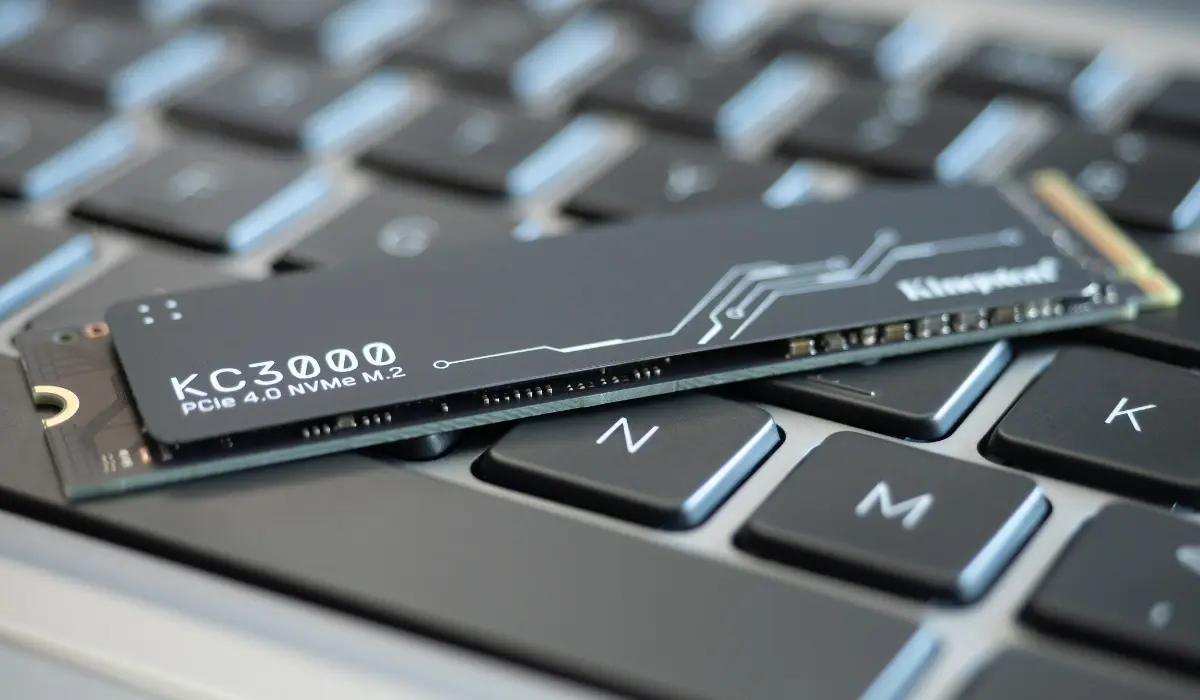
An NVMe (Non-Volatile Memory Express) SSD is also an SSD, but instead of just the drive itself, it refers to a set of protocols and interfaces designed from the ground up for flash memory . These drives typically connect via PCI Express (PCIe) , sharing the high-speed lane used by components like the graphics card.
The key difference is that SATA was designed for mechanical hard drives , while NVMe was specifically designed for SSDs to maximize their potential. This has a direct impact on speed, latency, parallelism, and scalability.
Key technical differences: interface, speed, and latency
In a purely technical comparison, NVMe is in a different league than SATA . The limitations of the data bus and the protocol make all the difference, although we'll have to see how this translates into real-world use.
The SATA III interface has a theoretical limit of 6 Gbps, which in practice translates to around 500-550 MB/s sequential read and write speeds . In fact, many drives like the Samsung 860 EVO achieve around 450-500 MB/s in real-world tests, not quite reaching the standard's maximum, but very close to it.
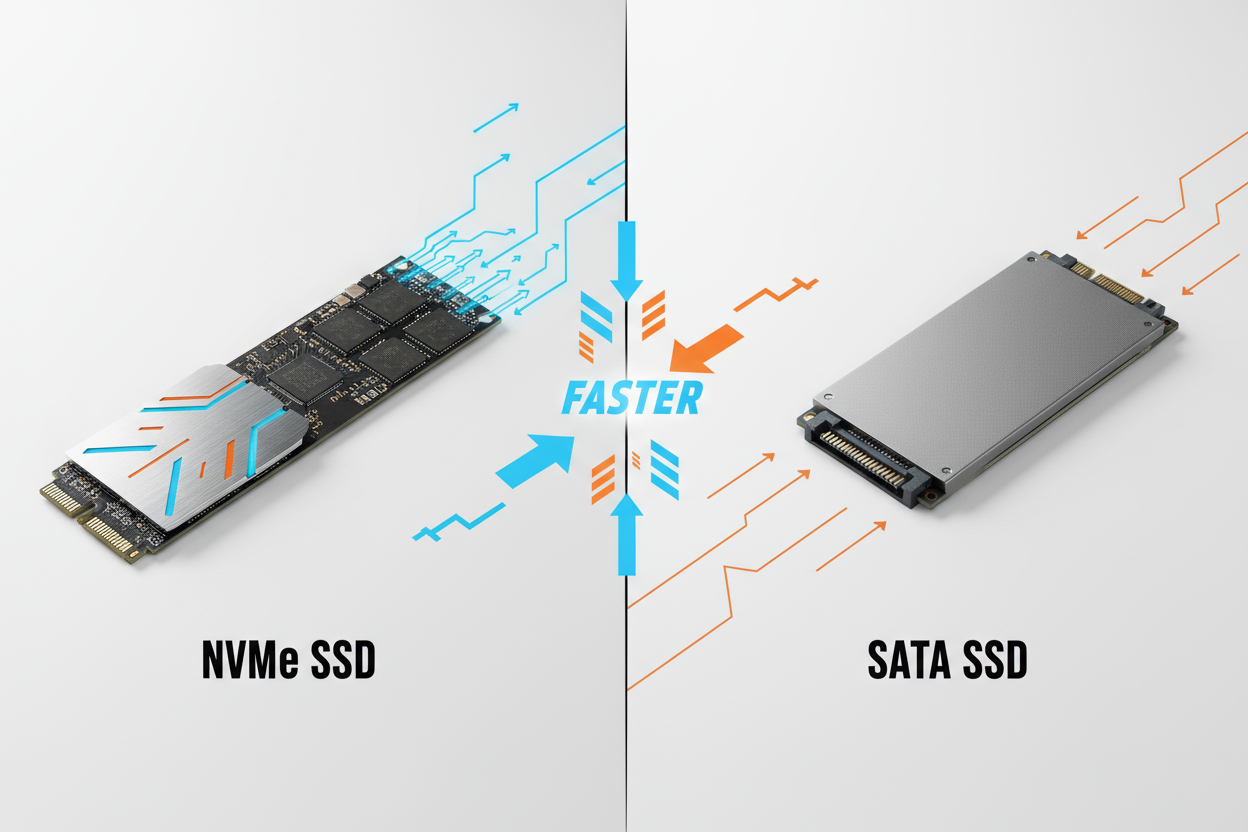
In contrast, an NVMe SSD uses PCIe lanes. With PCIe 3.0 x4, speeds between 2000 and 3500 MB/s are common , while PCIe 4.0 reaches 7000 MB/s or even more in high-end models. PCIe 5.0 goes even further, doubling the available bandwidth again with each generation.
This difference in raw speed is accompanied by a huge improvement in latency. Where a SATA SSD might take around 0,1 milliseconds to complete certain operations, an NVMe drive can drop to the order of microseconds (0,001 ms or less) . You won't notice this difference in a single isolated operation, but when thousands of input/output (I/O) operations accumulate, the system's agility becomes noticeable.
Another very important technical point is parallelism . SATA supports a queue of 32 I/O requests, while the NVMe protocol allows up to 64.000 queues with 64.000 commands each. This means that an NVMe SSD can handle a large number of simultaneous operations much more efficiently.
Bandwidth and scalability: why PCIe makes the difference
The use of PCI Express not only means higher raw speed, but also much more scalable bandwidth . Each PCIe lane carries a certain amount of data per second, and NVMe drives typically use x2 or x4 configurations in modern desktops and laptops.
With each new generation of PCIe, bandwidth roughly doubles . Thus, an NVMe PCIe 3.0 x4 drive sees its PCIe 4.0 x4 successor practically double its bandwidth, without changing the physical interface or M.2 form factor. This provides room for improvement in future SSD generations without needing to redefine the standard from scratch.
In contrast, the SATA III standard is completely fixed: 6 Gbps is its ceiling, and it's not going to go any higher . Even if new SATA drives appear, they can't surpass that limit; they can only improve in other aspects such as reliability, power consumption, or durability, but not in sustained read/write speeds.
Furthermore, PCIe connections allow for highly flexible configurations in professional environments: NVMe SSDs can be used in form factors such as U.2, PCIe cards, or even in NVMe-on-Fabric (NVMe-oF) arrays, adapting to servers, cloud storage, and mainframes . SATA, meanwhile, is becoming relegated to entry-level equipment or high-capacity, low-cost drives.
Parallelism and command queues: NVMe's secret weapon
One of the less visible but most crucial advantages of NVMe is its ability to handle parallel operations with massive queue depths . While SATA only allows 32 requests in a single queue, NVMe supports up to 64.000 command queues with 64.000 operations each.
This means that in environments with many simultaneous read and write operations, such as databases , virtual machines, rendering, or AI/ML tasks, an NVMe SSD can maintain a much more stable data flow without the system getting stuck waiting. The protocol uses a highly efficient polling mechanism instead of relying solely on interrupts, reducing response latency.
Therefore, in enterprise and data center workloads, the NVMe protocol has become the de facto standard . This is not only due to its sequential speed, but also to its ability to sustain a massive number of small I/O operations, which is precisely what stresses storage systems in real-world scenarios.
This type of saturation is not always reached on a home PC, but it is noticeable in the system's agility when we open many applications, work with heavy projects, virtualize systems, or combine gaming, streaming, and other tasks at the same time.
Real-world performance: Is it as noticeable as they say?
In synthetic benchmarks, NVMe drives dominate. A SATA SSD hovers around 500 MB/s, while a modern NVMe drive can reach speeds between 2000 and 7000 MB/s—that's 5 to 10 times faster sequential access . But the question everyone's asking is: does that difference translate into a similarly significant improvement in everyday use?
When we compare an HDD to an SSD, the leap is spectacular: the system that used to take more than a minute to boot now starts in seconds, programs open almost instantly, and the feeling of fluidity is dramatically improved. The switch from HDD to SSD is a game-changer.
However, when upgrading from a SATA SSD to an NVMe SSD, the experience is more nuanced. Operating system boot time might improve slightly, but you won't go from 30 seconds to 2; rather, you'll see differences of a few seconds, because both SATA and NVMe are already very fast at small-scale random reads.
The difference is most noticeable in tasks like copying or moving very large files . For example, a 50GB movie can take several minutes to copy on a SATA SSD, while on a mid-range/high-end NVMe drive it can be completed in less than 30 seconds, provided the rest of the chain (source and destination) is also efficient.
This is also noticeable in heavy video, audio, or photo project loads, in importing large libraries, in code compilations, or in jobs that continuously move gigabytes and gigabytes of data . In these situations, sequential speed and better queue management make all the difference.
Gaming: Does a SATA SSD limit you compared to an NVMe?
One of the most common debates concerns gaming. Many users wonder if installing a game on a SATA SSD instead of an NVMe drive will result in significantly worse loading times or even lower FPS . The honest answer is that the impact on frame rate is minimal or nonexistent; storage primarily affects loading times and the infamous stuttering caused by data streaming.
With a SATA SSD, you already see a huge improvement over an HDD. Menus, maps, and loading screens are drastically reduced. Switching to NVMe can indeed shave off a few seconds in some modern games , especially in very demanding open worlds that constantly load textures and data, but the improvement is usually not as dramatic as the raw speed figures suggest.
In some titles optimized to take better advantage of fast storage (especially on the new generation of consoles and their PC equivalents), a good NVMe drive can further reduce loading times and smooth out scene streaming . However, as of today, a quality SATA SSD doesn't "break" the gaming experience or cause catastrophic performance bottlenecks.
If you've already bought a 2TB SATA SSD at a good price and you're playing at 1080p or 1440p with a modern GPU, what will make the difference in your gaming experience is primarily the graphics card, the processor, and the amount of RAM . Upgrading to NVMe is a nice improvement, but not essential if you're coming from a capable SATA drive.
Multitasking, video editing, and heavy workloads
For professional or advanced use, NVMe is much more advantageous. If you work with 4K or 8K video editing, large multitrack audio projects, or extensive photo libraries , the sequential and random read and write speeds of an NVMe drive make a significant difference.
When playing very high-resolution video directly from the drive, a SATA SSD can reach its limits and cause slight stuttering if the data rate is very high and combined with other parallel operations. An NVMe drive, thanks to its greater bandwidth, handles the continuous reading of huge files much more smoothly.
In hardcore multitasking, with several heavy applications open, virtual machines, browsers full of tabs, and background file transfers, NVMe's faster access times and higher concurrent I/O capacity help the system feel more "agile," without micro-stutters or momentary freezes.
For AI, machine learning, or data analysis tasks, where large volumes of information and models are frequently loaded into memory, NVMe perfectly fits current needs . In fact, the NVMe protocol has been developed in parallel with these technologies precisely to cover these types of scenarios.
Compatibility: Can you install an NVMe drive in your computer?
Before rushing out to buy an NVMe SSD, you should check if your motherboard or laptop actually supports this type of drive . Most computers from the last 5-7 years include an M.2 slot, but not all M.2 slots are created equal.
Some M.2 slots only support SATA drives; that is, they physically resemble an NVMe drive but internally function like a SATA SSD and are limited to approximately 550 MB/s. To take advantage of NVMe, the slot needs to explicitly support PCIe/NVMe. This is usually indicated in the motherboard or laptop specifications.
On older devices with only SATA connectors, it's not possible to use an NVMe M.2 SSD natively because there are no PCIe lanes connected to that slot. In those cases, the best upgrade is still to install a 2,5-inch SATA SSD, which is already a huge leap from an HDD.
In modern systems, however, NVMe works seamlessly with all current operating systems (Windows, Linux, macOS on compatible devices, next-generation consoles, etc.). It's the natural choice if your hardware allows it, whether for home, professional, or gaming use.
Cost: price per GB and value for money
In terms of cost, SATA SSDs are still generally cheaper than their NVMe counterparts, especially at higher capacities. A 2,5-inch, 1TB SATA SSD from a well-known brand can be found at a fairly reasonable price, while the NVMe version with similar specifications usually costs more.
That said, the increasing popularity of NVMe has driven prices down, and today the cost difference per GB is no longer as significant as it was a few years ago. In many product ranges, the price gap between a 1 TB or 2 TB SATA drive and an NVMe drive is relatively small considering the performance improvements.
In the enterprise environment, things change: professional-grade NVMe SSDs (with high durability, advanced data protection, and features for servers and storage arrays) can reach very high prices. In these scenarios, the investment is justified by the enormous performance and reliability they offer under 24/7 workloads.
For the average user who browses the web, watches multimedia content, and stores documents and photos, a SATA SSD may still be the most sensible option if budget is tight. But for demanding gamers, content creators, and professionals, the slight price premium of an NVMe drive is usually well worth it.
Does NVMe make SATA obsolete in practice?
From a purely technological standpoint, NVMe clearly outperforms SATA in almost every relevant aspect: speed, latency, parallelism, scalability, and compatibility with modern workloads. As software, games, and AI tools continue to grow in size and complexity, the market trend is clear: NVMe is becoming the new standard.
However, that doesn't mean SATA SSDs are obsolete. They remain ideal as fast and inexpensive secondary storage , for increasing capacity in systems that already have a primary NVMe drive, for older PCs that lack an M.2 PCIe slot, or for users who simply want a responsive system without breaking the bank.
In a modern PC, a very reasonable configuration is to use an NVMe drive as the system drive and for more demanding programs and games , and complement it with one or more SATA SSDs (or even HDDs) to store large libraries, backups, movies, photos, and other data that is less sensitive to access time.
The reality is that, in many cases, the bottleneck is no longer storage but the CPU, GPU, or even software optimization. Therefore, it doesn't always make sense to replace a good SATA SSD just to shave a few seconds off loading times if you don't need to move huge volumes of data daily.
If your computer has a free M.2 PCIe slot and your budget allows it, an NVMe SSD is the most balanced option for the future: it offers speed, low latency, and better responsiveness in demanding scenarios , it handles modern games and resource-intensive applications well, and its price is no longer prohibitive. SATA, meanwhile, remains the king of cost/capacity for less critical uses and as a perfect complement to a good NVMe drive.
