- Most RAID system disasters are aggravated by hasty actions in the first few minutes after the failure.
- Each RAID level manages data and parity differently, which determines the actual risk and the recovery strategy.
- The professional intervention combines disk cloning, virtual array reconstruction, and advanced logical analysis techniques.
- A RAID does not replace backups: prevention and an orderly response are key to saving data.
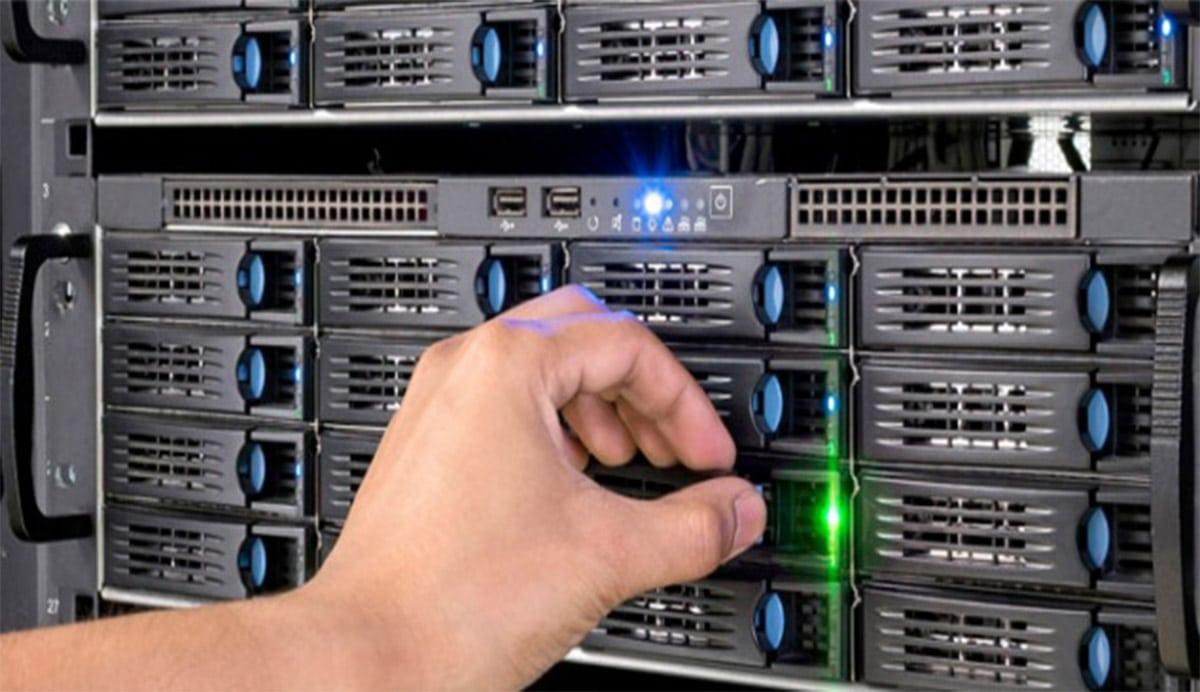
When a RAID system fails, the first few minutes are critical. In that so-called "golden hour" after the failure, most human errors occur, turning a recoverable problem into an irreversible disaster. Blindly swapping disks, constant restarts, or attempting to rebuild without knowing what's wrong are usually the fastest path to total data loss.
Why is RAID recovery so delicate?
In many critical incidents, data loss is not caused by the initial hardware failure, but by hasty actions taken during the first hour . This period is crucial: a disk might change position, an initialization process might be initiated in error, a rebuild might be forced, or the system might boot from an incomplete backup on the same storage array, and what was once a complex but manageable problem becomes a nearly impossible puzzle.
The most common risk situations include swapping disks in the wrong order (in RAID 0, 1, 5, 6, 10, etc.), replacing the controller with another model without cloning or documenting the configuration, forcing disks "online" without analyzing the actual state, initializing the wrong volumes, or launching rebuilds that are left unfinished and further corrupt the internal structure of the array.
Also especially dangerous are backup restores directly onto the damaged system , VMware Storage vMotion-type storage migrations with an unstable array, and any operation that writes new RAID configuration metadata onto disks with potentially recoverable information.
A RAID array is the foundation of most physical servers, NAS, and SAN systems, and it's not always immediately clear that the problem originates from the array itself. Therefore, when in doubt, the wisest course of action is to stop all writes to the disks , document the situation in detail, and seek advice from data recovery specialists before making any further changes.
Typical human errors and basic good practices
When a RAID system enters a degraded state, one or more disks fail, or the NAS won't boot, the instinctive reaction is usually to try things "until something works." This approach almost always ends up worsening the problem because every action leaves a trace on the disks and can overwrite parity, metadata, or user data that is still intact.
Among the most frequent errors that complicate recovery are actions such as configuring a new RAID using the same controller and disks , inserting those disks into a different storage enclosure to "see if it recognizes them," or changing the physical order of the drive bays. In a high percentage of cases, these actions overwrite the original configuration, destroy the parity stripes, and drastically reduce the chances of success.
Another common bad practice is failing to record anything that happens. In a complex failure scenario, it's vital to chronologically log all events : power outages, system messages , disk changes, rebuild attempts, firmware updates, etc. This information later helps specialized technicians piece together the puzzle.
It is equally important to document and preserve the exact position of each disk in the array . Changing disk bays "by eye" or discarding supposedly dead disks is reckless: if the RAID needs to be reassembled in a lab later, knowing which disk was in which slot and having all the original disks (even the replaced ones) available can make all the difference.
As a general rule, in the event of a RAID failure, the following actions should be taken: stop the computer, do not reconfigure anything, keep all disks labeled , gather as much information as possible about the incident, and, if the data is important, contact a professional recovery service before continuing to experiment.
How professionals approach RAID system recovery
Companies specializing in RAID data recovery work with highly structured procedures because every technical decision must minimize the risk of further damage . In a typical case with multiple disks and terabytes of data at stake, any improvised step can be costly.
A very illustrative real-world example is that of a RAID array with twelve disks and approximately 12 TB of data. The backup had not been managed correctly, so the only viable solution was to contact a professional RAID data recovery company . The situation was urgent; operations needed to resume as soon as possible, and the array had already reached a critical state after two disks failed during a reconfiguration.
In such scenarios, specialists typically begin by cloning all working disks and always working on copies, not the originals. At the same time, they attempt to repair, as far as possible, the physically damaged drives, either through laboratory intervention (cleanrooms, head replacement, donor electronics, etc.) or with advanced partial read techniques.
In the case of the 12 TB drive, the biggest problem was that the RAID reconfiguration had started before the second failure , so the controller had already partially recalculated the new parity values. The relative advantage was that the second disk failed in the early stages of the process, so much of the old logical structure was still recoverable.
After recovering one of the damaged disks and generating a complete copy, the challenge was to manually reconstruct the logical structure of the array : disk order, block size, parity distribution, possible changes mid-process… This work, which can take several days of analysis, allowed us to recover around 90% of the data, which, given the circumstances, is considered a high success rate in RAID recovery.
Professional services: what they usually offer and how they work
Companies specializing in RAID data recovery typically offer fast, free diagnostics , especially for critical servers or production NAS devices. In some cases, they commit to assessing the problem within a few hours, providing a feasibility report and a fixed price quote, and adhering to a "no recovery, no charge" policy.
A typical service begins when the client requests a free quote to recover their RAID . In this initial phase, information is gathered about the array type (RAID 0, 1, 5, 6, 10, JBOD, etc.), the number of disks, the file system (e.g., ext4, Btrfs, XFS, HFS+, NTFS…), the hardware involved (Synology NAS, QNAP, brand-name servers, SAN arrays…), and a detailed description of the symptoms and actions taken so far.
Once the study is accepted, the company usually arranges a free collection of the equipment or discs , indicating precise packing instructions: use antistatic or padded wrapping, place the device in a rigid box with shock-absorbing material, prevent the discs from moving during transport and label well with the application number.
Back in the lab, the technicians perform a physical and logical diagnostic of each disk , create bit-by-bit images whenever possible, evaluate the condition of the sectors, and decide how to virtually reconstruct the RAID. Only then is a final quote presented, including the estimated percentage of recoverable data and the approximate turnaround time.
If the client approves, the actual recovery process begins. After stabilizing the drives and setting up the RAID in a controlled environment, the specialists generate a list of accessible files. Up to this point, the client typically hasn't paid anything . Only if the list is satisfactory are the data copied to new storage media (an external hard drive, a replacement NAS, etc.) and sent back to the client, almost always with shipping included.
Fundamentals: how a RAID works on the inside
A RAID system, simply put, is a set of physical disks that are presented to the operating system as a single logical unit . The key lies in how the data is distributed and, potentially, the parity between the disks to gain performance, capacity, fault tolerance, or a combination thereof.
RAID technology allows data to be distributed in stripes or blocks that are written in parallel across multiple disks, accelerating access by combining transfers. Additionally, redundant data (parity) is stored at certain levels to recalculate the data from a failed disk without service interruption, provided the failure limits specified in the array design are not exceeded.
Another important advantage is the ability to hot-swap disks on many systems. This means that a faulty disk can be physically removed and replaced without shutting down the server or storage array, allowing the controller to reconstruct the lost data on the new disk in the background while the system continues to operate.
There is no single "perfect RAID level" that fits all scenarios. Each level prioritizes a different balance between performance, security, and usable capacity . Therefore, it's crucial to understand what type of RAID is configured before attempting any repair or recovery operations.
When something goes wrong, the RAID itself can usually reconstruct the data if the planned fault tolerance is met. However, when several physical, logical, or human problems occur in succession, the array can lose coherence and become unable to recover on its own, requiring expert intervention.
Common RAID levels and their characteristics
Each RAID level manages data distribution and parity between disks differently , resulting in very clear differences in behavior in the event of a failure. Understanding these differences helps assess the actual risk of a failure and the likelihood of a successful recovery.
RAID 0, known for its high performance, distributes data in stripes across at least two disks without storing any redundant information. This means that the loss of a single disk results in the loss of the entire volume , since parts of each file are spread across all drives. Its main advantage is speed, but from a data security perspective, it is very vulnerable.
RAID 1, or mirroring, maintains identical copies of data on two disks . If one fails, the other continues operating seamlessly. It's simple, reliable, and offers good read speeds, although it sacrifices usable capacity, as the available space is equivalent to that of a single disk in the pair. In recovery, having at least one of the disks intact usually makes things much easier.
There are also RAID levels like RAID 3 and RAID 4, less common today, which combine data disks with a dedicated parity disk . In RAID 3, access to the data disks is simultaneous, and the parity disk becomes a potential bottleneck, while RAID 4 allows more independent access to each data disk, improving performance under certain workloads.
RAID 5 is probably the most widely used RAID configuration in server and NAS environments. It distributes data in stripes across multiple disks and interleaves parity blocks distributed among all the drives , without dedicating a single disk exclusively to that function. This configuration allows for the recovery of data on a replacement disk if one fails, provided a second failure does not occur during the recovery process.
RAID 6 takes security a step further by storing two parity blocks for each data set , allowing it to withstand the simultaneous failure of up to two disks without data loss. It requires more disk capacity for parity and more computing power, but in return offers a much greater margin of error in the event of chained failures, a highly valued feature in large arrays.
In addition to these "classic" RAID levels, there are combinations such as RAID 10 (mirroring + striping), RAID 50 or 60, and linear or JBOD configurations, where disks are simply concatenated to form a large volume , without true redundancy. In none of these cases does RAID replace a well-designed backup system.
Typical RAID system failures and when recovery becomes complicated
RAID systems have a reputation for robustness, and rightly so, but they are not immune to problems. In practice, physical, logical, and human errors occur , often intertwined and leading to challenging recovery situations.
From a logical standpoint, one of the most serious obstacles is the loss or corruption of parity stripes . When the metadata that indicates how data and parity are distributed across disks degrades, the RAID can no longer regenerate the information on its own, and external intervention is required to locate and rebuild these stripes manually or semi-automatically.
Regarding hardware, statistics indicate that a small percentage of disks in any given infrastructure may physically fail each year, around 2-3%. In an array with many disks, this means that the chances of at least one failing are not negligible. Mechanical failures, power surges, faulty firmware, extreme temperatures, or poor-quality components are common causes of physical failures.
The problems worsen when a second failure occurs during a rebuild, especially in RAID 5 or configurations with many disks. If, while the system is regenerating data from a failed disk, another disk begins to experience serious errors, the array can go from degraded to completely inaccessible. When more disks fail than the expected tolerance , the RAID's internal logic is no longer sufficient, and advanced recovery techniques must be used.
Human error completes the cocktail: delaying the replacement of a disk that was already giving warnings, ignoring controller alarms, improperly shutting down systems in the face of repeated power outages , installing inadequate drivers , forcing continuous restarts, or applying maintenance procedures without recent backups are practices that greatly increase the risk of data loss.
Use of specialized software: a practical example with R-Studio
When the RAID is no longer accessible through the original controller, one of the technical options is to virtually rebuild the array using specialized software . Tools like R-Studio allow you to detect still-consistent RAIDs as if they were normal volumes, and in more serious cases, to create virtual RAIDs from disks or disk images.
The operating principle involves creating a virtual RAID array based on physical disks or their image copies , by manually entering parameters such as the number of disks, block size, starting offset, RAID type (0, 1, 4, 5, 6, 10, JBOD, ZFS RAIDZ, RAIDZ2, etc.), and disk order. Once the software detects a valid file system, this virtual RAID array is presented as a navigable volume from which files can be listed and recovered.
For example, for a simple RAID 5 array with three disks, 64 KB blocks, and asynchronous left parity, you would simply select the three disks in the correct order , specify the block size, set the appropriate offset, and let the tool identify the partition. From there, you can open the volume, examine the folders, preview files (especially large ones), and verify that the structure has been mounted correctly.
In more complex configurations, such as a RAID 5 with 4KB blocks and a custom parity pattern, a block order table must be manually defined . This involves entering, row by row, which disk contains each data or parity block, ensuring the sequence is consistent. The software alerts you when it detects inconsistencies in this table so they can be corrected before applying the changes.
An important precaution is that these virtual RAIDs are purely logical objects within the software : they don't write anything to the original disks from which they were created. This allows you to experiment with different combinations of parameters until you find the one that correctly rebuilds the file system without risking further damage.
In cases where a physical disk is missing, some tools allow you to replace it with a "missing disk" or an empty block of space, simulating the behavior of a degraded RAID. Even so, for file recovery to be reliable, all parameters must be correct; a single incorrect block size or a miscalculated offset can corrupt the extracted files, hence the importance of technical expertise.
RAID types and their behavior in the face of data loss
Beyond the classic RAID levels, today's RAID systems support a wide variety of hybrid and linear configurations . Each presents distinct challenges when it comes to recovering data after a critical failure.
In a RAID 0 (pure striping) array, data is fragmented into small groups that are written sequentially to all disks in the array. The total capacity is the sum of all the drives, but there is no redundancy of any kind . If one of the disks fails, the entire volume becomes unusable, and the only recovery option involves advanced techniques that attempt to reconstruct what can be done from the surviving disks.
RAID 1 always maintains identical copies of all data on each disk in the mirror . This simplicity is a great advantage in recovery processes, because if one of the disks remains intact, its data can be accessed directly as if it were an independent disk, or its contents can be copied to a new drive and the mirror recreated later.
In RAID levels like RAID 4 and RAID 5, where parity is distributed differently, the usable capacity is typically the sum of all disks minus the capacity of just one. The need to mathematically reconstruct a disk's data from parity is what complicates recovery when failures occur sequentially and more disks are lost than the design allows.
Linear or JBOD (Just a Bunch Of Disks) configurations group several disks of the same or different sizes to form a single, larger logical unit without distributing data in parallel. They offer no significant performance improvements or redundancy: if any disk fails, access to the entire volume is lost . Recovery in these cases involves working on each disk and manually reconstructing the content from the unaffected segments.
All these scenarios highlight that, however advanced storage technologies may be, external and verified backups remain essential . RAID reduces or eliminates downtime in the event of certain failures, but it does not protect against accidental deletions, logical corruption, malware attacks, or configuration errors that destroy information at the file system level.
Key tips to minimize risks and protect your data
The first recommendation, however obvious it may seem, is to maintain a regular backup policy that doesn't rely on the RAID itself. This includes servers, workstations, smartphones, NAS systems, and any other device where valuable data is stored. Only in this way, in the event of a serious failure, can service be restored without depending on the success of a forensic recovery.
If an incident still occurs and there's no usable backup, the wisest course of action is to avoid any attempt at a DIY repair without a clear understanding of the steps and their potential consequences. Before running file system repair tools, initiating automatic rebuilds, or swapping drives between bays, it's advisable to consult with data recovery specialists and explain the situation to them in detail.
It is also essential to pay attention to early signs of failure : disks that start showing reallocated sectors, controllers that generate alerts, system logs with I/O warnings, storage arrays that mark an array as degraded… Ignoring these symptoms out of laziness or fear of stopping the service is usually the prelude to a much more serious and costly failure.
Finally, when the data is valuable, it's worthwhile to have a trusted data recovery provider identified beforehand . When the time comes, having a direct contact shortens response times, allows you to receive precise instructions from the outset, and increases the likelihood of recovering as much data as possible.
The experience accumulated in countless cases demonstrates that the combination of a suitable RAID design, reliable backups, a calm response to failure, and specialist support when needed is what truly makes the difference between a controlled scare and a catastrophic data loss.