- Raspberry Pi is the ideal core for home automation and IoT due to its low power consumption, good performance, and huge open-source software ecosystem.
- Platforms such as Home Assistant, Domoticz, OpenHAB or Mycroft allow you to create smart hubs, voice assistants and IoT gateways without depending on the cloud.
- The various Raspberry Pi models and their combination with microcontrollers facilitate scalable projects in home, agriculture, industry, and health.
- Security (updates, encryption, segmented networks, and SSD usage) is key when using Raspberry Pi as a hub for smart devices.
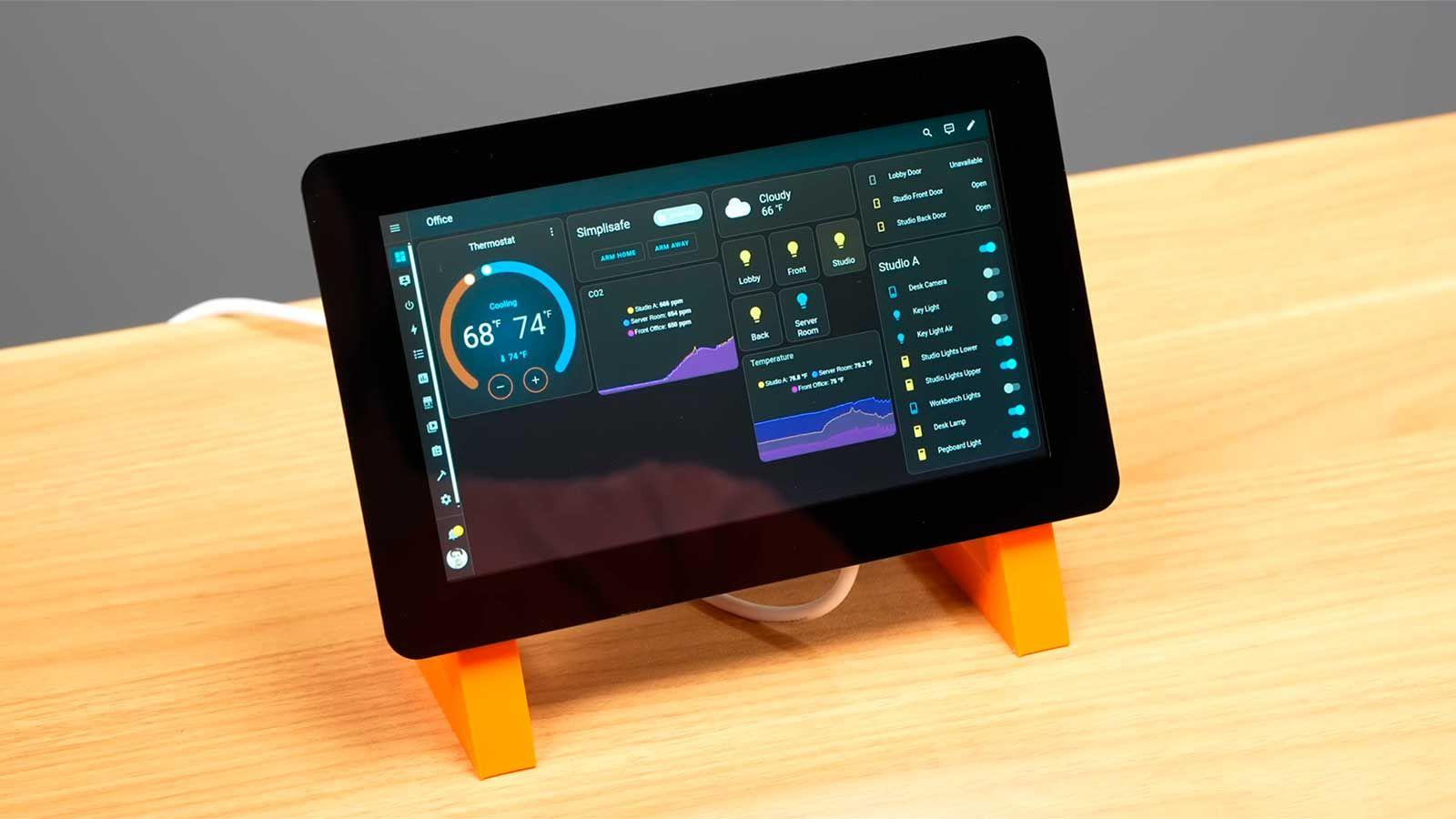
The Raspberry Pi has become the perfect brain for building all kinds of smart devices at home, at work, or in more advanced IoT projects. From a simple touch panel to control lights to an industrial gateway that collects sensor data, this mini-computer offers a wealth of possibilities without breaking the bank.
If you're interested in setting up a flexible smart home, independent of the cloud and with complete control over your data, combining Raspberry Pi with platforms like Home Assistant , Domoticz, OpenHAB, Mycroft, or even more niche solutions like PiDome or Calaos is a true Swiss Army knife. Let's take a detailed look at what you can do, what software is available, and how it all fits into the world of the Internet of Things.
Raspberry Pi as a hub for smart devices
Raspberry Pi is a family of single-board computers (SBCs) created in the UK and based on Arm architecture, designed from the outset to be inexpensive, versatile, and easy to use. In practice, this means that for a very reasonable cost, you have a machine capable of running 24/7 as the brain of your connected home, automation server, or IoT gateway.
The foundation and company behind the project have spent over a decade designing well-documented, modular devices , with versions ranging from classic boards (Pi 2, 3, 4, 5, 3A+, 3B+) to real-time, ultra-low-power models like the Raspberry Pi Pico and the RP2 chip family. This has led to a booming ecosystem: millions of users, tons of tutorials, and an active community willing to help with almost any project, from education to commercial products.
In addition to the boards themselves, Raspberry Pi offers official and third-party accessories (power supplies, cases, cameras, displays, HATs, etc.) and maintains an extensive network of certified distributors and design partners. For those looking to add "intelligence" to a product or home automation system, it provides a stable foundation with support, certifications, and long-term reliability.
Why the Raspberry Pi fits so well into home automation and IoT
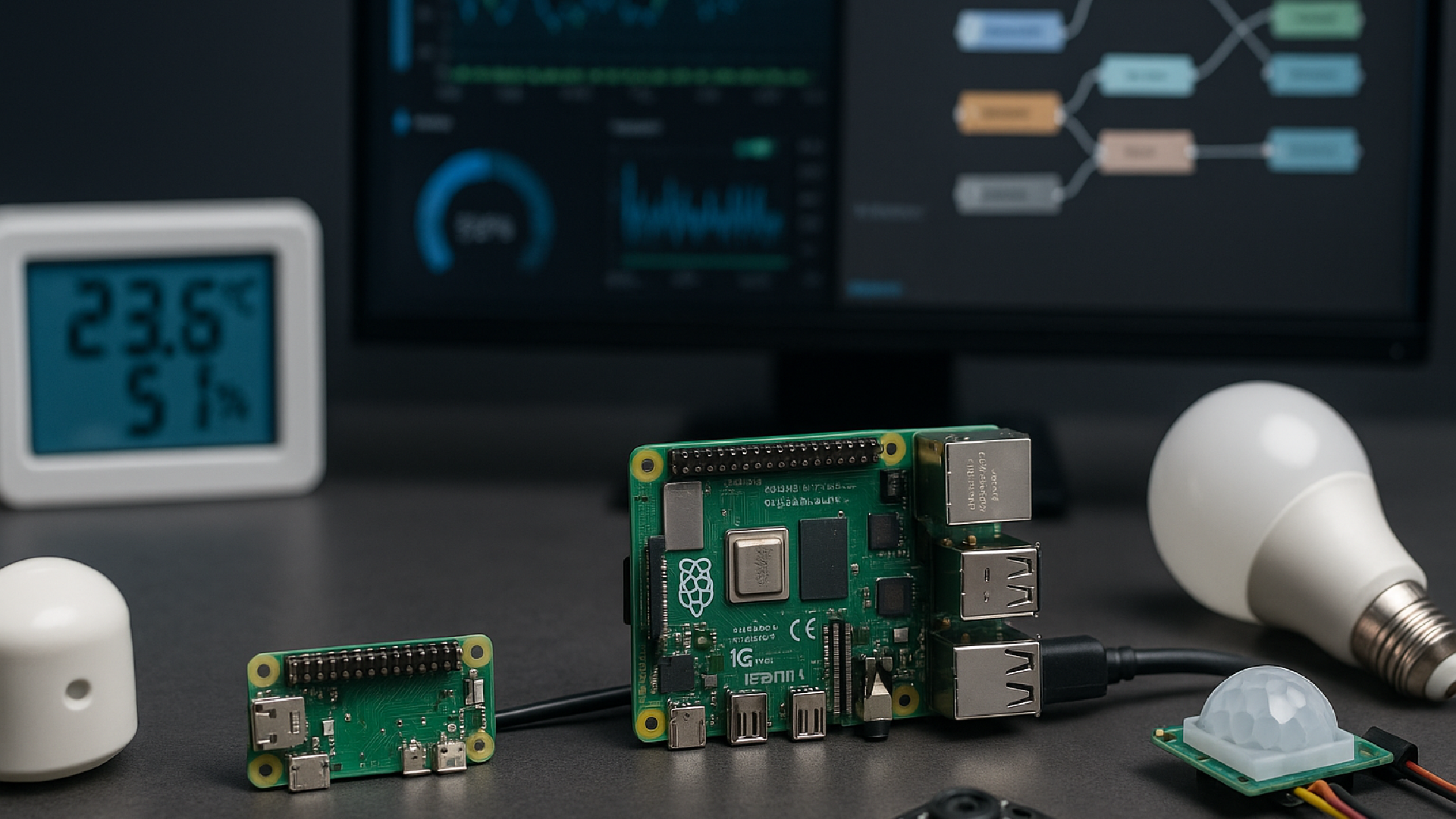
One of the great advantages of the Pi is its price-performance ratio . There are very economical models, such as the Pi Zero, designed for massive deployments or single nodes, and more powerful versions like the Pi 4 or Pi 5 that allow you to run a home automation server, an MQTT broker, a database, and even AI applications at the edge without breaking a sweat.
In terms of connectivity, the board is very well equipped: Wi-Fi and Bluetooth are standard on most recent models, there's an Ethernet port (in some cases Gigabit), HDMI for connecting a display, and above all, the famous GPIO pins, which allow you to connect smart sensors , relays, communication modules, and all kinds of additional electronics. In addition, it's compatible with USB dongles for Zigbee, Z-Wave, LoRaWAN, LTE, and more, so you can speak virtually any smart home "language."
Another key point is its role as an "always-on" device. The Raspberry Pi is designed to consume very little power during continuous operation , making it ideal as a home automation server, IoT gateway, media server, or automation hub that operates 24/7. It's not like having a bulky PC running all the time; the impact on your electricity bill is minimal.
All of this is supported by a huge global community , with forums, official documentation, and all kinds of completed projects: automated irrigation, weather stations, security systems, smart doorbells, touch panels, local voice assistants, and more. If you have an idea, it's very likely that someone has already done something similar and documented it.
Roles that Raspberry Pi can play in a smart environment
In a smart home or IoT project, the Raspberry Pi can take on several roles simultaneously, or focus on just one if you need something very specific. In practice, the most common uses revolve around three functions : gateway, edge computing node, and home automation server.
As an IoT gateway, the Pi collects data from sensors and actuators (temperature, humidity, CO₂, cameras, motion detectors, energy meters, etc.) and sends it to the appropriate location: a cloud service like AWS, Azure, or Google Cloud, or a local server like Home Assistant or Node-RED. It can also translate between various protocols, for example, from Zigbee to MQTT.
In its role as an edge computing device, the Raspberry Pi processes and filters information locally before sending it to other systems, which is part of datafication . Consider, for example, a production line where machines are monitored: the Pi can analyze vibrations, temperature, or power consumption and trigger alerts when it detects an anomaly, without having to go to the cloud for each reading, thus reducing latency and connection dependency.
As a home automation server, the Pi can run platforms like Home Assistant, Domoticz, OpenHAB, Jeedom, PiDome, or LinuxMCE , orchestrating lights, outlets, blinds, climate control, cameras, alarms, and audio systems from a single point. With a touchscreen, it becomes a fixed control panel; with secure remote access, it functions as a central home console from anywhere.
Furthermore, it plays a crucial role in education and prototyping: engineers, makers, and training centers use it to quickly test ideas, teach programming, electronics, and IoT, and as a foundation for products that are later mass-produced. The learning curve is very manageable, which encourages experimentation without fear.
Home automation and IoT projects with Raspberry Pi
In purely domestic terms, one of the most common applications is the comprehensive control of a smart home using a Raspberry Pi, a demonstration of technology in the home . For example, if you have lights, plugs, thermostats, blinds, and other gadgets scattered around your house, you can set up a small "panel" with a Pi 4 or Pi 5 and a touchscreen, so you can forget about using your phone every time you want to change something.
A 7- or 10-inch touchscreen with a 1024x600 resolution , connected via HDMI and powered by the Raspberry Pi itself, is usually sufficient for this purpose. Many models are designed specifically for the Raspberry Pi and even include integrated speakers, opening the door to multimedia control or voice prompts. The size then comes down to personal preference and available space: 7 inches is generally convenient and discreet; 10 inches offers a bit more screen space, but can be bulkier if you want to mount it on the wall.
One of the most striking projects in the home automation sector is the so-called "Pi Smart Radio Assistant ," built on a Raspberry Pi 4 and using SDR (software-defined radio) technology. In this setup, the Pi becomes a voice-activated home assistant accessed via walkie-talkie, processing commands and returning voice responses over the radio. It's a different way to have a similar assistant to commercial ones, but without relying on cloud services and with complete privacy control.
This radio assistant integrates with Home Assistant to remotely control smart devices (lights, plugs, sensors, etc.) while keeping all processing local. This gives you something similar to Alexa or Google Assistant, but with the advantage that it's yours, you can modify it, and it's not sending audio to external servers.
This project is part of a larger collection of practical smart home setups using Raspberry Pi : internet radios and Bluetooth MP3 players, modern jukeboxes, systems for controlling a sauna with sensors and actuators (SaunaKit), automated coffee roasters, and various devices that combine home automation, audio, and remote control. All of them rely on the Pi's flexibility to handle inputs and outputs, connect to the network, and run custom software.
Main smart home software platforms on Raspberry Pi
To get the most out of the Raspberry Pi as a home automation brain or IoT gateway, you need a good software suite. Fortunately, the ecosystem of open-source tools for home automation on Raspberry Pi is vast, with options for almost every taste and experience level.
The current star is Home Assistant, an open-source automation system that can be installed as Home Assistant OS (formerly Hass.io) , a Raspberry Pi-specific image that integrates an operating system, web interface, automation engine, and a vast ecosystem of add-ons. With this solution, the experience is very similar to that of a household appliance: you flash the image onto a microSD card or SSD, and upon powering it on, you have a home automation server ready to configure.
Home Assistant stands out for its support of a massive number of integrations : lighting control systems like Philips Hue, Zigbee, Z-Wave, Samsung SmartThings, Sonos, services like IFTTT, multimedia platforms like Plex, and even integration with Alexa and Google Assistant if you want to combine cloud and local control. The interface is translated into Spanish, it has a huge community, and its documentation is very polished, making it the top recommendation for anyone wanting to get started on the right foot.
Domoticz is another very popular alternative, lighter and with very low resource consumption , ideal if you want to take advantage of a more modest Raspberry Pi or a highly optimized setup. It's compatible with Z-Wave, Zigbee, Philips Hue, and many other devices, allows you to configure rules, scenes, and routines, and can send notifications via email or messaging apps. Everything is managed via the web or third-party apps, making it very versatile.
OpenHAB, for its part, is a home automation platform with a long history and extensive documentation specifically for Raspberry Pi . It's open source, boasts a loyal community, offers over 200 available integrations, and features mobile apps for Android and iOS. Its focus is on being the "glue" that binds together different manufacturers, protocols, and technologies, with a relatively straightforward setup if you follow its step-by-step guides.
Other interesting solutions include Calaos (a complete operating system for home automation with support for touchscreens, native apps and a web server, with much of the documentation in French), Jeedom (also open source, with the option of pre-configured devices for those who don't want to set everything up from scratch), PiDome (specifically geared towards Raspberry Pi, with a customizable panel) and LinuxMCE, which combines multimedia center and home automation functions in a very versatile Linux distribution.
Voice assistants and natural language control on Raspberry Pi
Beyond traditional home automation platforms, there are projects that transform the Raspberry Pi into a fully DIY smart voice assistant . The best-known example is Mycroft, an open-source assistant that runs on Linux and has a dedicated image for the Pi, as well as ready-to-use versions for standard distributions like Raspberry Pi OS.
With Mycroft, you can build your own Raspberry Pi-based "smart speaker" using a USB microphone, a speaker, and a microSD card . From there, you can install skills (functional modules) that offer features such as news feeds, media control, web searches, and, of course, integration with home automation systems to control lights, plugs, or other devices by voice.
A very powerful option is to combine Mycroft with Home Assistant or Plasma Bigscreen OS. Plasma Bigscreen is a system designed to turn the Raspberry Pi into a home theater PC with an interface similar to Android TV , and it also integrates Mycroft as standard. This way, with a single installation, you can have a media center, voice assistant, and smart control panel, whether connected to the TV in the living room or on a wall-mounted touchscreen.
The aforementioned Pi Smart Radio Assistant is another twist: instead of using a direct microphone, it relies on SDR radio and walkie-talkies to create a decentralized voice channel disconnected from the cloud , maintaining the smart assistant logic but with a focus on privacy and scenarios where data coverage is not guaranteed.
Raspberry Pi as an IoT gateway and server
In the broader context of the Internet of Things, the Raspberry Pi functions as a kind of central node between the physical and digital worlds . It receives data from sensors (temperature, humidity, air quality, presence, energy consumption), processes it, and forwards it to other systems for storage, analysis, or visualization.
In this context, it relies heavily on lightweight protocols designed for devices with limited resources. The most important is MQTT, a standard that is practically indispensable in any modern IoT architecture. A Raspberry Pi can run an MQTT broker like Mosquitto, acting as a meeting point for sensors (which publish data) and applications (which consume it).
It can also handle other specific protocols, such as CoAP (optimized for small devices) , HTTP/HTTPS for more traditional integrations, and thanks to USB dongles, it can work with low-power, long-range networks like Zigbee, Z-Wave, or LoRaWAN. Bluetooth Low Energy (BLE) allows the Pi to communicate with beacons, proximity sensors, and wearables.
To orchestrate data flows visually, a very common tool on Raspberry Pi is Node-RED, which offers node- and connection-based programming . With it, you can, for example, subscribe to an MQTT topic, process the readings, store them in a temporary database like InfluxDB, and then visualize them with Grafana in custom dashboards.
If the deployment grows, it makes a lot of sense to use Docker to containerize IoT services (MQTT broker, web server, Home Assistant, databases, etc.) and even platforms like BalenaOS to manage a fleet of geographically distributed Raspberry Pi devices, simplifying updates and maintenance on a large scale.
Practical uses in home, agriculture, industry and health
At home, the Raspberry Pi allows you to build anything from a simple control panel for lights, blinds, and heating to energy monitoring systems, alarms with connected IP cameras and local storage, or air quality monitoring stations. You can turn lights on and off, control the thermostat, configure night or vacation scenes, and everything is centralized.
In agriculture, the Raspberry Pi is a perfect fit for smart irrigation projects and connected greenhouses . Soil moisture, temperature, and light sensors feed the Raspberry Pi with constant data; based on rules or even predictive models, it opens or closes solenoid valves, activates ventilation, or sends alerts if anything is out of the ordinary. With LoRaWAN, large areas of land can be covered without needing Wi-Fi everywhere.
Within the so-called Industry 4.0, the Raspberry Pi can be used to collect metrics from machines and electrical panels , send data to SCADA systems or analysis platforms and, with the help of AI libraries optimized for ARM (TensorFlow Lite, PyTorch), perform predictive maintenance: the Pi itself detects strange patterns that anticipate a breakdown, thus avoiding more costly downtime.
In the healthcare and research sectors, its ability to process sensitive data without the need for an external cloud is leveraged . This includes local environmental monitoring stations (for example, particle control in laboratories), biomedical recording devices in clinics or operating rooms, and research platforms where information is stored on servers controlled by the institution itself.
All of this relies on the same set of components: lightweight protocols, an inexpensive but capable board, well-maintained automation software, and the ability to adjust the level of complexity according to need , from a single sensor to installations with dozens of nodes.
Raspberry Pi models and choices for smart projects
When you're planning a Raspberry Pi smart device project, you need to decide which model is the best fit . A simple battery-powered sensor node is not the same as a home automation server with a database, web interface, and voice processing.
For very light tasks, such as reading one or two sensors and sending data via Wi-Fi or UART, a Raspberry Pi Zero or Zero W is more than sufficient: they consume very little power, are inexpensive, and fit almost anywhere. For a touch panel on the wall or a serious home automation hub, it's usually best to opt for a Pi 4 or Pi 5, which offer more RAM, a better CPU, and the option of using fast SSD storage (in the case of the Pi 5, even NVMe).
Intermediate models like the Pi 3, 3A+, and 3B+ remain perfectly suitable for many installations and are often more affordable on the secondhand market. They retain Wi-Fi and Bluetooth connectivity, as well as GPIO pins, so they continue to function well as thin servers or gateways.
If the focus is on real-time control with ultra-low power consumption, the Raspberry Pi Pico family and RP2 chips might be of interest , as they are microcontrollers rather than complete computers. Many projects combine them: an ESP32 or Pico-type microcontroller handles sensor reading and local actuation, while a standard Raspberry Pi acts as a gateway and high-level processor.
The key is understanding that Raspberry Pi and microcontrollers don't compete, they complement each other . The microcontroller handles the hardware, while the Pi centralizes data, stores history, provides dashboards, and can run more complex logic or even AI models.
Safety and best practices in smart projects with Raspberry Pi
By turning a Raspberry Pi into the control center for many smart devices , home network security goes from being a minor detail to a critical issue. A single oversight can open a door to your entire home network or even your industrial systems.
The first step is to keep the operating system and packages regularly updated . Raspberry Pi OS and various home automation distributions frequently release security patches, and it's advisable to apply them. It's also recommended to disable unused services and immediately change default passwords.
For remote access, it's best to use SSH with key authentication instead of simple passwords. When connecting from outside your home network, it's ideal to set up a VPN or use secure access mechanisms offered by the platforms themselves (for example, official Home Assistant services) rather than opening ports haphazardly.
In the realm of IoT communications, enabling TLS for MQTT and other protocols is highly recommended to ensure data encryption. Furthermore, many experts advise separating the IoT network from the rest of the home network using VLANs, so that if a device is compromised, the impact is isolated.
Finally, if the Pi will be constantly writing to disk (logs, databases, sensor histories), it's a good idea to use an SSD instead of a simple microSD card , which degrades much faster. This increases long-term reliability and reduces the likelihood of critical failures at the heart of your smart system.
With all of the above in mind, it's clear that Raspberry Pi has established itself as one of the cornerstones of smart devices and modern IoT: it combines a competitive price, enormous versatility, a mature software ecosystem (Home Assistant, Domoticz, OpenHAB, Mycroft, Node-RED, Mosquitto, Grafana, Docker, BalenaOS and many more) and the ability to work in both home projects and serious deployments in agriculture, industry or health, offering a very attractive balance between power, cost, local control and privacy.
