- WiFi 6 (802.11ax) offers higher speed, lower latency, and better management of many devices than WiFi 5.
- Technologies such as OFDMA, enhanced MU-MIMO, BSS coloring, and TWT reduce interference and energy consumption.
- WiFi 6 coexists with WiFi 6E and WiFi 7 and is complemented by 5G, making it the most balanced standard for homes and SMEs today.
- Switching to a WiFi 6 router improves streaming, online gaming, home automation, and security without forcing you to upgrade all your devices.
WiFi 6 has become the new benchmark for a fast, stable connection, ready for the avalanche of devices we have at home today: mobile phones, TVs, game consoles, laptops, home automation, IoT gadgets… If your network crashes as soon as the whole family connects, a WiFi 6 router will likely make all the difference.
Beyond the typical "faster speeds" figures , this sixth generation of WiFi brings profound improvements in traffic management, latency reduction, battery life savings, and enhanced security. Let's take a closer look at exactly what WiFi 6 is, how it differs from WiFi 5, what it offers compared to WiFi 6E and WiFi 7, and what real advantages switching to a WiFi 6 router offers in your daily life.

What exactly is WiFi 6
WiFi 6 is the commercial name for the IEEE 802.11ax standard , the sixth major generation of WiFi defined by the Wi-Fi Alliance. It was designed with a very clear objective: to perform much better in environments full of connected devices, maintaining good speed for everyone and reducing interference problems.
The Wi-Fi Alliance decided to simplify the naming convention because talking about 802.11n, 802.11ac, or 802.11ax was confusing for the average user. Therefore, they renamed the main versions as follows:
- 1 WiFi (unofficial): 802.11a.
- 2 WiFi (unofficial): 802.11b.
- 3 WiFi (unofficial): 802.11g.
- 4 WiFi: 802.11n.
- 5 WiFi: 802.11ac.
- 6 WiFi: 802.11ax.
WiFi 6 certification has been available since 2019 and has since spread to routers, access points, mobile phones, laptops, tablets, Smart TVs, game consoles, mesh systems, and much more. Manufacturers such as Apple, Samsung, Xiaomi, Huawei, ASUS, TP-Link, and Netgear already integrate it as standard.
A key point: WiFi 6 is backward compatible . A WiFi 6 router accepts WiFi 4 and WiFi 5 devices without issue, and a WiFi 6 mobile phone can also connect to older routers. However, if either the router or the device isn't WiFi 6 compatible, you won't enjoy all the benefits of the new standard.
In practice, WiFi 6 isn't "another way" to connect to the internet , but rather an evolution of traditional WiFi that improves speed, efficiency, capacity for multiple devices, stability, and security. It's the foundation upon which its extension, WiFi 6E, and the new WiFi 7 have been built.

Key differences between WiFi 5 and WiFi 6
WiFi 5 (802.11ac) was the dominant standard from 2013 and is still present in many ISP routers and devices. It primarily operates on the 5 GHz band and introduced significant improvements over WiFi 4, but it falls short when many devices are connected simultaneously.
WiFi 6 represents a significant leap forward in several areas : maximum theoretical speed, network efficiency, multi-user management, energy consumption, and security. In terms of numbers, speeds can increase from approximately 3,5 Gbps theoretically in WiFi 5 to approximately 9,6 Gbps in WiFi 6.
The most technical changes that differentiate WiFi 5 from WiFi 6 can be summarized in these points:
- frequency bandsWiFi 5 focuses on 5 GHz; WiFi 6 takes advantage of both 2,4 GHz and 5 GHz (and its 6E extension adds 6 GHz).
- Modulation: it goes from 256-QAM to 1024-QAM, which allows more data to be packed into the same bandwidth.
- MU-MIMO and OFDMA technologiesIn WiFi 5, MU-MIMO was only used for download and OFDMA did not exist; WiFi 6 combines and improves them for both upload and download.
- Channel width and subchannelsChannels up to 160 MHz are maintained, but can now be divided into subchannels to better distribute capacity.
- SecurityWiFi 5 typically uses WPA2; WiFi 6 comes with WPA3 as a certification requirement.
In real-world use, the difference is noticeable not only in speed tests , but also in how well the network handles multiple video calls, 4K streaming, downloads, and online games simultaneously without the entire WiFi network crashing.
Main advantages of WiFi 6 compared to previous generations
More speed and better performance
One of the most striking improvements of WiFi 6 is its theoretical speed , which can reach up to 9,6 Gbps compared to approximately 6,9 Gbps for WiFi 5. While you'll likely never see those speeds at home, you will notice a faster and, above all, more consistent connection.
The key lies in 1024-QAM modulation , which allows more bits to be sent per symbol, as if you were "compressing" the information traveling between the router and the device. More data through the same "pipe" without needing to widen the channel.
Latency is also significantly improved . In ideal scenarios, it can be reduced by up to around 75% compared to WiFi 5, something that is especially noticeable in online games, video calls, or virtual and augmented reality.
Furthermore, WiFi 6 makes better use of the 2,4 GHz band , which has a longer range but was slower and more congested. With the new standard, this band performs better, while 5 GHz remains the preferred option for maximum speed at short to medium distances.
Efficient management of many devices (OFDMA and MU-MIMO)
Homes have become filled with connected devices : mobiles, tablets, Smart TVs, smart speakers, cameras, consoles, robot vacuum cleaners, WiFi bulbs, sensors… WiFi 6 has been designed precisely for this high-density scenario.
OFDMA (Orthogonal Frequency Division Multiple Access) is an evolution of the OFDM system from previous versions. Instead of sending a "big truckload of data" to a single device at a time, the router distributes that data across several smaller channels that go to multiple clients simultaneously. This minimizes waiting time and reduces latency.
Thanks to OFDMA, channels can be subdivided into small resource units that are allocated to different devices simultaneously. This is invaluable in networks with many users, such as cafes, airports, open-plan offices, or multi-unit residential buildings.
MU-MIMO (Multi-User MIMO) also takes a leap forward : in WiFi 6 it works for both upstream and downstream traffic and can manage up to eight spatial streams, doubling what WiFi 5 offered in many cases. The result is that the router can communicate with multiple devices simultaneously instead of queuing them one by one.
BSS coloring: less interference with neighboring networks
One of the classic headaches with WiFi is neighboring networks overlapping the same channel. WiFi 6 introduces "BSS Coloring," which basically assigns a color or identifier to each network.
This "color" allows the access point to distinguish whether a detected signal is from its own network or a nearby one. Based on this, it can decide whether to use the channel simultaneously or wait, reducing collisions and improving spectrum utilization.
In practice, BSS coloring helps reduce interference in buildings full of WiFi, improving stability and perceived speed, even if you don't change channels or touch router settings.
Lower energy consumption: Target Wake Time (TWT)
Another strength of WiFi 6 is energy efficiency , key for mobile phones, laptops, wearables and IoT devices that run on battery power.
Target Wake Time (TWT) technology allows the router and the device to negotiate in advance when the latter needs to "wake up" to transmit or receive data. The rest of the time, it can remain in deep sleep without constantly checking for traffic.
This translates into less battery consumption in low-power devices (sensors, smart plugs, cameras) and also in smartphones and tablets, especially if they spend many hours connected to WiFi but without intensive use.
Enhanced security with WPA3
Security is also enhanced with WiFi 6. For a device to be officially certified as WiFi 6 by the Wi-Fi Alliance, it must support the WPA3 encryption protocol.
WPA3 is a clear improvement over WPA2 : it uses more robust encryption (up to 192 bits in some profiles), provides better protection against brute-force attacks, and offers greater security even on open or guest networks.
From the user's perspective, this means your wireless network is harder to hack , provided you use strong passwords and keep your router's firmware up to date. This is especially important if you work from home or handle sensitive data.
Better coverage and new frequency bands
WiFi 6 operates on both 2,4 GHz and 5 GHz bands , making better use of both. The 2,4 GHz band still offers the greatest range and penetrates walls better, while 5 GHz provides higher speeds with slightly less range.
WiFi 6 optimizes the use of both bands , reduces channel overlap, and better adjusts power and modulation techniques so that the signal reaches more and better where it previously fell short.
In addition, the 6 GHz band arrives with WiFi 6E , an extension of WiFi 6 designed for next-generation devices. This frequency band offers more 80 and 160 MHz channels, with less interference and very high performance at short range, ideal for virtual reality, 4K/8K streaming, or massive data transfers within the same room.
WiFi 6E adds up to 14 extra 80 MHz channels or 7 160 MHz channels , which is a breath of fresh air in very saturated environments, although its range is more limited than 2,4 GHz and depends on the regulations of each country.
WiFi 6, WiFi 6E and WiFi 7: where are we now
WiFi 6 is currently the most widespread standard in new devices , but WiFi 6E and WiFi 7 are already available. Understanding these differences is helpful to avoid confusion when choosing a router.
WiFi 6E is essentially WiFi 6 also using the 6 GHz band . It doesn't change the underlying technology (it's still 802.11ax), but it opens up a new pathway for compatible devices, reducing congestion on the 2,4 and 5 GHz bands and offering very wide channels with minimal interference.
WiFi 7 (802.11be) takes an even bigger leap : it raises the theoretical speed to around 46 Gbps, doubles the channel width from 160 to 320 MHz, and improves MU-MIMO to 16 streams. It also introduces MLO (Multi-Link Operation), which allows the use of multiple bands and channels simultaneously as if they were a single connection without increasing latency.
However, WiFi 7 is still in its early stages : the first compatible routers and devices started appearing in 2024, but it will coexist with WiFi 6/6E for years to come. Currently, for the vast majority of homes and small businesses, a good WiFi 6 router (or 6E if you want to go a step further) is more than sufficient.
WiFi 6 vs 5G: complementary technologies
WiFi 6 and 5G are often marketed as "rivals," but in reality, they work very well together . They are different wireless technologies designed for different uses, although they share objectives: higher speeds, lower latency, and more connected devices.
WiFi 6 is designed for local networks (homes, offices, shopping centers, campuses), where you have a router or access points connected to a fixed connection (fiber, for example) and you want to distribute that bandwidth efficiently.
5G is the fifth generation of mobile networks and operates on the existing infrastructure of mobile operators. It uses low, medium, and high frequency bands (from 600 MHz to above 24 GHz) to provide mobile connectivity with high speeds, low latency, and capacity for a large number of devices.
In an ideal scenario, they are used together : 5G provides fast and flexible connectivity outdoors or in places where fiber does not reach, and WiFi 6 distributes that connection within homes, offices or entire buildings with better control, security and cost.
Some routers combine both technologies , such as certain 5G + WiFi 6 models like the Deco X50-5G, which use 5G as the internet "input" and WiFi 6 as a high-capacity internal network. This is very useful in areas without fiber optic internet or as a backup for a landline.
Compatibility: How to know if you have WiFi 6 and what you need
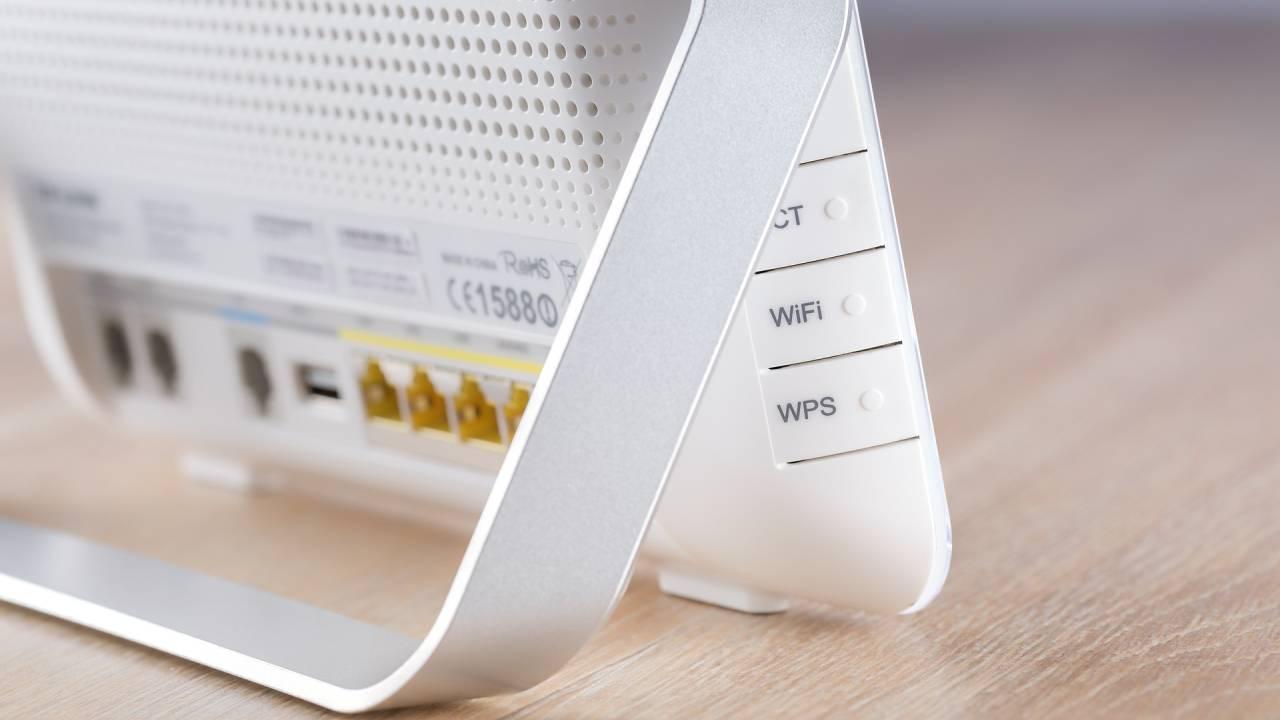
To find out if you're already using WiFi 6, the first thing to do is check your router. On the label underneath or in the technical specifications from your internet service provider/manufacturer, you'll see something like "WiFi 6," "802.11ax," or even the official Wi-Fi Alliance logo with the number 6.
If your router indicates 802.11ac or WiFi 5 , then you don't yet have this standard. Many companies are starting to install WiFi 6 routers by default in their newer fiber optic plans, with marketing names like Smart WiFi 6, Livebox 6, Super WiFi 6, etc.
The second step is to check your devices . In the specifications of your mobile phone, laptop, tablet, or Smart TV, you'll see if they support "Wi-Fi 6" or "802.11ax". Phones like the Samsung Galaxy S21/S22/S23, iPhones from the 11th generation onward, many mid-range/high-end Xiaomi phones, and recent tablets already include it.
You don't need to replace all your devices at once : you can upgrade your router to a WiFi 6 model and continue using your old equipment. They'll connect seamlessly, just like on WiFi 5 or 4, and you can gradually replace your devices with compatible ones that take full advantage of the new standard.
If you're thinking of buying a WiFi 6 router on your own , look at: maximum combined speed (AX1800, AX3000, AX6000, AX11000…), number of Gigabit Ethernet ports, presence of USB, possibility of creating a mesh network, external or internal antennas and firmware options (guest network, parental control, QoS, VPN, etc.).
Featured WiFi 6 routers and mesh systems
The WiFi 6 router market is already very broad , ranging from simple and economical models to true beasts designed for gaming or very large houses with dozens of devices.
Some examples of mid-range and high-end WiFi 6 routers that illustrate what you can find today:
- NETGEAR Nighthawk AX8 RAX80 AX6000: dual band, four internal antennas, up to approximately 6 Gbps combined and several advanced technologies (MU-MIMO, OFDMA, Beamforming, Smart Connect).
- ASUS RT-AX88U: High-end router with up to ~6 Gbps combined, 8 LAN ports, support for AiMesh, MU-MIMO and OFDMA, ideal for demanding homes.
- ASUS ROG Rapture GT-AX11000: gaming-oriented, triple-band, eight detachable antennas, specific features to reduce latency in games.
- Huawei WiFi AX3 / AX3 Pro: very affordable models to make the leap to WiFi 6, with support for up to 128 devices and dual bands.
- TP-Link Archer AX10 or similarWiFi 6 entry options (AX1500 – AX1800) at adjusted prices, sufficient for most standard apartments.
For large or multi-story homes , WiFi 6 mesh systems are especially appealing. Instead of a single router, you have several nodes distributed throughout the house that create a single WiFi network with the same password.
Examples of mesh systems with WiFi 6/6E include the ASUS ZenWiFi XT8, Netgear Orbi, TP-Link Deco X50, Linksys Velop Pro MX6202, and the Super WiFi 6 offered by some internet service providers, which is based on smart nodes. These systems can easily cover areas of 200-500 m² with good signal strength in every room.
Practical advantages of WiFi 6 in everyday life
Beyond the theory, what matters is what you notice when you switch to a WiFi 6 router or start using compatible devices. Some typical improvements include:
1. More stable streaming and video calls
With WiFi 6, it's much easier to maintain smooth 4K (and even 8K) streaming while other users watch videos, download files, or play online games. The network distributes resources more efficiently and reduces lag.
2. Online games with less lag
The combination of lower latency, more advanced MU-MIMO, and OFDMA makes ping spikes less frequent. It's not magic (your internet connection also plays a role), but it significantly helps make games smoother.
3. More reliable smart homes
If you have smart speakers, WiFi bulbs, cameras, connected plugs and other IoT gadgets, WiFi 6 manages so many simultaneous connections better, reducing micro-cuts and "device does not appear as connected" problems.
4. Better experience in crowded places
In stadiums, airports, shopping malls or large offices, WiFi 6 access points are able to serve many more users without the network dying at the first peak of use, multiplying the capacity compared to WiFi 5.
5. Batteries that last a little longer
You won't double your phone's battery life just by using WiFi 6, but you will achieve noticeable savings on devices that spend a lot of time connected but with light traffic, thanks to Target Wake Time and more efficient channel management.
6. More security for working from home
With WPA3, an updated router, and a strong password, your WiFi network is better protected against unauthorized access attempts, which is especially important now that teleworking is so widespread and a lot of sensitive data passes through the home network.
WiFi 6 represents a clear generational leap compared to WiFi 5 : theoretically higher speeds, better performance with multiple devices, less interference, lower power consumption, and enhanced security. It's not essential to rush out and replace all your hardware, but if you're planning to upgrade your router or get a new connection, having a device with WiFi 6 (or 6E if you want to be even more advanced) is a logical decision that prepares you for the coming years and makes your network run much more smoothly.
Table of Contents
- 1 What exactly is WiFi 6
- 2 Key differences between WiFi 5 and WiFi 6
- 3 Main advantages of WiFi 6 compared to previous generations
- 4 WiFi 6, WiFi 6E and WiFi 7: where are we now
- 5 WiFi 6 vs 5G: complementary technologies
- 6 Compatibility: How to know if you have WiFi 6 and what you need
- 7 Featured WiFi 6 routers and mesh systems
- 8 Practical advantages of WiFi 6 in everyday life