- Intel Thread Director analyzes thread behavior in real time and guides the operating system in the allocation between P-Cores and E-Cores.
- Technology does not replace the system planner, but rather complements it with performance and efficiency metrics for each workload.
- Windows 11 and modern Linux kernels make the best use of Thread Director, with significant improvements in gaming and virtualization.
- Alder Lake, Raptor Lake, and Meteor Lake rely on Thread Director to leverage hybrid architecture in gaming, content creation, and servers.
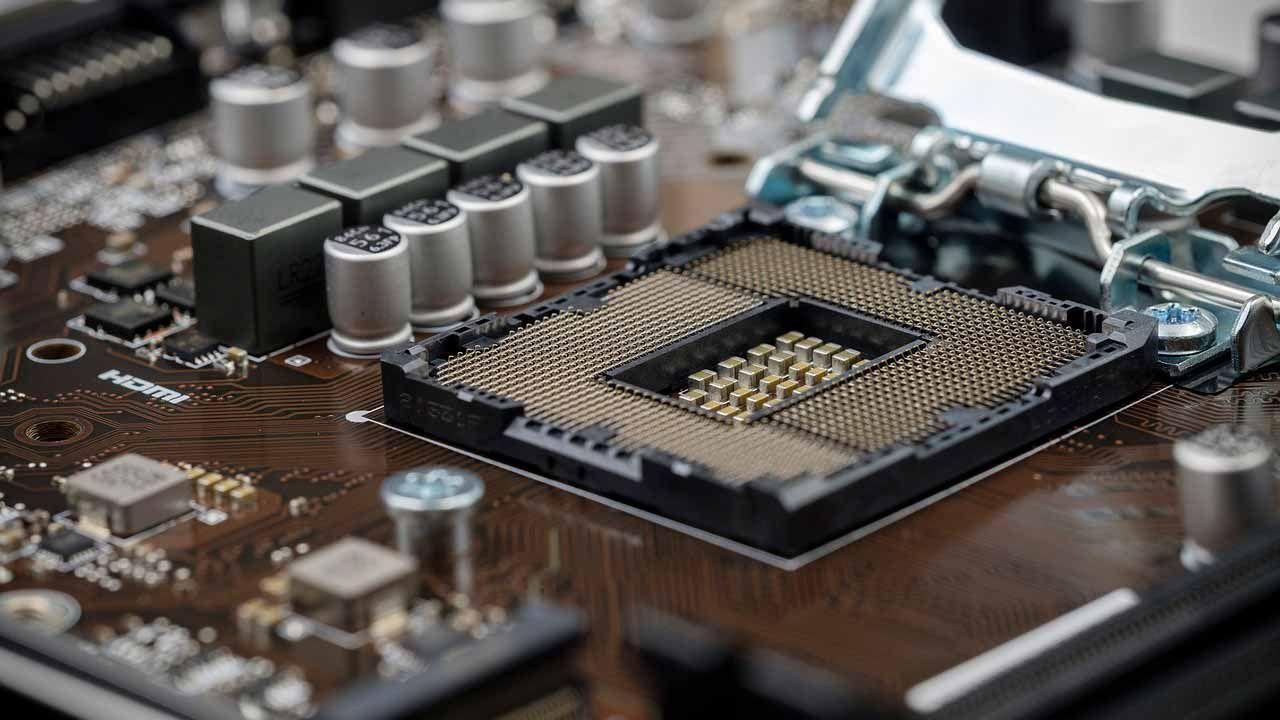
If you've heard about Intel's new hybrid processors and that sounds familiar... Thread Director, but you don't quite know what it actually doesYou're in the right place. This technology is key to understanding why Alder Lake, Raptor Lake, Meteor Lake, and subsequent generations perform the way they do, especially in gaming, multitasking, and virtual machines.
Let's calmly break down how it works Intel Thread Director inside: what problem it solves and what limitations it hasYou'll see that it's not magic, nor a hidden turbo button, but just another piece in a machine where the operating system, the P cores, and the E cores all play a significant role.
What is Intel Thread Director and why does it exist?
The arrival of the 12th generation Core processors meant that Intel was betting on a hybrid core architecture with high-performance P-Cores and high-efficiency E-CoresUntil then, in the desktop PC world, processors with all the same cores were the norm, while this "big.LITTLE" approach was typical of mobile SoCs based on ARM architecture.
This change posed a serious problem: desktop operating systems were not prepared for distinguish between cores with different power and efficiency when assigning threads and processesThe scheduler simply saw "X cores" and distributed the work without considering which type of core was best for each task.
To solve this, Intel created what it commercially called Intel Thread Director, a technology integrated into the CPU that analyzes how processes behave and advises the operating system regarding where to place them. It is important to emphasize that it is not a replacement for the operating system scheduler, but rather a very fine and specialized support tool.
Contrary to what many people think, Thread Director is not a separate chip or a "magic unit" inside the processorThis involves logic and microcode that run on the CPU itself, collecting very detailed telemetry information and exposing it to the operating system through specific interfaces.
How Thread Director works internally
The operation of Thread Director is conceptually similar to a Controlled speculative execution that evaluates thread behavior before deciding on the ideal kernelTo do this, it uses one of the execution threads of a P-Core in Alder Lake and Raptor Lake, while in Meteor Lake and later it relies on low-power E-Cores within the Tile SoC.
What this logic does is monitor instructions, access patterns, and computational cost of the algorithms that are runningIt does not simply look at the static instruction list, but observes the actual behavior over a short period of time to understand if a load is light, moderate, highly parallel, memory intensive, etc.
That analysis is encoded in a data structure associated with the record IA32_THREAD_FEEDBACK_CHAR, where three types of key information about each thread are stored.: the kind of work, a performance score and an energy efficiency score, all in a simple format so the operating system can use it quickly.
The first part is a classification of the type of process into four distinct classes that help the planner understand what type of core is most suitable:
- 0 Class: threads that can be executed without major problems on both P-Cores and E-Cores.
- 1 Class: workloads that perform significantly better on P-Cores, due to their peak performance demands or low latency.
- 2 Class: tasks that are recommended to be moved to E-Cores, because they are lighter or benefit from efficient execution.
- 3 Class: processes with high-cost loops, potentially long waits, or behaviors that can harm other threads if they are mixed incorrectly, and therefore require special treatment.
In addition to the class, a Performance score from 0 to 255 that reflects how well that thread performs on a particular coreSimilarly, another score from 0 to 255 is included to indicate the energy efficiency associated with running it on that type of core under current conditions.
With that telemetry, the operating system can make more informed decisions about which threads to send to P-Cores and which to route to E-Coresnot only looking at the kernel type, but also the current load, the number of active tasks, and the user session priorities.
The importance of scoring and load sharing
In modern multi-core CPUs, it is no longer enough to decide whether something goes to a P-Core or an E-Core: It also matters which specific core each thread falls into to avoid bottlenecks and underutilized cores.Here, the performance and efficiency score provided by Thread Director plays a key role.
Thanks to that numerical evaluation, the operating system scheduler can Balance the load between cores of the same type, assigning the heaviest threads to the least loaded cores first. and making the most of every available space. The idea is to avoid having P-Cores saturated while others are almost idle, or E-Cores underutilized performing pointless tasks.
Another advantage is that Thread Director It helps to quickly detect when a workload is best suited to a specific type of core based on its instruction set or characteristics.If during the evaluation it is seen that a thread uses instructions that are only supported by P-Cores (for example, certain advanced AVX sets), the operating system clearly understands that this thread must go to a P-Core.
It is also relevant in scenarios where the same process It evolves over time: it can start off light, move into a phase of intense calculation, and then return to a more relaxed state.Continuous feedback allows these threads to migrate between P and E depending on what they are doing at any given time, without the application needing to be aware of the hybrid architecture.
In practice, this mechanism aims to make the user perceive that the system It responds smoothly whether you're running a demanding game, opening multiple applications, playing content, or leaving processes running in the background.Dynamic distribution prevents a simple background task from consuming an entire P-Core while an E-Core sits idle.
Thread Director doesn't "command": the operating system decides.
The business name can be misleading, because "Director" sounds like he's in charge, but the reality is that Thread Director does not make the final decision about where each thread runs.The operating system scheduler still has the final say, using or ignoring the information provided by the CPU according to its own logic.
This is very noticeable in everyday situations, such as when You send a resource-intensive application to the background, for example a render in Blender, and continue using the computer for other tasks.Windows interprets that what is in the foreground has priority for the user, so it reduces the resources allocated to rendering and can move its main workload to the E-Cores.
Similarly, a low-demand application running in the active window can end up using a P-Core simply by being in focus, even if its CPU usage isn't particularly high. This illustrates that... The operating system's criteria (foreground/background state, process priority, power policies) carries more weight than Thread Director's opinion..
In summary, Thread Director provides a kind of “expert advisor” to the system scheduler, but If the operating system is not prepared to understand this or decides to prioritize other rules, thread allocation will not be optimal.That's why there are clear differences between Windows 10, Windows 11, and the various versions of Linux when it comes to taking advantage of hybrid CPUs.
From the perspective of the application developer, the interesting thing is that There is no need to rewrite the software specifically for P-Cores and E-Cores In most cases, as long as the operating system supports Thread Director, the majority of the workload is distributed fairly reasonably without code changes, except in a few very specific scenarios.
Behavior in games and real-world workloads: P-Cores, E-Cores, and secondary threads
One of the most confusing issues is what happens in modern games that use many threads, especially when The number of tasks exceeds the available P-Cores, and E-Cores begin to be used for secondary threads.This is where theory meets real-world practice.
Intel's idea is that, in a typical scenario, the critical game threads (render, main logic, important physics) fall on the P-Coreswhile the E-Cores handle lower priority threads, system tasks, and background processes such as capture cards, chats, browsers, etc.
When a game launches, for example, a ninth or tenth thread that only uses between 10% and 30% of a P-Core intermittentlyThread Director can suggest to the operating system that it move the thread to an E-Core. The scheduler, knowing that this thread is not critical and considering the performance/efficiency score, sends it to the efficient core without impacting the gaming experience.
It should be noted that an E-Core is more modest than a P-Core, but if the workload is small, It can occupy a larger percentage of the E-Core (for example, 60%) and still deliver the necessary performance without creating bottlenecks.In this way, the P-Cores are freed up for what really matters, and the available silicon is better "squeezed".
In most well-designed games running on Windows 11, the combination of The hybrid-aware planner plus Thread Director offers stable behavior in around 99% of casesThere are, however, some titles or engines with somewhat unusual thread patterns where the distribution is not so perfect, but these tend to be the exception.
Relationship with Windows 11, Windows 10 and general compatibility
One of the key points is that Windows 11 was developed in direct collaboration between Microsoft and Intel to take full advantage of the hybrid architecture and use Thread Director natively.This includes an updated scheduler, specific power policies, and finer integration with telemetry coming from the CPU.
In Windows 10, however, the scheduler It is not designed from scratch to understand P-Cores and E-Cores or to correctly interpret Thread Director cuesIt works, but the task allocation is more "blind" and, therefore, performance and efficiency can be significantly lower compared to the same CPU in Windows 11.
In Linux, the story has taken a different path. Initially, The kernel did not take full advantage of Intel's hybrid cores, resulting in significantly worse performance than in Windows.especially under mixed workloads and virtualization. Over time, the kernel scheduler and interfaces with Thread Director have been refined.
Thanks to the latest kernel patches, Intel has added advanced support for Thread Director and, in addition, has worked on the virtualization of this technology for virtual machines (Thread Director Virtualization)This allows a guest, such as a Windows 11 virtual machine, to benefit from ITD-based programming logic even when running on top of a Linux host.
In tests with a Core i9-13900K running Windows 11 inside a Linux VM, it was measured Up to a 14% performance improvement in 3DMark by properly leveraging the allocation between P-Cores and E-Cores from the virtual machineThis gain is especially interesting for servers that offer cloud gaming or multiple virtual desktops.
Thread Director at Alder Lake, Raptor Lake, Meteor Lake and beyond
Thread Director officially debuted with the 12th generation Intel Core processors (Alder Lake), which first introduced hybrid desktop architectureThese chips combine high-performance P-Cores with efficient E-Cores and are manufactured using Intel 7 lithography, inheriting many of the brand's previous technologies.
In Alder Lake-S, designed for desktops and LGA1700 socket, we find Up to 16 cores (8 P-Cores + 8 E-Cores) and 24 threads in total, support for DDR5, backward compatibility with DDR4, and PCIe 5.0 lanes directly from the CPUIn addition to this, there is the classic Intel Smart Cache (shared L3) and a reorganized L2 cache to accommodate the two types of cores.
The P-Cores feature 1,25 MB of L2 cache per core, while the E-Cores are grouped into clusters of four that share 2 MB of L2Above that, there is up to 30 MB of L3 cache (LLC) common to all cores, which helps reduce latency and improve data exchange between threads of different types.
The platform also adds Support for PCIe 5.0 (up to 16 lanes from the CPU), plus PCIe 4.0 lanes from the Z690 chipset, integrated WiFi 6E, and Thunderbolt 4 compatibilityAlthough at the time of launch there were hardly any PCIe 5.0 GPUs and SSDs, the infrastructure was already in place.
With Raptor Lake, Intel refined this approach, but the real change in Thread Director comes with Meteor Lake: The evaluation logic is then executed on the low-power E-Cores present in the Tile SoC, which is the block with direct access to RAM thanks to the integrated memory controller.From there, each process is analyzed and a decision is made as to whether it can be resolved in those E-Cores or should be referred to the Compute Tile, where the most powerful cores reside.
This means that, starting from Meteor Lake, Thread Director no longer has to constantly orchestrate directly between “three types of cores,” because many low-demand tasks are resolved before reaching the main P-Cores.Only when it is detected that a load needs more processing power is it moved to the high-performance computing block.
Integration with the Alder Lake-S hybrid architecture
Within the desktop ecosystem, the Alder Lake-S represent the perfect showcase of what Thread Director can contribute to a hybrid processor with very clear objectives: gaming, content creation, and advanced overclocking.Intel redesigned the entire platform to take advantage of this mix of cores.
Hybrid architecture abandons the old monolithic approach and proposes a model very similar to ARM big.LITTLE, with P-Cores designed for heavy workloads and E-Cores geared towards scalability and multitasking efficiencyThis combination allows for a 19% increase in IPC per core compared to the 11th generation, according to Intel's internal measurements.
In everyday terms, this means that when running a game, The P-Cores handle the game engine, while the E-Cores take care of background tasks such as streaming, Discord, browsing, or system processes.Intel has shown improvements of up to 19% in gaming and up to 84% in "gaming + streaming" scenarios compared to a Core i9-11900K.
This behavior relies on Thread Director's ability to Detect which threads are critical to game latency and which are add-ons that can be diverted to E-Cores without penalizing the experienceThis maintains the FPS rate and reduces the risk of stuttering when many things are happening at once.
The Alder Lake platform also introduced New power management mechanisms, matching PL1 and PL2 to maintain boost frequencies for longerThis is made possible by the existence of E-Cores that can handle light loads without the P-Cores being permanently at their thermal limit.
Overclocking, memory and associated tools
The Alder Lake-S models came with a revamp of tuning tools, starting with Intel Extreme Tuning Utility (XTU) 7.5, which adds specific control over E-Core frequencies and full support for DDR5This is in addition to the P-Cores telemetry and new internal BCLK management options.
One of the major new developments for memory is XMP 3.0, which expands overclocking profiles to up to five per module (three from the manufacturer and two customizable by the user)These customizable profiles can be named with up to 16 characters, making it easy to quickly identify the setting being used.
In addition, XMP 3.0 allows Manually adjust voltages such as VDD, VDDQ, and VPPgiving enthusiasts plenty of room to maneuver and get the most out of DDR5. Although Thread Director doesn't directly affect the memory, the entire platform is designed with a wide variety of demanding workloads in mind.
It was also added Dynamic Memory Boost Technology, a kind of automatic "Turbo" for RAM that activates the XMP profile when a load is detected and returns to the base state when the demand decreasesThis logic is reminiscent of how Turbo Boost works in CPUs and helps to balance performance, power consumption, and temperatures without constant user intervention.
All of this is complemented by the Z690 chipset, which It offers full support for CPU and memory overclocking, plus PCIe 4.0 lanes and modern connectivity such as USB 3.2 Gen 2x2 and WiFi 6E (Gig+)The idea is that the platform as a whole is prepared to take advantage of the dynamic behavior that Thread Director facilitates in thread allocation.
Linux, servers and virtualization with Thread Director
Outside of the home desktop, Thread Director is starting to become especially relevant in Linux environments where multiple virtual machines or cloud-based game streaming services are runningHere, efficiency in core allocation translates directly into costs and quality of service.
Intel has recently launched a A set of patches for the Linux kernel that significantly improve Thread Director integration and scheduling logic for hybrid CPUsThese changes not only adjust how tasks are distributed on the host, but also introduce the concept of Thread Director Virtualization.
With this virtualization, a virtual machine (for example, Windows 11 as a guest) can Receive and utilize information from Thread Director even when running on a Linux host.The result is that the guest can better distribute its own workloads between virtualized P-Cores and E-Cores, getting closer to native performance.
The published evidence shows that, in scenarios of Games running on a Windows 11 VM on a Linux host with a Core i9-13900KThe performance improvement can reach 14% in benchmarks like 3DMark. For Linux-based cloud streaming providers, this leap is very significant.
It is important to note that These optimizations are primarily intended for professional and server environments.Linux has a very high market share compared to Windows Server. In the home environment, the average user won't notice much of a difference, although it's always good news when the kernel improves its handling of hybrid CPUs.
Limitations, myths, and what we can expect
Despite all its advantages, it's best not to over-mythologize Thread Director. The first thing to understand is that It cannot fully compensate for a poorly optimized operating system or a game engine with poor thread management.If the load is poorly distributed from the software, the CPU can only do so much.
Nor is it a magic technology that guarantees that There will never be rare cases where an important thread ends up in an E-Core or a light task stays in a P-Core longer than necessaryThe feedback is very fast, but not instantaneous, and there are always unusual loading patterns that can confuse the planner.
Another common myth is that, with Thread Director, Game and application developers can completely forget about hybrid architectureAlthough in most cases the operating system handles everything reasonably well, to get the most out of it, it's still a good idea to design engines that better classify their own threads, set appropriate priorities, and avoid uncontrolled saturation.
Looking ahead to future generations like Arrow Lake, everything points to that The basic philosophy of Thread Director will remain, with improvements to telemetry and integration with operating systems.The experience gained in Alder, Raptor, and Meteor Lake will help to further reduce borderline cases where allocation is not entirely optimal.
In daily use, for the user who games, edits video, streams, or runs virtual machines, the most important thing is to be clear that Windows 11 and modern versions of Linux with the latest patches are almost mandatory if you really want to get the most out of an Intel hybrid CPU.With the right system, Thread Director becomes a silent ally that helps everything run more smoothly and with better energy efficiency.
In the end, Intel Thread Director has established itself as a key piece in the transition to PC processors with heterogeneous cores, allowing the operating system to make smarter decisions about where to run each threadWhile it doesn't run anything on its own, its continuous analysis of performance and efficiency makes a difference in gaming, multitasking, content creation, and virtualization, provided the underlying software is ready to understand it.
Table of Contents
- What is Intel Thread Director and why does it exist?
- How Thread Director works internally
- The importance of scoring and load sharing
- Thread Director doesn't "command": the operating system decides.
- Behavior in games and real-world workloads: P-Cores, E-Cores, and secondary threads
- Relationship with Windows 11, Windows 10 and general compatibility
- Thread Director at Alder Lake, Raptor Lake, Meteor Lake and beyond
- Integration with the Alder Lake-S hybrid architecture
- Overclocking, memory and associated tools
- Linux, servers and virtualization with Thread Director
- Limitations, myths, and what we can expect