- The CPU cache memory is an ultra-fast memory integrated into the processor that stores frequently used data and instructions to reduce access to RAM.
- It is organized into levels L1, L2, L3 (and in some cases L4), where the lower levels are faster but have less capacity, and the higher levels are larger but slower.
- A larger, well-designed cache can greatly improve performance under demanding workloads, especially in games, by reducing latency and increasing FPS stability.
- Although cache is key, its impact depends on the architecture, CPU frequency, and RAM speed, so it's important to consider the whole package and not just the megabyte count.
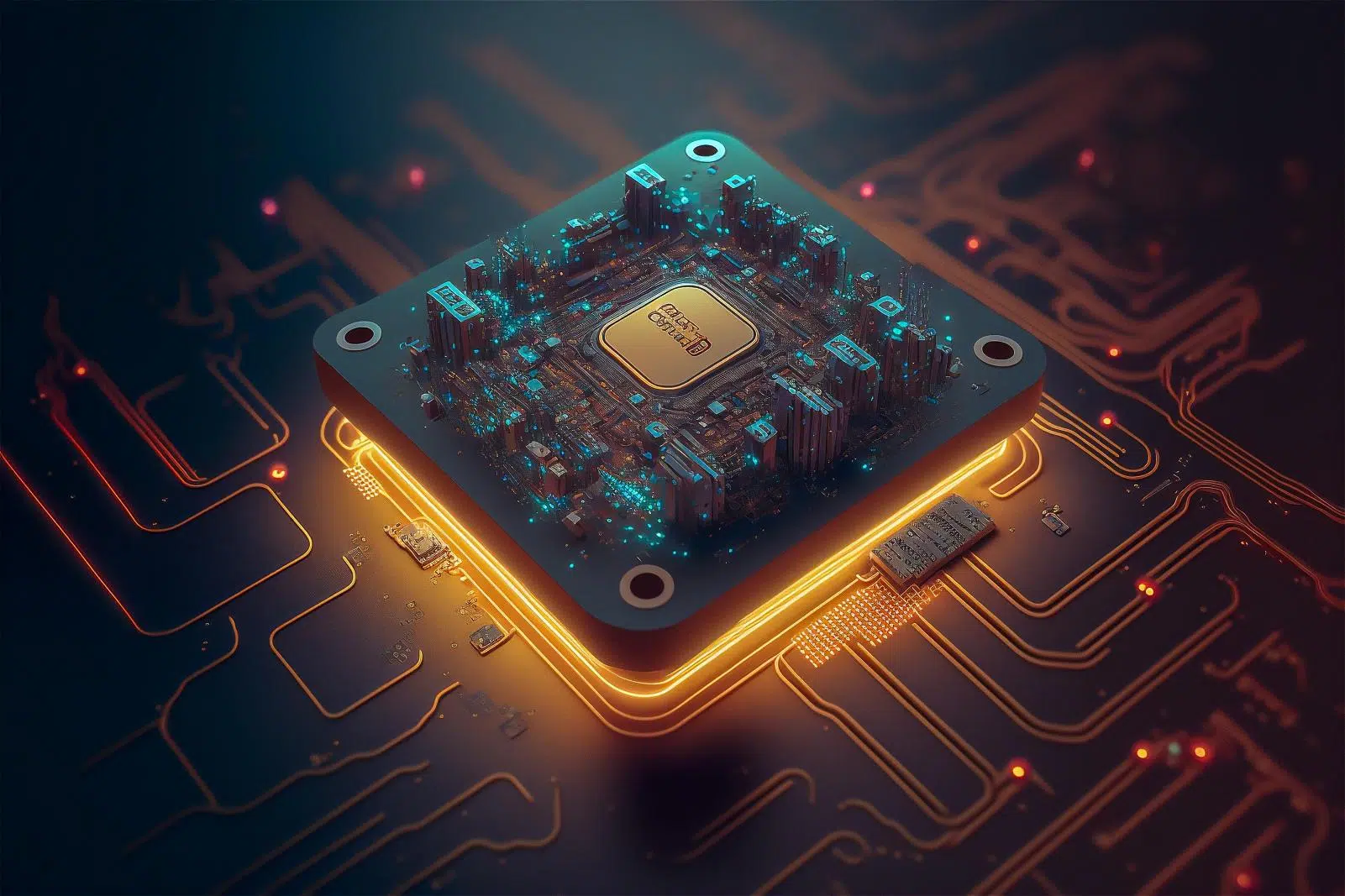
Most people focus on the processor's core count, frequency, and brand , but they overlook a key component that makes all the difference in real-world performance: the CPU cache. This small block of memory, hidden within the chip itself, was one of the greatest advancements in computing history, preventing the processor from waiting for data to arrive.
If you've ever wondered why two processors with the same clock speed seem to perform differently, the answer often lies in details like the size, hierarchy, and speed of the cache memory . Understanding what it is, how it works, and how it affects tasks like gaming, content creation, or everyday use will help you better interpret specifications and choose your next CPU.
What exactly is processor cache memory?
The CPU cache is a fast memory physically integrated within the processor , designed to store data and instructions that the CPU needs repeatedly within a short time interval. Unlike RAM , which is mounted in separate modules on the motherboard, the cache is attached to the computing core, allowing for near-instantaneous access.
We can think of the cache as a kind of "workbench" where the processor keeps the data it uses most often readily available , instead of having to constantly retrieve it from RAM or the disk. This proximity and its enormous speed drastically reduce CPU wait times.
While a modern PC can have hard drive or SSD storage of several terabytes and RAM ranging from 8 to 64 GB (or more in servers), cache is measured in megabytes or even kilobytes. This small capacity isn't a problem: its purpose isn't to store everything, but only what the processor considers most likely to need again immediately.
In early processors, part of the cache memory was even located off-chip, on the motherboard, which introduced additional latencies. In modern designs, the L1, L2, and L3 caches are integrated within the processor package , reducing physical distances, shortening access times, and significantly improving performance.
Cache levels: L1, L2, L3 and the uncommon L4
The cache memory of a modern processor is not a single block, but a hierarchy of levels with different speeds and capacities . Typically, you'll find L1, L2, and L3 caches, and in some specific designs, an additional L4 cache, especially associated with integrated graphics or highly specialized configurations.
The general idea is always the same: the lower the layer level (L1) , the closer it is to the core and the faster it is, but it has less storage space. As we move up the levels (L2, L3, L4), we gain capacity but lose speed and access latencies increase.
In a typical desktop processor, we can go from a few hundred kilobytes of L1 cache per core to several megabytes of L2 and tens (or even hundreds) of megabytes of shared L3 cache. In high-end platforms or servers, truly impressive figures can be reached, with tens of megabytes of L2 and hundreds of megabytes of L3.
This hierarchy is carefully designed so that the CPU finds most of the data at the fastest possible level , minimizing accesses to main memory and making the most of every processor clock cycle.
L1 Cache: The First Line of Battle
The L1 (Level 1) cache is the level closest to the kernel's execution units and, therefore, the fastest memory in the entire system . Its capacity is very small, but its latency is in the fraction of a nanosecond, which is essential for feeding the kernel without interruptions.
The L1 cache is typically organized into two distinct sections: a data cache and an instruction cache. This allows the processor to simultaneously read what it needs to do (instructions) and what data to perform the operations on, without both competing for the same memory space.
In most modern architectures, each core has its own independent L1 cache . There is no direct coherence between these L1 caches of different cores, but this isn't a problem because each core only accesses its own portion. If an 8-core processor advertises, for example, 512 KB of L1 cache, it typically actually has 64 KB per core, divided between data and instructions.
Thanks to this structure, when the CPU successfully locates the information in L1 cache, the access is so fast that the performance impact is virtually imperceptible. Therefore, any reduction in L1 cache typically results in significant performance losses under certain workloads.
L2 Cache: the second step
The L2 (Level 2) cache acts as a second line of defense. It's slower than the L1 cache, but in return offers significantly greater capacity . Data that no longer fits in L1 but is still relevant to ongoing tasks typically ends up here.
Depending on the CPU design, the L2 cache can be private to each core or shared among multiple cores in a cluster . In some processors, the cores are grouped into blocks and assigned a common L2 cache; in others, each core has its own L2 cache, which simplifies coherence management.
There are architectures where the L2 level was, for quite some time, the last available cache level, functioning practically as an L3 in current processors. Today, both Intel and AMD use configurations with shared L3 cache , but the way L2 and L3 are distributed can vary greatly depending on whether they are high-performance cores, high-efficiency cores, or separate chiplets.
In concrete terms, you can go from a few hundred kilobytes of L2 cache per core in basic ranges to several megabytes of L2 cache per core in advanced processors or servers, something that clearly influences the performance with certain data-intensive applications.
L3 or LLC cache: the last shared level
The L3 (Level 3) cache, also called LLC (Last Level Cache), is the final level in the cache hierarchy integrated into the CPU's main package. It is the largest but slowest cache memory within the processor chip, and is usually shared among all cores or at least large groups of them.
Unlike L1 and L2, which are usually closely associated with each core, L3 is designed as a large unified space that can store both data and instructions and that all cores can access when they cannot find what they are looking for in their local levels.
This shared nature allows for very interesting techniques by manufacturers, such as increasing size through 3D stacking. This is the case with AMD's 3D V-Cache technology , which adds additional cache chiplets on a portion of the CPU to multiply the amount of available L3 cache without having to drastically increase the surface area of the main chip.
The L3 cache can vary greatly depending on the model: from a few megabytes in simple processors, to tens or even hundreds of megabytes of L3 cache in server CPUs or models with 3D stacking designed for very demanding workloads, such as databases, virtualization, or high-performance games.
L4 Cache: The Exotic Level
Although not common in modern desktop processors, L4 cache exists and has appeared in some specific models as additional support , especially when a powerful integrated GPU is involved. In these cases, L4 is usually implemented with memory such as eDRAM and is located in a separate package very close to the CPU.
A classic example was Intel's Core i5 5775C, which combined a small traditional L3 cache with 128 MB of eDRAM used as L4 cache to accelerate memory access for the integrated graphics. This L4 cache served as a high-bandwidth buffer between the GPU and RAM, reducing the graphics processor's direct reliance on system memory.
L4 caches haven't become widespread on desktops, but they may regain prominence as integrated CPU and GPU architectures evolve, especially with the rise of on-PC AI computing.
How CPU cache memory works in practice
It's important to understand that the cache doesn't function like a miniature RAM that the programmer can direct the CPU to specific addresses. In reality, cache management is automatic and opaque to the software : it's the CPU hardware that decides what data to copy, how to organize it, and when to discard it.
When we run a program, its instructions and data first travel to storage (SSD or HDD), then are loaded into RAM, and from there, the memory fragments closest to the address the CPU is using are copied to the cache. This copy isn't limited to the exact address required, but extends to a surrounding block of memory, anticipating that neighboring data may also be useful shortly.
The CPU doesn't directly query RAM to see if data is there; the sequence is reversed: on each access, it first checks L1, then L2, then L3, and only if it fails at all levels will it resort to RAM . Finding the data in the cache is called a "hit," while having to go to RAM (or even storage) is a cache "miss."
Internal algorithms are responsible for caching information most likely to be reused and evicting information that is no longer expected to be needed. These are fairly complex mechanisms that take into account access patterns, coherence between cores, and the physical structure of memory.
The key is that every time the CPU has to wait an extra nanosecond to retrieve data, this translates into lost clock cycles . Considering that a modern CPU processes billions of cycles per second, accumulating constant delays due to cache misses would lead to a massive loss of overall performance.
Cache usage sequence and latencies
When the processor needs a piece of data or an instruction, it always follows the same path: first it looks in L1 , which is the fastest; if it's not there, it moves on to L2; if that's not there either, to L3. Only when it fails at all those levels does it access RAM, which is several orders of magnitude slower in access time.
In a modern processor, we can find latencies of less than 1 nanosecond for L1 , a few nanoseconds for L2, and double-digit values for L3. In contrast, RAM can have latencies tens of times greater, depending on the speed (MT/s) and timings (CL) of the module.
For example, a latest-generation Ryzen processor might have an L1 cache of around 512 KB with a latency of approximately 0,7 ns, an L2 cache of 8 MB with a latency of around 2-3 ns , and an L3 cache of 32 MB with an average access time of just over 10 ns. DDR5 RAM, even when running at high frequencies and in dual-channel configuration, operates at latencies on the order of several tens of nanoseconds.
The larger a cache is, the more space it occupies on the silicon chip and the higher its latency tends to be; therefore, manufacturers must balance size, speed, power consumption, and cost . Technologies like 3D stacking allow for increased L3 cache capacity without significantly impacting the surface area of the main chip, although there are always some trade-offs, such as slight reductions in maximum frequency or overclocking limitations.
When a successful access occurs in L1 or L2 cache, the CPU barely loses any cycles waiting, but if the search extends to RAM, the performance impact skyrockets. That's why processors with reduced or poorly designed caches often perform worse, even at the same frequency and with the same number of cores.
Relationship between cache, RAM, and storage
A PC uses three main types of memory: storage (HDD/SSD), RAM, and CPU cache. Mass storage is the largest and slowest , housing the operating system, programs, and files. RAM is faster and serves as the general workspace for applications.
The CPU cache, on the other hand, is the smallest but by far the fastest . Its function is to act as a buffer between RAM and the execution core, so the CPU doesn't have to constantly access main memory. Each cache level brings the data a little closer to the core and reduces effective latency.
Improving RAM speed and latency can partially mitigate cache misses, as the CPU will experience less of a performance penalty when it has to access main memory . However, in many scenarios, the key to performance lies precisely in increasing the cache hit rate through better architectures and, of course, more capacity at the appropriate levels.
Therefore, although RAM remains very relevant (especially in very heavy loads or extreme multitasking), cache has become a critical factor that makes real differences between CPU designs with a similar number of cores and frequencies.
Cache vs. Scratchpad RAM
Within the processor itself there can be not only cache memory; some architectures also include what is known as Scratchpad RAM , and it is important not to confuse both concepts because their philosophy is very different.
The cache, as we've seen, acts as an automatic, temporary copy of the data in RAM closest to what's currently being executed. The programmer doesn't manage it directly: the hardware decides what goes in and what goes out according to its own internal policies.
A Scratchpad RAM, on the other hand, is a memory that behaves more like local RAM within the core or compute block itself and must be explicitly managed by the software . That is, the program manually copies the data it wants to store in that space and also decides when to clear or replace it, as if it were ultra-local RAM.
The main distinction, therefore, is that the cache is completely transparent and self-managed by the CPU , while the Scratchpad requires direct code intervention. Both coexist in some specialized chips, but the cache is the standard in general-purpose processors that we use in PCs, laptops, and mobile devices.
How does cache memory affect real-world performance?
At this point, a reasonable question arises: if two processors have the same number of cores and similar frequencies, how much does cache actually influence performance? The answer is that it depends heavily on the type of workload , but in certain tasks the difference can be very significant.
A very illustrative case is found with processors like the AMD Ryzen 7 5800X and its 5800X3D version. Both share the same base architecture and the same number of cores , but the 3D model adds a huge amount of stacked L3 cache, going from 32 MB to a total of 96 MB.
To achieve this, it was necessary to slightly lower the base and turbo frequencies and eliminate traditional overclocking options—moderate sacrifices that, in theory, could reduce raw performance somewhat. However, when testing games and certain cache-sensitive loads, the performance leap is spectacular in favor of the model with a stacked L3 cache.
In many gaming tests, the 5800X3D offers double-digit advantages in average FPS compared to the original 5800X, and what's most interesting is that it also clearly improves the 1% minimums, that is, those moments where the game engine suffers the most and you notice stutters or drops in fluidity.
However, in heavy content creation tasks (rendering, some editing tasks, etc.), increasing the L3 cache offers little improvement or may even worsen performance if lower frequencies become the limiting factor. In these cases, the cache wasn't the bottleneck, but rather other aspects such as raw computing power or memory bandwidth.
Cache memory and gaming performance
Modern video games, especially the most demanding ones, handle a large amount of data that the CPU has to constantly process: game logic, physics, AI, preparing draw calls for the GPU, etc. In this context, having a large and well-utilized L3 cache can make a significant difference.
By being able to store more data and instructions related to the state of the game world, the CPU reduces the number of times it needs to access RAM . This translates into better average FPS in titles where the processor is the limiting factor, but above all, into greater stability: fewer sudden drops and a more consistent response time.
AMD's so-called 3D V-Cache technology has brought this issue to the forefront. Models like the Ryzen 7 7800X3D and 7950X3D integrate enormous amounts of L3 cache (96 MB, 128 MB, etc.) and have managed to position themselves at the forefront of performance in home gaming precisely thanks to this extra cache capacity.
In the 7800X3D, for example, the chip combines 1 MB of total L1 cache, 16 MB of L2 cache, and the famous 96 MB of L3 cache. Understanding how the cache works reveals that it's not just a spectacular marketing number: it allows more of the game's useful "state" to be stored within the CPU itself , multiplying the chances of success and reducing memory access.
However, cache alone won't work miracles: if the base processor is very weak, adding cache won't suddenly transform it into a beast. The ideal combination for gaming remains high IPC, good clock speed, sufficient cache, and fast RAM with tight latencies.
Intel's stance on AMD's 3D cache
Given the success of Ryzen processors with 3D V-Cache in gaming, it would be logical to assume that Intel would replicate the exact same strategy. However, the company has made it clear that, at least for now, it is not planning a solution identical to AMD's X3D models.
Intel is more focused on maintaining a balance of overall performance for a wide variety of scenarios (productivity, creation, gaming, AI, etc.), rather than targeting only the niche where the giant L3 cache shines brightest, which is hardcore gaming.
That doesn't mean they're neglecting cache: the company does plan to gradually increase L1, L2, and L3 cache in its next generations, but without relying solely on a massive L3 cache increase like AMD does. There will be cache improvements, yes, but they will be distributed and accompanied by changes in architecture, hybrid cores, integrated AI, and other features.
Nevertheless, the competitive pressure is evident, especially in high-end portable and desktop gaming devices, where AMD's X3D models have become the benchmark. It will be interesting to see how this "cache battle" evolves in the next wave of CPUs.
CPU cache versus other system caches
Although we usually talk about "cache memory" when thinking about the CPU's cache, the term applies more broadly to any temporary data storage designed to speed up frequent accesses . A PC contains several types of cache in addition to the one integrated into the processor.
On one hand, modern graphics cards have their own internal cache (GPU cache) , which helps manage textures, shaders, buffers, and other graphics data without constantly relying on VRAM. Hard drives and SSDs also include disk cache, using fast memory (DRAM or SLC, depending on the model) to buffer reads and writes.
At the software level, browsers, operating systems, and various applications use their own caches: the browser saves temporary files, images, and cookies to disk so they don't have to be downloaded again, and many apps store frequently used data to start up and respond faster.
The same thing happens on mobile phones and tablets: the processor has its internal L1/L2/L3 cache , the integrated GPU may have its own cache system, and apps fill the internal storage with temporary data that improves the experience... until they take up too much space and it's necessary to clean it up.
The important thing is not to confuse these software or device caches with the CPU cache: they share a common philosophy, but not the same location or speed . The CPU cache remains by far the fastest and most critical for pure computational performance.
What role does the cache play on mobile devices and does deleting it affect your data?
When we talk about "clearing the cache" on mobile phones or in applications, we are not usually referring to the L1/L2/L3 cache of the processor (which is hardware and cannot be deleted just like that ), but to the temporary storage that apps save in the device's memory.
When you clear an app's cache, you're deleting temporary files, downloaded images, session data, etc. , but not your photos, videos, or personal documents. These are stored on your internal storage or memory card, not in the app's cache.
Therefore, clearing the cache of an app or the Android/iOS system itself does not delete your photos or important files . It may, however, cause some apps to take a little longer to load certain content the next time you open them, because they will have to regenerate or re-download that data.
On mobile devices, just like on PCs, regularly clearing the cache of very heavy apps can be a good practice to recover storage space and prevent the system from becoming sluggish, especially on models with little internal memory.
The processor's internal cache, on the other hand, is completely transparent to the user and is not manually "cleaned" ; it manages itself in milliseconds during normal device operation.
In short, when you see the "clear cache" option on your mobile, remember that you are accessing temporary application data , not the CPU cache that we have explained throughout this article.
Ultimately, the processor's cache memory is one of those components that goes unseen but affects everything: from the smoothness of a game to the speed at which a program opens. Understanding how it's organized into levels (L1, L2, L3, and in some cases L4), how it interacts with RAM and storage, and why an increase in capacity can dramatically improve performance in certain scenarios, allows you to read CPU specifications with a fresh perspective and assess whether it truly fits your intended use, be it for gaming, work, content creation, or simply enjoying a more responsive system in your daily life.

Table of Contents
- 1 What exactly is processor cache memory?
- 2 Cache levels: L1, L2, L3 and the uncommon L4
- 3 How CPU cache memory works in practice
- 4 How does cache memory affect real-world performance?
- 5 CPU cache versus other system caches
- 6 What role does the cache play on mobile devices and does deleting it affect your data?