- The processor largely determines the actual speed of the computer, more so than other components if you start with a balanced base of RAM and storage.
- Intel and AMD offer very competitive ranges where cores, threads, cache and CPU generation are more important than the brand itself.
- The choice of socket, chipset, RAM type and presence of iGPU determines performance, compatibility and future expansion possibilities.
- To choose the right CPU, you need to balance power, consumption, price, and real usage needs, now including AI capabilities and local processing.
If you're thinking about upgrading your PC or replacing its components , processor performance is the factor that will most significantly impact how your computer runs , whether you're gaming, working with AI, or simply browsing the web and using office applications. It doesn't matter if your laptop has plenty of RAM or a lightning-fast SSD: if the CPU falls short, the entire system will suffer.
Furthermore, the rise of artificial intelligence and creative tasks has significantly changed the game: now we're not just talking about GHz and cores, but also NPU, energy efficiency, cache, iGPU, and memory and chipset compatibility . It might sound like gibberish, but don't worry: we'll break it all down calmly so you know what to look for when buying your next computer, new or used, laptop or desktop.
Why the processor dictates the user experience
The processor, or CPU, is literally the brain of the computer: it executes instructions, coordinates memory, communicates with the graphics card, and manages multitasking . It's the component that most influences the perceived speed of the computer, even more so than the hard drive or RAM (provided you have a reasonable minimum of both).
In everyday use, the CPU handles opening programs, managing browser tabs, compressing files, controlling video playback, and supporting the AI already integrated into many modern operating systems and applications. When you notice everything is running sluggishly, the cause is often a CPU that's barely adequate for what you're asking of it.
Although we usually refer to the "processor" in the singular, inside there are several key elements: cores and threads , cache, clock speed, internal architecture, and, increasingly, dedicated units like NPUs for AI . The combination of all these factors is what defines real performance, not just the GHz number listed in the specifications.
It's also important to keep in mind that not all uses require the same type of processor . A PC for office work and video calls might be more than adequate with 4 or 6 cores, while for gaming at 240 Hz, rendering 4K video, or training AI models, CPUs with many more cores, more cache, and support for specific technologies are more desirable.
Intel vs AMD: Two paths to performance
In the home and professional markets, two big names dominate: Intel Core/Ultra and AMD Ryzen . The two brands compete fiercely, and each has its strengths depending on the intended use and budget.
Historically, Intel has been renowned for its high per-core performance and good stability in office applications, programming, and light tasks . Its Core i3, i5, i7, and i9 ranges (and now the Ultra families) cover everything from entry-level to enthusiast segments, and in laptops, they have dominated for years thanks to their reasonable efficiency and good support for moderate power consumption.
AMD, with Ryzen, turned the tables by offering more cores and threads at aggressive prices . Thanks to architectures like Zen 3, Zen 4, and Zen 5, it is now especially competitive in multi-core processors, gaming (thanks to the 3D V-Cache), and workstations with Threadripper , where it offers core counts that were previously reserved for servers.
In laptops, the Ryzen U and H families have proven to offer an outstanding performance-to-power ratio, with less heat and good battery life , while Intel maintains an advantage in some single-threaded workloads and integrations with certain enterprise platforms. For desktops, both have very solid ranges: Ryzen 5/7/9 and Core i5/i7/i9/Ultra 5/7/9 cover virtually all user needs.
The key is understanding that there's no single winner: depending on your budget, the type of tasks you'll be using, and the specific generation of processor, sometimes an Intel is a better option and other times an AMD . That's why it's advisable to look at specific models and not just focus on the brand.
How to read CPU names and their ranges
Both Intel and AMD use a similar naming convention to indicate the product range: 3 for entry-level, 5 for mid-range, 7 for high-end, and 9 for enthusiast or professional . This applies to both i3/i5/i7/i9 and Ryzen 3/5/7/9 processors.
Broadly speaking, the usual division would be this, thinking about desktop and general-purpose laptops:
- Entry level (i3, Ryzen 3): browsing, email, streaming video, basic office applications.
- Mid-range (i5, Ryzen 5): smooth multitasking, some light editing, and casual gaming.
- High-end (i7, Ryzen 7): demanding games, serious video editing, intensive creative work.
- Professional level (i9, Ryzen 9): 3D rendering, 4K/8K editing, CAD, simulation, heavy AI.
Besides the product line, it's crucial to consider the generation . An older i5 can be significantly inferior to a modern i3 or Ryzen 3 in efficiency and per-core performance. For example, an 8th-generation Intel i5 lags far behind a 12th or 13th-generation i5 , even though the names may be similar.
In laptops, letters also matter: U or G usually indicate low-power chips designed for battery life , while the suffixes H, HX, or K point to high-performance models for gaming or workstations. In desktops, Intel uses suffixes like F or KF to indicate the absence of integrated graphics , and AMD adds a G for APUs with powerful integrated GPUs.
Laptop or desktop: how it affects the processor
The same processor can perform very differently in a laptop and a desktop computer because thermal and power consumption limitations vary considerably . In laptops, the heat dissipation margin is limited, so manufacturers adjust voltages, frequencies, and the number of cores to manage heat and extend battery life.
Mobile processors in the U series or equivalent are designed for thin, quiet devices with long battery life . They have lower TDPs, reduced clock speeds, and often fewer cores than their "H" or desktop counterparts. In return, they enable very lightweight laptops that can last all day without a charger.
On the opposite end of the spectrum, we find the H and HX series, or high-end chips, which prioritize raw power: here, the focus is on delivering maximum sustained performance for gaming, video editing, or 3D modeling , accepting higher power consumption and temperatures. They are the go-to processors for high-performance workstations and gaming laptops.
Desktop PCs are much simpler: towers offer more space for large CPU coolers or liquid cooling , generous power supplies, and better airflow. This allows CPUs like an Intel i9 or a Ryzen 9 to work near their limits for hours without any issues, provided the cooling system is up to the task. Furthermore, desktop PCs are much easier to upgrade and expand : simply changing the CPU, adding more RAM, installing a new graphics card, or improving the cooling system takes only minutes if you choose the right platform (socket and chipset) from the start.
Introduction to processors for AI and productivity laptops
In the latest generation of professional laptops, we're seeing machines that go a step beyond the typical "ultrabook." A prime example is MSI's Business & Productivity laptops with the latest generation Intel Core Ultra processors , which combine classic CPU cores, an integrated GPU, and a dedicated AI NPU.
These processors, such as the new Intel Core Ultra X7 and X9 in Panther Lake chips , not only improve traditional performance in office tasks, design, or editing, but also integrate NPUs capable of reaching tens of TOPS (trillions of operations per second) for local AI tasks, such as summarizing meetings, generating images, real-time translations, or semantic searching in your own files.
The beauty of this approach is that you can run many Copilot+ functions and other AI assistants directly on your laptop, without uploading sensitive data to the cloud . For businesses, professional firms, or highly confidential environments, this makes all the difference in terms of security and regulatory compliance.
To maintain that performance in slim chassis, these systems rely on advanced vapor chamber cooling, optimized fans, and very low acoustic profiles . Under light load they are virtually inaudible, and at full load they operate at noise levels similar to a whisper in a library.
Great care is also taken with the visual and connectivity aspects: 13 to 16-inch OLED screens with high resolutions and 16:10 format, thin bezels and great color coverage , along with a good selection of ports (USB-A, Thunderbolt, HDMI, etc.) to avoid depending on external hubs on a daily basis.
Examples of laptops where the CPU makes the difference
Within this new generation of productivity and AI-focused devices, some models stand out as excellent examples of how the processor influences the real-world experience. A prime example is a 16-inch professional laptop with an Intel Core Ultra X9 processor, 32 GB of RAM, and an expandable SSD , designed for users who want the power of a workstation without sacrificing portability.
In this type of laptop, the combination of a powerful CPU, an NPU with around 50 TOPS, and a 2.8K OLED screen in a 16:10 aspect ratio allows you to work with editing suites, design applications, and local AI tools without feeling limited by the mobile nature of the device. And all this with battery life that can reach 20-24 hours in mixed use, something unthinkable just a few years ago.
Another interesting format is the 14″ convertible with an OLED touchscreen, 360º hinge, and integrated active pen . Equipped with processors like an Intel Core Ultra X7, they combine enough power for collaboration, presentations, and light creative tasks with the versatility to use the device as a tablet, take handwritten notes, or create sketches that are then refined with AI tools.
In the more portable range, we find 13-inch laptops weighing nearly 900 grams, with powerful CPUs like the Intel Core Ultra 9, 32 GB of RAM, and SSDs up to 1 TB . The message here is clear: you no longer have to choose between lightness and performance, because the efficiency of the new architectures allows for packing a lot of power into very compact chassis.
In all these cases, the choice of processor isn't just about "speed": battery life, heat generation, the presence or absence of an NPU, the type of integrated graphics, and support for modern memory and ports are also important . That's precisely why it's worth looking beyond the GHz figure.
Compatibility: socket, chipset, RAM, and iGPU
When building or upgrading a desktop computer, compatibility is critical: there's no point in choosing a fantastic CPU if your motherboard doesn't support it or forces you to sacrifice key features . This is where the socket, chipset, RAM type, and the presence or absence of integrated graphics all come into play.
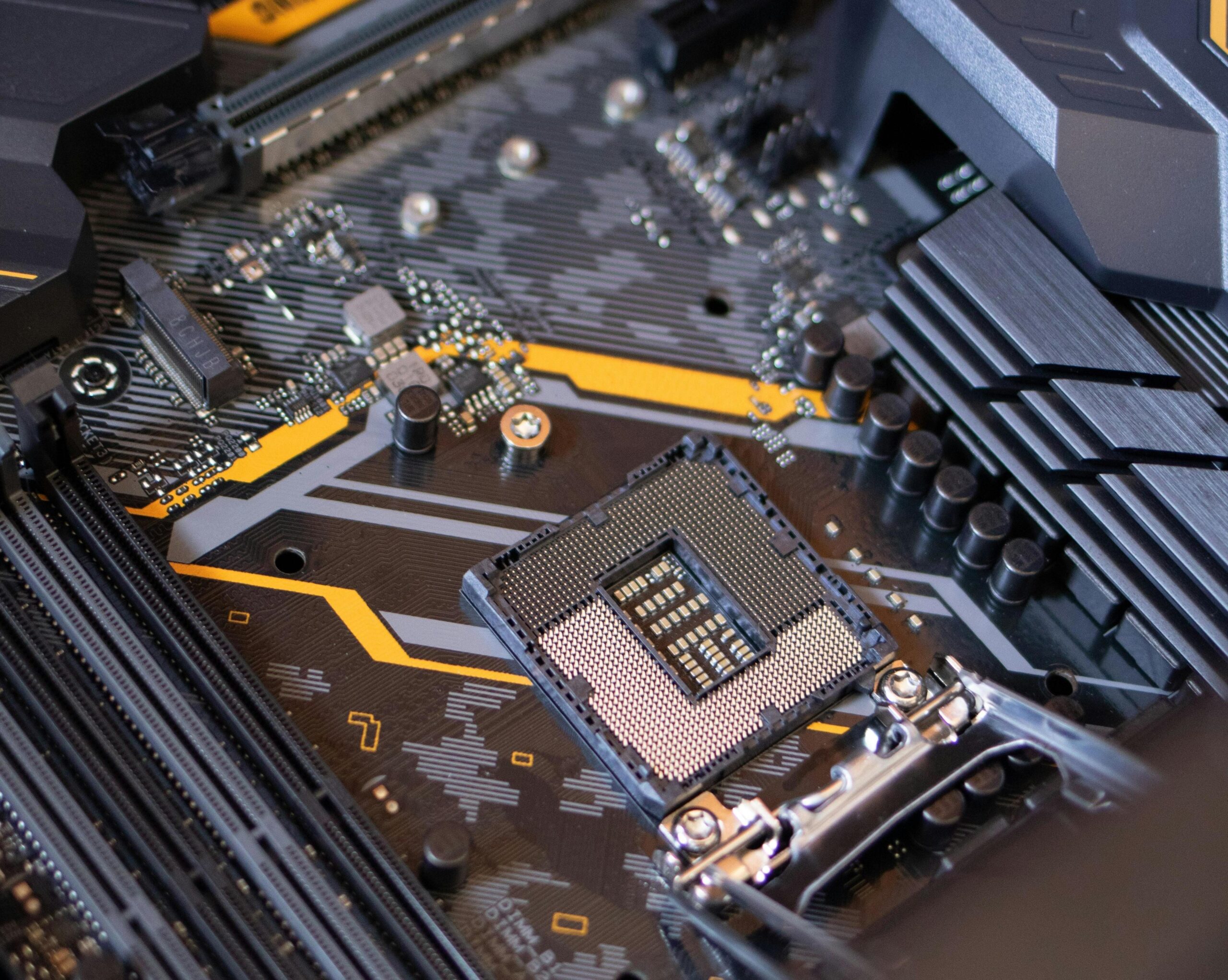
The socket is the physical slot where the CPU is installed. Intel and AMD use different socket types and change them with each generation: AM4 and AM5 for AMD, and LGA 1700 and LGA 1851 for Intel are some of the most relevant right now. An AM5 CPU won't fit on an AM4 motherboard, and vice versa; the same is true for LGA 1700 versus LGA 1851.
The chipset defines a large part of the motherboard's capabilities: number of PCIe lanes, overclocking support, number of USB ports, PCIe 4.0/5.0 compatibility, etc. In AMD, the A, B, and X series (A520, B550, B650/B850, X570, X670, X870…) range from basic to enthusiast-level; in Intel, the H, B, and Z chipsets (H610, B760, Z790, Z890…) serve a similar function.
RAM is also influenced by the CPU and motherboard: today, DDR4 and DDR5 coexist , with different frequencies and latencies . Modern mid-range and high-end processors clearly favor DDR5, although some platforms still allow for more affordable DDR4 configurations. It's important to check the type and maximum speed supported by the CPU to avoid wasting performance.
Finally, you need to consider whether your CPU includes integrated graphics (iGPU) . With Intel, almost all Core and Ultra series have iGPUs except for the F and KF variants; with AMD, APUs with the G suffix and the latest generations of desktop Ryzen processors include a basic iGPU. For a system without a dedicated graphics card, or as a backup plan if your dedicated GPU fails, this is a detail that can get you out of more than one tight spot.
Kernels, threads, and hybrid architectures
Beyond the brand, what truly defines a CPU is how it distributes its internal power. Today, the standard in the mid-range is processors with 6 to 8 physical cores with multithreading, meaning 12 or 16 logical threads , while the high-end and enthusiast ranges between 12, 16, or more cores.
Each core is a computing unit capable of executing instructions independently; threads are logical subprocesses that allow for better utilization of the core's idle time . Technologies like Hyper-Threading in Intel or SMT in AMD double the number of available threads, which greatly benefits multitasking and software optimized for parallel processing.
In recent years , hybrid architectures have also emerged , most notably in Intel since Alder Lake and in certain AMD mobile designs: these combine high-performance cores (P-Cores) with efficient cores (E-Cores) . The former handle heavy-duty tasks (gaming, rendering, compilation), while the latter manage background processes or light tasks with minimal power consumption.
This division allows for a high total number of cores without significantly increasing power consumption . For example, a processor with 8 P-cores and 16 E-cores has a total of 24 logical cores, but only the most powerful ones are used when the system needs to be pushed to its limits. For the user, this translates to improved overall performance and better battery life on laptops.
In addition to these hybrid approaches, AMD has invested heavily in chiplets or CCDs , blocks of 8 cores that are internally interconnected . This modular design allows for scaling up to 16 cores in desktop systems (and many more in Threadripper) while maintaining good performance and efficiency, although it requires careful management of the cache and memory access.
Frequency, turbo and TDP: speed and heat
Clock speed, measured in GHz, indicates how many clock cycles a core can complete in one second. However, today almost no CPU operates at a fixed frequency: they all have a base frequency and several turbo modes that increase the GHz when the load demands it , always within thermal and power consumption limits.
Manufacturers like Intel and AMD use technologies such as Turbo Boost, Precision Boost, and Thermal Velocity Boost to dynamically determine how many cores are overclocked and to what extent. The advertised maximum frequency often refers to a single core during short bursts , not all cores working simultaneously. If you want to get the most out of your PC for specific tasks, you can also review how the maximum performance mode works in Windows to adjust power settings.
The TDP (Thermal Design Power) is the figure that indicates how much heat the cooling system needs to be able to dissipate. It shouldn't be confused with the exact power consumption, but it gives you an idea of the heat the CPU will generate under full load and what type of heatsink you need.
Many modern CPUs feature extended power modes, such as PL1/PL2 in Intel or PPT in AMD , which allow them to exceed their base TDP for a certain period if the cooling system can handle it. This results in higher sustained performance, but also places greater demands on the heatsink and power supply.
If you're installing a high-end CPU or planning to overclock, you'll want to pair it with a good dual-tower air cooler or a 240/280/360mm AIO liquid cooler . For 65W CPUs and standard use, good stock coolers (especially for some AMD models) may be sufficient, but for mid-range/high-end Intel CPUs, it's usually worth opting for a more capable and quieter aftermarket model.
Cache memory and technologies such as 3D V-Cache
Cache memory is often overlooked by the average user, yet it's crucial for reducing latency between the CPU and RAM . It's organized into several levels (L1, L2, and L3), with L1 being the smallest but extremely fast, and L3 the largest and slightly slower, though still significantly faster than RAM.
In latency-sensitive tasks and those involving frequent data access (like many games), having more L3 cache can lead to significant performance gains . AMD has exploited this with its 3D V-Cache technology , which vertically stacks additional cache layers on the CPU die, multiplying the total available cache without increasing the chip size. If you're interested in learning more, see how cache latency impacts real-world performance.
The result is processors like the Ryzen X3D, with L3 cache figures that are double or triple those of their non-3D V-Cache counterparts. In gaming, this translates to performance increases of over 15% in many titles compared to the same processor without 3D cache , especially at resolutions where the CPU is the bottleneck (1080p with powerful graphics cards).
The trade-off for this technology has traditionally been a higher cost and some thermal complexity , although the latest generations have improved cache placement to reduce its impact on temperatures and even allow some overclocking headroom in certain models.
At Intel, although there is no exact equivalent to 3D V-Cache, they are also working on optimizing cache size and distribution, the branch predictor, and the width of internal buses , so that data access is as efficient as possible and potential performance is not wasted due to unnecessary latencies.
APUs, iGPUs and processors with powerful integrated graphics
It's not always necessary to install a dedicated graphics card. AMD APUs and Intel CPUs with modern integrated graphics allow you to create very capable systems for multimedia, office work, and even some gaming without spending a single extra euro on a dedicated GPU.
At AMD, the G-series and the new Ryzen 8000G with Zen 4 cores and RDNA 3 graphics are particularly interesting. Models like an 8-core Ryzen 7 with a 12-core Radeon 780M graphics card can run games at 1080p on low/medium settings with perfectly playable frame rates , in addition to offering smooth 4K video and good support for light content creation.
At Intel, iGPUs have improved with each generation, going from very basic solutions to integrated UHD and Iris Xe graphics capable of smoothly handling demanding desktop environments, high-resolution video playback, and undemanding games or eSports with moderate settings.
For compact systems like mini PCs, HTPCs for the living room, or office desktops, choosing a CPU with a powerful integrated GPU makes perfect sense: it simplifies configuration, reduces power consumption, lowers the overall cost, and generates less heat and noise . Later, if you want, you can always add a dedicated GPU if the platform allows it.
Even in gaming PCs, having a backup iGPU is useful for diagnosing problems, continuing to use the computer while you change the graphics card, or saving energy on light tasks when the dedicated GPU is not needed.
Workstation and Threadripper processors for extreme workloads
When we talk about true workstations, for intensive rendering, simulation, AI with large models, or large-scale audiovisual production , conventional desktop CPUs fall short. This is where families like AMD Ryzen Threadripper and server processors like Xeon or EPYC come into play.
Modern Threadripper processors with Zen 5 architecture reach staggering figures such as 96 cores and 192 threads in the PRO range , with support for several terabytes of DDR5 ECC memory and over a hundred usable PCIe 5.0 lanes. These platforms are designed to accommodate multiple professional-grade GPUs, large NVMe storage arrays, and high-speed networks.
Obviously, all this comes at a price: CPUs can cost several thousand euros and specific motherboards aren't cheap either , but in environments where rendering or model training time translates directly into money, the investment pays for itself quickly.
Below the top of the range, 24, 32 or 64 core models offer an interesting balance between power, consumption and cost for design studios, VFX agencies, architecture firms or laboratories that need a lot of CPU without jumping into the pure server segment.
The key here is to be clear about whether your applications scale well with many cores: if you only use software that takes advantage of 8-16 threads, a Threadripper may be underutilized and you'll be better off with a good Ryzen 9 or a powerful Core i9 with higher frequency per core and lower platform complexity.
Performance vs. price: how to assess which CPU is worth it
Choosing a processor isn't just about raw power; performance per euro spent, energy efficiency, and platform lifespan also come into play . A slightly less powerful but much cheaper CPU can be the smart choice for most users.
In the entry-level range, processors like the Intel Core i3 or certain budget i5s, and the basic Ryzen 3/5, offer outstanding performance-to-price ratios for general-purpose PCs. Combined with a simple motherboard and 16GB of RAM, they are ideal for students, offices, and home multimedia setups.
In the mid-range, the Ryzen 5 and 7, along with the Core i5/i7 or Ultra 5 , allow you to build computers suitable for both work and play with very few compromises. They are the most balanced options if you want a machine that will last you a few years without forcing you to go to the extreme end of your budget.
In the high-end and enthusiast segments, the Ryzen 9, X3D gaming-oriented models, and Core i9/Ultra 9 processors set the benchmark for overall and gaming performance. The key question here is whether you really need that difference in FPS or those few seconds saved in rendering to justify the price and power consumption increase.
As a guideline, for many users it makes sense to upgrade their CPU every 4-6 years , coinciding with major generational leaps. Upgrading every one or two years rarely pays off, unless you work in environments where every small increase in productivity translates into direct cost savings.
Ultimately, when buying a computer, processor performance isn't simply about choosing "the most powerful" one. It's about balancing cores, frequency, cache, power consumption, platform, memory type, and now, AI capabilities , all based on your budget and what you'll actually be using the computer for. If you choose the right CPU, the rest of the components will fit together much better, and you'll have a computer that feels fast today and will continue to perform well for years to come.
