- Ryzen 5 offers 6 cores and 12 threads with an excellent balance between price, performance and power consumption for general use and gaming.
- Ryzen 7 goes up to 8 cores and 16 threads, excelling in multitasking, content creation and intensive professional workloads.
- The CPU generation (Zen 2, Zen 3, U series) and the system configuration have as much influence as the range when comparing real performance.
- The best choice depends on budget and usage: for most, a good Ryzen 5 with more RAM and SSD is more worthwhile than upgrading to Ryzen 7.
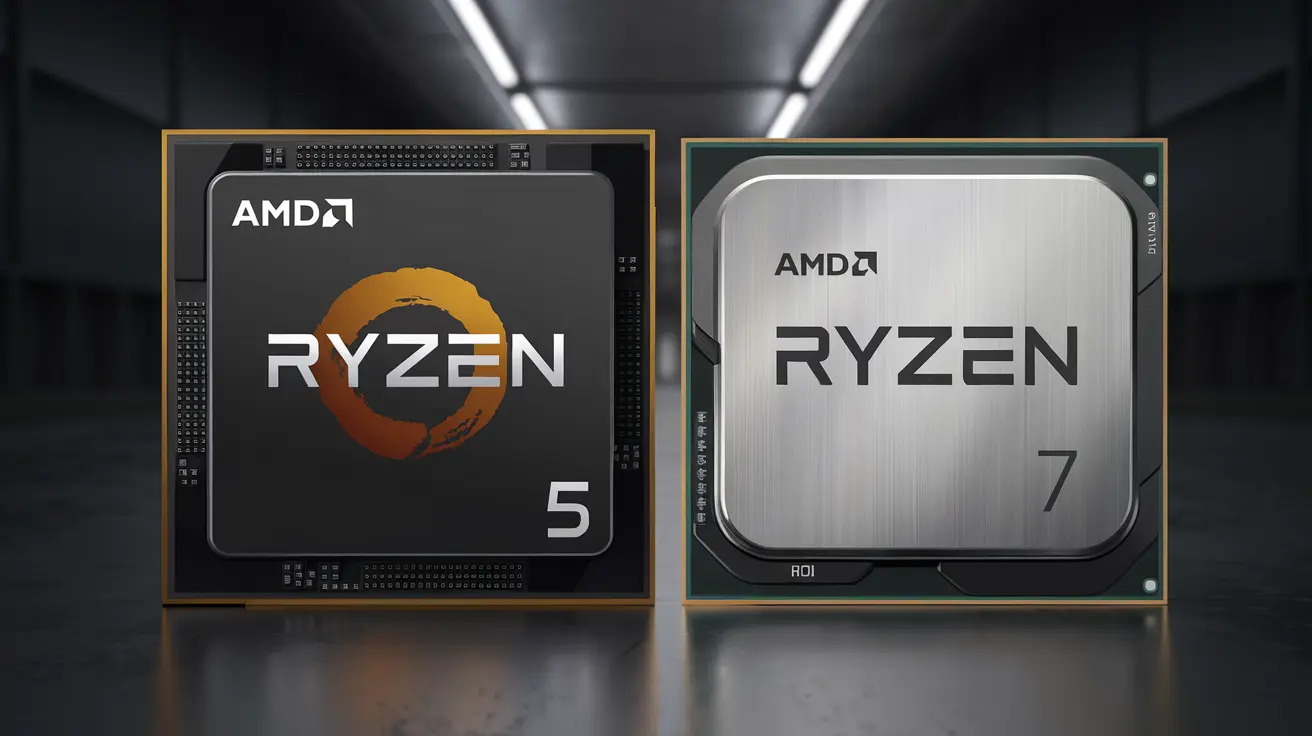
If you're hesitating between a Ryzen 5 and a Ryzen 7 , you're not alone. They're two of AMD's most popular CPU families , and at first glance, it might seem like the only difference is the number, but the reality is that many things change: cores, threads, power consumption, price, performance in gaming, video editing, multitasking, and even the future of your computer.
In the following lines you will find a very complete guide that breaks down all the differences between Ryzen 5 and Ryzen 7 processors , their common points, in which tasks the leap is really noticeable, how the different generations influence it (Zen 2, Zen 3, U range for laptops…), and what suits you best depending on whether you want to play, work, program or simply have a smooth laptop for everyday use.
Ryzen 5 vs Ryzen 7: an overview of the two ranges
Within AMD's catalog, the Ryzen 5 is positioned in the mid-range , designed for users who want more than enough power for almost everything without spending half their salary, while the Ryzen 7 is aimed at the high-end , with more muscle for heavy tasks such as video editing, 3D rendering or competitive gaming at high FPS.
From a marketing perspective, it's tempting to think that "7 is better than 5, period," but in practice, factors like CPU generation , architecture (Zen 2, Zen 3, Ryzen U for laptops), clock speeds, and TDP come into play . A modern Ryzen 5 can easily outperform a Ryzen 7 from a few years ago, especially in single-core performance and power consumption.
In desktop computers, a Ryzen 5 typically has 6 cores and 12 threads , while a Ryzen 7 jumps to 8 cores and 16 threads . This increase in cores is key to understanding why the Ryzen 7 excels in multitasking and heavy workloads, but at the same time, it makes it more expensive and consumes slightly more power.
Both Ryzen 5 and Ryzen 7 have gained fame for their excellent price-to-performance ratio , which forced Intel to react by lowering prices and improving its own Core lineup. Since the first Ryzen 7 processors arrived on the market in 2017, the CPU landscape changed completely, and AMD ceased to be "the cheap option" to compete head-to-head with Intel in raw power.
Key differences: cores, threads, frequency, and cache
The first major difference between Ryzen 5 and Ryzen 7 lies in the core and thread count . In the most representative desktop series (for example, 3600X/5600X versus 3800X/5800X), the typical pattern is 6C/12T for Ryzen 5 and 8C/16T for Ryzen 7, which represents 33% more physical and logical cores in the higher-end range.
Thanks to Simultaneous Multithreading (SMT) technology , AMD can divide each physical core into two logical threads, allowing more tasks to be executed in parallel. This is especially noticeable in applications that scale with many threads: video editing, 3D rendering, file compression, virtual machines, or professional data analysis software.
In terms of clock speeds, Ryzen 7 processors typically offer slightly higher speeds than their Ryzen 5 counterparts of the same generation. For example, a Ryzen 5 3600X starts at 3,8 GHz and boosts up to 4,4 GHz, while a Ryzen 7 3800X starts at 3,9 GHz and reaches 4,5 GHz. In the 5000 series, a 5600X typically clocks around 3,7/4,6 GHz, and a 5800X around 3,8-3,7/4,7 GHz, depending on the model.
In the L2 cache, both typically maintain 512 KB of cache per core , while the shared L3 cache in many models of these ranges is around 32 MB . There are variations in some newer chips, but in general, the cache size is not the differentiating factor between the 5 and 7; rather, it's the number of cores they have to utilize it.
All these desktop CPUs share the same platform: AM4 socket , DDR4 memory, and PCIe 4.0 support in the latest series. This means that if you already have a compatible motherboard, you can upgrade from a Ryzen 3 to a Ryzen 5 or a Ryzen 7 without changing your motherboard (except in specific cases where a BIOS update is required).
Specifications compared: real-world examples Ryzen 5 vs Ryzen 7
To get a clear idea of how these ranges are positioned, it is helpful to look at specific examples of Ryzen 5 and Ryzen 7 processors from the Zen 2 and Zen 3 generations, which are the most common in desktop computers today.
A typical comparison chart pits models like the Ryzen 5 3600X and Ryzen 7 3800X (Zen 2) against the Ryzen 5 5600X and Ryzen 7 5800X (Zen 3). In all of them, the Ryzen 5 has 6 cores and 12 threads, and the Ryzen 7 has 8 cores and 16 threads.
Base frequencies range between 3,7 and 3,9 GHz and boosts reach values between 4,4 and 4,7 GHz , with slight advantages for the 7 series models. The L2 cache remains at 512 KB per core and the L3 cache at 32 MB shared, while the TDP varies between 65 W in some Ryzen 5 (such as the 5600X) and 95-105 W in the higher-performance Ryzen 7.
All of these CPUs are unlocked for overclocking , so if you install them on a suitable motherboard, you can push them even further. Furthermore, they all support fast DDR4 memory and PCIe 4.0 , which translates to better performance with NVMe SSDs and the latest generation graphics cards.
Quick history: how Ryzen 5 and Ryzen 7 changed the market
Before Ryzen arrived, AMD had lagged behind Intel for years with architectures like Bulldozer , which were power-hungry and offered lower performance in both single-core and energy efficiency. Intel comfortably dominated, and AMD could only compete by lowering prices.
The situation changed dramatically in 2017 when AMD launched its first Ryzen 7 CPUs based on the Zen architecture. The first Ryzen 7 severely outperformed Intel's then-flagship Core i7-7700K, surpassing it in many benchmark tests and offering more cores at a lower price.
With the first generation Ryzen 7, AMD managed to match or surpass Intel in multi-threaded performance and significantly reduce power consumption compared to its own previous processors, which ranged between 95 and 220 W TDP.
From there, the subsequent Ryzen 5 and Ryzen 7 generations refined the formula: higher IPC, better power management, and support for new technologies like fast DDR4 and PCIe 4.0. This allowed many users to build very powerful PCs without paying the premium price of Intel's top-of-the-line processors.
Key similarities between Ryzen 5 and Ryzen 7
Despite their differences in power, both ranges share a very solid technical foundation. To begin with, both desktop Ryzen 5 and Ryzen 7 processors use the AM4 socket (in the generations we're discussing). This allows you to upgrade from one range to the other without changing your motherboard, provided the manufacturer has added BIOS support.
Another key similarity is compatibility with dual-channel DDR4 RAM and very high capacities , typically up to 128 GB, although the exact figure depends on the motherboard. For most users, this is more than enough, whether for gaming or advanced productivity tasks.
Virtually all modern desktop Ryzen 5 and Ryzen 7 processors come with an unlocked multiplier , making overclocking easier for those who want to experiment. Models whose name ends in "X" (5600X, 5800X, etc.) usually have a slightly better multiplier range, although they also tend to run hotter and benefit from a good cooler.
They also agree that they are much more energy efficient than the older FX and other previous AMD architectures. A modern 65W Ryzen 5 can outperform an older chip with twice the power consumption, and a 105W Ryzen 7 offers a level of power that just a few years ago would have seemed exclusive to HEDT platforms.
Ryzen 5 vs Ryzen 7: Which is faster in practice?
When measuring pure performance, it's important to distinguish between single-core (one thread) and multi-core (many threads simultaneously) tasks . Web browsing, office applications, most simple apps, and much of gaming rely heavily on single-core performance, while video editing, 3D rendering, and certain professional programs make significant use of all available threads.
In single-core performance, a Ryzen 7 from the same generation as a Ryzen 5 usually performs slightly better thanks to its somewhat higher clock speeds and binning , but the actual difference is usually small. In single-core synthetic benchmarks, the scores can be very similar; for example, in some benchmark tests, a Ryzen 5 Zen 3 scores around 165 points and a Ryzen 7 Zen 3 scores around 170.
The real leap forward is in multi-core tests, where the 8 cores and 16 threads of a Ryzen 7 make a significant difference. In tests that scale well, the 7 series achieves noticeably higher scores, with clear advantages in Cinebench and other benchmark suites, both in 8-core loads and in full multi-core scenarios.
Generally speaking, each new Ryzen generation usually offers 10-20% more performance than the previous one, so a Ryzen 5 Zen 3 can be very close to a Ryzen 7 Zen 2. Therefore, when choosing, it's not enough to just look at the number 5 or 7; you also need to consider the specific generation.
Gaming performance: Ryzen 5 or Ryzen 7?
In gaming, things change a bit. While you might think that more cores are always better, most games still don't fully utilize 16 threads , and what matters most is performance per core, clock speed, and, above all, the graphics card.
In tests comparing the Ryzen 5 3600X, Ryzen 7 3800X, Ryzen 5 5600X, and Ryzen 7 5800X, the results in current games at 1080p with a good GPU show that the FPS difference is usually not huge. The entire Ryzen family offers very good performance, and the latest Ryzen 5 processors are true gaming beasts.
In memory latency benchmarks—single-core, dual-core, quad-core, and octa-core—the Ryzen 7 processors maintain a slight advantage, especially when the game or engine makes better use of multiple threads. However, the improvement doesn't always justify the higher price if your primary use will be gaming.
In general, a modern Ryzen 5 is more than enough for high-level gaming, even with powerful graphics cards. The Ryzen 7 makes sense if, in addition to gaming, you're going to stream, edit video, or want to run background processes without significantly impacting FPS.
Professional use and demanding multitasking
Where the Ryzen 7 truly shines is in professional workflows and demanding projects . If you work with 4K video editing, CGI rendering, simulations, large builds , or manage numerous virtual machines, every extra core is pure gold.
In multi-core benchmark tests like Cinebench or Geekbench, a Ryzen 7 typically outperforms a Ryzen 5, with differences ranging from several hundred to over a thousand points depending on the test. This translates to shorter rendering and export times , which can mean hours of savings per week for those who make a living from it.
In everyday multitasking, the Ryzen 7 also shows more headroom for keeping multiple intensive applications open without flinching: video editors, a browser with many tabs, 3D software, media players, etc. The Ryzen 5 handles it very well, but if you really push the machine to its limits, the jump to the 7 series becomes obvious.
Ryzen 5 and Ryzen 7 in laptops: U series and efficiency
In one of the most discussed cases, a Ryzen 7 5825U offers 8 cores and 16 threads , while a Ryzen 5 7530U has 6 cores and 12 threads. Both operate with base frequencies around 2,0 GHz and can boost up to 4,5 GHz, so in light tasks (browsing, office applications, multimedia consumption) the feeling of smoothness is very similar.
Both also share a 16MB L3 cache , somewhat smaller than on a desktop but more than decent for a laptop, and a 15W TDP that promotes good battery life as long as the cooling system is well designed.
In terms of graphics, many of these models include the Radeon Vega 8 integrated GPU, which is sufficient for casual gamers and light titles. You can play at 1080p with moderate settings, but more demanding users will prefer to pair the system with a dedicated graphics card or opt for a dedicated gaming laptop.
In summary, within the laptop world, the Ryzen 5 is ideal for general use, light gaming, and office work with moderate power consumption, while the Ryzen 7 shines in intensive multitasking, mobile video editing , and somewhat heavier applications without completely losing focus on efficiency.
Indicative benchmarks for mobile and desktop processors
Synthetic benchmarks help to quantify these differences. In single-core tests using tools like Cinebench or Geekbench, the Ryzen 5 and Ryzen 7 processors of the same generation achieve similar scores, with the 7 model holding a slight advantage.
However, when benchmarks focus on multi-core performance , the story changes: in some analyses, the Ryzen 5 can score around 6.000 points compared to the Ryzen 7's 7.000, or hover around 5.500 points versus over 7.200, depending on the benchmarking software. These figures reflect real-world performance quite accurately under actual workloads.
From the user's perspective, this means that a Ryzen 7 will finish heavy tasks faster and handle many things open better, while a Ryzen 5 will still be very capable for those who don't push the computer to its limits.
Price, consumption and cost/performance ratio
The price difference between Ryzen 5 and Ryzen 7 is usually around $100-150/€100 at many launches, although this varies depending on the market, deals, and generation. This amount is key when deciding if upgrading is worth it for you.
Ryzen 5 processors tend to offer a fantastic cost/performance ratio for most users: plenty of power for gaming, working, studying, and editing light or medium content, all with moderate power consumption (65W TDP in many desktop models and 15W in U-series laptops).
The Ryzen 7 processors, on the other hand, have a higher price and a slightly higher TDP (95-105 W in desktops, 15 W in many well-tuned mobile variants), but they offer a performance boost that is worthwhile for content creators, professionals, or enthusiasts who want a more "future-proof" machine.
It's also worth noting that sometimes investing that extra money in more RAM, a better SSD, or a better GPU can give you a bigger overall performance boost than upgrading from Ryzen 5 to Ryzen 7, especially if your usage isn't extremely CPU-intensive.
Ryzen 5 vs Ryzen 7 vs Intel Core i5
When comparing to Intel, a Ryzen 7 5800X is often compared to an Intel Core i5-11600K , as their prices are similar. Here's an interesting difference: the Ryzen 7 has 8 cores and 16 threads, while the i5 offers 6 cores and 12 threads, but with higher clock speeds.
The Ryzen 7 5800X starts at 3,8 GHz and boosts up to 4,7 GHz, with a total of 36 MB of cache, while the i5-11600K starts at 3,9 GHz and can reach 4,9 GHz, with 12 MB of cache and also support for PCIe 4.0. In other words, the i5 usually has a slight advantage in single-core performance , while the Ryzen 7 excels in pure multi-threaded performance.
In gaming, many tests show that the i5-11600K beats the Ryzen 7 5800X by a very small margin in some specific titles, but the FPS difference is not usually dramatic and both processors offer an excellent experience at 1080p and 1440p with a good GPU.
In professional, multi-threaded tasks, the Ryzen 7 takes the lead quite clearly, thanks to its higher number of cores and threads , making it more interesting for editing, rendering, and intensive multitasking.
Overclocking, power consumption and efficiency
In the realm of overclocking, the Ryzen 7 5800X and the Intel i5-11600K have considerable headroom, with users achieving frequencies above the official boost values: around 4,8 GHz or more for the Ryzen and up to 5,1 GHz in some well-cooled i5s.
In terms of power consumption, the Ryzen 7 5800X has an official TDP of 105W and can draw around 135W under heavy load. The i5-11600K, with a nominal TDP of 125W, can reach up to 140W in intensive real-world use, so the differences aren't huge, but it's still worth considering when choosing a power supply and cooling system.
For light use (browsing, basic office tasks, video streaming), the differences in power consumption between these CPUs are usually small, while in prolonged and demanding loads the impact on temperature and energy can be somewhat more noticeable.
Motherboard, memory, and graphics card compatibility
Both desktop Ryzen 5 and Ryzen 7 processors are mounted on AM4 motherboards , with chipsets such as B450, B550, or X570, which support fast DDR4 RAM and in many cases PCIe 4.0. Some older models may require a BIOS update to recognize the latest CPUs.
On the Intel side, the i5-11600K is installed on motherboards with an LGA1200 socket , typically with Z590 or B560 chipsets, which also offer high-speed DDR4 and PCIe 4.0. Again, a BIOS update may be required on motherboards released before that generation.
Regarding graphics cards, both the Ryzen 5/7 and modern Intel i5 processors are fully compatible with current GPUs via PCIe 4.0, taking full advantage of series like the NVIDIA RTX 30 or AMD Radeon RX 6000. The CPU choice rarely limits the graphics card choice, except in extreme bottleneck cases.
RAM and storage also influence the final performance: a good configuration of fast RAM and an NVMe SSD can make more of a difference than small nuances between processors close in range, especially in everyday tasks.
What to choose in practice? Real-world use cases
For general use (office applications, web browsing, multimedia, and occasional gaming), a Ryzen 5 is more than enough . It offers fast performance, good energy efficiency, and lets you save money that you can invest in more RAM, a better SSD, or, if you're interested, a more capable GPU.
For serious gaming, even with high refresh rate monitors, a Ryzen 5 5600X or similar paired with a good graphics card performs exceptionally well. Only if you also plan to stream, do complex video editing, or run many demanding applications simultaneously does upgrading to a Ryzen 7 start to make sense.
For content creators, video professionals, 3D designers, developers working with heavy builds, or those using many virtual machines, the Ryzen 7 is clearly recommended . The time saved through reduced wait times more than compensates for the initial price premium.
For laptops, if your priorities are battery life, lightness, and price, a Ryzen 5 U-series processor is perfectly adequate for studying, basic programming, office applications, and entertainment. If you're a power user and frequently have IDEs, containers, multiple VMs, and resource-intensive tools open, a mobile Ryzen 7 will provide that extra boost in performance.
Looking ahead, a Ryzen 7 tends to offer a couple more years of comfortable lifespan before the software becomes too demanding, but if you're not one to push the hardware to its limits, a current Ryzen 5 will also hold up for a long time.
Concrete example: Ryzen 5 or Ryzen 7 for a used ThinkPad laptop?
Imagine you're looking for a used ThinkPad with a budget of $200-$400 and you're torn between a model with a Ryzen 5 or one with a Ryzen 7. Your main uses will be schoolwork, programming, and fairly normal tasks.
In that scenario, the most sensible thing to do is usually to prioritize a decent Ryzen 5 and invest the money in more RAM and a better SSD . For programming, IDEs, browsers with multiple tabs, and moderate builds, 6 cores and 12 threads are more than enough, and you'll notice a much bigger difference between 8 and 16 GB of RAM, or between a slow and a fast SSD, than between 6 and 8 cores.
The Ryzen 7 makes sense if you find a computer that, for the price, comes very well configured out of the box and the cost doesn't skyrocket, or if in addition to studying and programming you want to easily handle heavy virtual machines, serious video editing, or scientific tasks that take advantage of those extra cores.
For the average student/programmer, a Ryzen 5 is usually the most balanced option , especially if you can upgrade the RAM to 16 GB and install a good NVMe SSD that makes everything run smoothly.
Ultimately, both the Ryzen 5 and Ryzen 7 are highly capable processors that have revolutionized the market: the former shines for its balance between price, performance, and power consumption , while the latter boasts extra power for multitasking and creative work . Choosing one or the other depends on carefully considering what you actually use your PC for, how much you want to spend, and whether it's more cost-effective to upgrade your CPU or enhance the rest of your system with more memory, better storage, or a more powerful graphics card.
