- The Gigabyte A320M-S2H-CF, despite using socket AM4, does not include in its BIOS the microcodes necessary for many Ryzen 5000 processors due to technical and electrical limitations.
- The CF variant is a different OEM model than the retail GA-A320M-S2H and both remain, in practice, officially supported up to the Ryzen 3000 series.
- Installing a Ryzen 7 5700/5700G on these motherboards may cause the computer to fail to boot or run unstably due to the basic VRM and the high amperage required.
- To get the most out of a Ryzen 7 5700G, a B450/B550 motherboard with a better VRM, fast RAM, and, as a recommended extra, a UPS to protect the system is preferable.
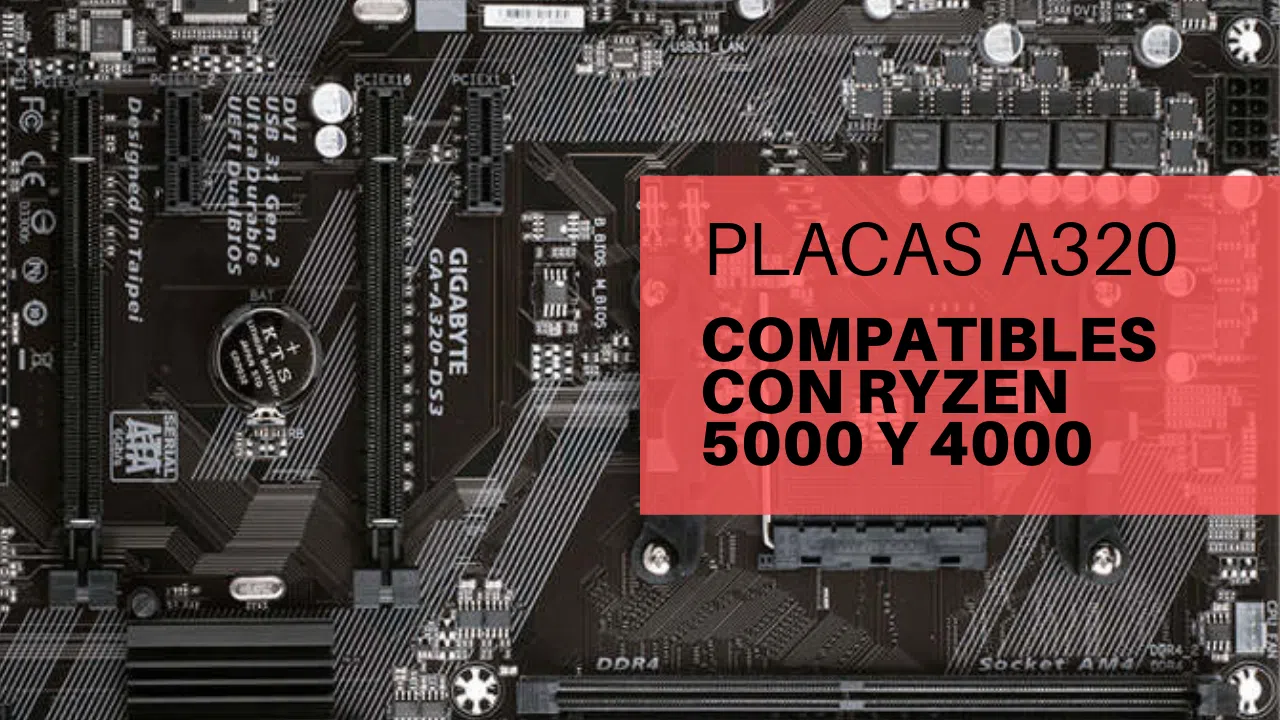
If you have a Gigabyte A320M-S2H-CF motherboard and are thinking of installing a Ryzen 7 5700 or 5700G , it's easy to fall into the trap of thinking "same socket, same compatibility." However, in this case, the reality is much more complicated: even though the socket is AM4, that doesn't mean that any latest-generation Ryzen processor will work, much less that it will do so reliably or stably.
In the following lines we will calmly but directly explain why this motherboard and processor combination is not the most suitable , what really limits the A320M-S2H-CF (and its almost twin sister GA-A320M-S2H), what impact using a Ryzen 7 5700G on a normal A320M-S2H has on performance, and what you should keep in mind regarding BIOS, microcode, power phases, RAM, power supply, and even the use of a UPS.
Why doesn't the AM4 socket guarantee full compatibility?
One of the most common mistakes when upgrading a computer is assuming that if the motherboard and processor share the AM4 socket , then compatibility is guaranteed. The problem is that, in practice, compatibility depends on several additional factors: BIOS support , microcode, VRM electrical design, and the manufacturer's own business decisions.
In the specific case of the Gigabyte A320M-S2H-CF , the obstacle isn't just the A320 chipset; it's an OEM version with specific limitations . This revision doesn't include in its BIOS the necessary microcode to recognize and operate certain Ryzen 5000 series processors, including the Ryzen 7 5700 and, in many cases, the Ryzen 7 5700G. Even if they physically fit, the motherboard simply doesn't "know" which processor you're connecting.
Besides the microcode, there's another key point: the electrical demands of the latest Ryzen processors . As AMD has released new generations (Zen 2, Zen 3, etc.) , peak power consumption and the load on the power phases have increased, especially in 8-core models. An entry-level motherboard like the A320M-S2H-CF isn't designed for these amperage spikes, which can lead to instability or, even worse, a failed boot.
Therefore, while the "one socket for many generations" marketing is appealing, actual compatibility is always determined by the official list of supported CPUs and the specific electrical design of each motherboard. With the A320M-S2H-CF, the practical limit is the standard Ryzen 3000 series, leaving out most Ryzen 4000G and 5000 series processors.
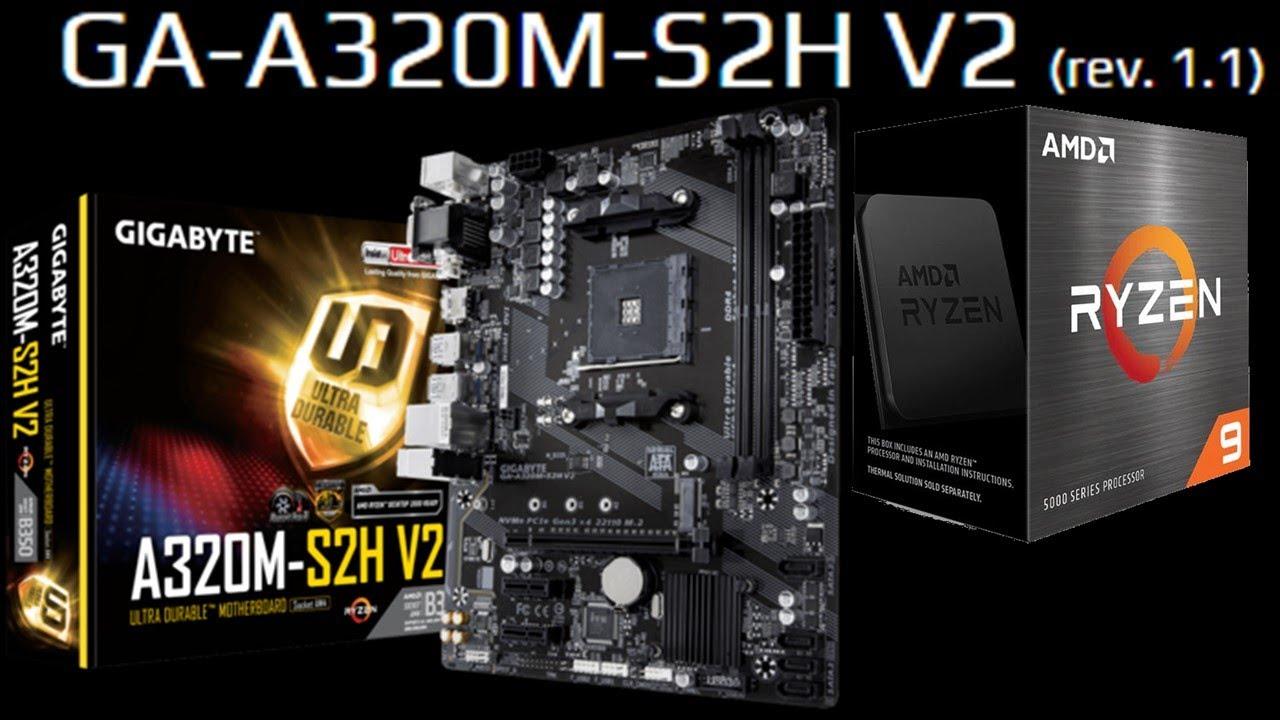
Gigabyte A320M-S2H-CF vs GA-A320M-S2H: two very similar models, but not identical
When searching for information about the Gigabyte A320M-S2H-CF , you'll most often find data for the GA-A320M-S2H . At first glance, they appear to be the same motherboard, but there are important differences that directly affect processor support.
The CF designation indicates that this is an OEM model , designed for system integrators and manufacturers of pre-built PCs. These motherboards are typically installed in brand-name systems and may have slight variations compared to the retail version: different components in the VRM, fewer connectors, a more limited BIOS, or specific firmware versions.
In this scenario, both the A320M-S2H-CF and the GA-A320M-S2H share an uncomfortable reality: neither is officially designed to support Ryzen 4000 or Ryzen 5000 APUs , despite using the same AM4 socket. Official support typically stops at the Ryzen 3000 series (non-XT 3xxx series and, with some exceptions, certain 3000G APUs like the Athlon 3000G).
The reason lies in a combination of technical and commercial factors. On the one hand, the power phases and safety margin of these entry-level motherboards are limited , which doesn't mesh well with 8-core Zen 3 CPUs that can significantly increase power consumption under heavy load. On the other hand, Gigabyte (and other manufacturers) prioritize support for the 5000 series on motherboards with more modern chipsets (B450, B550, X470, X570) and more robust VRMs.
This means that even if you manage to somehow force the installation of a Ryzen 7 5700 on an A320M-S2H-CF, you will not have official support from the manufacturer , which complicates both the stability and future maintenance of the equipment.
BIOS microcode, VRM, and amperage: the heart of the problem
The real bottleneck for installing a Ryzen 7 5700 on an A320M-S2H-CF motherboard lies in three points: the BIOS microcode, the design of the power phases (VRM), and the current intensity that these can safely supply.
On the one hand, the BIOS needs specific microcode for each processor family . Without this module added by the manufacturer, the motherboard simply won't recognize the CPU: the system may fail to boot, display no image, or get stuck in a boot loop. The A320M-S2H-CF doesn't come with the microcode for many Ryzen 5000 processors pre-installed, which is why the 5700 is very likely to not work.
On the other hand, the power delivery system (VRM) design of these entry-level motherboards is intended for low-end and mid-range CPUs, such as Athlon, Ryzen 3, and some Ryzen 5 models. When upgrading to a modern Ryzen 7, especially with 8 cores and high frequencies, the power demand skyrockets, putting the power delivery system under immense strain. When this happens, the motherboard can overheat, lower frequencies to prevent damage, or even cause random restarts.
In addition, the size and heat dissipation capacity of a basic micro ATX motherboard are not ideal. With a low-end A320 chipset and a modest VRM , continuously running a Ryzen 7 5700 at 100% load is asking far more of the motherboard than it was designed to deliver.
The practical result is clear: although some combinations may start under very specific conditions, the risk of instability and failures in the medium term is high , and that is why the manufacturer decides not to officially list these processors as compatible.
What happens if you try to install a Ryzen 7 5700 in the A320M-S2H-CF
Let's say that, despite everything, you install a Ryzen 7 5700 on your Gigabyte A320M-S2H-CF motherboard . The most likely scenario is that the system will display absolutely nothing on the screen: the fans spin, but there's no video signal and no access to the BIOS. This is usually a clear symptom of a lack of microcode support.
In other cases, a partial boot might occur, but with strange behavior such as random crashes, spontaneous restarts, or freezes when starting the operating system . Even if you manage to boot into Windows, the stress on the VRM can be so high that the motherboard enters thermal protection mode and throttles voltages or frequencies.
Therefore, if you're planning to buy a Ryzen 7 5700 (or similar) and your motherboard is an A320M-S2H-CF, the most sensible thing to do is assume that this combination isn't a viable, stable solution . You have two realistic alternatives: choose a processor from Gigabyte's official list (any supported Ryzen 5 or Ryzen 7 3000 series) or consider upgrading your motherboard to a B450, B550, or higher model that does guarantee compatibility with Ryzen 5000.
Attempting to force this installation on a board that is not prepared not only complicates things, but can compromise the reliability of the equipment and, in the worst case, cause damage to the board due to excessive heating of the VRM.
Key specifications of the Gigabyte A320M-S2H: memory, ports, and chipset
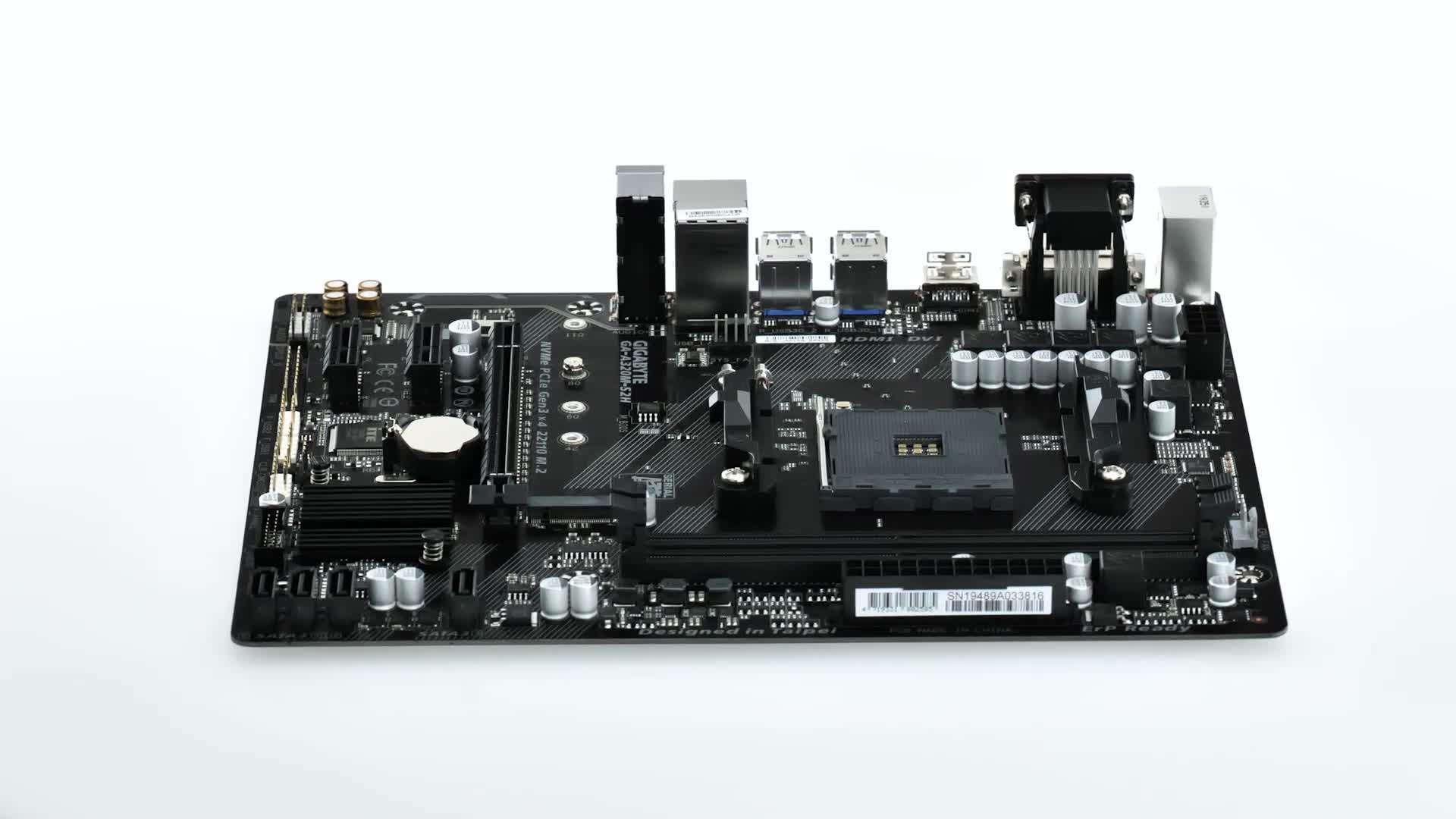
The technical specifications of the Gigabyte A320M-S2H (retail model, very similar in general performance to the CF) make it clear that we are dealing with an entry-level motherboard, designed for simple or inexpensive PCs, but with an acceptable base for office work, multimedia and some light gaming.
In terms of memory, the motherboard offers two DDR4 DIMM slots in a dual-channel configuration , supporting modules of 2133, 2400, 2667, 2933, and up to 3200 MHz, and a maximum of 32 GB of RAM. It supports both ECC (depending on the platform and CPU) and non-ECC modules, although in practice most users will install conventional non-ECC memory.
Regarding the processor, the socket is AM4, and the manufacturer indicates compatibility with a long list of families : AMD A, Athlon, Athlon X4, Ryzen 3 (1st, 2nd, and 3rd generation), Ryzen 5 (1st, 2nd, and 3rd generation), Ryzen 7 (1st, 2nd, and 3rd generation), and even some 3rd generation Ryzen 9 processors. However, the key lies in the exact BIOS version and the supported revisions within each family; the Ryzen 5000 series and many Ryzen 4000 APUs are not supported in practice.
In terms of internal connectivity, the motherboard includes two USB 2.0 connectors and one USB 3.2 Gen 1 connector for the front panel , as well as headers for front audio, CPU fan, two chassis fan headers, a TPM connector, a 24-pin ATX power connector, and an 8-pin EPS CPU power connector. It also offers four SATA III ports for storage drives and chassis intrusion detection options.
The rear panel includes 2 USB 2.0 ports and 4 USB 3.2 Gen 1 Type A ports , an RJ-45 port for Ethernet networking, analog audio outputs with support for 7.1 sound via the Realtek ALC887 chip, dual PS/2 ports for mouse and keyboard, as well as VGA (D-Sub), DVI-D and HDMI video outputs to take advantage of the integrated graphics in compatible APUs.
For expansion, you have one PCI Express x16 Gen 3.x slot and two PCI Express x1 Gen 2.x slots , allowing you to install a dedicated graphics card and additional cards (such as a capture card, sound card, or Wi-Fi network adapter). For advanced storage, RAID support covers levels 0, 1, and 10 on the SATA ports.
BIOS, UEFI and CPU support: what really matters
Another important point is the BIOS and firmware of the Gigabyte A320M-S2H and its CF variant . The motherboard uses an AMI-type UEFI BIOS with ACPI 5.0 support and a memory size of 16 MB. This ROM capacity influences how many CPU microcodes the manufacturer can store, which is key to supporting multiple generations of processors.
Models like the retail A320M-S2H have received BIOS versions such as F58d , which expand CPU support and fix bugs. In some cases, these updates have enabled the use of certain Ryzen 3000 series processors and, on better-equipped motherboards in the same segment, even some Ryzen 5000 series processors under specific conditions. However, this cannot be readily extrapolated to the OEM A320M-S2H-CF variant.
On OEM motherboards, the system manufacturer (not always Gigabyte directly for end users) can decide to block or limit support for newer generations of processors , keeping the BIOS on a specific version that prioritizes stability over expanded compatibility. Therefore, even with a 16MB ROM, the CF motherboard doesn't offer an official update that includes microcode for Ryzen 5000 processors.
Furthermore, even with a BIOS offering partial support, the motherboard's electrical limitations would remain . A basic VRM doesn't suddenly become suitable for high-power CPUs simply by updating the firmware. That's why it's so important to consider not only the BIOS version but also the quality of the underlying hardware.
Real-world example: upgrading from an Athlon 3000G to a Ryzen 7 5700G on an A320M-S2H motherboard
A very illustrative case is that of someone who has a Gigabyte A320M-S2H rev 1.0 with an Athlon 3000G and decides to upgrade to a Ryzen 7 5700G. With BIOS version F58d, the user knows that, on paper, the 5700G appears as compatible on many unofficial lists, but is concerned about whether they will actually take advantage of the processor's performance or if they should also change other components.
In this scenario, with 16 GB of Crucial 2400 MHz RAM (2 x 8 GB, without XMP) and a basic power supply like the P450B, the doubt is reasonable. The Ryzen 7 5700G can run on the retail A320M-S2H with an updated BIOS, but it won't perform at its full potential, especially due to the relatively low RAM frequency and the VRM's limitations under heavy loads.
Even so, for a budget-conscious system, this combination can be sufficient for moderate 1080p gaming, office work, and light editing , provided the VRM temperature is well controlled and the case has decent ventilation. The main bottleneck will be the 2400 MHz RAM and the motherboard itself, which won't allow for significant overclocking margins or aggressive tweaking.
However, it's crucial to distinguish between the retail A320M-S2H with BIOS F58d and the OEM A320M-S2H-CF. Unlike the retail version, the CF doesn't necessarily share the same BIOS versions or CPU support , so what works on one isn't guaranteed to work on the other. This is the root of many misunderstandings when planning an upgrade.
In summary, upgrading from an Athlon 3000G to a Ryzen 7 5700G on the retail A320M-S2H can be a big but viable leap ; attempting something similar on the A320M-S2H-CF is, in most cases, a dead end due to the lack of microcode and limited support from the manufacturer.
Will you be able to take advantage of the performance of the Ryzen 7 5700G on an A320 motherboard?
Assuming we're talking about a retail A320M-S2H with the appropriate BIOS , the question is whether a Ryzen 7 5700G can truly be fully utilized on a basic A320 motherboard. The answer is that a significant portion of the processor's raw performance will be achieved, but with several important caveats.
The first limitation comes from the RAM speed . 2400 MHz modules, without XMP profiles, hinder both the CPU and integrated graphics performance of the 5700G, which greatly benefits from faster memory. Increasing to 3000 or 3200 MHz makes a noticeable difference in games and tasks that heavily utilize the iGPU.
The second limitation lies in the VRM and the motherboard's power supply . Under sustained loads (rendering, video encoding, heavy gaming), the motherboard may apply slight frequency reductions to prevent overheating. This isn't a major issue for standard home use, but it does mean that the 5700G's full potential isn't being realized as effectively as a B550 motherboard with a better VRM would.
However, for a user on a tight budget upgrading from an Athlon 3000G, the jump to a 5700G on a retail A320M-S2H motherboard is enormous in terms of overall smoothness and multitasking . Ideally, this would be accompanied by a RAM upgrade and, budget permitting, a slightly more modern motherboard, but it's not mandatory if you're willing to accept those minor compromises in peak performance.
In contrast, in the A320M-S2H-CF OEM, even if a 5000 series processor could be installed, the same limitations of VRM and cut-down BIOS would make the system not particularly recommended for intensive use, beyond a somewhat souped-up office computer.
Is a UPS really necessary for this type of setup?
Another point that often raises questions is whether, when upgrading to a more powerful processor like the Ryzen 7 5700G on an A320 motherboard , it is essential to also invest in a UPS to protect the equipment against power outages and voltage spikes.
The answer is that it's not strictly mandatory, but it is highly recommended , especially if you live in an area with unstable power or frequent outages. A UPS won't solve the motherboard's limitations or improve compatibility, but it helps protect the hardware (including the P450B power supply and the motherboard itself) from power surges, drops, and micro-outages that can corrupt data or, in the worst case, damage components.
With a basic power supply and an entry-level motherboard, ensuring good power quality is an inexpensive way to extend the life of your computer . A simple UPS, with surge protection and a few minutes of backup power, is enough to save your work and safely shut down your PC in case of a power outage.
If your budget is very tight, you can prioritize upgrading internal components first (for example, more RAM or a better SSD) and leave the UPS for later. But once the main hardware is sorted, a small UPS is a reasonable investment to protect everything you've already installed.
Combining a Gigabyte A320M-S2H-CF motherboard with a Ryzen 7 5700 presents more problems than advantages due to missing microcode, VRM limitations, and a lack of official support. Meanwhile, the retail A320M-S2H, with an updated BIOS, can coexist acceptably with a Ryzen 7 5700G, though without pushing it to its limits. Knowing exactly which motherboard model you have, consulting the manufacturer's list of supported CPUs, and considering whether upgrading to a more modern platform is worthwhile are crucial steps before spending money on a processor that your motherboard might never even boot.
