- NPUs in Windows offload AI tasks from the CPU and GPU, improving performance, battery life, and privacy by running models directly on the device.
- Copilot+ PCs running Windows 11 require more than 40 TOPS on the NPU and use Windows ML and ONNX Runtime to automatically leverage CPU, GPU, and NPU.
- Intel, AMD, and Qualcomm are integrating high-performance NPUs into their SoCs, enabling advanced AI features for office tasks, creativity, security, and professional use.
- Tools such as Task Manager, WPR, WPA, and GPUView allow you to measure the actual use of the NPU and optimize models and applications to get the most out of the hardware.
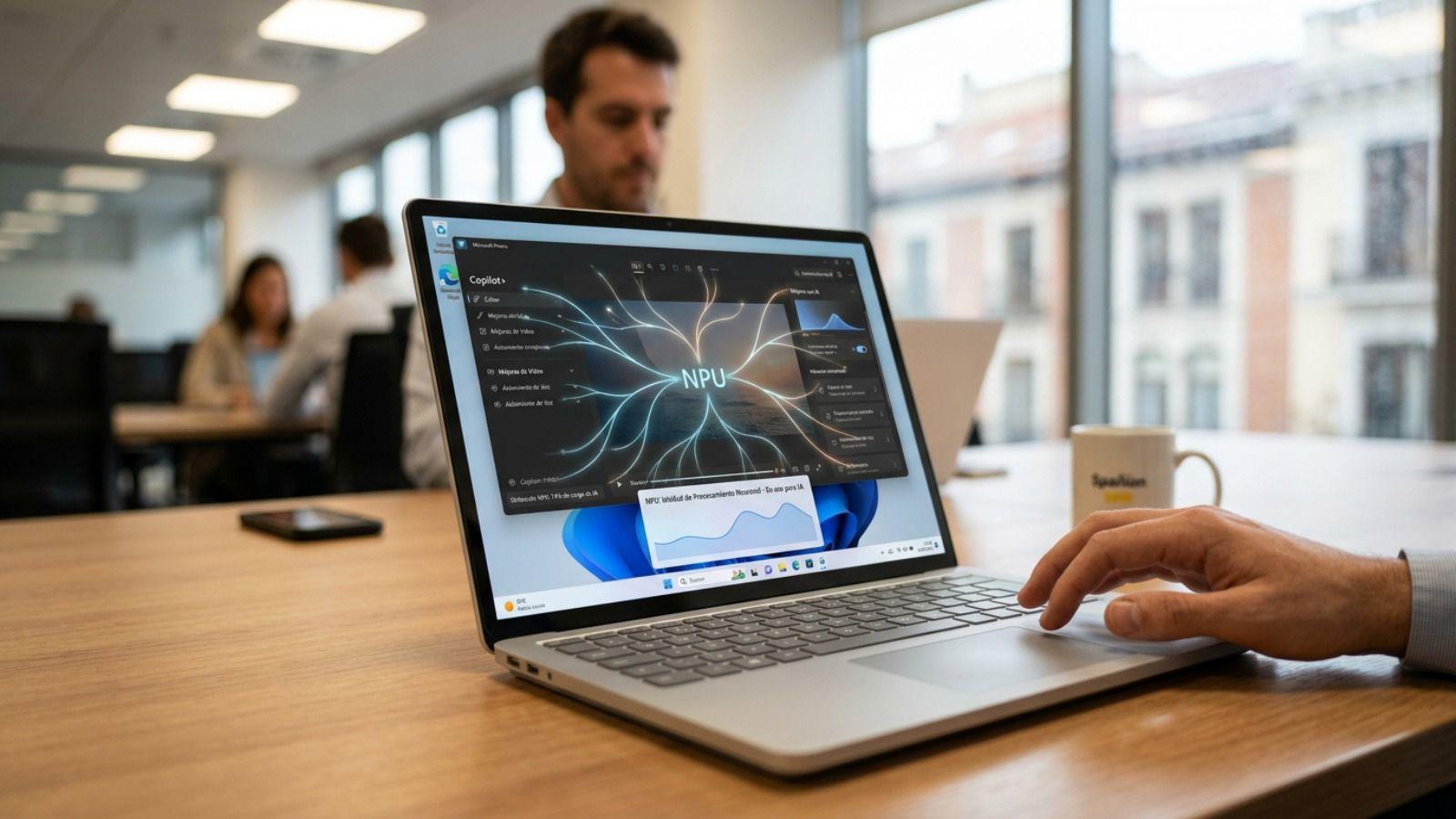
The arrival of NPUs in Windows has completely changed how we use artificial intelligence on PCs. What previously relied almost exclusively on the cloud is now starting to run directly on our laptops, desktops, and mini PCs, with enormous improvements in speed, battery life, and privacy. Windows 11, especially with the new Copilot+ devices and the latest processors from Intel, AMD, and Qualcomm, is at the heart of this revolution.
If you're thinking about upgrading your computer in the coming months, it's essential to understand what an NPU is, why Microsoft requires it for many advanced AI features in Windows 11 , its role in Copilot+ PCs, which processor models include it, and which real-world applications are already taking advantage of this new chip. Let's take a closer look, without beating around the bush, so you can make an informed decision about whether the upgrade is worthwhile.
What exactly is an NPU and why is everyone talking about it now?
When we talk about an NPU (Neural Processing Unit) in a modern computer, we're referring to a processor specialized in executing the mathematical operations of neural networks and other machine learning algorithms. It's not meant to replace the CPU or GPU, but rather to complement them by handling everything related to AI.
Unlike the central processing unit (CPU), which is designed to execute logical instructions sequentially, and the graphics card, which focuses on massive pixel rendering, the NPU is designed from the ground up to multiply and accumulate matrices of numbers at incredible speed and with very low power consumption . This is precisely the basis of how AI models "think," from facial recognition to image generation.
In practice, we could say that NPUs become the specific engine of all the intelligent functions of the system and applications, from background blurring in a video call to real-time transcription, including assistants like Copilot or advanced video editing filters.
A key advantage is that AI can run directly on the device without needing to send data to remote servers. This improves privacy, reduces latency, and offloads work from the CPU and GPU , freeing them up for other tasks.
Furthermore, many manufacturers are designing these units to work with lower-precision formats like INT8 instead of FP32. Since it doesn't require extreme mathematical precision to make accurate predictions, the NPU can save a significant amount of energy with each inference , which is especially vital in laptops and mini PCs.
CPU, GPU and NPU: the triangle of the modern SoC
The processors used in modern Windows 11 devices typically employ a System-on-a-Chip (SoC) approach, where the CPU, GPU, and NPU are integrated on the same silicon chip . This physical proximity allows them to share system RAM and transfer tasks between them without significant bottlenecks.
In this triangle, the CPU acts as the controlling brain, the GPU handles massive parallel processing for graphics, and the NPU focuses entirely on machine learning and neural network operations . Each has its area of expertise, and Windows 11 decides what goes where based on the workload.
When the system needs to apply video effects, perform on-the-fly speech translation, or run an ONNX AI model, Windows 11 analyzes the available hardware and, if it detects an NPU, redirects those tasks to it to achieve the best balance between performance and power consumption . If, for any reason, the NPU is unavailable, the GPU or, ultimately, the CPU takes over.
This intelligent task distribution is especially important in thin laptops, mini PCs, and all-in-ones, where thermal management and power consumption are critical (see our laptop hardware tutorials ). Offloading sustained AI work to the NPU prevents the CPU from overheating and having to throttle its frequency , thus maintaining overall system smoothness.
In terms of efficiency, a conventional GPU can consume tens of watts to run AI algorithms of some complexity, while an NPU can do the same job with much lower consumption , allowing you to easily extend battery life by 15% to 20% in intensive AI scenarios.
NPU and Windows 11: the role of Copilot+ PCs
Microsoft has gone a step further with the introduction of Copilot+ PCs, a new category of Windows 11 computers designed to make AI not an extra feature, but something integrated into the user's daily life. These machines are distinguished, among other things, by having a high-performance NPU capable of exceeding 40 TOPS (Tera Operations Per Second).
This requirement of more than 40 TOPS is not a whim: many of Windows 11's new AI features, both at the system and application levels, need that level of sustained power to deliver real-time translations, image generation, video effects, and intelligent assistants without penalizing battery life or the performance of other tasks.
In practice, a Copilot+ PC is designed to offer all-day battery life, constantly available AI experiences, and direct access to Microsoft's most advanced AI models and features. The idea is that you can use Copilot to help you work, study, or create without relying so heavily on the cloud.
These systems rely on next-generation processors from Qualcomm (such as the Snapdragon X Elite family), AMD (such as the latest Ryzen AI), and Intel (Core Ultra and successors) — to compare options, see the Intel and AMD processor equivalencies . They all share the concept of integrating three processing engines: CPU, GPU, and NPU , so that Windows 11 can distribute the workload very efficiently.
The Windows 11 platform itself is preparing to take advantage of these capabilities through unique experiences, such as improved video call effects, intelligent document organization, assistants that summarize local content , and creative features that rely on AI without constantly sending data to the cloud.
The Snapdragon X Elite chip and Qualcomm's bet
One of the key components in the Copilot+ PC is the Snapdragon X Elite chip, based on Arm architecture and developed by Qualcomm. This processor was designed with AI integration in mind, incorporating a very powerful and extremely energy-efficient NPU.
The Snapdragon X Elite's NPU can process large volumes of data in parallel, reaching tens of trillions of operations per second , allowing it to handle AI-intensive tasks such as simultaneous translation, image enhancement, or real-time analysis without draining the battery in no time.
Windows 11 coordinates the combined work of the CPU, GPU, and NPU in these devices. At any given time, the system decides which component is best suited for each task, seeking the optimal balance between speed, responsiveness, and energy consumption . This results in very thin and light laptops with all-day battery life and a consistently active AI experience.
The major advantage of this approach is that many of the AI experiences in Copilot+ PCs can run directly on the device itself: from Windows 11 features to third-party tools optimized for the NPU . This reduces reliance on an internet connection and improves data security.
Qualcomm also offers specific resources for developers through its Qualcomm AI Hub, where you can find models already optimized and validated for these NPUs , ready to run efficiently on Copilot+ devices with Snapdragon X Elite.
How Windows detects and uses the NPU for artificial intelligence
The NPU, like any other hardware resource in a PC, needs the operating system and applications to know how to communicate with it and leverage its power . Microsoft has been refining how to access these units, and currently the recommendation is to use Windows Machine Learning (WinML or WinML) as the primary method.
For a time, DirectML was the standard approach for working with AI acceleration on Windows, but now WinML has taken center stage . This shift aims to simplify the developer's life and enable applications to leverage the NPU and GPU as seamlessly as possible, both on Copilot+ PCs and other devices with Intel or AMD NPUs.
With Windows ML, the system automatically detects the Execution Providers (EPs) compatible with the device's hardware. Instead of the developer having to manually package manufacturer-specific libraries, Windows downloads and manages these EPs in an integrated way through the system itself or Windows Update.
At its core, Windows ML still uses the ONNX Runtime as its inference engine, but it hides much of the complexity of managing different hardware vendors from the developer . Microsoft collaborates directly with Qualcomm, Intel, AMD, and other partners to ensure that updated and optimized EPs are available for each new generation of silicon.
When an application deploys an AI model using Windows ML on a PC with an NPU, the process is automatic: WinML checks which accelerators are available, chooses the most efficient EP (QNN for Qualcomm NPUs, OpenVINO for Intel platforms, etc.), loads it, and starts inference. If something goes wrong, it seamlessly switches to the GPU or CPU without any user intervention.
Model formats, quantization, and developer tools
AI models are typically trained initially on high-precision formats like FP32, but consumer NPUs tend to work better with smaller representations like INT8 to achieve much higher performance and energy efficiency.
This means that models must be converted or quantized before running on the NPU. Many models are available ready to use in optimized ONNX format, but those who want to bring their own model (BYOM) can use specific toolchains to adapt it to the hardware.
Among the most interesting resources is the Qualcomm AI Hub , which offers validated and optimized models for running on Copilot+ PCs with Snapdragon X Elite processors. Also included is the popular ONNX Model Zoo , a repository of pre-trained, open-source models ready to run on various NPU-enabled devices, including those from Intel and AMD.
To optimize its own models, Microsoft recommends using Olive, a tool that integrates with ONNX Runtime to handle compression, optimization, and NPU-oriented compilation . This combination allows for significantly higher performance with the same hardware, which is especially important in laptops where every watt counts.
This entire ecosystem makes it much easier for developers to focus on the user experience and leave the low-level hardware integration to Windows ML, ONNX Runtime, and associated tools , which is where compatibility and maintenance problems used to appear.
How to measure the actual performance of the NPU in Windows
When integrating AI features into an application, it's crucial to measure the actual performance of the models on the NPU and understand what's happening within the system. Windows offers several diagnostic and tracing tools to do this in considerable detail.
The first point of reference, accessible to any user, is the Windows 11 Task Manager . In the "Performance" tab, there's a specific section for the NPU alongside the CPU, memory, disk, Wi-Fi, and GPU. There you can see the usage percentage, driver version, and other relevant data.
For developers and advanced users, other more powerful tools come into play, such as Windows Performance Recorder (WPR) , which now includes a neural processing profile to record NPU activity, and Windows Performance Analyzer (WPA) , which allows you to analyze those recordings.
WPR generates detailed traces of how the system interacts with the NPU through Microsoft's MCDM driver model. Then, WPA allows you to view graphs and timelines showing CPU, disk, network, ONNX Runtime events, and a dedicated NPU table , all on the same timeline.
This makes it possible to examine aspects such as workload, model loading time, inference session creation, execution provider configuration parameters, the time of each individual inference, and the profile of each operator within the AI model. Even NPU sub-hardware metrics, such as memory bandwidth, can be observed.
Additional tools: GPUView, ONNX Runtime, and hardware profiles
In addition to WPR and WPA, the Windows ecosystem offers other utilities that help to better understand exactly what the NPU does when running AI models . One of these is GPUView, a tool that reads events recorded in trace files (.etl) and displays them visually.
GPUView can now display not only GPU operations, but also NPU activity and DirectX events associated with MCDM devices . This is useful for seeing how the workload is actually distributed between the GPU and NPU when an application makes intensive use of both AI and graphics.
On the other hand, ONNX Runtime, starting with version 1.17 and with improvements in 1.18.1, emits runtime events that can be captured and visualized with WPA . This allows you to see how long a model takes to load, which EP configuration is being used, how inferences on the NPU (e.g., QNN) behave, and how much time each operator consumes within the model.
Developers can combine specific ONNX Runtime profiles with other WPR profiles (CPU, disk, etc.) to get a very accurate picture of where time is being spent and how to optimize performance . In addition, third-party tools like Qualcomm Snapdragon Profiler (qprof) offer a system-wide view and provide even more detailed NPU metrics on Snapdragon platforms.
With this set of utilities, it is possible not only to verify that the NPU is in use, but also to detect bottlenecks, unexpected latencies, or suboptimal configurations and correct them to make the most of the available hardware.
How to tell if your Windows PC has an NPU and what it's using to benefit from it
For end users, the typical question is: does my computer actually have an NPU and is Windows using it? The easiest way to check is to open Task Manager (Ctrl+Shift+Esc), go to the “Performance” tab, and look for a section labeled “NPU”.
If a dedicated NPU graph appears, it means your computer has this specialized processor. From there, you can see which applications are consuming NPU resources in the "Processes" tab or delve deeper with advanced tools for a more technical analysis. If it doesn't appear, it may be helpful to check your PC's system configuration and BIOS or UEFI settings to verify firmware adjustments or accelerator support.
The presence of NPUs is becoming increasingly common in modern computers, especially in laptops certified as Copilot+ PCs and those that integrate the latest generation of processors from AMD, Intel, or Qualcomm. Manufacturers are incorporating these units as a standard hardware component, just as GPUs were once integrated into the processors themselves.
In many cases, the user begins to notice the advantages without needing to change anything in the way they work: clearer video calls, effects applied in real time without lag, longer battery life when using smart features, and an overall feeling of fluidity even with several tasks running at the same time.
For those with technical curiosity, Windows tracing tools allow you to know exactly which processes are throwing work at the NPU and with what usage patterns , something very useful if you are testing new software or if you want to verify that an application is really taking advantage of the hardware.
Real-world applications that already take advantage of the NPU in Windows
Beyond the theory, what's interesting is seeing which everyday programs are taking advantage of the NPU in Windows . The list grows month by month, but several well-known names have already started relying on this chip to accelerate their AI functions.
In the world of image editing, Adobe Photoshop is a prime example. AI-powered tools like automatic object selection, background removal, and on-the-fly noise reduction can run much faster if the PC has an NPU, freeing up the GPU for other rendering tasks.
In terms of security, Norton Antivirus has incorporated AI-powered features that leverage the NPU to detect phishing attempts and scams on websites more quickly. This makes real-time protection faster without overloading the CPU or slowing down the system.
In design and visual content, platforms like Canva have been adding increasingly powerful AI-powered generation and editing tools. Many of these features can be accelerated with local hardware when an NPU is available, reducing wait times when applying filters, generative backgrounds, or smart adjustments.
For video editing, DaVinci Resolve Studio also integrates tools that benefit from local AI acceleration, such as noise reduction, facial recognition, auto-framing, and other advanced features. Delegating these tasks to the NPU results in a smoother editing experience and shorter export times.
Furthermore, at the operating system level, Windows Studio Effects, Copilot, and other Windows 11 features leverage the NPU to run video effects, speech isolation, or contextual assistants in real time, keeping the CPU focused on the productivity applications the user has open.
NPUs in the market: Intel, AMD, Qualcomm and the push for AI PCs
The adoption of NPUs in PCs is not an isolated experiment: everything indicates that we are witnessing a fundamental transition similar to the shift to SSDs or the integration of GPUs into processors . Analysis firms like IDC estimate that, by 2025, more than 100 million personal devices (laptops, tablets, and desktops) will be released with integrated NPUs.
In this context, the three major players most heavily invested in native AI for PCs are AMD, Intel, and Qualcomm . Each with its own approach, but all with the same goal: to enable AI to run directly on the user's hardware, quickly, efficiently, and privately.
AMD, for example, has launched the Ryzen AI Max Series and Ryzen AI 300 families , with architectures like Zen 5 and XDNA 2. The most advanced models offer up to 55 TOPS of AI performance, multiplying the performance of the previous generation by five and enabling very powerful ultraportable form factors. To learn more about their architectures, you can read about AMD RDNA 5 and uDNA.
Within this range, processors like the AMD Ryzen AI 9 HX 370 stand out , whose NPU reaches 50 TOPS and exceeds the Copilot+ PC minimum threshold by 25%, as does the Ryzen AI 395+ , which offers even greater sustained AI performance for demanding local models. Thanks to their spatial dataflow approach, these chips move data between MAC units without constantly accessing RAM, thus reducing latency and power consumption.
Intel, for its part, has made it clear that AI is at the heart of its roadmap: its goal is to ship more than 100 million processors with dedicated AI accelerators within a couple of years, achieving up to 120 TOPS of combined performance and supporting more than 500 AI-based functions with the support of an ecosystem of hundreds of independent software developers. To follow the evolution of its chips, check out our latest news on Intel processors.
As for Qualcomm, its Snapdragon X Elite PC platforms have become one of the pillars of Copilot+ PCs, consolidating the model where CPU, GPU and NPU coexist in a highly efficient SoC, perfect for ultra-thin laptops with many hours of battery life and AI capabilities always available.
Advantages for different types of users: from office automation to local AI
The big question for many is: what do I gain in my day-to-day life with an NPU in Windows? The answer depends on the type of use, but almost all typical users benefit in one way or another.
For office workers, the NPU allows features like Windows Studio effects in video calls (background blur, autofocus, lighting enhancement, voice isolation) to run without straining the CPU. This frees up more space to handle heavy spreadsheets, multiple open productivity applications, and intensive web browsing without the computer slowing down.
Students and distributed teams can take advantage of real-time translations, automatic audio transcription, and assistants that help with document summaries, even in scenarios with limited connectivity. Local AI eliminates much of the latency and improves the experience in international meetings.
Creative professionals, both in photography and video, benefit from NPU-accelerated filters, scene recognition, smart masks, and faster generative fill , reducing wait times when editing and exporting projects. This is especially noticeable in demanding workflows.
Finally, users who want to run AI models locally on their PCs (for example, to avoid uploading sensitive data to the cloud) find the missing piece in the NPU. Processing inferences on the device itself protects privacy, eliminates connection dependencies, and can offer highly competitive response times for tasks such as local chatbots, document classification, or image analysis.
In all cases, the common denominator is that the NPU allows AI to stop being something remote that only works when you are connected, and to function as a native capability of the PC, always available and adapted to what you do , from the simplest to the most advanced.
Frequently asked questions about NPU, performance, and privacy in Windows
A common question is how an NPU actually differs from a traditional graphics card . While a GPU can run AI models, it's primarily designed for graphics, whereas an NPU is designed exclusively to accelerate neural networks and machine learning operations. This allows it to free up both the CPU and GPU from repetitive AI tasks while consuming significantly less power.
Another important issue is how it improves privacy. By running AI functions locally, the NPU prevents you from having to continuously send personal data to the cloud . For those who work with sensitive information (journalists, lawyers, doctors, companies with critical data) or simply value their privacy, this makes a significant difference compared to relying entirely on remote services.
Regarding gaming, an NPU doesn't replace the GPU, but it can indirectly help in certain scenarios . Technologies like AMD FidelityFX Super Resolution use AI to upscale the image and improve the frame rate (or Nvidia's DLSS 5 ). If part of that calculation is done by the NPU, the GPU can focus on pure rendering, which in some titles translates to more balanced overall performance.
It's also logical to wonder if the AI integrated into antivirus software, assistants, or productivity tools will "spy" more. The reality is that local processing in the NPU allows for just the opposite : the more that's done on the device itself, the less data has to travel to external servers, reducing the attack surface. That said, it's always advisable to review the privacy policy of each application.
The general feeling, both among manufacturers and analysts, is that NPUs and AI PCs are not a passing fad, but rather the next logical step in PC evolution , just as multi-core processors and SSD storage were in their time. We are still in the early stages, but what we are already seeing in the market suggests that, in just a few years, NPUs will be as commonplace as integrated GPUs.
All this movement towards NPUs in Windows is building a solid foundation for AI to move from being an isolated cloud service to a standard capability of the personal computer, enabling faster, more efficient, more private computers that are better adapted to how we work, study, and create content every day.
