- There is a wide variety of handheld computers with native or community-adapted Linux support.
- DIY projects with Raspberry Pi allow you to create cheap and fully customizable Linux mini-computers.
- Pocket command guides are the ideal complement to get the most out of these compact devices.
- The community keeps alive the ecosystem of UMPCs, PDAs, and microcomputers that make it possible to carry Linux in your pocket.
If you've ever dreamed of carrying a complete Linux computer in your pocket , you're not alone. From classic UMPCs to the latest Raspberry Pis, the world of small hardware and open-source systems has been giving us gems for years that combine extreme portability with more than enough power for everyday use.
In this article, we'll merge two intertwined worlds: on the one hand, Linux-based handheld computers , both commercial and homemade, and on the other, the concept of a "pocket guide" of commands to get the most out of any distribution. You'll see a detailed list of legendary devices, DIY projects you can replicate at home with a Raspberry Pi, and also how a good command cheat sheet can transform your mini-computer into a powerful tool for working, learning, and experimenting.
What does it really mean to have “Linux in your pocket”?
When we talk about "Linux in your pocket," we can refer to two different but closely related things: on the one hand, ultra-compact physical computers that run Linux , and on the other, small printed or digital guides that contain the essential commands for navigating the terminal. The beauty lies in combining both ideas: a tiny device and a quick reference always at hand.
In the years leading up to the explosion of tablets and smartphones we know today, a whole series of UMPCs (Ultra Mobile PCs) and minicomputers appeared , attempting to offer a "full PC" in a pocket-sized format. Many of these devices are now collector's items, but they paved the way and demonstrated that Linux could be adapted to devices with tiny screens and keyboards.
The criteria typically used to determine whether a device falls into the "pocket computer" category is quite simple: it must include a full QWERTY keyboard and be compact enough to fit in a large pocket (think jacket or loose-fitting trouser pockets). Beyond that, everything else is a matter of power, battery life, and community.
Many of these devices were produced in limited quantities, sold only in certain countries, or discontinued early on, so today it's common to have to scour eBay, Amazon, or Chinese secondhand marketplaces to find a unit in good condition. And, of course, the key to their continued existence is the community that maintains Linux support, patches, and the tools needed to get the most out of them.
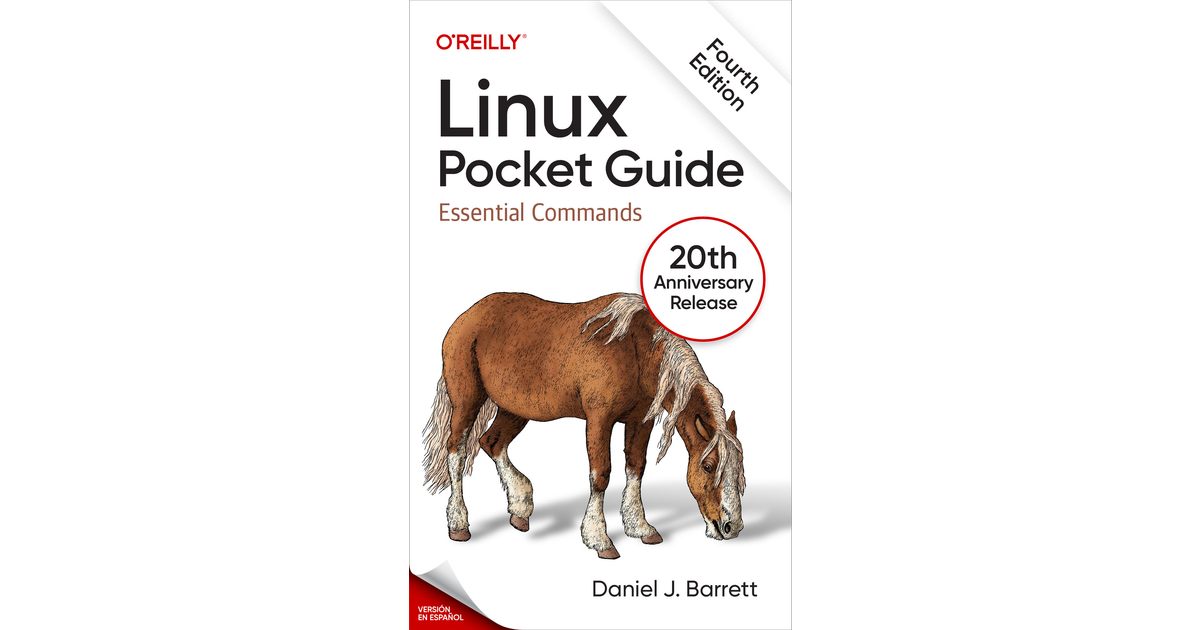
Besides the hardware, there's another key pillar: Linux pocket guides . These are small manuals that condense the most frequently used commands, the most practical options, and usage examples, designed for both novice users who want to get comfortable with Linux and administrators or advanced users who need a quick reference. Having one of these handy when you're working on a mini-computer with a small screen is more useful than it might seem.
Devices with native Linux support: you take it out of your pocket and it works.
Some devices are designed to run Linux or a Linux-based system from the very first boot . This native support simplifies things considerably: you boot up, configure a few details, and you can start tinkering without having to struggle with drivers or alternative images.
One of the modern classics is Pandora , a device released between 2008 and 2010, based on an OMAP3530 SoC (ARM Cortex-A8) running between 600 MHz and 1 GHz. It offers a full keyboard, analog joysticks, and pre-installed Linux, making it a curious mix of handheld console and mini-computer. Despite its age, it was once available on its official website and remains highly valued among collectors and retro gaming enthusiasts.
The spiritual successor to Pandora is Pyra , planned with an OMAP 5 (ARM Cortex-A15) at 1,5 GHz. Pyra aims in the same direction: a small device geared towards gaming enthusiasts and users who want a full Linux system at their fingertips. Its development has been long and somewhat uncertain, but the idea remains: to offer sufficient power in a pocket-sized chassis, with Linux as the operating system.
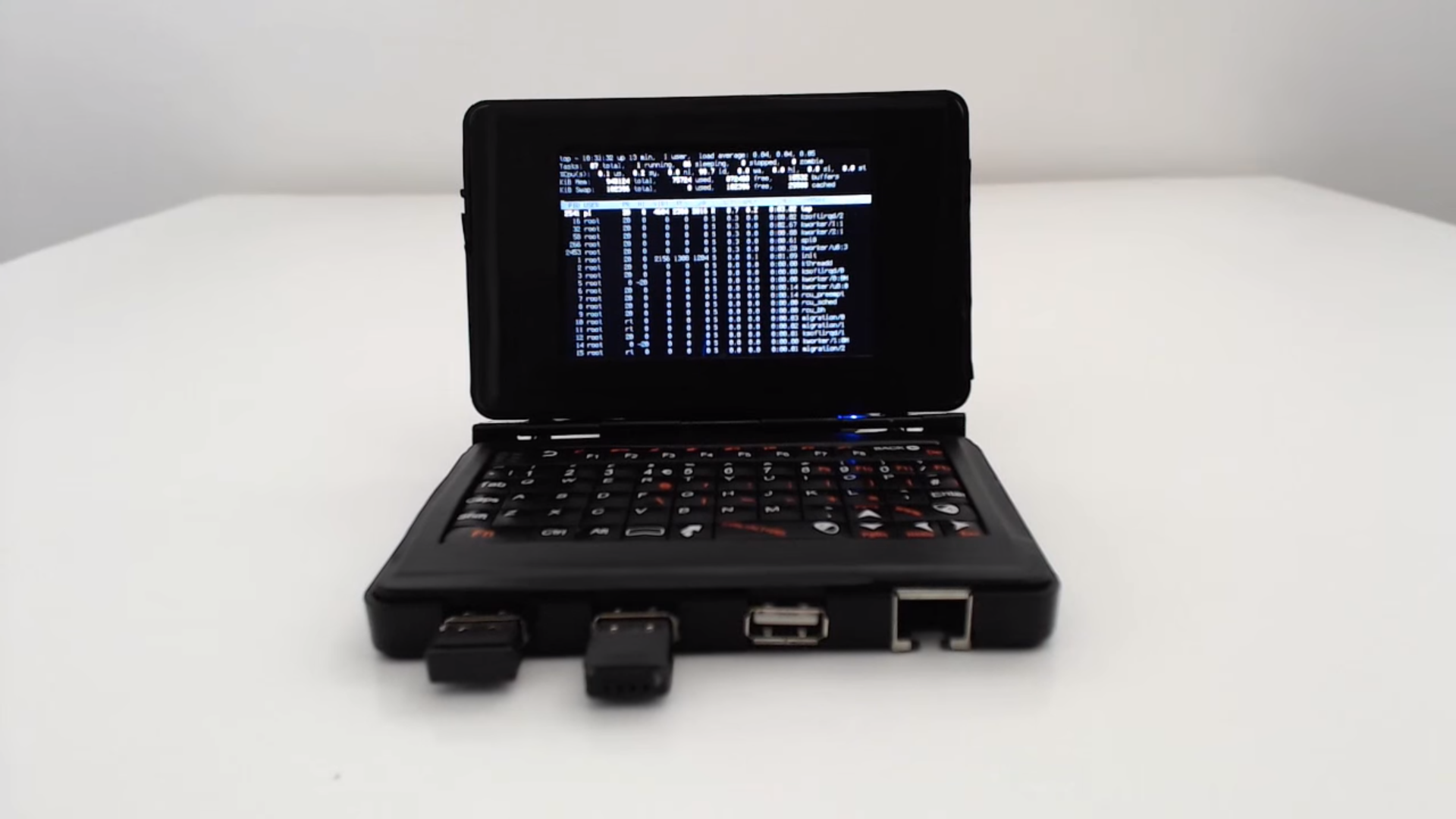
Among the most iconic DIY projects is NODE – The Handheld Linux Terminal (Version 2) , a homemade pocket computer based on a Raspberry Pi 2 and housed in a custom-cut case. This project is particularly significant because it inspired many people to create their own handheld Linux machines. NODE combines a Raspberry Pi board, QWERTY keyboard, screen, and battery, resulting in a kind of "portable terminal" that allows you to connect via SSH, browse the web, or run common administrative utilities.
We can't forget the Nokia N900 , released in 2009 and based on a 600 MHz TI OMAP3430. Although marketed as a mobile phone, its most interesting feature was that it ran Maemo , a Linux-based operating system entirely focused on community and open-source development. Along with models like the Nokia 770 Internet Tablet, N800, and N810, it formed a small family of handheld devices that still boast an active community today, creating mods, alternative firmware, and development tools.
Based on this, the Neo900 project was designed , aspiring to be the spiritual successor to the N900. It retained the original casing but updated the hardware with a 1 GHz TI DM3730 and added new privacy and security features . The goal was to offer an open, user-friendly device ready to run various mobile Linux distributions. Its development has had its ups and downs, but the idea clearly illustrates the strong desire for a truly open "pocket phone."
In the realm of inexpensive boards, we find projects like PocketC.HIP , a DIY pocket computer built around the popular $9 CHIP board. This device included an Allwinner R8 SoC (1 GHz ARM Cortex-A8), keyboard, screen, and battery, forming a kind of portable console/terminal ready to run Linux and simple applications. Although the project never reached commercial success, it helped popularize the idea that you could build your own mini-computer for very little money.
Going back a bit further in time, the Sharp Zaurus series stands out , especially the SL-C1000, SL-C3000, SL-C3100, SL-C3200, and SL-C860 models. These clamshell-style devices, based on a 416 MHz Intel Xscale PXA270 processor, came with Linux pre-installed and a surprisingly comfortable keyboard for their size. The Zaurus series fostered a strong modding community, which developed custom ROMs, tools, and technical documentation to transform them into true pocket-sized mini-computers.
Sharp also released the NetWalker PC-Z1 , a mini netbook with a Freescale i.MX515 processor (800 MHz ARM Cortex-A8), a touchscreen, and a full keyboard in a truly compact form factor. Although marketed more as a "mini netbook" than a PDA, its size and Linux-based operating system place it squarely in this category of devices that can be used for both writing and remote system administration.
Another interesting piece is the Ben NanoNote , with an XBurst JZ4720 CPU at 336 MHz. Both the hardware and software are open source, and the operating system it uses is OpenWRT, better known for its use in routers. This device perfectly embodies the ideal of the hacker community: small, open, well-documented, and designed for experimenting with Linux in an extremely resource-constrained, yet surprisingly useful, environment.
Pocket computers modified to run Linux
Alongside devices that came pre-installed with Linux, there's a whole family of UMPCs and micro-laptops that originally came with Windows or other operating systems , but which the community has managed to adapt to run GNU/Linux distributions with varying degrees of success. This involves drivers, chipset compatibility, and countless hours of trial and error.
One of the best-known models is the Sony Vaio P , released around 2009. Equipped with Intel Atom Z5x0 processors ranging from 1,33 to 2,13 GHz, it was marketed as a kind of luxury "subnotebook," very long and sleek, with a widescreen display and a somewhat compact keyboard. Although it was launched with Windows, the community has documented how to install Linux on it , including notes on which distributions have the best support and which components are most problematic (graphics card, suspension, etc.). In practice, it's a clear example of a pocket-sized laptop converted into a Linux machine.
Along similar lines is the Fujitsu UH900 , another UMPC with an Intel Atom Z540 at 1,86 GHz. This model was also the subject of Linux installation experiments, although the results weren't perfect: problems were reported with support for some chipsets , including audio and certain connectivity modules. Even so, for those who enjoy tuning kernels and compiling modules, it remains an interesting playing field: tweaking the kernel can make all the difference on these machines.
Among the more modest devices was the Zipit Z2 , a small instant messaging device with a 312 MHz XScale PXA270 processor. Although it was slow out of the box and had rather limited software, the community managed to create Linux-based firmware images and transform it into a kind of mini pocket terminal. The main problem today is availability: it's a rare device, difficult to find except by searching international secondhand markets.
Another unusual model is the Sharp/Willcom D4 , a Japanese UMPC with an Intel Atom Z520 at 1,3 GHz. Information about this device is limited online, but videos have surfaced demonstrating that it can boot Linux. As is often the case with these kinds of experiments, it likely has limited support for certain components such as audio, Wi-Fi, or power-saving features, making it more of a curiosity than a reliable machine for everyday use.
The UMID mbooks also deserve a mention: the m1 model (Atom Z520 at 1,3 GHz) and the BZ (Atom Z515 at 1,2 GHz). These are tiny computers with a physical keyboard and a flip-up screen, originally designed to run Windows. In both cases, it has been reported that Linux can be installed with acceptable results, although again, availability is limited and finding comprehensive technical documentation can be difficult. They are clear examples of how the community is determined to bring Linux to any device with a keyboard and some storage.
DIY projects: how to create your own pocket Linux computer
Beyond commercial devices, there's an unstoppable trend: building your own mini-computer with Linux using Raspberry Pi-type microcomputers . These boards, about the size of a credit card and very affordable (around €30-40), come with the essential connectors of a complete PC and allow you to build everything from robots to retro consoles or home automation systems.
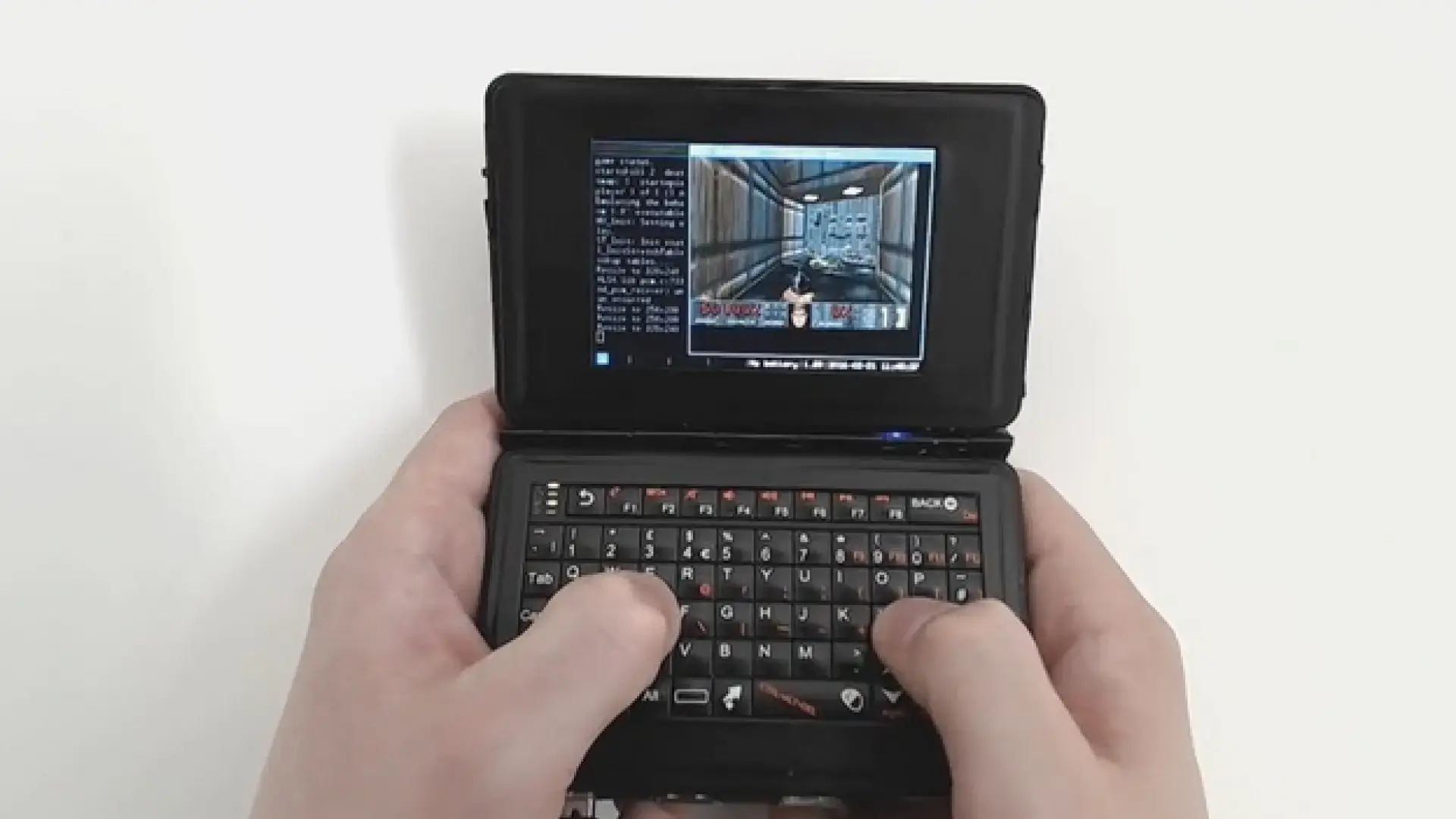
One of the most striking DIY projects involves creating a pocket-sized computer, roughly the size of a Nintendo DS, from a Raspberry Pi 2 or 3. The idea is to assemble a Raspberry Pi board, a small screen, a QWERTY keyboard, and a rechargeable battery into a compact case, resulting in a portable device that can be used to browse the web, read email, play classic games like Doom, or watch short videos on YouTube.
The project popularized by Chris Robinson (NODE) uses a Raspberry Pi 2 with a 900 MHz CPU and 1 GB of RAM , along with three USB ports, an Ethernet connector, a backlit QWERTY keyboard, a 3,5-inch touchscreen, and a 1000 mAh clamshell battery. It typically runs Raspbian (now Raspberry Pi OS) with a lightweight window manager like i3, ideal for small screens and modest hardware.
The casing, in these types of projects, is usually one of the most creative aspects. In the specific example of NODE, two 2,5-inch hard drive enclosures are repurposed , cut and adjusted to create a kind of tiny "foldable laptop." However, it's important to keep in mind that fitting all the components may require physically reducing the board size (filing it down, desoldering unused connectors, etc.), so some experience with soldering and precision tools is advisable.
This type of Linux-based handheld computer can also function as a makeshift desktop workstation if you connect it to an external monitor via HDMI and add a more comfortable keyboard and mouse. Even with this flexibility, its greatest strength is its ability to remain fully operational independently, with its own integrated screen and keyboard. If you want to stream or mirror the screen to another device, tools like Deskreen make this easy.
The cost of these projects typically hovers around €100, including the Raspberry Pi, screen, keyboard, battery, and case. The result, however, is a complete mini-computer that you can customize down to the last detail , running Linux at its core and allowing you to install any ARM-compatible software: lightweight browsers, SSH clients, text editors, emulators, and more. To maximize performance on limited hardware, it's advisable to study memory management and optimization in Linux.
Pocket guides to Linux: essential commands always at hand
The other side of “Linux in your pocket” are the quick reference guides to commands , usually in a small format (small book or manageable PDF on screen) that accompany any Linux user, whether they manage servers or simply want to get used to the terminal.
This type of guide is usually designed for those who use Linux daily and want a handy cheat sheet, valid for any distribution. Its content is organized to offer a progressive learning curve: you start with your first contact with the system, continue with the graphical desktop, the file system, and the shell, and from there you delve deeper into administration, networking, and automation.
A well-structured pocket guide usually includes sections dedicated to obtaining help from the terminal itself (commands such as man, info, –help and similar), the basic use of the graphical environment, the structure of the file system (/, /home, /etc, /var, etc.) and the fundamental concepts of the shell: simple commands, pipes, redirections, variables and command substitution.
From there, the course typically moves on to file operations: commands for copying, moving, renaming, and deleting (cp, mv, rm), directory creation, path navigation (cd, pwd, ls, and variants), content viewing (cat, less, more, head, tail), and basic editing using editors like nano, vi/vim, or similar. File permissions, owners, and groups are also usually explained concisely, along with commands for changing them (chmod, chown, chgrp), and how to locate files using find and locate.
Another regular section focuses on text manipulation in files . This involves tools like awk, sed, and m4, along with popular scripting languages such as Perl, PHP, Python, and Ruby. The goal isn't to provide a comprehensive programming course, but rather to demonstrate how to chain commands to transform text, filter lines, perform bulk replacements, and generate quick reports from the command line.
Regarding compression and packaging, a pocket guide typically covers commands like tar, gzip, bzip2, xz, and zip/unzip , explaining how to create and decompress archives, how to combine multiple files into a single package, and how to protect them with encryption when necessary. It also includes commands for comparing files (diff, cmp), converting formats, and handling PDF and PostScript documents from the terminal.
There are also sections dedicated to printer and print queue management , spell checking from the command line, and tools related to disks and file systems: mounting and unmounting (mount, umount), integrity checking, partitioning, and utilities for backups and remote storage (rsync, scp, tar over SSH, etc.). All of this is presented in a compact way, so you can find the syntax you need at a glance without having to delve into lengthy manuals.
The section on processes and scheduled tasks is also key: commands to list processes (ps, top, htop), send signals (kill, killall), change priorities (nice, renice), and schedule periodic executions with cron and at. Additionally, notes are usually included on how to properly log in and out, shut down and restart the system, and manage multi-user sessions.
In the area of users and groups, a pocket guide describes how to manage user accounts (adduser, useradd, usermod, userdel), how to become a superuser (su, sudo), manage groups (groupadd, groupmod, groupdel), and customize each user's environment (configuration files in the home directory, environment variables, etc.). It also covers discovering system and host information, as well as tools for retrieving data about hardware, memory, CPU, and active services.
Another important area is networking and communication : locating hosts, resolving domain names, checking connectivity (ping, traceroute), reviewing network interfaces, configuring connections, and checking open ports. In this context, it's not uncommon to also find mention of text-based email clients, lightweight console-based web browsers, reading Usenet newsgroups, terminal-based instant messaging, and other communication tools typical of Unix environments.
Finally, many guides include a more "desktop user" section, with commands related to screen output, mathematics, dates and times, graphics and screensavers, audio, video, and software installation . Pages are also dedicated to creating shell scripts, showing basic patterns for automating repetitive tasks. All of this is rounded out with a comprehensive alphabetical index, which acts as a quick search tool for commands and concepts.
Other curious devices and honorable mentions
The catalog of handheld computers, unlocked phones, and PDAs that have dabbled in Linux is enormous, and many of them have gone straight into the collector's category. Although not all of them achieved robust Linux support, they are an important part of the history of handheld computing.
Currently, devices like the GPD WIN , based on a 1,44 GHz Intel Atom Cherry Trail X5-Z8500, have opted to come with Windows 10 pre-installed and target the portable gaming market. While Linux support isn't officially mentioned in some cases, this hasn't stopped the community from trying to get them running various distributions, especially for those who want a hybrid device between a console and a pocket PC.
If you search online marketplaces like eBay, AliExpress, or Alibaba using terms like "UMPC" or "pocket computer," you can still find rare and experimental devices , many with modest hardware but the potential to become small Linux terminals. The problem, again, is the scant documentation and limited driver support, which requires considerable research and accepting certain limitations.
Among the honorable mentions, legendary devices like the Psion Series 5 (1997-1999) are a must. With its ARM710 CPU running at 18-36 MHz, it was marketed as a professional PDA. Although it didn't run Linux out of the box, it set the standard for what a pocket computer should be, featuring a comfortable keyboard, a sturdy hinge, and decent battery life. Many users remember it as being ahead of its time.
Another key piece of technology is the HP 95LX , also known as Project Jaguar. Released in 1991, it incorporated a 5,37 MHz NEC V20 processor and was the first handheld computer or PDA to include MS-DOS. Although its operating system wasn't Linux, it demonstrated that a complete DOS environment could be carried in a pocket, paving the way for future experiments with more advanced systems.
The HP Jornada 720 , with a 206 MHz StrongARM CPU and released around 2000, was another very popular PDA among advanced users. In this case, the community managed to create Linux-based firmware images, making it an extremely attractive device for hackers and open-source enthusiasts. Its comfortable keyboard and relatively large screen made it perfect for text editing and remote administration tasks.
All these devices, along with UMPCs and modern motherboards, create a landscape that can accommodate virtually any combination of compact hardware and open-source software . From phones to PDAs, handheld consoles to "toy" computers, the core idea is the same: to have a complete system you can pull out of your pocket and use anytime.
If you're thinking of getting into this world, the best strategy is to combine a small Linux-based device (either commercial or DIY) with a good pocket-sized command guide . That way, you always have both the tool and the minimum knowledge needed to master it: you can connect to servers, automate tasks, test scripts, browse the web, or simply play games, all from a tiny device that turns heads wherever you take it.
The evolution of these "pocket Linux" systems demonstrates that, although today's standard tablets and mobile phones are more powerful and feature-rich, there is still a place for devices and projects that prioritize total user control, free software, and the ability to experiment without limits . Whether it's rescuing an old UMPC, buying a rare find online, or building your own mini-computer with a Raspberry Pi, the options for carrying Linux in your pocket are more alive than ever.