- HDMI ARC allows you to send audio back from the TV to a soundbar or receiver using the same HDMI cable, reducing cables and simplifying installation.
- The ARC standard is limited to stereo PCM and compressed formats such as Dolby Digital or DTS 5.1, while eARC greatly increases bandwidth and supports lossless audio and high-quality Dolby Atmos.
- To use ARC, all you need is an HDMI 1.4 or higher cable and that both the TV and the audio system are compatible, by activating the return channel in the configuration menus.
- When a device does not support ARC, optical or RCA outputs can be used, although with more cables and quality limitations compared to the integrated advantages of HDMI ARC/eARC.
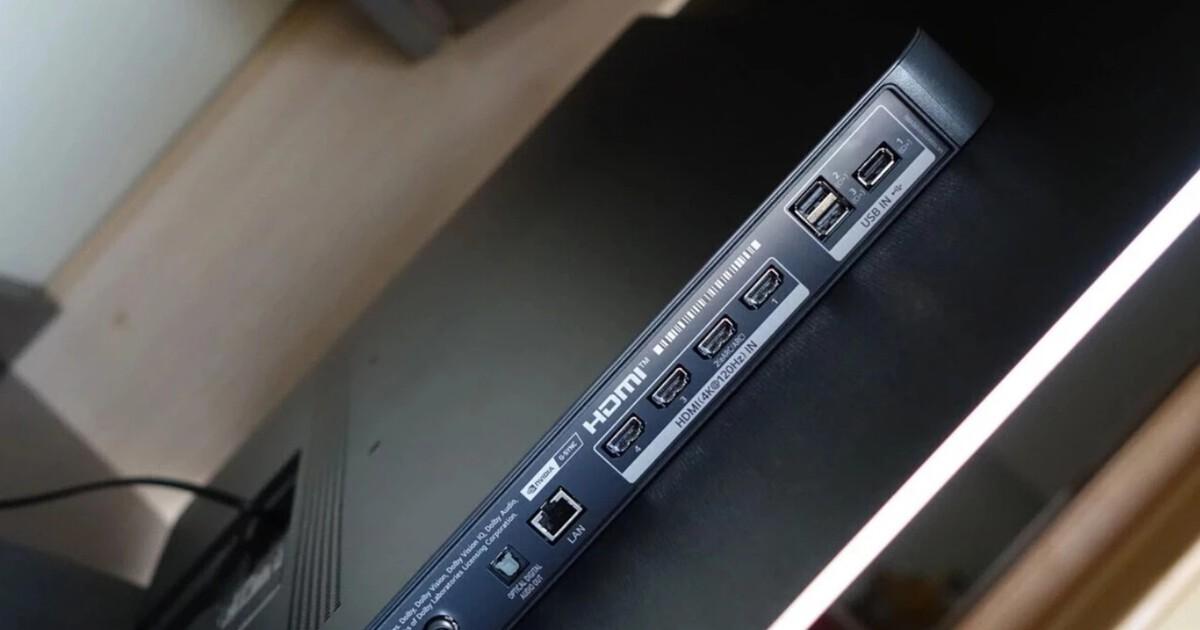
These days we connect game consoles, soundbars , streaming players, and a whole host of other gadgets to our TVs, but we're not always clear on what each port does. The HDMI ARC connector is one of those common but often overlooked ports that, when you know how to use it properly, allows you to greatly simplify your cabling and improve the sound of your home theater system.
If you've ever noticed that one of the HDMI ports on your TV says "ARC" or "eARC" and weren't quite sure what it meant, you've come to the right place. Let's take a closer look at what it is exactly, what it's used for, what audio formats it supports, what cables you need, and how to use it with TVs, soundbars, AV receivers, and even consoles like the PS5, with clear explanations and practical examples.
What is HDMI and why is it so important for your TV?
Before diving into ARC and eARC, it's worth remembering what HDMI is and how it differs from DisplayPort . HDMI stands for High-Definition Multimedia Interface , which is an interface capable of transmitting high-definition digital video and multichannel audio between two devices over a single cable.
An HDMI cable connects, for example, a game console or Blu-ray player (the source) to a TV or projector (the output device) and allows large amounts of image and sound data to travel through it at high speed, something that older SCART, RCA, or component video connectors couldn't do. If you're connecting a computer, see how to connect a PC to a TV.
The most common HDMI connector in homes is the standard Type A connector, with 19 pins. It usually comes in different lengths, but it's worth noting that beyond about 10 meters, signal problems or image and audio dropouts are more likely to occur , especially if the cable is cheap or of poor quality.
In addition to the physical connector, HDMI has evolved through several versions (1.4, 2.0, 2.1, etc.). Each version upgrade has increased the available bandwidth, allowing for higher resolutions, more frames per second, and more advanced audio formats . Thanks to these improvements, extra features such as Audio Return Channel (ARC) have also been added.
On the market, you'll find HDMI cables labeled "Standard," "High Speed," and "Ultra High Speed." The latter two are recommended if you want to take advantage of features like 4K resolution, high refresh rates, or the latest HDMI 2.1 functions, as they allow for much higher data transfer rates than standard cables.
What exactly is HDMI ARC (Audio Return Channel)?
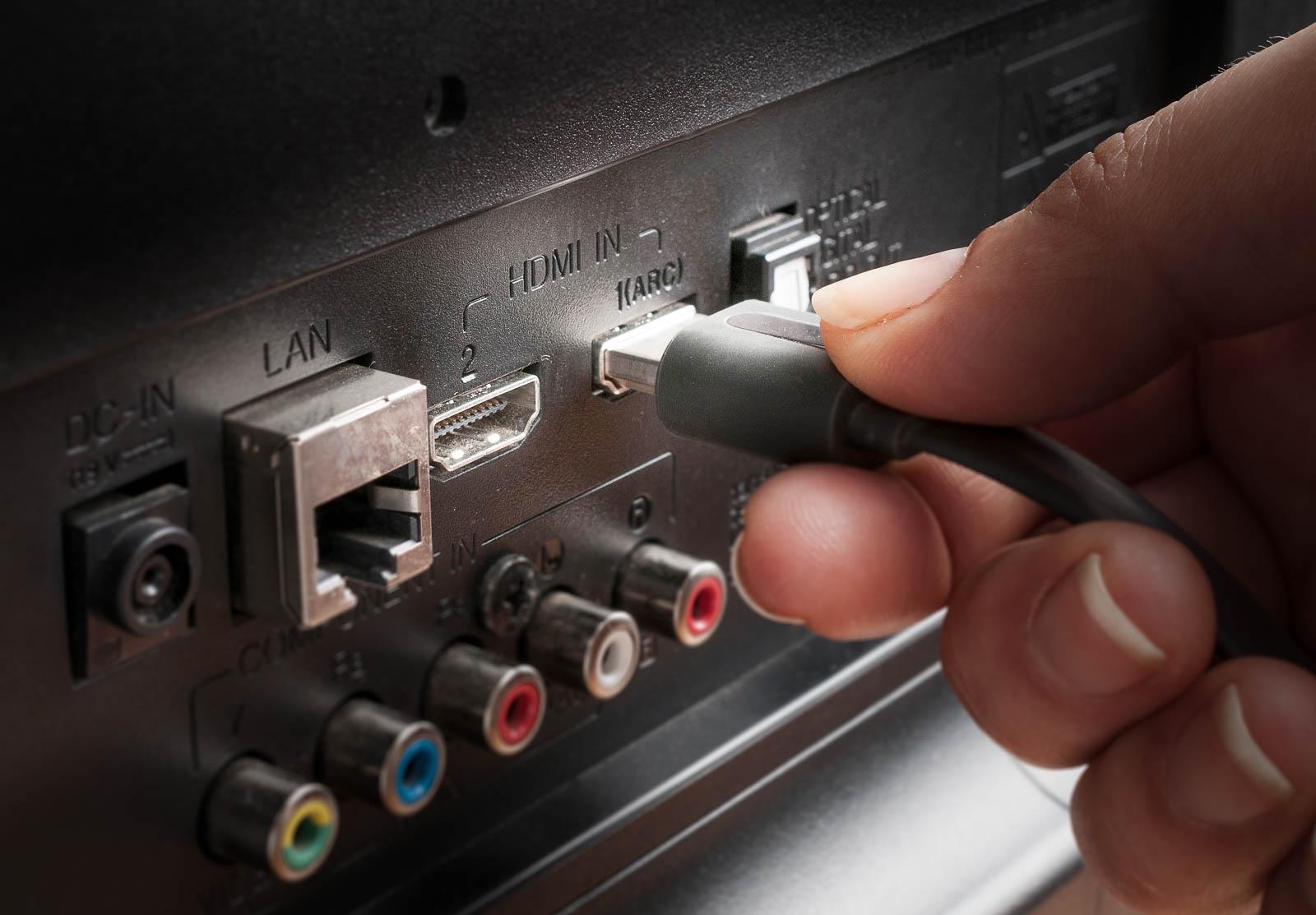
ARC stands for Audio Return Channel . This feature was introduced with the HDMI 1.4 specification and its purpose is very clear: to allow audio to travel from the TV to an external sound system using the same HDMI cable you already use for video.
In a traditional setup without ARC, if you want the TV sound (for example, from digital terrestrial television or an app like Netflix) to come out through an AV receiver or soundbar, you need several cables: one HDMI cable from the source to the sound system, another HDMI cable from the sound system to the TV, and also an additional optical or audio cable to return the sound from the TV to the receiver or soundbar.
With HDMI ARC, all of this is simplified. The same HDMI cable that connects your TV to your soundbar or AV receiver can carry video to the TV and, at the same time, send audio back from the TV to your sound system . In other words, you have a "return track" for audio within the same cable.
ARC doesn't offer anything if you're only using the TV's internal speakers, but when you add a soundbar or home theater system, it allows you to reduce the number of cables, avoid the optical cable, and centralize all audio management via HDMI.
Thanks to this feature, many users were able to say goodbye to fiber optic cables with TosLink connector (EIAJ), giving way to a cleaner setup in which HDMI becomes the absolute protagonist of the audio and video connection in the living room.
Practical advantages of using HDMI ARC in your living room

The first major advantage of HDMI ARC is that it allows you to use a single HDMI cable to send video to your TV and audio back to your soundbar or AV receiver . This means fewer dangling cables, less mess during setup, and less chance of plugging something into the wrong input.
In addition to simplifying assembly, ARC helps manufacturers design devices with fewer physical connections. By integrating the audio return channel into HDMI, TVs and soundbars can have cleaner designs, with fewer ports and a more streamlined user experience.
In terms of compatibility, HDMI ARC is now standard on modern TVs, soundbars, and AV receivers. Just look at the connectors: one of the HDMI ports will be labeled “HDMI ARC”, “ARC”, or even “eARC/ARC” , depending on the model and year.
Another advantage is that HDMI is a much more scalable interface than traditional optical connections. With ARC, you can transmit stereo PCM audio and compressed multichannel sound like Dolby Digital or DTS 5.1 , which is sufficient for most basic home theater setups.
On some TVs and soundbars, ARC is combined with control functions such as HDMI-CEC, which allows, for example, the TV to turn on automatically when you switch on the soundbar, or to raise and lower the volume of the soundbar with the TV remote , avoiding the need to use two remotes.
Limitations of HDMI ARC and why eARC exists
Although ARC was a significant improvement over older optical cables, it has its limitations. The Audio Return Channel defined in HDMI 1.4 and 2.0 only has enough bandwidth for stereo PCM audio and lossy compression formats like Dolby Digital and DTS 5.1.
This means that if you want to enjoy lossless soundtracks like Dolby TrueHD or DTS-HD Master Audio, which are very common on Blu-ray and 4K Blu-ray discs, ARC falls short. In those cases, the audio has to be sent compressed, so you don't take full advantage of the content's sound quality potential.
Another important point is that HDMI ARC, as implemented in many TVs, doesn't guarantee support for all optional audio formats. In some models, the TV may only send stereo PCM through the return channel , or convert 5.1 signals back to stereo, reducing the immersive experience.
Furthermore, while it can handle some compressed Dolby Atmos (via Dolby Digital Plus in some streaming apps), the ARC standard wasn't designed with high-resolution immersive audio in mind. Therefore, for advanced formats like lossless Dolby Atmos or premium DTS:X, the industry created HDMI eARC as a natural evolution.
In short, ARC works very well for basic or mid-range setups, but if you have a high-end sound system and want to get the most out of uncompressed surround sound formats, its bandwidth limitations become apparent.
What is HDMI eARC and how does it improve upon ARC?
HDMI eARC stands for Enhanced Audio Return Channel . This evolution of ARC arrived with the HDMI 2.1 specification and is designed to address the bandwidth and audio compatibility limitations of the previous standard, offering a much more capable and modern return channel.
While ARC hovers around one megabit per second, eARC can reach approximately 37 Mbps of audio bandwidth . Thanks to this massive leap, the connection is capable of transmitting uncompressed 5.1 and 7.1 multichannel audio, as well as high-resolution, lossless formats like Dolby TrueHD and DTS-HD Master Audio.
This means that with eARC, you can enjoy uncompressed Dolby TrueHD-based Dolby Atmos, which is the highest quality version used in UHD Blu-ray and some high-end content. In contrast, ARC only allows you to handle, at best, compressed Atmos over Dolby Digital Plus , which is the typical format for many streaming platforms.
Another key difference is that lip-sync correction is mandatory in HDMI eARC, while it's optional in ARC. This helps ensure that audio and video are more in sync , preventing annoying mismatches between what you see on screen and what you hear through the speakers.
In practice, eARC works very similarly to ARC from the user's perspective: you connect the TV and sound system with an HDMI cable, and if both devices support eARC, it activates automatically. You don't usually need to navigate complicated menus, although it's always a good idea to check your TV's sound settings to ensure that the Audio Return Channel is enabled and the correct codecs are being used.
Which HDMI cable do you need for ARC and eARC?
One of the advantages of HDMI is its backward compatibility with previous versions. To use HDMI ARC, you simply need an HDMI cable that meets at least the 1.4 specification , which virtually any reasonably modern cable supports.
In practice, almost any HDMI cable you have at home should be able to work with ARC, but if you're going to play Full HD or 4K content, it's advisable to opt for cables labeled "High Speed" , which guarantee an adequate transfer rate and reduce the likelihood of interruptions or artifacts.
HDMI eARC does not require a different special cable, but it is advisable to use high-speed or, even better, "Ultra High Speed" HDMI cables if you want to ensure you get the most out of HDMI 2.1 (4K at 120 Hz, VRR, etc.) and the advanced audio capabilities of the enhanced return channel.
Ideally, if you're setting up a modern home theater system with an eARC-compatible soundbar or a state-of-the-art AV receiver, you should invest in certified Ultra High Speed cables. This will give you peace of mind knowing that the cable can handle both high refresh rate video and lossless audio formats.
One important point: no matter how good the cable is, the final quality will be determined by the weakest link in the chain. If your TV only has ARC and your soundbar has eARC, the system will be stuck in ARC mode, so all the devices involved must be eARC-compatible to truly benefit from it.
How to tell if your TV and device are compatible with HDMI ARC or eARC
Identifying whether your TV has an ARC port is quite simple. Just look at the back or side where the HDMI inputs are located and see if, next to any of them, you'll find " ARC ," " eARC/ARC, " or something like "Audio Return Channel." Some models also use a small speaker icon or an arrow indicating the audio path.
If you're still unsure, you can always consult the user manual, either the printed version or the manufacturer's website. They usually specify which HDMI port has ARC or eARC , because not all HDMI ports on the TV support it; in fact, typically only one of them does.
For the system to work, it's not enough for the TV to have ARC. The external audio device (soundbar, AV receiver, active speaker system) must also be compatible with ARC or eARC. If it isn't, you'll have to resort to other connections like optical or RCA output, with the limitations in quality and convenience that this entails.
Regarding cables, as we mentioned before, there isn't a specific "ARC cable." The important thing is that it's an HDMI 1.4 cable or higher, and if you want to be extra sure, make sure it's certified as High Speed or Ultra High Speed. Don't focus too much on the marketing on the packaging and more on the official certification printed on the cable itself or its label.
Finally, remember that on many TVs you need to explicitly enable the Audio Return Channel in the settings menu. It's usually located within the sound or HDMI-CEC options, so it's best to go into the settings and enable ARC/eARC before you panic thinking the cable is faulty.
Differences between HDMI ARC and optical digital output
Before ARC became commonplace, the traditional way to output sound from the TV to an external audio system was to use the optical digital output, or TosLink . Many TVs still include it, and it's still a valid option, but it has several disadvantages compared to HDMI ARC.
To begin with, optical output can only carry audio, while HDMI ARC can carry both video and audio over the same cable . This means that with the optical solution, you always need at least two cables: a main HDMI cable for video and an additional optical cable for the audio return.
Furthermore, while optical audio is digital, its bandwidth capacity is more limited and it's not designed for some of the latest formats. ARC, on the other hand, even with its limitations, allows for tighter integration with the HDMI ecosystem, making it more flexible for managing HDMI-CEC, volume control, and future formats.
Another advantage of ARC over optical connections is that it acts as a central hub. You can connect multiple sources (consoles, players, set-top boxes) directly to the TV via HDMI and, thanks to the Audio Return Channel, send all the sound to the audio system using a single HDMI cable between the TV and the soundbar or receiver.
If your sound system has few HDMI inputs (common with many soundbars), this method is very convenient. You connect all the sources to the TV, connect the TV to the soundbar using HDMI ARC, and manage the inputs from the TV, while the powerful audio always comes out of the soundbar.
What happens if a device is not compatible with ARC?
If any of the devices in your system don't support ARC, don't worry, you'll simply have to resort to more traditional methods to get the sound. One option is to use a digital optical cable from the TV's optical output to the receiver or soundbar, something that's still very common and suitable for compressed multichannel audio.
Another option is to use RCA audio cables , which are very common in stereo equipment, although in this case you'll be limited to analog audio and, usually, only stereo. These are the typical red and white connectors that have been used for decades in older stereo systems and players.
Older or more specialized equipment may also offer other connection types: specific ADAT/TosLink, FireWire, XLR, BNC, TS/TRS connectors, or even MIDI, each designed for professional audio environments or older devices . In these cases, the cable choice will depend on the available inputs and outputs of each device.
If your goal is to output multichannel sound from the TV to an AV system, the simplest solution is to combine HDMI for video with one of these alternatives for audio, always keeping in mind that not all of them offer the same quality capabilities and number of channels.
However, it's important to carefully check your TV's settings, because some models convert any incoming multichannel signal into stereo when outputting via optical or RCA, which can ruin the surround sound experience if you don't correctly adjust the output formats in the menu.
HDMI ARC on consoles: the case of PlayStation 5
With the arrival of next-generation consoles like the PS5, it's natural to wonder if it makes sense to connect them to an HDMI ARC port on the TV. The reality is that, in terms of video quality and compatibility, you won't gain anything by connecting it via ARC instead of a "normal" HDMI port.
The TV's HDMI ARC and eARC ports are primarily intended to serve as an audio link between the TV and an external sound system. Their advantage is most noticeable when the TV generates the content (digital terrestrial television, internal apps) or when it acts as a source hub, then returns the audio through the return channel.
For the PS5 and other consoles, the best option is to connect them to an HDMI port with the video features you need (4K, 120Hz, VRR, etc.), which isn't always the same as the ARC port. Many TVs reserve ARC/eARC for a specific HDMI port, which isn't necessarily the most advanced for gaming.
If you don't have a soundbar or AV receiver connected, you can plug the console into the ARC port without any problem, but you won't get any improvement. The audio will still come through the TV speakers, and in terms of quality or performance, you won't notice any difference compared to using a standard HDMI connection.
The only situation where the eARC port can play a significant role with consoles is when you connect the PS5 to the TV and, in turn, want the audio from your games to travel losslessly to a soundbar or receiver connected via eARC. In that case, it's crucial that the port used for the soundbar is eARC and that both the TV and the audio equipment support it.
Common problems with HDMI cables and how TVs mitigate them
Not all audio problems or intermittent dropouts are due to ARC or eARC. In many cases, when the TV loses sound or experiences sporadic audio dropouts, the cause may be a poor-quality or damaged HDMI cable that isn't transmitting the signal correctly.
Some smart TVs include built-in diagnostic tools that allow you to adjust how the HDMI signal is interpreted to improve compatibility with certain cables or devices. For example, Samsung TVs have an "HDMI Delay Level" option in the menu that you can adjust.
In recent models, these functions are accessed through menu paths such as Menu > Settings > Technical Support > Device Care > Self-Diagnosis > HDMI Troubleshooting, or variations depending on the specific year of the television. Within that section, you can choose between different levels such as Basic, Slow 1, or Slow 2.
By selecting Slow 1 or Slow 2, the TV adds a slight delay before reporting the signal loss, which can help stabilize the picture and sound when the cable quality is poor. In return, you'll notice that switching HDMI sources takes a little longer , as the TV waits longer before indicating no signal.
If you experience sound loss using ARC or eARC, the first thing to try is a shorter, better-quality HDMI cable. If the problems persist, access your TV's self-diagnostic menus and explore the HDMI delay adjustment options, which sometimes resolve incompatibilities without requiring a change of equipment . If you're using a PC, similar issues can occur in Windows; see " Windows 11 does not detect HDMI ."
And of course, don't forget to check that ARC/eARC mode is enabled in the sound menu, that the TV is set to send multi-channel audio when appropriate, and that the external sound system has the correct input and decoder selected.
With all this in mind, the HDMI ARC port ceases to be that great unknown on the back of the TV and becomes a very useful tool: it helps you declutter your cabinet with cables, get more out of a soundbar or AV receiver, and take better advantage of modern audio formats . If you also upgrade to eARC with compatible equipment and good cables, you'll have more than enough to enjoy Dolby Atmos and other high-resolution surround sound systems in your living room without the hassle of multiple connections.
