- Wi-Fi 6E and Wi-Fi 7 share bands (2,4, 5 and 6 GHz), but Wi-Fi 7 doubles the channel width up to 320 MHz and uses 4096-QAM to quadruple the maximum theoretical speed.
- Wi-Fi 7 introduces Multi-Link Operation (MLO) and more flexible management of resource units, reducing latency and improving stability in busy networks.
- For most homes with fiber up to 1 Gbps, a good Wi-Fi 6E deployment is sufficient; Wi-Fi 7 makes sense in multi-gigabit networks or with very heavy internal traffic.
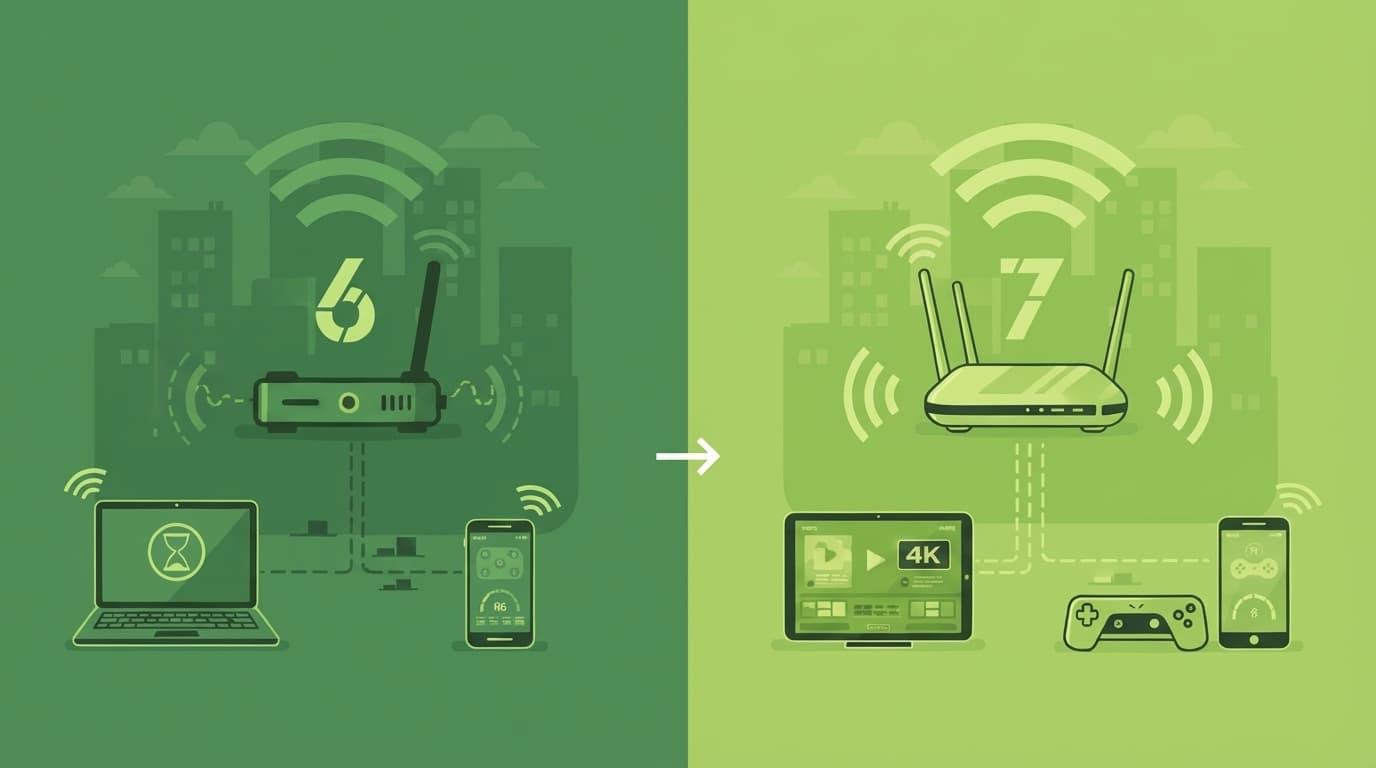
If you've been hearing about Wi-Fi 6E and Wi-Fi 7 And you're no longer clear on what each one contributes; you're not alone. In just a few years, we've gone from struggling with the Wi-Fi on the router "given" by the operator (router and access point analysis guide) to live with standards capable of moving tens of gigabits per second, something that not long ago sounded like science fiction in a normal house.
The question now is no longer just which standard is faster, but which one is really worth it for you? according fiber connection You have a number of connected devices, you play online games, you work from home, or you simply want Netflix to stop pixelating when everyone connects at the same time. Let's dissect, calmly but directly, the real differences between Wi-Fi 6E and Wi-Fi 7, when it's worth taking the plunge and when it's just throwing money away.
Wi-Fi 6E and Wi-Fi 7 standards: 802.11ax vs 802.11be
Wi-Fi 6E is not a completely new standardbut rather an extension of Wi-Fi 6 based on the IEEE specification 802.11axIt shares virtually all of its technical basis with Wi-Fi 6, but adds the ability to work in the 6 GHz band, which opens up a clean spectrum block with much less noise than the saturated 2,4 GHz or the crowded 5 GHz.
In contrast, Wi-Fi 7 is built on the IEEE 802.11be standardalso known as EHT (Extremely High Throughput). This “extremely high throughput” is not just a marketing label: it implies profound changes in how channels are used, signal modulation, simultaneous management of multiple bands, and how every hertz of the available spectrum is squeezed out of the available spectrum.
When you look router technical specificationsWhether on mobile phones or laptops, you'll often only see the code 802.11ax or 802.11bewithout clarifying whether it is Wi-Fi 6, 6E or 7. It is important to know that 802.11ax can be Wi-Fi 6 or Wi-Fi 6E depending on whether or not it includes the 6 GHz band, while 802.11be directly identifies Wi-Fi 7 equipment.
By calendar, Wi-Fi 6E began arriving on the market in 2021While Wi-Fi 7 was commercially launched in 2024 (new Wi-Fi 7 router releasesThree years' difference in wireless networks is a big difference: while 6E is already quite widespread in mid-range and high-end routers, Wi-Fi 7 is still in the early adoption phase and in high-priced products.
Available frequency bands: 2,4, 5 and 6 GHz
Both Wi-Fi 6E and Wi-Fi 7 can use the three major frequency bands: 2,4 GHz, 5 GHz and 6 GHzThe 2,4 GHz band offers greater range but less speed And it's heavily congested by neighboring networks and older devices. The 5 GHz band significantly improves speed and reduces interference, at the cost of some loss of coverage when passing through walls.
The big news of recent years is the 6 GHz BandHere we find much more space for very wide channels and, above all, an environment with fewer networks competing for the same piece of spectrum. This translates into More capacity and less congestion in apartments or buildings with dozens of access points around.
However, just because your router advertises 6 GHz doesn't magically mean everything is faster. Client devices (mobile phones, laptops, televisions, etc.) must also be compatible with 6 GHz to take advantage of that "fast lane". Many high-end smartphones and some recent laptops already support it, but a large part of the device market is still limited to 2,4 and 5 GHz.
In practice, it is still used mainly in most households Wi-Fi at 2,4 and 5 GHzwith Wi-Fi 6 as the dominant standard (and forms of improve your coverageThe 6 GHz band and the advantages of Wi-Fi 6E and Wi-Fi 7 are truly noticeable in environments with many connected devices, very fast fiber connections, or demanding corporate networks.
Channel width and capacity: 160 MHz vs. 320 MHz
One of the key differences between Wi-Fi 6E and Wi-Fi 7 is in the maximum channel widthIn other words, how much of the spectrum "highway" can be reserved for a specific transmission. The wider the channel, the more data can travel at once.
In Wi-Fi 6E, inherited from Wi-Fi 6, you can work with bandwidths of 20, 40, 80, 80+80 and up to 160 MHzThis already represented a significant leap forward compared to Wi-Fi 5 in terms of capacity and speed, especially at 5 GHz and now at 6 GHz.
Wi-Fi 7 takes it a step further and raises the bar to 320 MHz channel widthIn addition to allowing contiguous 240 MHz channels and non-contiguous configurations such as 160+80 MHz or 160+160 MHz, the standard introduces more flexible mechanisms for combine and allocate parts of the spectrum to different devicesimproving overall efficiency.
This channel expansion, combined with the new signal modulation, is one of the key reasons why Wi-Fi 7 can quadruple the maximum theoretical speed Regarding Wi-Fi 6E. However, to achieve those figures, both the router and the client need to support those wide channels and the radio environment needs to allow it, something that rarely happens in everyday situations.
Theoretical maximum speeds: 9,6 Gbps to 46 Gbps
When discussing Wi-Fi standards, the figures always come up for theoretical maximum speedThese figures are actually an ideal upper limit that we rarely approach in the real world. Even so, they give us a good idea of the capabilities of each version.
In the case of Wi-Fi 6 and Wi-Fi 6E, the maximum theoretical speed is around 9,6 GbpsFor a home user, this figure is already enormous: even with a 1 Gbps fiber connection, the standard is more than enough and leaves room to handle internal traffic on the local network without breaking a sweat.
Wi-Fi 7 raises that maximum speed to approximately 46 Gbps for a single customerAccording to estimates gathered by manufacturers such as Intel and Qualcomm, this represents more than four times the capacity of Wi-Fi 6E and is supported by the combination of 320 MHz channels and the new 4096-QAM modulation.
It is worth emphasizing that These figures are theoretical and difficult to achieve Outside of laboratories or highly controlled environments, reaching speeds close to 46 Gbps would require meeting a long list of conditions: multiple spatial streams, maximum channel capacity, excellent signal strength, zero interference, very high-end hardware at both ends, and so on.
In practice, with a 600 Mb or 1 Gb fiberWi-Fi 6E already more than covers the available bandwidth. Wi-Fi 7 starts to make sense if you have links from 10 Gbps or higherThis is especially relevant if you work with very fast network storage servers or if large files are constantly being moved on your internal network, such as in professional video environments, VR/AR, or highly specialized data centers.
Signal modulation: 1024-QAM vs 4096-QAM
Another area where Wi-Fi 7 improves upon Wi-Fi 6E is the quadrature amplitude modulation (QAM), the technique used to encode bits of information into the radio wave.
Wi-Fi 6E is based on 1024-QAM combined with OFDMA, which already allowed a leap in capacity and efficiency compared to Wi-Fi 5. Each transmitted symbol can carry 10 bits of information, which, added to channels of up to 160 MHz, enables those rates close to 9,6 Gbps under ideal conditions.
Wi-Fi 7 raises the stakes to 4096-QAM, also known as 4K-QAM. With this scheme, each symbol can carry 12 bits instead of 10This translates to a theoretical increase of around 20% in data rate, all other things being equal. Manufacturers such as the Wi-Fi Alliance report improvements of around 11-20%, depending on the specific configuration.
For example, by combining 4096-QAM with a 56 MHz channel, you can achieve around 575 Mbps in that fragment of spectrum aloneIf we also have channels up to 320 MHz, it's easy to see how we reach the maximum figures published for the 802.11be standard.
The "but" of raising the modulation order is that It becomes more demanding regarding signal quality.A very good signal-to-noise ratio is needed, and useful ranges are reduced. Therefore, 4096-QAM will shine most brightly in short distances and environments with little interferenceIn challenging areas, the system will automatically lower the modulation level to prioritize stability.
MU-MIMO and multi-device capability
In home and office networks, we no longer connect just one or two devices: we talk about dozens of simultaneous devices Among mobile phones, laptops, televisions, consoles, tablets, and all kinds of IoT devices, technologies like MIMO and MU-MIMO come into play.
The concept of MIMO (Multiple Input Multiple Output) It is based on using multiple antennas to transmit and receive data, increasing link capacity, effective range, and improving the signal-to-noise ratio. If we previously had a single antenna, switching to 2x2 or 4x4 allows us to multiply the speed by taking advantage of multiple spatial streams.
The next step is MU-MIMO (Multi-User MIMO)This allows the access point to transmit data to multiple devices simultaneously, instead of serving them one by one in a strictly sequential manner. key in homes and offices with many connected devicesbecause it reduces internal router queues and makes better use of available airtime.
With Wi-Fi 6E we already enjoy configurations up to 8×8 UL/DL MU-MIMOThis means the access point can handle 8 upload and 8 download streams simultaneously. This is a very high capacity for residential environments, where it's rarely pushed to its limits.
Wi-Fi 7 raises this figure to 16×16 UL/DL MU-MIMOdoubling the potential number of parallel flows. This fits well with the scenario for which the standard was designed: very dense networks with a large number of active clients at the same time, such as large offices, public spaces, stadiums, or extremely automated homes.
Multi-Link Operation (MLO): using multiple bands simultaneously
One of the most striking features of Wi-Fi 7 is the Multi-Link Operation (MLO)This is a MAC-level function that changes how a device connects to the access point. Until now, even if the router could broadcast on multiple bands (2,4, 5, and 6 GHz), the customer was associated with a single band in every moment.
With MLO, a Wi-Fi 7 device can simultaneously use multiple links in different bandscombining their capacity or dynamically switching between them depending on signal quality and congestion. It's as if, instead of choosing one highway, your phone could travel on two or more at the same time, distributing traffic as needed.
In practice, MLO allows improve performance, reduce latency, and increase reliabilityBecause the system can divert traffic from a saturated band to a less congested one without the user noticing any interruptions. Manufacturers like Broadcom and Aruba highlight that, by combining MLO with 320 MHz channels, up to five times more network capacity and latencies up to four times lower regarding Wi-Fi 6E in heavily loaded scenarios.
Systems mesh network (Wi-Fi Mesh) They will especially benefit from MLO: the link between the main router and the satellite nodes will be able to use multiple bands at once, improving backhaul and avoiding bottlenecks, especially when wired backhaul is not available.
Of course, it is important to remember that MLO only works when both ends are Wi-Fi 7If one side is Wi-Fi 6E or earlier, the connection will behave like a traditional single-band partnership, without being able to combine links.
Spectral efficiency, RU and interference management
Wi-Fi 6 introduced a major change with OFDMA (Orthogonal Frequency Division Multiple Access)This allows the channel to be divided into small resource units (RUs) and assigned to different devices according to their needs. This prevents a single client from monopolizing the entire channel to send only a small amount of data and improves overall efficiency when many devices are active.
Wi-Fi 6E maintains this scheme of RU assignment to each deviceThis already represented a significant improvement over Wi-Fi 5, especially in environments with many light users (IoT, mobile, etc.). However, the allocation remained relatively rigid and with fewer combination possibilities.
Wi-Fi 7 expands on this idea with the possibility of assign multiple RUs to the same deviceThis gives the access point much greater flexibility to organize the spectrum according to each customer's demand. In addition, improvements such as the following are incorporated: 512 compressed block-backwhich reduces overhead in reception confirmations and further optimizes air usage.
Another relevant novelty is the flexible use of the channel through “puncturing”In previous versions, if part of a wide channel suffered interference (for example, from a neighboring network), it could ruin the entire channel. With Wi-Fi 7, only the problematic portion can be "pierced" while still utilizing the rest of the channel without significant performance loss.
Returning to the highway analogy, it's as if a pothole in one lane no longer forces the entire lane to be closed, but rather Only the damaged area is marked. and traffic can continue to flow using the rest of the available asphalt.
Latency, stability, and immersive experiences
Beyond raw speed, many people notice the difference more when It lowers latency and reduces variability in responseIn other words, that video calls don't have micro-cuts, online games run smoothly, and video streaming doesn't constantly change quality.
Wi-Fi 6 and 6E already took a big step in this direction thanks to OFDMA, improved MU-MIMO and better collision controlAverage latency dropped significantly compared to Wi-Fi 5, especially when many devices were sharing the network.
Wi-Fi 7 is presented directly as a response to the growing demand for interactive and immersive experiencesVirtual and augmented reality, extended reality, 3D training, 4K and 8K video streaming, cloud gaming, and advanced telepresence applications. For all these applications, high bandwidth isn't enough; you need... a predictable network, with very low and stable latencies.
By combining MLO, wider channels, 4K-QAM, and more flexible RU management, Wi-Fi 7 can offer more stable networks even when traffic is heavyFor a demanding home user, this will translate into online games with fewer lag spikes, smoother video calls, and high-resolution streaming without stuttering, provided the rest of the infrastructure (operator, remote server, etc.) is up to par.
Signal range and mesh networks in complex homes
As to physical range of the signalWi-Fi 6E and Wi-Fi 7 don't change the laws of physics. The 2,4 GHz band still penetrates walls and ceilings better, at the cost of speed and spectrum sharing with many other devices. The 5 and 6 GHz bands offer greater capacity but they are attenuated more when passing through brick or concrete walls.
If you live in an apartment with very thick walls or concrete structureIt's difficult to cover the entire house with just one router, no matter how modern it is. In these cases, the realistic solution remains to opt for... Mesh networks or additional access points (o configure a Wi-Fi repeater), ideally connected via Ethernet cable for backhaul whenever possible.
Wi-Fi 6E mesh systems already allow the 6 GHz band to be used as a "dedicated lane" between nodes, reducing interference with user devices. With Wi-Fi 7, this idea is enhanced with MLO and greater overall capacity, enabling more robust and faster internal links even when traffic increases.
If you're considering whether to buy a Wi-Fi 7 or Wi-Fi 6E Mesh kit for a home with a connection speed of up to 1 Gbps, you should be aware that In most scenarios you won't notice a huge difference in browsing or streamingWhere Wi-Fi 7 will start to make a difference is in homes with heavily loaded internal networks, local servers, or multi-gigabit fiber optic connections.
Energy consumption and IoT devices
Wi-Fi 6 introduced a major improvement for low-power devices with TWT (Target Wake Time)This technique coordinates when a device "wakes up" to send or receive data. This reduces the time radios need to be active and extends the battery life of sensors, cameras, and other IoT equipment.
Wi-Fi 6E inherits this mechanism and applies it to the 6 GHz band as well, maintaining its focus on energy efficiency. In homes increasingly filled with smart bulbs, connected plugs, thermostats, and other devices, this optimization is becoming increasingly important.
Wi-Fi 7 takes these ideas and Refines for scenarios with even more simultaneous devicesAdvanced RU management, flexible channel usage, and MLO enable access points to schedule more accurately. when and how each team should transmitThis avoids downtime and reduces the impact of having dozens of teams live at the same time.
For the average user, the difference may not be dramatic in everyday use, but in dense installations or those with many sensors always connected, a Superior efficiency translates into longer-lasting batteries and a less congested grid. by small scattered packages.
Wireless security: WPA3 today and the future of WPA4
In terms of security, both Wi-Fi 6E and Wi-Fi 7 rely on the standard WPA3WPA3, which has gradually replaced WPA2 as the default security mechanism in modern routers, offers improved protection against brute-force attacks and greater robustness on public networks or with weak passwords.
Looking ahead, Wi-Fi 7 is expected to eventually adopt further improvements, such as an eventual WPA4 with stricter requirements and new cryptographic capabilities. Some sources already indicate that this evolution in security will accompany the maturation of the 802.11be standard and the increased criticality of the applications that will run on these networks.
In any case, the key point for the user is that an updated and properly configured router with WPA3 It remains, to this day, a very secure option in both Wi-Fi 6E and Wi-Fi 7. The important thing will be to keep the firmware up to date and use strong passwords, regardless of the specific standard.
Device compatibility and ecosystem maturity
One of the recurring problems with each standard jump is that The network is only as modern as its weakest link.It's not very useful to have a top-of-the-line router if most of your devices don't speak the same language.
Currently, Wi-Fi 6 (and its variant 6E) has become the most widespread standard in mid-range and high-end mobile phones, recent laptops, and routers supplied by many carriers. Some premium smartphone models already support 6 GHz, while others, such as certain generations of iPhone, still only support Wi-Fi 6 at 2,4 and 5 GHz.
Wi-Fi 7 has just arrived and for now is limited to high-end equipment and high pricesTop-of-the-line routers from manufacturers like TP-Link, NETGEAR, and similar brands, the first laptops with compatible chipsets, and some dedicated network cards. This is to be expected: as with Wi-Fi 6E, it will take a few years for manufacturers to widely integrate the new standard into their product lines.
This means that, in the coming years, we will live with a mixture of Wi-Fi 5, Wi-Fi 6, Wi-Fi 6E, and Wi-Fi 7 devicesThe good news is that the standards maintain backward compatibility: a Wi-Fi 7 router will be able to communicate with older equipment, although, logically, these will only take advantage of the capabilities of their own standard.
If you're thinking about upgrading your infrastructure, it's worth considering at what point in the update cycle of your devices You find yourself in this situation. If you don't plan on changing your mobile phone, laptop, or smart TV anytime soon, it might not make much sense to jump on Wi-Fi 7 just yet.
Price, market, and when it's worth upgrading
Another factor that greatly influences the decision is the price of the equipmentRouters and Mesh systems with Wi-Fi 6 or 6E have become cheaper and nowadays it is relatively easy to find models with a very good price-performance ratio.
In contrast, the first Wi-Fi 7 Mesh routers and kits come with High pricesjustified by the novelty of the standard, the complexity of its components and the fact that, for the moment, they are geared towards advanced users, companies and enthusiasts who want the latest even if they are not going to use it to its full potential from day one.
If you have, for example, a 1 Gbps fiber and a complicated homeA Wi-Fi 6E mesh system is usually more than enough to get good coverage and make the most of your connection. In that context, paying a considerable premium for Wi-Fi 7 might not translate into noticeable improvements in your daily use, unless you plan to contract for more bandwidth or deploy very demanding local services.
For those who have Tight IT budgets in companiesA well-designed network with Wi-Fi 6 or 6E can remain an excellent solution for years. If your upgrade cycle is within 2-3 years, the most sensible option might be wait for Wi-Fi 7 to mature, lower prices and more client devices capable of taking advantage of it.
On the other hand, if you are one of those who prefer to be in the technological “spearhead”Without too many budget limitations, you can choose to jump to Wi-Fi 6E now and then to Wi-Fi 7 when the time comes, or even go directly to a Wi-Fi 7 router to prepare your home network for future compatible devices.
Wi-Fi 6E vs Wi-Fi 7: Overview and Use Cases
If your goal is to have a stable home network with good coverage that can handle multiple video calls, 4K streaming, and some online gaming without breaking a sweat, Wi-Fi 6E is usually the most balanced option Currently, it takes advantage of the 6 GHz band when compatible devices are available, offers more than enough speeds, and already has a fairly mature ecosystem.
Wi-Fi 7, meanwhile, aims to more demanding scenarios: multi-gigabit fibers, offices with many concurrent users, networks with very intense internal traffic, virtual or augmented reality applications, 8K streaming, competitive gaming or work environments with huge video files and 3D models.
In a typical home with 1 Gbps fiber and a reasonable number of devices, most users will notice the good network planning (router location, use of mesh, cabling where possible) that the jump from 6E to 7. The bottleneck will often still be in the Internet connection, in remote servers or in the physical layout of the house itself.
Therefore, before deciding on one standard or another, it is worth asking yourself a very simple question: "What do I really need from my network and what is the goal of my organization or my home?"From there, you can assess whether you belong to the group that always wants the latest technology, even if it doesn't fully utilize its capabilities, or whether you prefer a proven, stable technology with a better cost/benefit ratio.
Given all the technical differences—standard, bands, channel widths, modulation, MU-MIMO, MLO, latency, security, compatibility, and price—it is clear that Wi-Fi 7 is objectively superior to Wi-Fi 6E On paper, but also that in the day-to-day life of most users, Wi-Fi 6E will continue to be very useful for quite some time and, when properly deployed, is more than enough for current needs for browsing, streaming, teleworking and digital entertainment.
Table of Contents
- Wi-Fi 6E and Wi-Fi 7 standards: 802.11ax vs 802.11be
- Available frequency bands: 2,4, 5 and 6 GHz
- Channel width and capacity: 160 MHz vs. 320 MHz
- Theoretical maximum speeds: 9,6 Gbps to 46 Gbps
- Signal modulation: 1024-QAM vs 4096-QAM
- MU-MIMO and multi-device capability
- Multi-Link Operation (MLO): using multiple bands simultaneously
- Spectral efficiency, RU and interference management
- Latency, stability, and immersive experiences
- Signal range and mesh networks in complex homes
- Energy consumption and IoT devices
- Wireless security: WPA3 today and the future of WPA4
- Device compatibility and ecosystem maturity
- Price, market, and when it's worth upgrading
- Wi-Fi 6E vs Wi-Fi 7: Overview and Use Cases