- Clearly defining business needs, hardware, operating system, and server location is key to a stable infrastructure.
- Security and continuous maintenance (updates, backups, and monitoring) are essential to protect critical data.
- Virtualization, hybrid cloud, edge computing, and artificial intelligence enable resource optimization and increased resilience.
- Starting with a Linux test server and good guides makes it easier to learn system administration progressively.
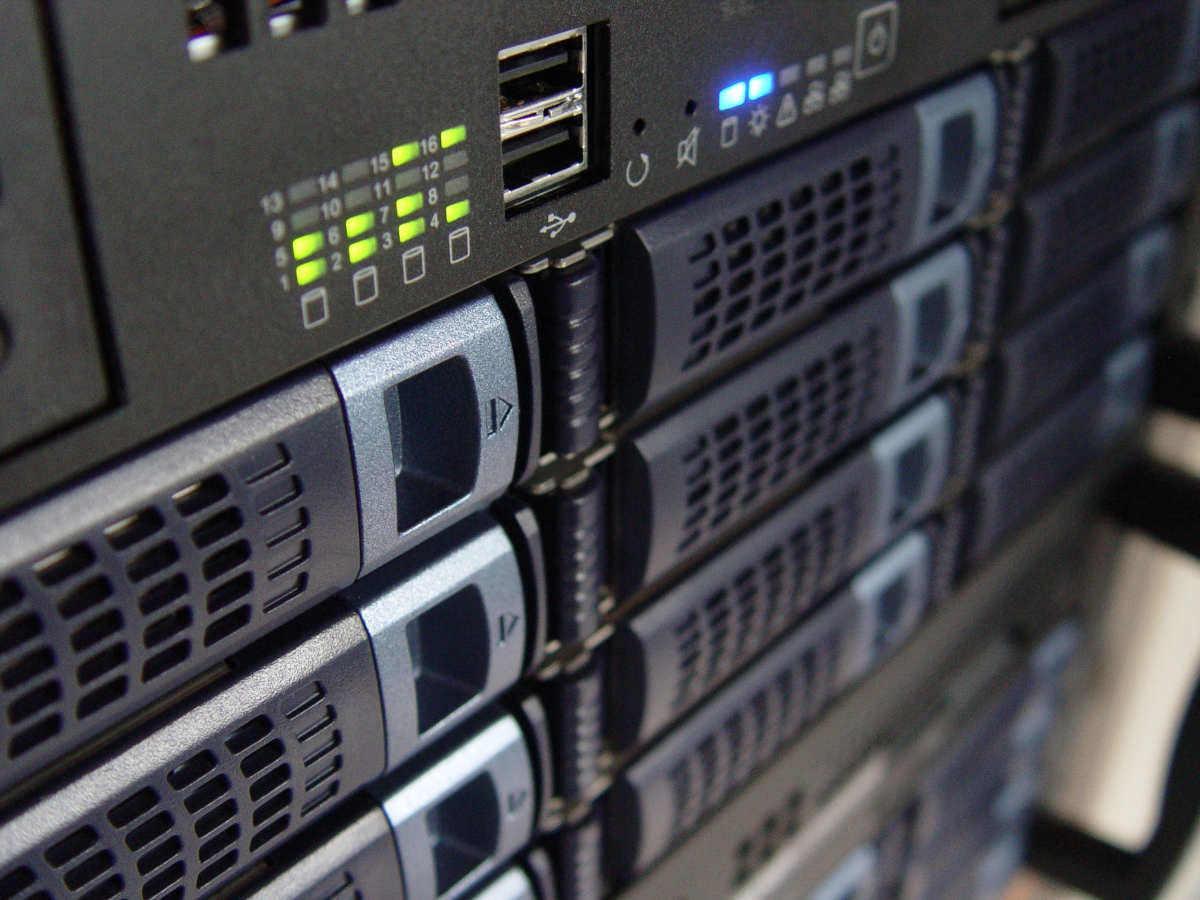
Set up a server It can be quite intimidating when you're starting out: there's hardware, operating systems, networks, security, backups… and it seems like everything could break at the slightest touch. But with good tutorials With a clear guide, setting up and managing servers ceases to be the exclusive domain of experts and becomes something manageable step by step.
In the following lines you will find a complete tour of the world of serversWhat they are and what they are used for in an SME, how to choose hardware and operating systemWhat options do you have (physical, data center or cloud), how to install and configure a Linux server from scratch, what security measures to apply, how to maintain it over time and what trends are coming on strong (hybrid cloud, edge computing, artificial intelligence, automation…).
What is a server and why is it key in an SME?
A server is basically a specialized computer in providing services to other devices connected to the network: storing files, running applications, hosts web pagesIt manages databases, email, backups, and much more. The idea is for it to act as a "digital librarian" that organizes and delivers information quickly and securely to many users simultaneously.
In the context of a small or medium-sized enterprise, Having your own server allows you to centralize information. in a single location, which greatly simplifies document management, permissions, and security. Instead of having loose files on each computer, everything is stored on the server and shared in an organized manner.
Thanks to that centralization, improves internal collaborationSeveral employees can work on the same projects, either from the office or remotely, with controlled access to the folders and applications they need.
Another strong point is the ability to scale resourcesAs a company grows, a well-designed server allows for expansion of storage, memory, processor, or services without having to reinvent the entire infrastructure from scratch.
Furthermore, a well-protected server provides a very important added benefit for security and business continuityPolicies can be defined backupdisaster recovery, access restriction, and logging of system activity to react quickly to any problems.
Advantages of having your own server versus depending on third parties
Set up your own server It involves a certain investment and responsibility, but it also provides enormous control over the infrastructure. The company decides how the data is organized, what services are offered, what policies are applied, and how security and privacy regulations are met.
By managing the server internally, there is greater flexibility: configurations can be customized, processes can be automated to suit the needs of the organization, and the work environment can be adapted to the real needs of the organization, from corporate email to management applications.
Another advantage is the optimization of resource useInstead of relying on multiple external services, several functions (files, databases, web, backups, etc.) are concentrated on a single, well-sized platform.
You also win in technological independenceIf everything is in the hands of a third party, any change in prices, terms, or failure on the part of that provider can leave the company vulnerable. With your own server, at least you have control over the basic environment.
Of course, this doesn't mean the cloud stops being interesting. The usual practice nowadays is to combine in-house resources with cloud services, taking advantage of the best of both worlds depending on the type of workload.
Evolution of servers and rise of the cloud
The servers have changed radically In recent decades, we have gone from those enormous, noisy, energy-guzzling machines to compact, efficient, and, above all, highly powerful equipment. virtualized.
La virtualization This enabled a key leap forward: a single physical server can host multiple virtual machines, each with its own operating system and applications, isolated from one another. This improves hardware utilization and simplifies management and ensures high availability.
Over time, on that basis, the Cloud computingPublic cloud providers offer "rental" virtual servers that you can turn on, turn off, or resize almost instantly, paying only for what you use.
Companies that require extreme control have opted for private cloud: own infrastructure or hosted in data centers, but managed with the same orchestration technologies as the public cloud, keeping the data within a highly controlled environment.
In many cases, the best option ends up being a hybrid or even multi-cloud architecturewhere some services are run on the internal infrastructure and others are outsourced to one or more public cloud providers, optimizing costs, performance and resilience.
Basic concepts before you start setting up a server
If this is your first time encountering a serverIt's normal to feel a little lost. To avoid getting overwhelmed, it's helpful to understand three key areas: hardware, software, and networks.
In the part of hardware The components include the processor (CPU), RAM, hard drives (HDD or SSD), network cards, and other components. Each part contributes to overall performance and must meet the company's needs.
El with The server operating system (for example, Windows Server or a Linux distribution such as Ubuntu Server, Debian, AlmaLinux, etc.) is the main component. The necessary applications are installed on top of it: web server, databases, email, backup tools, etc.
As for the networksWe need to address issues such as Static IPInterface configuration, use of TCP/IP protocols, DNS to resolve domain names, DHCP to distribute addresses, and other services that allow the organization's computers to communicate smoothly.
The initial planning must also take into account economic investment: hardware cost, software licenses if any, fees of the technician or team that performs the installation and configuration, and medium and long-term maintenance.
Hardware: the heart of your server
Choose the right hardware This is critical for the server to respond well and not become inadequate after a short time. It's not just about buying "the most expensive" components, but about matching them to the actual workload.
La CPU It acts like the brain: the more cores and the better the clock speed, the more requests it can process simultaneously. For servers with virtualization, databases, or many concurrent connections, it's advisable that it supports technologies like VT-x or AMD-V.
La RAM This is the workspace for applications. If it's insufficient, the system will start using disk space as backup memory, and performance will plummet. For services with multiple applications or virtual machines, it's better to have plenty of RAM than too little.
In terms of storage, you have to decide between mechanical hard drives (HDD) or SSD drivesHDDs offer more capacity for less money, but SSDs are much faster and improve both boot times and the responsiveness of applications and databases.
It also matters server format: tower type equipment (ideal for small offices with few servers) or rack format to mount several in a communications cabinet, very useful in data center cabinets or companies with growth forecast.
Criteria for correctly sizing hardware
Before buying anythingIt's important to consider what the server will be used for: Will it host a simple corporate website? Will it run several databases? Will it be a file server for the entire office? Will it have virtual machines?
La anticipated workload It determines minimum CPU, RAM, and storage requirements. A server designed only for internal files does not require the same resources as one that will serve web pages to thousands of external users.
We must also consider the number of simultaneous users that will be connected. The more there are, the more memory and processing resources will be needed to keep the response smooth.
Another key aspect is the future growth of the companyIf you plan to increase staff, services, or data volume, it's better to invest in a server with room for expansion rather than falling short and having to replace it immediately.
Finally, all of this must be balanced with the budget availableThe goal is to find the middle ground between reasonable cost and equipment that is powerful and expandable enough to last for several years.
Operating system: the server's software base
The server operating system It is the layer that controls the hardware and provides the environment where applications run. The two main families are Windows Server and Linux (in its many variants).
In return, Windows Server licenses have a cost which must be added to the budget and may be somewhat less flexible than Linux when it comes to automating or customizing very specific environments.
On the other side is Linux, with distributions such as Ubuntu Server, Debian, CentOS/AlmaLinux/Rocky Linux or openSUSE LeapThey are robust systems, with excellent performance and a huge community that provides documentation, tools and informal support.
Linux offers the advantage of being free and highly configurableHowever, in return it usually requires a steeper learning curve, especially if you are not used to working with the terminal and command-line administration.
How to choose between Windows Server and Linux
The decision is not just technical.The experience of the team, the type of applications to be used, and the budget available for licenses also play a role.
If the company's key applications are designed for Windows environment If deep integration with Microsoft services is required, the logical choice is to opt for Windows Server, taking advantage of its ecosystem.
If instead you are looking minimize costs and have maximum configuration freedomLinux is a very attractive option, especially in web servers, open source databases, or development environments.
It is also important to see what the technical team already knows how to doIf the people managing the server are more familiar with Windows, it might be best to stick with that. If they are proficient in Linux, they will be able to take better advantage of its benefits.
On issues of to maximise security and your enjoyment.Both Windows Server and Linux have evolved significantly. Linux typically has a very active community that quickly detects and fixes vulnerabilities, while Microsoft releases patches regularly. In both cases, the crucial factor is keeping the system up to date.
Virtualization: many logical servers on a single machine
Virtualization allows you to get the most out of your hardware. creating several independent virtual machines on a single physical server. Each virtual machine has its own operating system, configuration, and applications.
With this technique, it is possible Consolidate several legacy physical servers in a more modern and powerful one, reducing electricity consumption, space, maintenance and infrastructure complexity.
Furthermore, virtualization facilitates High availabilityIf one hardware fails, the virtual machines can be moved to another physical server (depending on the solution used) with minimal disruption.
In environments where new applications or configurations need to be tested, virtualization offers a tremendous flexibilitybecause it allows you to create and destroy virtual machines in a matter of minutes, without affecting the main server.
Many modern cloud and automation solutions rely on virtualization, so understanding it is almost mandatory for anyone who wants to delve deeper into systems administration.
Where to place your server: office, data center, or cloud
The physical or logical location of the server It matters just as much as the hardware or the operating system. Choosing between having it on-premises, in an external data center, or directly in the cloud will affect costs, security, and growth potential.
Set up the server within the office itself It provides enormous control: direct access to the machine, its disks, and all the physical components. It also typically offers minimal latency for the local network and simplifies certain maintenance tasks if there is in-house technical staff.
The negative side is that It requires physical space, adequate cooling, protection against power outages, and security measures. so that no unauthorized person can tamper with the equipment. Furthermore, scaling to many machines can be complicated.
The alternative is to host the server in a professional data centerIt has redundant power supply systems, climate control, surveillance, access control and specialized technicians, which increases the reliability of the service.
That said, it does involve paying. monthly or annual fees for space, energy and connectivityand some direct control over the physical environment is lost, since any intervention will have to be coordinated with the supplier.
Cloud options and environmental considerations
The cloud offers another way to "have" servers without worrying about physical hardware. You contract virtual instances, managed databases, storage, and other services under a pay-as-you-go model.
For many SMEs, this option offers brutal scalabilityWhen demand peaks, resources are increased; when activity decreases, they are reduced to save costs. All this without buying any equipment.
However, relying entirely on the cloud implies a significant supplier dependencyThis applies both to availability and changes in pricing or terms. There may also be customization limitations compared to a dedicated server.
When opting for physical servers (in the office or data center), care must be taken with the environmental context: maintain the temperature within safe ranges, control humidity to prevent corrosion or condensation, and protect the equipment from unauthorized access.
Power supply is critical: a UPS system It helps prevent sudden power outages and voltage spikes that could damage hardware or corrupt data, which is especially important in production servers.
Internet connectivity and network quality
The internet connection is the “highway” through which data moves when the server offers services outwards (for example, a public website or remote access via VPN or SSH).
It is advisable to hire a broadband line with sufficient capacity of upstream and downstream capacity to support the traffic that will be generated, without the rest of the company's network becoming strangled.
For critical projects, it's usually a good idea to have redundant connection: two providers or at least two different routes into the building, so that if one fails, the other keeps services running.
It's not just bandwidth that matters; latency (time it takes for a package to go and return) is also key in real-time applications, such as video calls, online video games, or remote control systems.
A well-designed internal network, with appropriate switches, correct cabling, and VLAN segmentation if necessary, will help to the server performs at its best without unnecessary bottlenecks.
Server security: threats and best practices
Security is one of the most sensitive issues. When we talk about servers, we're referring to the storage of customer data, internal documents, sensitive databases, and often critical business information.
Among the most frequent risks are the attacks from the Internet (intrusion attempts, brute force against passwords, exploitation of application flaws, installation of malware, ransomware, etc.).
We also need to keep an eye on the software vulnerabilitiesAny operating system or application can have flaws that, if not corrected with patches and updates, become an open door for attackers.
The human factor cannot be forgotten: configuration errors, weak passwords, uncontrolled accounts Unsafe practices (such as always using the administrator account) are one of the main sources of problems.
To reduce these risks, it is advisable to implement a set of good safety practices from day one and maintain them over time, periodically checking that everything remains under control.
How to protect your server step by step
The first line of defense It's about keeping all software up to date: operating system, control panels, applications, device firmware… Security patches are released precisely to close known vulnerabilities.
The use of strong and unique passwords It's essential for every account. Whenever possible, it's advisable to enable two-step authentication for sensitive access to prevent a leaked password from being enough to gain entry.
Un firewall properly configured It limits which ports and services are accessible from outside and from the internal network, reducing the attack surface. On Linux, you can use ufw or iptables, and on Windows, the built-in firewalls.
The regular backups They're your lifeline: if something goes wrong (attack, accidental deletion, hardware failure), you'll be able to recover your data. Ideally, you should combine full backups with incremental or differential backups to optimize time and space.
Furthermore, it is essential monitor the server with tools that alert you to suspicious activity, abnormal resource consumption, or service outages, so you can react before the problem becomes huge.
Physical security, information security, and backups
Physical security is often overlookedBut it's just as important as logic. Limiting access to the server location with cards, keys, or biometric systems prevents anyone from tampering with the hardware.
Strengthen that protection with surveillance cameras and alarm systemsespecially if the server is in a separate room or in a communications closet that people pass through often.
From a logical standpoint, we must take into account firewalls and intrusion detection systems (IDS) that analyze traffic for unusual patterns and attack attempts, alerting the administrator.
El encryption of data in transit and at rest It is another important layer: using HTTPS (SSL/TLS) for web services, VPN for remote access, and disk or volume encryption for stored data reduces the impact of potential leaks.
Finally, it is important to clearly define the User and permissions managementApplying the principle of least privilege: each person should only have the access necessary for their work, no more and no less.
Maintenance tasks to ensure the server lasts for years
A server is not something you install and forget about.It requires regular maintenance to remain stable, safe, and fast over time.
Among the routine tasks are the regular updates of the operating system and applications, which not only correct security flaws, but also errors and compatibility problems.
The backup They must be reviewed frequently: it is not enough to schedule them, you also have to check that they are carried out without errors and that the restoration procedures work.
El continuous performance monitoring It helps detect bottlenecks, processes that trigger, disks that run out of space, or services that restart on their own, before they affect users.
From time to time it's a good idea to do tasks of Cleaning up obsolete files, logs, and application remnants that are no longer used, to free up space and keep the system tidy.
Step-by-step installation of your first Linux server
If you are starting out in systems administrationOne of the best ways to learn is to set up a test Linux server, without fear of breaking anything. An old computer or a virtual machine is more than enough for this.
The first thing is to choose the distributionTo begin with, Ubuntu Server is usually highly recommended: it's stable, has extensive documentation, and a huge community. Other solid options include Debian, CentOS/AlmaLinux/Rocky Linux, and openSUSE Leap.
Then you need prepare the machineYou can install it on a physical equipment (ideal if you want something "real") or create a virtual machine with tools like VirtualBox or VMware, which allows you to experiment without touching your main system.
Download the ISO image From the chosen distribution, boot the machine from that ISO and follow the installation wizard, which will ask you for language, time zone, disk configuration and creation of the administrator user.
At this stage it's a good idea to choose one minimal installation, without a graphical environment, so that the server consumes fewer resources and you can focus on the services that are really necessary.
Initial setup: network, updates, and basic services
Once the system is installed After the initial startup, the next step is to confirm you have network connectivity. A simple ping to a known domain will tell you if you have internet access.
If the network is working properly, you should be able to run the package updates to ensure that the server has the latest versions and security patches available in the distribution's repositories.
The next step is usually to install basic services such as a web serverIn Ubuntu Server, for example, you can easily deploy Apache and then verify from another computer that the welcome page is displayed when accessing the server's IP address.
It's also a good idea to add practical tools such as OpenSSH for secure remote accessufw to manage the firewall and monitoring utilities like htop, which let you see CPU and memory usage at a glance.
As you progress, you will add more services (databases, DNS, email, etc.) depending on what you want to learn or the needs of your environment, always trying to ensure that each change is well documented.
User management, permissions and firewall
It is not recommended to always work as root. on a Linux server. The usual practice is to create a normal user and give it administrator privileges through the sudo group to execute critical tasks only when necessary.
A good policy is create one user per person that they will be accessing the server and adjusting their permissions according to the tasks they will be performing. This way, if a problem occurs, it's easier to trace which account has been compromised or made a mistake.
The firewall is another essential component: with ufw you can allow only the necessary services (for example, SSH, HTTP and HTTPS) and block the rest of the ports, reducing the risk of attacks.
In addition, it is advisable periodically check which ports are open. and what services are running, to avoid leaving active daemons or applications that you no longer use and that could serve as a gateway.
Once remote access via SSH and the firewall are configured, you can conveniently manage the server from another computer, without needing to be physically in front of the machine.
Trends: hybrid cloud, edge computing, and artificial intelligence
The server world is undergoing a major transformation Thanks to new ways of deploying and managing infrastructure, hybrid and multi-cloud architectures have become very popular in companies that want flexibility and to avoid dependence on a single provider.
In a hybrid cloudSome services run in the public cloud and others in private infrastructures, choosing in each case where it makes the most sense for security, cost or performance reasons.
The strategy multi-cloud It goes a step further and combines resources from several public cloud providers, distributing the loads to take advantage of the best of each and reduce the risk of widespread outages.
These approaches allow adapt very quickly to changes in demandOptimize expenses by paying only for what is used and improve resilience, since you are not dependent on a single point of failure.
In parallel, the edge computing It moves some of the data processing closer to where it is generated (for example, in IoT devices or regional nodes), reducing latency and offloading the central cloud for larger tasks.
The role of artificial intelligence and automation
Artificial intelligence is making its way in. In server management, analyzing logs, usage metrics, and traffic patterns to detect anomalies that could indicate an attack or an imminent hardware failure.
Using machine learning techniques, it is possible automatically optimize resources from the server, adjusting memory, CPU or storage allocated to different services to improve performance and reduce costs.
AI also enables a predictive management: detects early symptoms of failure in disks, cards or software, giving the administrator time to act before something breaks completely and causes a service outage.
In security, intelligent systems help to identify suspicious traffic patterns and block threats in near real-time, responding faster than a person could by analyzing the data manually.
All of this is combined with a strong tendency towards automation of repetitive tasks (server deployment, standard configuration, patches, backups, monitoring), which reduces human error and makes it feasible to manage increasingly large infrastructures.
An overview for learning how to manage servers
From the choice of hardware and operating system From advanced security and hybrid cloud to artificial intelligence, the world of servers encompasses many interconnected components. For beginners, the smartest approach is to progress in stages: set up a small Linux or Windows server, practice with networking, users, firewalls, and backups, and then gradually incorporate virtualization, additional services, and automation. With good server configuration tutorials, some patience, and a willingness to experiment, you can go from never having touched a server to managing them with ease and laying the foundation for a solid infrastructure for any small or medium-sized business.
Table of Contents
- What is a server and why is it key in an SME?
- Advantages of having your own server versus depending on third parties
- Evolution of servers and rise of the cloud
- Basic concepts before you start setting up a server
- Hardware: the heart of your server
- Criteria for correctly sizing hardware
- Operating system: the server's software base
- How to choose between Windows Server and Linux
- Virtualization: many logical servers on a single machine
- Where to place your server: office, data center, or cloud
- Cloud options and environmental considerations
- Internet connectivity and network quality
- Server security: threats and best practices
- How to protect your server step by step
- Physical security, information security, and backups
- Maintenance tasks to ensure the server lasts for years
- Step-by-step installation of your first Linux server
- Initial setup: network, updates, and basic services
- User management, permissions and firewall
- Trends: hybrid cloud, edge computing, and artificial intelligence
- The role of artificial intelligence and automation
- An overview for learning how to manage servers