- The RTX 5070 Laptop GPU with 12GB matches the VRAM of the desktop model but maintains bandwidth and power consumption limitations typical of laptops.
- This new variant coexists with the 8GB version, offering more headroom for demanding games, 4K editing, and local AI at the cost of a higher price.
- Manufacturers like Lenovo, ASUS, HP, and MSI are already preparing models with this GPU, focused on performance rather than extreme portability.
- Combining 12 GB of VRAM with less than 1,8 kg of weight, 1 TB of SSD, 16 GB of RAM and less than €2.000 is still very difficult and forces you to give up some of those requirements.
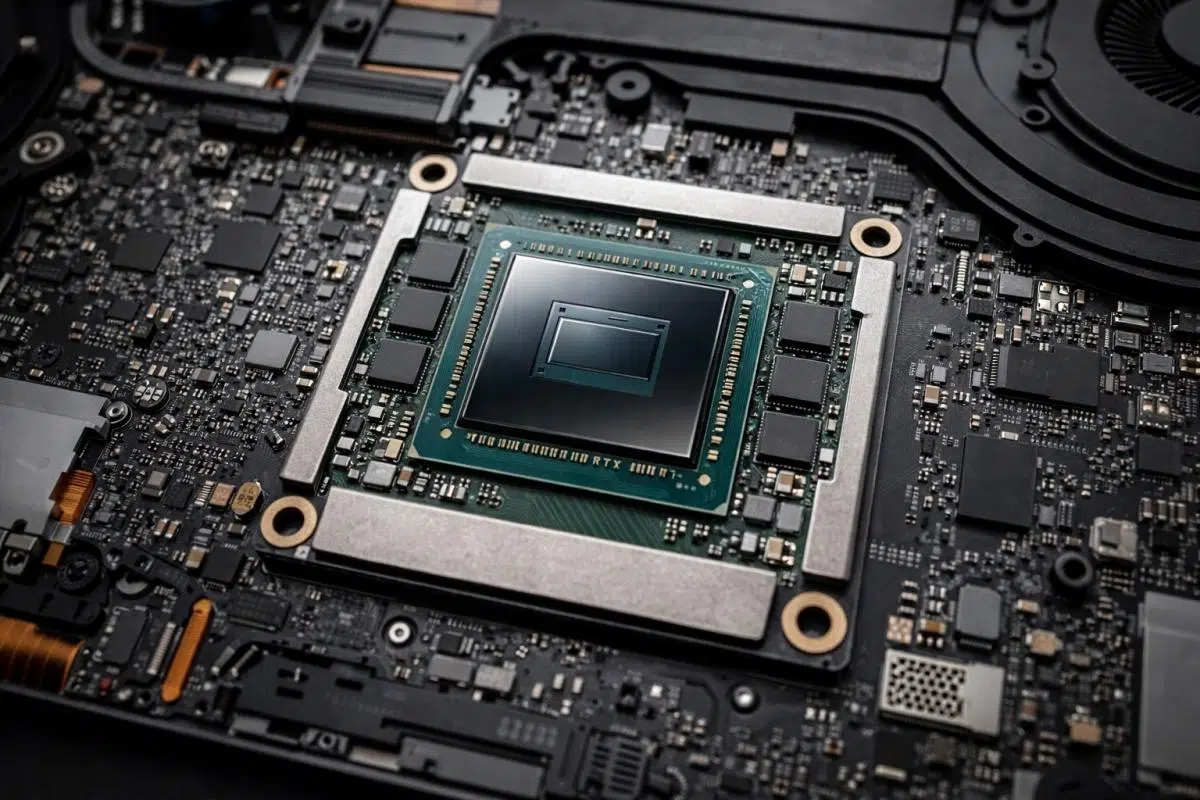
Finding gaming laptops with 12GB of VRAM has become much more complicated than it initially seems. Between different naming conventions, desktop and laptop versions, rumors, leaks, and official releases, it's easy to get lost and end up buying a machine that doesn't meet your actual needs.
Furthermore, when you add very specific requirements such as 1 TB of storage , at least 16 GB of RAM, a weight under 1,8 kg, and a maximum price of €2.000 (ideally around €1.500), the list of candidates narrows even further. Added to this is the usual confusion: you see models like the Lenovo Legion 5 with an RTX 3060, which performs very well, but at 2,4 kg it's already too heavy to carry around every day, so you wonder if there's anything that meets all those requirements without sacrificing graphics power.
Is it realistic to look for a gaming laptop with 12 GB of VRAM and less than 1,8 kg?
The key question is whether it's currently possible to find a gaming laptop with 12GB of VRAM, a 1TB SSD, 16GB of RAM, weighing less than 1,8kg, and priced under €2.000 . The short answer is that it's very difficult, and depending on the current market conditions, there may simply not be any models that perfectly match such a strict combination.
On the one hand, lightweight laptops, weighing less than 1,8 kg , typically opt for mid-range or upper mid-range GPUs with less VRAM (8 GB is the most common) to keep power consumption, temperature, and chassis thickness down. On the other hand, laptops with 12 GB of VRAM usually use quite powerful GPUs, with higher TGPs and larger cooling systems , which easily pushes the weight above 2 kg.
A clear example is the aforementioned Lenovo Legion 5 with an RTX 3060. Although the RTX 3060 laptop is a very capable graphics card for gaming at 1080p and even 1440p with certain settings, this particular model weighs in at 2,4 kg, demonstrating that powerful gaming configurations tend to be bulky and heavy in order to dissipate heat without stability issues or thermal throttling.
If we add the price limit of €2.000 (better if it's around €1.500) , things get even more complicated: laptops with high-end mobile GPUs and 12 GB of VRAM are usually in the high price range, especially in the first waves after their launch, when manufacturers take advantage of the novelty.
How VRAM works in desktop and laptop GPUs
To understand why it's so rare to find 12 GB of VRAM in laptops , we need to look at how different manufacturers manage memory. AMD, for example, uses a different naming convention for the integrated GPUs (iGPUs) in their processors than for dedicated graphics cards because they have different internal architectures and configurations. NVIDIA, on the other hand, maintains the same naming convention for both desktop and laptop models (RTX 5060, 5070, 5070 Ti, etc.), although this can lead to confusion.
Just because a laptop GPU shares a name with its desktop counterpart doesn't mean it has the same specifications. Due to power consumption, temperature, and space limitations, mobile versions typically have fewer active cores, lower clock speeds, and, in many cases, less VRAM than their desktop equivalents, although marketing doesn't always make this clear.
In NVIDIA's desktop lineup, one of the most interesting options currently available is the RTX 5070 with 12GB of VRAM . According to data such as the Steam Hardware Survey, this model has been gaining significant traction among gamers, with around 9,4% usage compared to 6-7% for the RTX 5060 with 8GB, reflecting that many users value this combination of performance and memory capacity.
However, when we look at laptops with the RTX 5070 , the picture changes: for some time, it was common for the RTX 5070 Laptop GPU to come with only 8 GB of VRAM, while the desktop version maintained 12 GB. This asymmetry generated many complaints among users looking for laptops for gaming, 4K video editing, or even light AI workloads, where those extra 4 GB make a difference in certain scenarios.
The evolution of the mobile RTX 5070: from 8 to 12 GB of VRAM
In recent months, leaks have accumulated suggesting that NVIDIA was preparing an RTX 5070 for laptops with 12GB of VRAM , finally matching the memory capacity of the desktop model. These leaks, initially attributed to a well-known leaker (Huang514613), mentioned that manufacturers such as Lenovo, ASUS, and HP were working on configurations with this new variant of the GPU.
The leaked information basically pointed to an increase in VRAM from 8 to 12 GB , with no radical changes to the rest of the key specifications: the same 4.608 CUDA cores, the same 128-bit memory interface, similar frequencies, and a TDP that would remain in the typical range of 50 to 100 W depending on the manufacturer's design. In other words, it wouldn't be a "new" RTX 5070 as such, but rather the same GPU with higher-density memory modules.
This move was particularly noteworthy because the industry is currently experiencing a cost crisis in DRAM and GDDR memory . Increasing the amount of VRAM increases the product's price, which in turn affects the final cost of the laptop. Despite this, the involvement of several brands (Lenovo, ASUS, HP, MSI, and other integrators) lent considerable credibility to the idea that NVIDIA was prepared to launch this version to meet the demand for more graphics memory in laptops.
Over time, what began as a rumor has been reinforced by announcements and product listings, culminating in the official confirmation of a GeForce RTX 5070 Laptop GPU with 12 GB of GDDR7 . This SKU will coexist with the 8 GB version, not replace it immediately, thus giving manufacturers more flexibility when designing their laptop lineup.
Meanwhile, brands like Lenovo have been dropping hints in their own press releases about new Legion ranges for 2026, already mentioning Legion Pro laptops with an RTX 5070 and 12 GB of VRAM . These materials indicated a TDP of 115 W and a base frequency close to 1.425 MHz for the mobile GPU, data that aligns with what we know today about this version.
Technical specifications of the RTX 5070 12GB GPU Laptop
The 12GB RTX 5070 Laptop GPU is based on the same Blackwell GB206 chip as the 8GB version. This means that, architecturally, it's still a GPU manufactured using an optimized 4nm process , with the same number of compute cores, but with a memory subsystem tuned to handle more capacity without affecting the bus width.
In terms of technical specifications, the key points of this 12GB RTX 5070 for laptops would be:
- Architecture: Blackwell (GB206) in optimized 4nm process.
- CUDA cores: 4.608 active cores (identical count to the 8GB variant).
- VRAM memory: 12 GB of GDDR7.
- Memory interface: 128-bit bus.
- Memory modules: 24 GB chips (3 GB per chip), allowing a total of 12 GB without redesigning the bus.
- TGP range: configurable between 50W and 100W depending on the laptop's thermal design.
- Effective bandwidth: around 384 GB/s, similar to the 8 GB model, since what changes is the capacity, not so much the memory speed or the bus.
From a practical standpoint, this translates to a GPU that doesn't drastically increase the raw performance of the 8GB RTX 5070 , but it does expand the available space for high-resolution textures, larger AI models, and complex scenes in modern games or content creation tools. For the end user, this extra VRAM will be especially noticeable at 1440p resolutions or in games with ultra textures, where 8GB starts to feel a bit limited.
Regarding frequencies, the indicative figures suggest around 1.425 MHz in the mobile version compared to over 2.500 MHz in the desktop version, which is perfectly logical given power consumption and cooling limitations. Differences also persist in other architectural elements between desktop and laptop, such as the TMU and ROP counts (for example, 144 TMUs and 48 ROPs in the mobile variant versus higher values in the desktop version), making it clear that, although they share a name and now also a similar amount of VRAM, the desktop's performance will remain superior.
Comparison with RTX 5070 Ti and other models
The arrival of this RTX 5070 Laptop GPU with 12GB of VRAM forces us to compare it to other high-end mobile options, such as the RTX 5070 Ti Laptop or even a hypothetical RTX 5080 Laptop with reduced TGP. The clearest difference with the 5070 Ti lies in the memory bandwidth and the raw power of the GPU.
While the mobile RTX 5070 Ti typically uses a 192-bit memory bus and can achieve bandwidths of up to 672 GB/s, the 12 GB RTX 5070 sticks to a 128-bit bus with around 384 GB/s. This puts the 5070 Ti ahead in scenarios where bandwidth is crucial (high FPS at high resolutions, aggressive ray tracing, etc.), even though both have a similar amount of memory.
In practice, this means the 12GB RTX 5070 is a well-balanced option for those who prioritize having more VRAM for tasks like 4K video editing, handling medium-sized language models, or playing games with heavy textures, but don't need to squeeze every last bit of FPS out of native 4K with maximum ray tracing. The 5070 Ti, on the other hand, is a clear step up in raw performance, ideal for enthusiasts who don't want to compromise.
Another important detail is the TGP configuration range offered by manufacturers. Some laptops with an RTX 5070 Ti but a significantly reduced TGP can perform worse than other models with an RTX 5070 or even an RTX 5060 with a high TGP and very efficient cooling systems. That's why many serious comparisons use, whenever possible, the "full TGP" versions to measure the maximum potential of each chip.
In rigorous testing, the methodology is typically standardized by connecting the laptop to an external monitor to eliminate the power consumption differences of the integrated panel itself (size, frequency, backlighting technology, etc.). Not only are FPS measured, but also power consumption under load, allowing for the calculation of the actual energy efficiency of each mobile GPU in various gaming and productivity scenarios.
Brands and models that include the RTX 5070 Laptop GPU with 12 GB
The 12GB version of the RTX 5070 Laptop GPU is no longer just a theory: NVIDIA has officially confirmed that it will begin shipping these new SKUs starting in June 2026 , and several manufacturers have already listed specific models that include it. This gives a clear idea of how it will be positioned in the market.
Among the first confirmed devices with the RTX 5070 Laptop GPU with 12 GB GDDR7 are the following:
- Apex 16 Max and Apex 17: They will be among the first laptops to hit the market with this GPU, focused on high-performance gaming and, presumably, with somewhat more robust chassis to manage heat.
- MSI Crosshair 16 Max EX E2WGXK: An MSI model that will opt for this 12 GB variant, aimed at demanding gamers looking for a balanced relationship between graphics power and design.
- Lenovo Legion Pro 5 (16ADR10 and 16IRX10): They belong to the well-known Legion Pro range, where Lenovo has already dropped configurations with RTX 5070 12GB, maintaining the focus on high TGP and good temperatures.
- Lenovo LOQ 15IRX10 and LOQ 17IRX10: Lenovo's entry-level gaming models will also benefit from this GPU with more memory, offering a slightly more affordable option than Legion, although usually with larger and somewhat heavier chassis.
Furthermore, previous leaks mentioned other laptops such as the Lenovo Yoga 7i Aura Edition , the ASUS ROG Zephyrus G14, and some HP Omen models that would integrate this RTX 5070 with 12 GB of VRAM. There was also talk of the ASUS ROG Strix G16 and G18, listed on retailers like Newegg, with this same GPU, clearly aimed at gamers who prioritize performance over extreme lightweight design.
It should be remembered that many of these configurations are in the high-end range, with prices above €2.000 at launch and weights that usually exceed 2 kg, precisely because they include robust cooling systems, high refresh rate screens and high-capacity batteries to withstand intensive gaming sessions.
Therefore, while the 12GB RTX 5070 Laptop GPU is great news for those who needed more VRAM in their laptops, it's not necessarily the answer for users looking for ultra-lightweight machines with 1TB of storage, 16GB of RAM, and a low price. For now, most designs that use this GPU are geared towards pure performance rather than extreme portability.
What about the 8GB VRAM model?
The big question following the arrival of the 12GB RTX 5070 Laptop GPU is what will happen to the 8GB version . The current state of the memory market, with DRAM and GDDR costs on the rise, suggests that increasing VRAM isn't exactly cheap, so it's logical to wonder if NVIDIA and the manufacturers will continue to offer both variants.
For now, the strategy seems to be the coexistence of both configurations : the 8GB model would continue as a slightly cheaper option or for thinner laptops, while the 12GB model would be used in higher-end equipment, with higher prices and chassis prepared to get the most out of the TGP.
If the final price difference between a laptop with an 8GB RTX 5070 and one with a 12GB RTX 5070 is relatively small, it might make sense to gradually phase out the 8GB model, as the commercial appeal of a GPU with less VRAM would be diminished. However, if that price gap is very large, it would make perfect sense to maintain the "cut-down" version to avoid leaving a significant market segment without a product.
From a user's perspective, the reasoning is quite straightforward: 8 GB of VRAM is still usable for playing games at 1080p with high or ultra settings for years , but more and more games are starting to take advantage of 10-12 GB when highly detailed textures, ray tracing, and higher resolutions are enabled. Therefore, if the budget allows, the 12 GB variant is more future-proof.
In uses such as local AI, video editing, high-resolution photography, or 3D content creation , the difference between having 8 or 12 GB of memory can be even more noticeable, as many applications load large amounts of data into VRAM to accelerate previews, effects, and rendering.
Common limitations of gaming laptops compared to desktop computers
Even with the same amount of VRAM, a laptop with a 12GB RTX 5070 won't be as powerful as a desktop PC with the same specifications. This is due to several factors that affect the design and actual performance of mobile versions.
First, laptops are limited by cooling capacity and power consumption . They can't afford exorbitant TGP if they want to avoid unmanageable temperatures, excessive noise, and ridiculously short battery life. This forces NVIDIA and manufacturers to limit the maximum power consumption and operating frequencies of mobile GPUs compared to their desktop counterparts.
Secondly, the internal design shares space with the CPU, VRM, memory, SSDs, and other components, resulting in significantly higher thermal density. The same graphics chip that operates smoothly at a certain frequency and voltage on a desktop computer needs to reduce its clock speed in a laptop to remain within a safe range. Therefore, even with the same amount of VRAM, you'll get lower FPS in games.
In addition, the configuration of the rest of the system (processor, type and amount of RAM, memory bandwidth, storage system, etc.) also influences the results. A laptop with a very powerful GPU but a limited or poorly cooled CPU may experience bottlenecks in CPU-intensive games or intensive productivity tasks.
Therefore, a gamer upgrading from a powerful desktop PC to a gaming laptop with 12GB of VRAM should expect a slight decrease in performance in exchange for portability. The key is finding the right balance between power, weight, price, and additional features (screen type, keyboard, connectivity, etc.).
In comparative testing, synthetic benchmarks and real-world gaming tests are typically used to measure FPS, power consumption, and efficiency. Connecting the laptop to an external monitor and powering it directly to the mains allows for isolating variables such as the internal display's power consumption and obtaining more consistent data, especially when comparing GPUs with different TGP limits or cooling systems.
Standard commercial terms for gaming laptops
When buying one of these laptops, not only the technical specifications come into play, but also the sales conditions, the warranty, and the associated extras offered by different brands and stores. In many cases, we see promotions that include services like PC Game Pass, additional discounts on accessories, or fast shipping.
For example, some manufacturers' or distributors' campaigns bundle the purchase of a gaming laptop with a 3-month subscription to PC Game Pass . This Microsoft service operates on a paid subscription model, requires a credit card, and automatically renews at the regular monthly rate unless canceled by the user. The game catalog varies by region and device, and the hardware requirements may necessitate a modern GPU like the RTX 5070 Laptop to enjoy the latest titles smoothly.
In terms of logistics, it's common to find labels like "Next Business Day Delivery" or "Next Day Shipping" on online stores. Normally, the order will be shipped the same day if it's placed before a cutoff time (for example, 15:00 PM) and the payment is processed correctly. Even so, there can always be delays due to factors beyond the seller's control (transportation problems, peak demand, etc.), so it's advisable to carefully review the shipping terms and not assume that the laptop will definitely arrive the next day.
Discount coupons are also common , such as 20% off selected accessories when you buy any PC, or specific promotions for business or education customers. These offers usually have an expiration date, cannot be combined with other discounts, and have a limit on the number of units per order, so it's a good idea to read the fine print before finalizing your purchase.
Regarding warranty, many manufacturers offer on-site service after remote diagnosis in certain countries and for specific models. This means that if a technician remotely determines that the hardware problem cannot be resolved via software, a technician or the replacement part will be dispatched to the customer's home or workplace within one or two business days. However, the availability of this type of service varies by country and product range, and is usually detailed in the service contracts and the product specifications.
Finally, it's important not to forget the legal and branding aspects : companies like Dell, Lenovo, ASUS, HP, Microsoft, NVIDIA, AMD, Intel, Qualcomm, etc., have registered trademarks and their own pricing policies. Prices on the website are usually subject to change without notice and may differ from other sales channels. Furthermore, it's generally stated that product photos are for illustrative purposes only and that actual configurations may vary.
When comparing different manufacturers, it's useful to consider not only the power of the GPU (in this case, whether or not it integrates an RTX 5070 Laptop with 12 GB of VRAM ), but also the type of after-sales support, the ease of processing repairs, the quality of the chassis materials, and other details that, in the long run, greatly influence the daily user experience.
Overall, the arrival of gaming laptops with 12GB of VRAM based on the RTX 5070 Laptop opens an interesting door for those who need more graphics memory without having to jump to even more expensive models like those with the RTX 5070 Ti or higher. However, if your absolute priority is a lightweight machine (less than 1,8 kg), with 1TB of storage, 16GB of RAM, and a maximum budget of €2.000, the reality is that the current market offers very few options that fit all those requirements at once: you usually have to sacrifice something, whether it's VRAM, overall performance, weight, or final price, and consider what compromises you're willing to make to find the laptop that best suits your gaming and work style. In some cases, an external graphics card for laptops can be a reasonable alternative to avoid paying the extra weight and price of a larger machine.
