- RAID systems improve performance and availability, but they do not replace backups and are not immune to physical, logical, or human failures.
- Strange noises, degraded state, abnormal slowness, and parity or read/write errors are clear signs of impending problems in the RAID.
- Forcing rebuilds, rearranging disks without documentation, or using generic repair tools can turn a manageable failure into a total data loss.
- Acting prudently and early, along with the support of RAID recovery specialists, greatly increases the chances of saving the information.
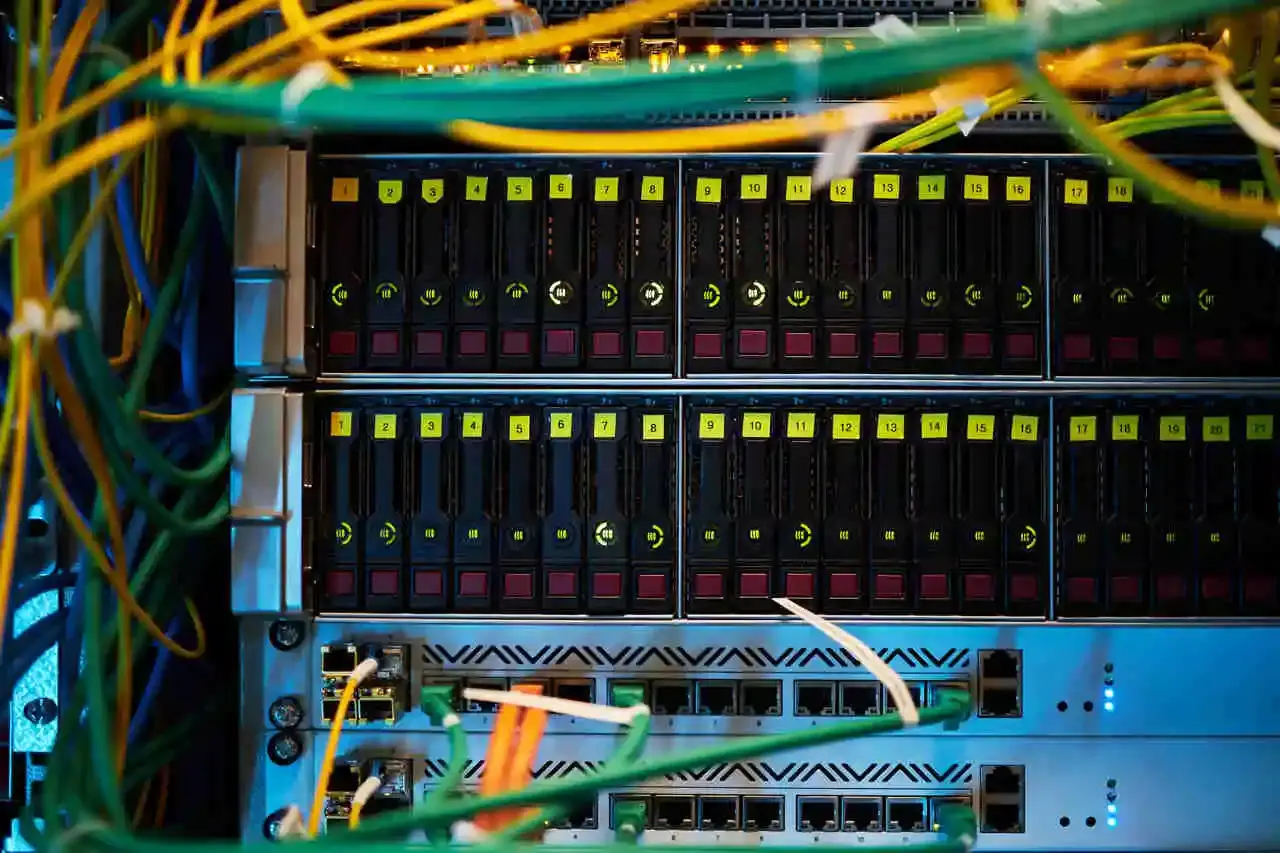
RAID systems have become commonplace in servers, NAS devices, and storage arrays because they promise increased performance and fault tolerance . However, while they offer peace of mind, they are not a magic bullet: a poorly managed failure can lead to disaster and leave you without data in a matter of minutes.
When a RAID system starts exhibiting unusual symptoms, the key isn't being the fastest to tinker, but rather the most cautious. Detecting the signs of failure and knowing what NOT to do makes the difference between a simple disk replacement and a total and unrecoverable loss of data, even for a professional lab.
What is a RAID failure and why is it not the same as a backup?
A RAID (Redundant Array of Independent Disks) groups multiple disks to offer greater availability, performance, and/or redundancy , depending on the level used. From the classic mirrored RAID 1 to more complex configurations like RAID 5, RAID 6, or RAID 10, the idea is that the system continues to function even if one (or more) physical disks fail.
The problem is that many people assume, "I have RAID, so I have a backup," and that's a fundamental mistake. RAID doesn't replace backups : it protects against the failure of one or more disks (depending on the RAID level), but it doesn't prevent logical corruption, human error, ransomware, accidental deletions, or controller or server failures.
Furthermore, the way the controller —including the controller firmware —distributes data (disk order, stripe size, parity algorithms, metadata, etc.) means that any incorrect manipulation of the array can break the structure and make recovery extremely complicated, even when the disks “appear” to be fine.
Main RAID levels and their impact on recovery
Each RAID level behaves differently in the event of failures, and this significantly impacts data recovery options. Understanding these differences helps avoid making risky decisions when something goes wrong.
In a RAID 0 array, data is striped across multiple disks without parity or mirroring. There is no redundancy of any kind : if a single disk fails or degrades sufficiently, the logical loss is total because an essential part of each file is missing. Talking about "reconstruction" here makes little sense; the priority is to try to recover what can be recovered from the physically damaged disks.
In a RAID 1 array, the disks are mirrored: each drive contains a complete copy of the data . This configuration is usually quite reliable for data recovery, provided no handling errors are made (for example, initializing one of the disks on a different system or mixing them on incompatible controllers).
RAID 5 distributes data across multiple drives and calculates distributed parity, allowing it to withstand the failure of one drive . The problem arises when a second drive starts malfunctioning during rebuild: the workload skyrockets, read errors appear, and the array can crash without warning.
RAID 6 works similarly to RAID 5 but adds a second parity, allowing it to tolerate the failure of up to two disks . In return, the architecture is more complex, rebuilds take longer, and any logical or configuration errors further complicate recovery efforts.
RAID 10 combines mirrors and stripes: pairs of disks that are mirrored are "scratched." For recovery purposes, the order of the disks and the relationship between mirrors and stripes is critical; mixing positions or blindly rebuilding can ruin the array even if all the disks are physically healthy.
Clear signs that your RAID is starting to fail
Before a system completely fails, it usually leaves a series of clues. Learning to recognize them allows you to stop in time and prevent further damage.
One of the most obvious signs is strange noises coming from the disks: repetitive clicks, creaking, intermittent buzzing, or metallic sounds that weren't there before. These noises usually indicate mechanical failures in the read/write heads or platters , or problems with the motor. If you ignore them and continue forcing reads, the drive's condition will typically deteriorate very quickly.
Another typical sign is the appearance of "Degraded," "Failed," or "Critical" messages in the NAS or RAID controller's management console. This message means that one or more disks have been marked as problematic and the array is operating without the intended redundancy. At this point, especially with RAID 5, a second failure can be the final straw.
Pay attention to less noticeable but equally dangerous symptoms, such as a sudden and unexplained drop in performance . If read and write times skyrocket, especially when accessing certain volumes or folders, the controller may be struggling with hard-to-read sectors or experiencing continuous retries that are overloading the system.
System or controller logs often show I/O errors, incorrect parity messages, “Unrecoverable Read Error,” “Parity Check Failed,” or “Bad Stripe Detected.” A sustained increase in read/write errors , even if the system is still functioning, is a red flag that should not be ignored.
Another red flag is that the volume appears degraded even though no disk has apparently failed completely . This usually indicates logical corruption in the RAID metadata or distributed blocks, and forcing an automatic rebuild in this state can propagate the corruption throughout the entire array.
Symptoms of logical corruption and silent problems in RAID
Not all RAID failures result in an instantly "dead" disk. Often, the problem is a gradual data corruption that silently creeps in until the situation becomes very difficult to reverse.
A typical example is files that appear to be there, have the correct size and name, but won't open, have formatting errors, or appear truncated . Databases that won't mount, virtual machines that won't start, or images that the viewer rejects are usually indicators of inconsistencies in the blocks distributed across disks.
It's also common for the operating system or applications to exhibit localized slowness on certain RAID volumes, even though the CPU and RAM don't appear particularly stressed. If the slowdown is concentrated on read/write operations on the same volume, you're very likely dealing with corruption or unstable sectors.
Another dangerous symptom is that rebuilds that start after a disk change always stop at the same point , throw strange errors, or simply mark the process as failed. This usually indicates that the source blocks are already corrupted and the controller is unable to generate a coherent copy on the new disk.
Sometimes only one disk shows SMART alerts (reallocated sectors, high access times, etc.), but the unusual behavior is noticeable across the entire RAID array. In such cases, a single disk with bad sectors can compromise the consistency of the entire array, especially when a parity check or rebuild is initiated.
Ignoring these warnings and continuing to operate as normal, or worse, forcing intensive tasks such as verifications, mass backups, or automatic rebuilds, can spread corruption and overwrite valid blocks with damaged data . From that point on, not even professional tools can guarantee a complete recovery.
Typical failures in controllers, servers, and motherboards
It's not all about the disks. The RAID controller, the motherboard, or even the entire server can become the weak link in the chain and cause array failures even if the disks are healthy.
The RAID controller, whether dedicated hardware or integrated on the motherboard, is responsible for deciding where each block is written, how parity is calculated, and how the volumes are assembled . A failure, corrupted firmware, or a power surge can disable it, causing the array to disappear or display as "Foreign," "Offline," or similar.
In the case of dedicated hardware controllers, there's an added problem: the almost complete lack of compatibility between models and manufacturers . If a specific Supermicro controller breaks down, for example, it's not enough to simply replace it with "a similar one": often, the exact same model, with a similar firmware version, is required for it to correctly read the RAID metadata.
With integrated RAID solutions (so-called "fake RAID"), such as some AMD or Intel chipset software RAIDs, the risk is that a motherboard replacement, a BIOS reset, or the loss of the CMOS configuration can render the array inoperable. In many desktop computers and workstations, a motherboard or CMOS battery failure can wipe out the RAID configuration, leaving the drives as isolated units.
Furthermore, the server itself ( power supply , memory, motherboard, backplane, etc.) can fail due to electrical problems, overheating, or hardware defects. In many of these cases, the practical result is that the RAID becomes inaccessible , although in reality, the disks, connected to another system with the appropriate strategy, could recover their data.
To make matters worse, the system must "reassemble" the RAID array every time it restarts or boots up. If power outages, voltage spikes, or errors in the configuration files (such as mdadm.conf in Linux) occur during this process, the system may assemble the array incorrectly, leave it incomplete, or simply fail to recognize it, rendering the volume unusable.
Common causes of data loss in RAID arrays
Taking all of the above into account, it's clear that RAID arrays, while very useful, are still exposed to considerable risks. The main real causes of data loss in these environments are usually a combination of physical, logical, and human factors.
The most obvious cause is the failure of one or more disks due to wear and tear, manufacturing defects, vibrations, temperature, or impacts. Although RAID is designed to withstand some of these situations, it doesn't always succeed without collateral damage : a disk that starts returning corrupted sectors can drag down its neighbor, especially during verification or rebuild processes.
Another common source of problems is assembly or reconstruction errors . If the system mounts the array with incorrect parameters, disks in the wrong order, RAID levels different from the originals, or after a failed migration, the data can easily become misaligned. In practical terms, the volume may appear as RAW, require formatting, or display inconsistent file structures.
Server failures (motherboard, firmware, backplane, SAS/SATA controller, etc.) also play a significant role. In a very high percentage of incidents, when the server suddenly fails, the RAID array becomes inaccessible and the data is not visible to the system, even though it still physically exists on the disks.
To all this we must add human factors: configuration changes without documentation, rearranging disks "to test", BIOS updates without a previous backup of the configuration, accidentally deleting volumes, reinstalling the operating system on disks that were part of the array, or restoring corrupt or incomplete backups on the same damaged RAID.
Finally, there are external threats such as ransomware, which can encrypt both the data and the structures of the volumes hosted on RAID arrays. In these scenarios, the recovery process becomes doubly complicated: first, the encryption must be dealt with, and then the potential internal corruption of the RAID itself.
What NOT to do when your RAID starts to fail
When a server goes down on the weekend and everyone's on edge, the most common reaction is for someone to try to fix it on the fly. That's understandable, but many of these well-intentioned efforts are precisely what ultimately makes the data worse.
The most dangerous temptation is to force an automatic rebuild without first analyzing the actual state of the disks . If one of the disks has corrupted data or unreadable sectors, the rebuild will copy and mix junk data with good data until the volume's structure is completely destroyed.
Another common mistake is haphazardly replacing drives without knowing which one is actually damaged or documenting the original position of each drive . Moving drives between bays, mixing them between different controllers, or replacing several at once without a plan can confuse the controller and cause the RAID array to lose track of its configuration.
Running tools like CHKDSK on Windows or fsck on Linux directly on a RAID volume showing signs of corruption is also very risky. These utilities attempt to "fix" the file structure based on tables that may be damaged , and their fixes often involve deleting entries, relocating blocks, and rewriting metadata. In an already compromised environment, this can result in the permanent loss of thousands of files.
Equally bad is relying on generic RAID recovery software that promises to "automatically set up any RAID ." Many of these tools operate superficially, assuming standard stripe, offset, and parity patterns that aren't always met. Misuse can overwrite key sectors or leave disks in worse condition than when they were first installed.
Finally, repeatedly restarting the server, power cycling the NAS, or continuing to work normally on a degraded RAID array or one with parity errors only causes further damage to the disks, reallocates more sectors, and spreads the corruption . The more writes performed after the first serious problem, the less room for maneuver the specialists will have.
Cautious steps to take when you detect a possible RAID failure
In the face of any serious symptoms (noise, degraded status, parity errors, extreme slowness, failed rebuilds, etc.), the wisest course of action is to slow down and proceed methodically . What you don't write or change now might be salvageable later.
The first thing to do is immediately stop any write operations on the array : no copying data over it, no new virtual machines, no mass updates. If the volume is still accessible, it's best to mount it as read-only if the system allows it.
Next, it's advisable to document the current state in as much detail as possible: screenshots of the BIOS or NAS interface, a list of disks with their physical location, serial number, the ports they are connected to, exact error messages appearing in logs, etc. This information is invaluable for any recovery lab when reconstructing the original scenario.
In cases where the RAID fails to mount or the server won't boot, one technical option is to remove the disks and connect them to another computer to create sector-by-sector forensic copies of each drive . These copies, made in read-only mode, allow you to work on clones afterward without further damaging the original disks.
With advanced knowledge, specialized tools, and a controlled environment, a logical reconstruction of the array can be attempted from these clones, deducing disk order, stripe size, parity patterns, offsets, and metadata . However, this is a delicate reverse engineering task: any trial and error involving random parameter changes can lead to misinterpretation of the data.
For most businesses and critical environments, the safest course of action is to contact a professional RAID recovery service as soon as possible and follow their initial instructions. The success rate is usually closely tied to the number of failed attempts made before reaching the lab.
How professional RAID recovery labs work
Professional data recovery services that specialize in RAID environments combine in-depth knowledge of hardware and file systems with proprietary tools and rigorous procedures. This is what they typically do, broadly speaking, when they receive a case of a failed RAID.
The first step is to perform an individual diagnostic on each hard drive : the mechanical, electronic, and logical condition of the drives is checked, bad sectors are identified, SMART tables are reviewed, and the risk of short-term failure is assessed. If any drives have physical damage, their treatment in a cleanroom is prioritized.
Next, forensic clones are created of all the disks involved . Instead of working on the originals, a sector-by-sector copy is made, using tools that allow skipping severely damaged sectors or retrying with safe patterns. The goal is to preserve the original state in case it becomes necessary to revert to a previous step in the process.
With the clones ready, a manual logical reconstruction of the RAID is performed : the level (0, 1, 5, 6, 10, etc.), disk order, stripe size, offsets, parity algorithms, and any other characteristics of the original controller are identified. Often, the volume can be reconstructed even without the same controller or NAS that created it.
Once the reconstructed virtual volume appears coherent, the file system is repaired if necessary: NTFS, ReFS, ext4, XFS, Btrfs, ZFS, VMFS, and others. This work is similar to that of a surgeon: structures are corrected, inode tables, MFTs, superblocks, or journals are rebuilt, always trying to alter the absolute minimum.
Finally, the data is extracted and systematically validated. The consistency of the main databases, virtual machines, and critical folders is checked, files are verified to open correctly, and the data is delivered on new, isolated storage media , such as external hard drives or a new NAS, so the client can review the recovery before accepting it.
In particularly complex scenarios, such as RAIDs affected by ransomware, failed previous rebuilds, or virtual volumes within already damaged arrays, decryption techniques, forensic analysis, and RAID reconstruction are combined, but always under the same rule: do not touch the originals more than strictly necessary.
Ultimately, RAID systems are a powerful tool for improving data availability, but they remain vulnerable to physical, logical, and human errors. Understanding their weaknesses, identifying early warning signs, and, above all, avoiding impulsive decisions when a failure occurs are what truly make the difference between a minor scare and a data catastrophe.
