- Define the actual use of the equipment and choose the format (desktop, laptop or All in One) based on mobility, power and space.
- Opt for balanced components: 4-core processor, 16 GB of RAM, 512 GB SSD and modern ports.
- Consider options such as custom-built PCs, refurbished equipment, and Digital Kit support to optimize investment and security.
- Prioritize warranty, professional maintenance, and GDPR compliance to protect your data and minimize downtime.
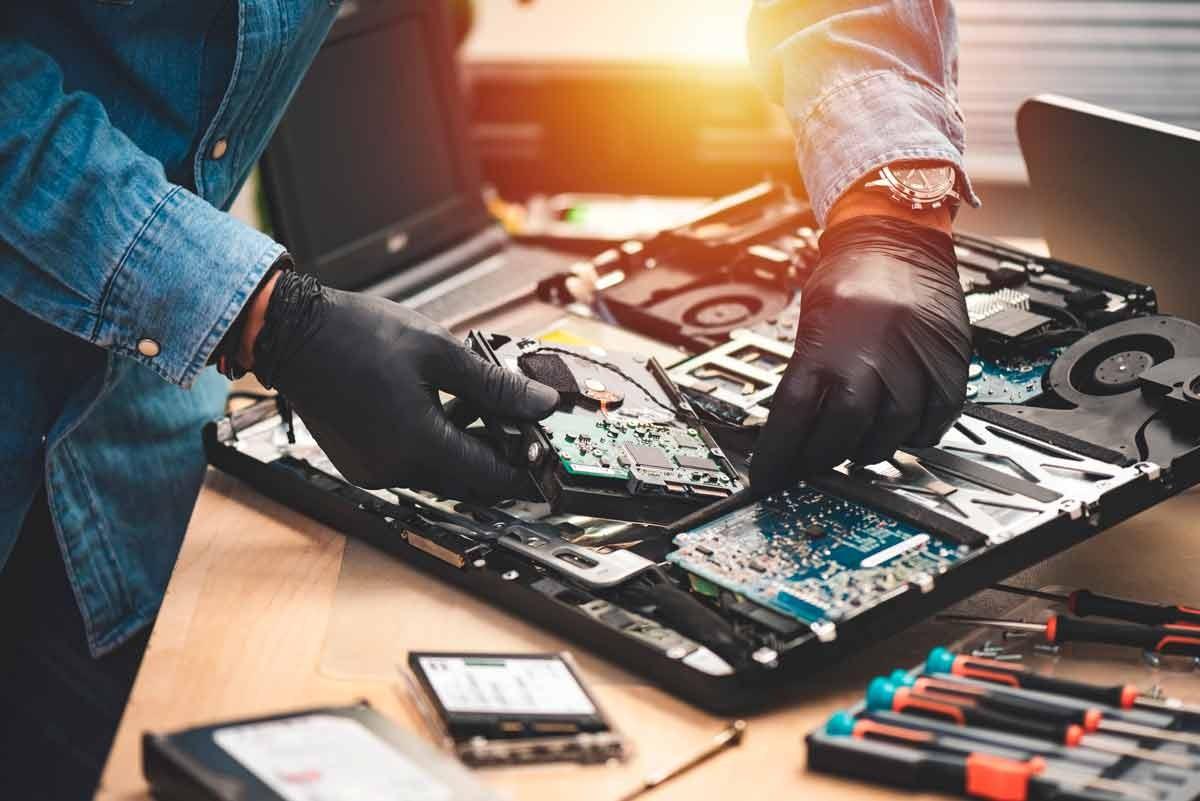
Choosing the right work computer with a good warranty and maintenance has become almost as important as choosing suppliers or premises for your business. A poorly chosen computer can lead to crashes, breakdowns, data loss , and hidden costs in lost hours that many small and medium-sized businesses and freelancers underestimate until it's too late.
Furthermore, the current landscape combines several factors: remote work, the end of Windows 10 support, cyberattacks like ransomware, and support programs such as the Digital Kit . All of this means that simply going to a large store and grabbing "whatever's on sale" is no longer enough. It's time to carefully plan what computer you need, how you're going to protect it, and who will provide support if something goes wrong.
Why not just any cheap computer will do for work
Buying a work computer based solely on price , without thoroughly examining components, warranty, or maintenance, often ends up being costly. Many businesses fall prey to the aggressive offers from large chains or online stores, and problems soon begin: slow equipment, low-quality parts, or limitations on upgrading memory and storage.
These very basic computers often contain lower quality and less durable components . This translates into premature breakdowns, poor heat dissipation , unstable power supplies, or motherboards that don't support upgrades. What seemed like a bargain ends up being a machine that spends more time in repair shops than in production.
Another common problem is the lack of upgradeability . Some manufacturers use motherboards that don't allow for RAM upgrades or only support hard drives with certain specifications. When the computer becomes outdated due to new software versions, you end up having to replace the entire system instead of simply upgrading it, resulting in a significant waste of money.
It's also unwise to be guided solely by flashy specifications like "X TB hard drive" or "very powerful processor," because many budget computer configurations sacrifice quality in the other components . You might find yourself with a decent processor paired with a slow hard drive , little RAM, and terrible cooling that makes daily use a nightmare.
If you add up the cost of repairs, the loss of productivity, and early replacement, that super cheap computer can end up costing you much more than a professional piece of equipment that's well-chosen from the start and backed by a good warranty and IT maintenance.
Custom-built, refurbished, or brand-new computer: which one suits you best?
Before delving into processors, RAM, and other technical details, it's worth deciding which type of equipment best suits your needs: a custom-built PC assembled by professionals, a new professional computer, or a quality refurbished system . Each option has its advantages and is a better fit depending on your budget, performance requirements, and company philosophy.
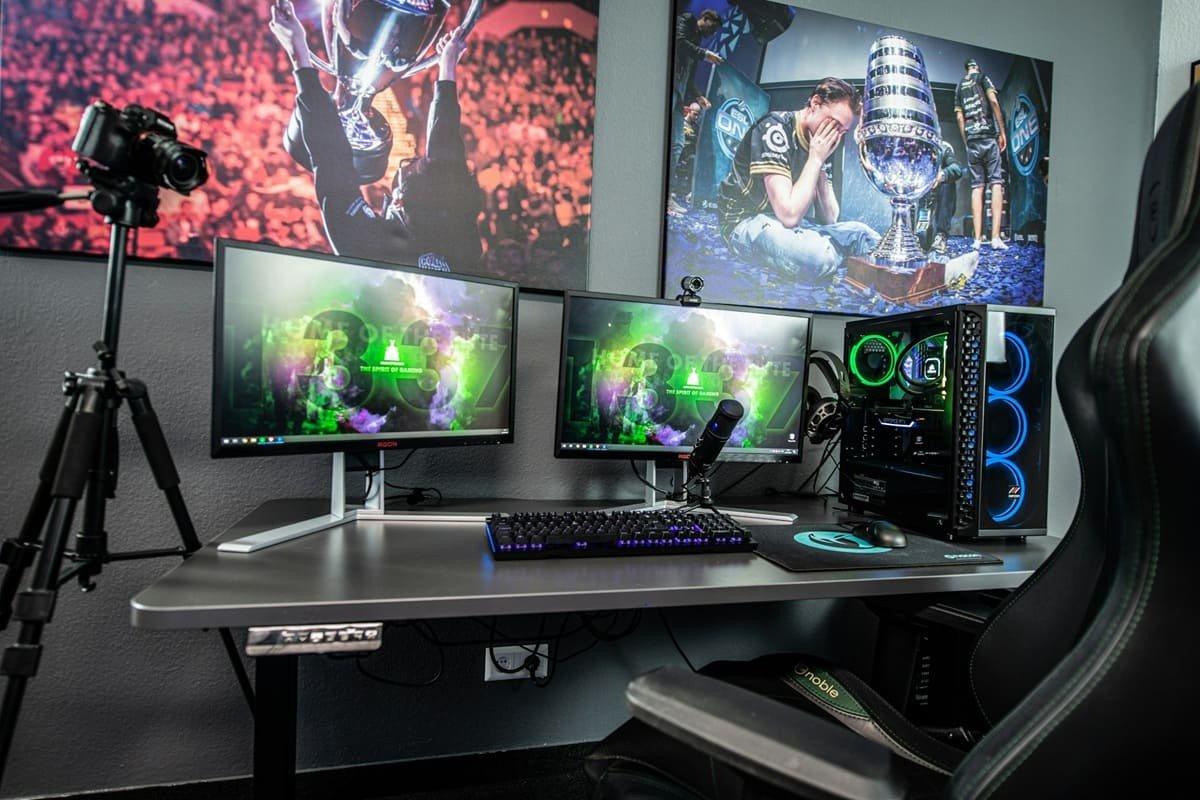
A custom-built computer, assembled by specialists, allows you to choose each component individually based on your actual needs: office work, accounting, design, data analysis, professional gaming, etc. The technician isn't bound by agreements with specific brands, so they can select power supplies, motherboards, memory, or SSDs from reliable manufacturers, prioritizing performance and durability over marketing hype.
Furthermore, these custom-built systems typically offer a longer lifespan and better expandability . If you need more RAM or a larger SSD in three years, you can usually just open the case and add the component. This "extending lifespan" philosophy benefits both your wallet and the environment.
There's a common misconception that custom-built PCs are significantly more expensive, but in practice, when you factor in the avoided breakdowns, improved daily performance, and reduced labor costs , they're usually more cost-effective than a low-end, pre-built system. Furthermore, component warranties are typically longer: some RAM, cases, and power supplies come with 5-year, 10-year, or even lifetime warranties.
If your priority is saving money while also being sustainable, professionally refurbished computers are a very interesting alternative. These are high-end or business-grade machines that have been inspected, cleaned, and upgraded (for example, with SSDs and more RAM) and are sold with a warranty and support, often with Windows 11 Pro pre-installed.
These types of refurbished computers allow you to save up to 70% compared to a comparable new computer , extending the lifespan of devices that would otherwise end up as electronic waste. As long as you buy from a reputable supplier with functionality tests and a clear warranty, you'll get significantly better performance than from low-end, "bargain" computers.
The impact of the end of support for Windows 10 and the jump to Windows 11
Windows 10 support has an expiration date, and this directly impacts decisions to purchase or upgrade work computers. Once security updates end, any Windows 10 machine will become increasingly vulnerable to attacks, malware, and new vulnerabilities as they emerge.
This doesn't mean the computer will shut down the next day, but it does mean that, over time, working with Windows 10 will become less secure, especially in professional environments that handle customer data, sensitive documents, or financial information. Maintaining antivirus software and good practices helps, but it doesn't compensate for the complete lack of operating system patches.
Windows 11, meanwhile, comes with a refreshed look and significant security improvements : stricter hardware requirements (such as the TPM 2.0 chip), improved integration with Microsoft 365 and OneDrive, more efficient virtual desktop management, and features designed for remote work, such as Snap Layouts for organizing windows.
The problem for many small and medium-sized businesses and freelancers is that not all current computers can be upgraded to Windows 11. To be compatible, the computer must have at least a relatively modern 64-bit processor (8th generation Intel or AMD Ryzen 2000 series or later), 4 GB of RAM, 64 GB of storage (SSD recommended), TPM 2.0 enabled, and an HD screen.
If your PC doesn't meet these requirements, you can use Microsoft's official compatibility tool. If it's not compatible, you have two reasonable options: upgrade to a new or refurbished computer with Windows 11 , or temporarily stay on Windows 10 with significantly enhanced security while you plan your transition.
For those who decide to extend their use of Windows 10, it's crucial to keep security software up to date, perform frequent backups, and exercise extreme caution with emails, downloads, and applications from unknown sources. This is a temporary solution, not a long-term plan for a serious professional environment.
Digital Kit and “Safe Workplace”: renewing equipment with help

For many freelancers and micro-businesses, investing in new computers with good security and maintenance is a significant challenge. To alleviate this situation, initiatives like the Digital Kit have been created, endowed with billions of euros to promote digitalization and improve protection against threats such as ransomware.
The Digital Kit isn't a cash voucher; instead, it operates through digitalization agents who supply the equipment and services . The company or self-employed individual requests assistance, chooses the solution they need (for example, a secure computer with maintenance and cybersecurity), and the agent delivers the equipment with the corresponding voucher discount already applied.
For companies in Segment III (up to 2 employees), the amounts have been increased: they can reach up to €3.000 in aid , combining equipment purchases, maintenance services, and security solutions. For example, the purchase of a computer can be subsidized up to €1.000, and if a cybersecurity solution per device is included, additional amounts are added.
One of the most interesting new features is the "Secure Workstation" category , which facilitates access to updated hardware with a strong emphasis on equipment protection and management. In many cases, the contract includes 12 months of computer use, after which the residual value (up to a maximum of 15% of the agreed-upon value) is communicated, and the option to purchase the computer for that amount is offered.
The requirements for accessing the Digital Kit are not complex, but the application process can be complicated. You must be self-employed, a micro-enterprise, or a small business with fewer than three employees , meet certain financial limits, have a minimum operating history (for example, six months for self-employed individuals), be up-to-date with your tax and social security payments, and respect the limits on accumulated aid.
It's advisable to seek guidance from companies with experience in this type of funding and in serving SMEs. Having a digitalization agent who understands the bureaucracy and is familiar with the professional equipment on the market provides significant peace of mind: they help choose the right hardware, determine the appropriate security measures, configure remote maintenance, and maximize the available grant.
Minimum technical requirements for a modern and safe workplace
Beyond the available subsidies, there is now a clear consensus on the minimum reasonable specifications for a work computer , especially if you want it to last for several years while running smoothly. Some public initiatives, such as the Digital Kit itself, already establish standards that serve as a good reference point.
For general professional use, a processor with at least four cores is recommended as a starting point . You don't always need to go for the most expensive model in the range, but you should avoid very old CPUs or dual-core processors if you're going to be working with multiple applications simultaneously, videoconferencing, heavy spreadsheets, or management software.
Regarding memory, 16 GB of RAM is currently considered the new minimum for a workstation that aims to get good value for its money. With less, the operating system and a few open applications can saturate the memory and force the computer to use the hard drive as virtual memory, which drastically slows it down. If you have any doubts about memory, consult a RAM diagnostic guide to plan for upgrades.
Storage should be, except in very specific cases, an SSD of at least 512 GB . Mechanical hard drives (HDDs) are much slower and make any task tedious. An SSD speeds up system boot times , program launches, and working with large files, making a huge difference in daily productivity.
In terms of connectivity and ports, it's important to ensure the device offers USB-C, USB-A , and sufficient video outputs for one or two external displays, depending on your needs. On modern laptops, having at least one USB-C port with video and charging capabilities, along with traditional USB-A ports, makes it easy to connect current peripherals and maintain compatibility with older devices.
For standard office tasks, the integrated graphics cards in current processors are usually sufficient . Only if you plan to edit video, work with 3D design, or use demanding rendering software will you need to consider a dedicated graphics card. In those cases, it's advisable to carefully size the GPU and memory to avoid bottlenecks.
Desktop, laptop or All-in-One for work?
One of the common dilemmas when setting up or renovating an office is whether a desktop computer, a laptop, or an all-in-one PC is more suitable . The answer depends on the type of work, the degree of mobility required, and the available workspace.
Desktop computers typically offer more power and better cooling capacity for the same price as a laptop. They allow for more powerful processors, larger heatsinks, robust power supplies, and, above all, make upgrades and repairs much easier. If your workstation is permanently fixed, it's a very logical choice.
In contrast, laptops have the advantage of portability . They're ideal if you work remotely but commute to the office some days, visit clients, or need the flexibility to work from different locations. The long battery life of modern laptops and the lightweight design of many professional models make them highly versatile tools.
However, at the same price, desktop computers typically offer superior power, cooling, and lifespan, while laptops offer the obvious advantage of portability. For many sales and management teams, having a professional laptop is practically essential , as it facilitates meetings, presentations, and mobile work both inside and outside the office.
All-in-one computers are a sort of middle ground: all the hardware is integrated into the screen itself, saving desk space and creating a cleaner, more modern look. For roles like point-of-sale, reception, or design, where a large screen and a clutter-free environment are valued, they can be a very attractive option.
It's worth noting that while all-in-one PCs have a sleek design, they can be less flexible for internal upgrades than a traditional desktop tower. Therefore, when choosing this format, it's crucial to carefully consider the processor, RAM, and storage requirements from the outset, especially if you plan to use design or image editing applications.
How to fit operating system, brand, and components into your decision
Once the format has been chosen, it's time to make decisions about the operating system, brand, and component combination . In most SMEs, the choice is heavily influenced by the software they already use: billing programs, ERP systems, specific design applications, etc.
Typically, if you already work with Windows, you'll stay within the same ecosystem for compatibility, support, and ease of teamwork. Suddenly introducing computers with a different operating system (for example, macOS) can complicate integrations, licensing, and internal processes, unless there's a compelling reason, such as design studios that clearly want to focus on Mac.
Regarding hardware brands, it's logical that top-tier manufacturers (HP, Dell, Lenovo, Asus, etc.) offer somewhat better failure rates and more robust business support than lesser-known brands, although there are always exceptions. The important thing is that the chosen product range is professional-grade and not purely for home use.
Regarding the processor, many people think you need to go for the top-of-the-line model, but for typical business use, a mid-range processor is usually more than enough . A modern Intel Core i3 or i5, or a recent AMD Ryzen 5, paired with good RAM and an SSD, can easily handle most office tasks and even some design work.
As mentioned, RAM is key. With Windows 10 or 11, working with less than 8 GB is very limiting and forces the system to constantly use the hard drive as virtual memory. It's reasonable to aim for 16 GB as a minimum and consider increasing the capacity if you use very demanding programs or run many applications simultaneously.
For storage, in almost all cases, it's reasonable to opt for a good quality SSD with sufficient capacity . If you need many terabytes for working with video, RAW photos, or large databases, you can combine SSDs for the operating system and applications with mechanical hard drives or network storage for less critical files.
In terms of graphics, except for 3D design, intensive video editing, or professional gaming, the integrated graphics in current processors are usually adequate . Investing in a dedicated graphics card is only worthwhile if you're going to use it regularly; otherwise, it will be a waste of money and a potential source of problems.
Warranty, maintenance and data protection: the other 50% of the decision
A work computer is more than just a CPU, RAM, and hard drive. For a business, it's critical that the equipment is backed by a good warranty and professional maintenance service , preferably with fast remote support and, when necessary, on-site intervention.
In custom-built or professional-grade systems, it's common to find independent warranties for each component , which provides added peace of mind. If your RAM has a 10-year warranty and the power supply a 7-year warranty, for example, you know that in case of any failure you can contact the manufacturer directly, without relying on a single, short-term, overall warranty. Consult guides on PC component health to plan for replacements and maintenance.
IT maintenance isn't just about repairs when something breaks. A good service includes preventative monitoring, updates, backup management, centralized antivirus, and user support . If most support can be provided remotely, downtime and travel costs are reduced. For routine cleaning and error prevention, follow a comprehensive cleaning guide.
In parallel, it is mandatory to consider the protection of personal data and compliance with the GDPR . The data controller (the company itself or the provider that manages the website or systems) must implement technical and organizational measures that ensure the confidentiality, integrity, and availability of the data.
This means that work computers must have adequate security measures: disk encryption, strong authentication, professional antivirus software, firewalls, patch management, and clear internal policies regarding who has access to what information. Special attention should be paid to data collected through web forms and to communicating users' rights of access, rectification, erasure, objection, and portability.
It must also be ensured that no content is directed at children under 14 if this is explicitly stated and the necessary measures are taken , and that data is not transferred to third parties except to fulfill the contractual relationship or due to a legal obligation. All of this must be reflected in the privacy policies and contracts with suppliers who process data on behalf of the company.
Finally, the use of technologies such as cookies on a corporate website requires a banner and proper consent management , explaining what information is collected, what it is used for, and allowing users to accept, reject, or configure their preferences. Poor management of these aspects can lead to penalties and a loss of customer trust.
Overall, a good work computer with solid warranties, continuous maintenance, and a serious data protection strategy becomes a reliable, secure tool, ready to support the growth of your business for years , without unnecessary shocks or unpleasant surprises in the medium term.
