- Intel Thread Director analyzes thread behavior in real time and guides the operating system in the allocation between P-Cores and E-Cores.
- Technology does not replace the system planner, but rather complements it with performance and efficiency metrics for each workload.
- Windows 11 and modern Linux kernels make the best use of Thread Director, with significant improvements in gaming and virtualization.
- Alder Lake, Raptor Lake, and Meteor Lake rely on Thread Director to leverage hybrid architecture in gaming, content creation, and servers.
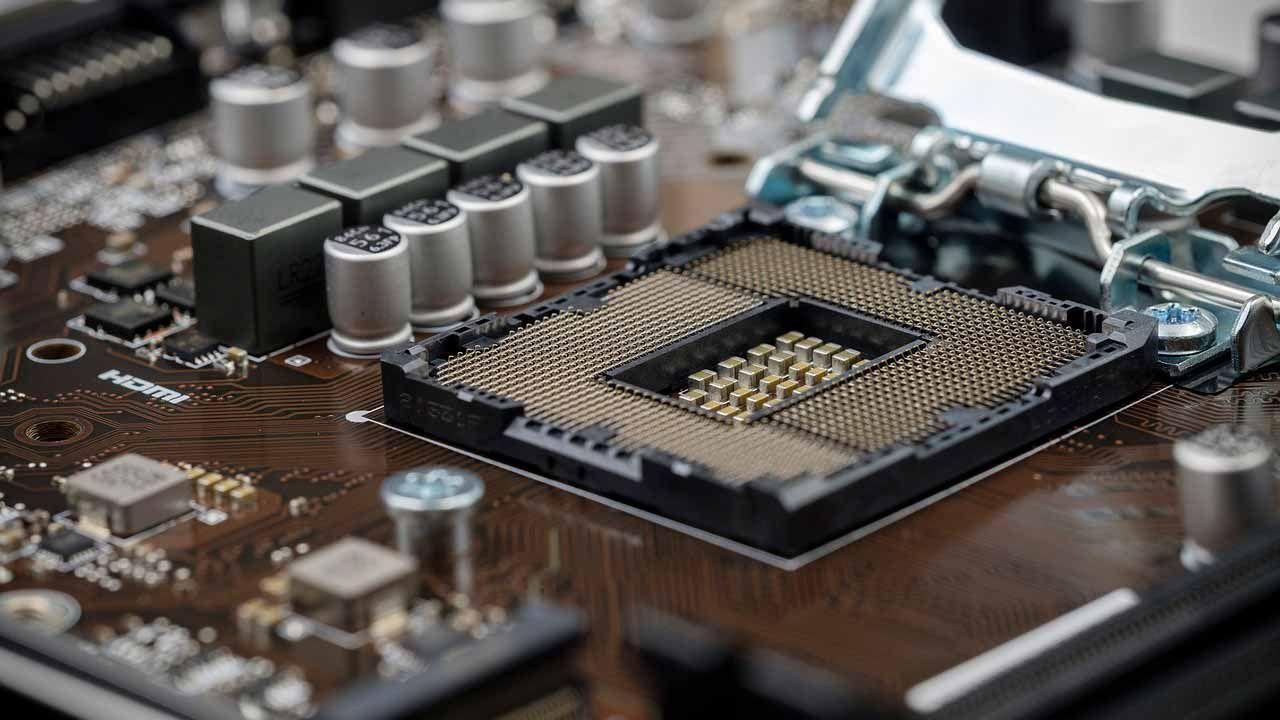
If you've heard about Intel's new hybrid processors and the term Thread Director sounds familiar but you're not quite sure what it actually does , you've come to the right place. This technology is key to understanding why Alder Lake, Raptor Lake, Meteor Lake, and subsequent generations perform the way they do, especially in gaming, multitasking, and virtual machines.
Let's take a closer look at how Intel Thread Director works internally, what problems it solves, and what its limitations are . You'll see that it's not magic, nor a hidden turbo button, but rather one more piece in a complex system where the operating system, P cores, and E cores all play a significant role.
What is Intel Thread Director and why does it exist?
The arrival of the 12th generation Core processors meant that Intel opted for a hybrid core architecture with high-performance P-cores and high-efficiency E-cores . Until then, in the desktop PC world, processors with all cores of the same type were the norm, while this "big.LITTLE" approach was typical of mobile SoCs based on ARM architecture.
This change posed a serious problem: desktop operating systems were not equipped to distinguish between cores with varying power and efficiency when allocating threads and processes . The scheduler simply saw "X cores" and distributed the workload without considering which type of core was best suited for each task.
To address this, Intel created what it commercially called Intel Thread Director, a technology integrated into the CPU that analyzes process behavior and advises the operating system on where to place them. It's important to note that it's not a replacement for the operating system's scheduler, but rather a highly refined and specialized tool.
Contrary to what many people think, Thread Director is not a separate chip or a "magic unit" inside the processor . It consists of logic and microcode that run on the CPU itself, collecting very detailed telemetry information and exposing it to the operating system through specific interfaces.
How Thread Director works internally
The Thread Director operates conceptually like a controlled speculative execution system that evaluates thread behavior before deciding on the ideal core . To do this, it uses one of the execution threads of a P-Core in Alder Lake and Raptor Lake, while in Meteor Lake and later it relies on low-power E-Cores within the Tile SoC.
This logic monitors instructions, access patterns, and the computational cost of running algorithms . It doesn't simply look at the static instruction list; instead, it observes real-world behavior over a short period to determine if a load is light, moderate, highly parallel, memory-intensive, and so on.
This analysis is encoded in a data structure associated with the IA32_THREAD_FEEDBACK_CHAR register, where three types of key information about each thread are stored : the class of work, a performance score , and an energy efficiency score, all in a simple format so that the operating system can use it quickly.
The first part is a classification of the process type into four distinct classes that help the planner understand which type of core is most suitable:
- 0 Class: threads that can be executed without major problems on both P-Cores and E-Cores.
- 1 Class: workloads that perform significantly better on P-Cores, due to their peak performance demands or low latency.
- 2 Class: tasks that are recommended to be moved to E-Cores, because they are lighter or benefit from efficient execution.
- 3 Class: processes with high-cost loops, potentially long waits, or behaviors that can harm other threads if they are mixed incorrectly, and therefore require special treatment.
In addition to the class, a performance score from 0 to 255 is stored , reflecting how well that thread performs on a specific core . Similarly, another score from 0 to 255 is included to indicate the energy efficiency associated with running it on that type of core under the current conditions.
With that telemetry, the operating system can make more informed decisions about which threads to send to P-Cores and which to divert to E-Cores , not only by looking at the core type, but also at the current load, the number of active tasks, and the user session priorities.
The importance of scoring and load sharing
In modern CPUs with many cores, it's no longer enough to simply decide whether something goes to a P-Core or an E-Core: it also matters which specific core each thread lands on to avoid bottlenecks and underutilized cores . This is where the performance and efficiency score provided by Thread Director plays a key role.
Thanks to this numerical assessment, the operating system scheduler can balance the load between cores of the same type, assigning the heaviest threads to the least loaded cores first and utilizing every last available space. The idea is to avoid having P-cores saturated while others are almost idle, or E-cores underutilized performing pointless tasks.
Another advantage is that Thread Director helps quickly detect when a workload is best suited to a specific type of core based on its instruction set or characteristics . If, during the evaluation, a thread is found to use instructions only supported by P-cores (for example, certain advanced AVX instruction sets), the operating system knows that this thread must be assigned to a P-core.
It is also relevant in scenarios where a single process evolves over time: it might start out lightweight, move to a computationally intensive phase, and then return to a more relaxed state . Continuous feedback allows these threads to migrate between P and E depending on what they are doing at any given moment, without the application needing to be aware of the hybrid architecture.
In practice, this mechanism aims to ensure the user perceives the system as responding smoothly whether running a demanding game or opening multiple applications, playing content, or leaving processes running in the background . Dynamic resource allocation prevents a simple background task from consuming an entire P-Core while an E-Core remains idle.
Thread Director doesn't "command": the operating system decides.
The name might be misleading, because "Director" sounds like it's in charge, but the reality is that Thread Director doesn't make the final decision about where each thread runs . The operating system scheduler still has the final say, using or ignoring the information provided by the CPU according to its own logic.
This is very noticeable in everyday situations, such as when you send a resource-intensive application to the background, for example, a render in Blender, and continue using the computer for other tasks . Windows interprets that what's in the foreground has priority for the user, so it reduces the resources allocated to rendering and can shift its main workload to the E-Cores.
Similarly, a low-demand application running in the active window can end up using a P-Core simply by being in focus, even if its CPU usage isn't particularly high. This demonstrates that the operating system's criteria (foreground/background state, process priority, power policies) carry more weight than the Thread Director's opinion.
In short, Thread Director provides a kind of "expert advisor" to the system scheduler, but if the operating system isn't equipped to understand it or prioritizes other rules, thread allocation won't be optimal . This explains the clear differences between Windows 10, Windows 11, and various Linux distributions in how they leverage hybrid CPUs.
From the application developer's perspective, the interesting thing is that in most cases , it's not necessary to rewrite the software specifically for P-Cores and E-Cores . As long as the operating system supports Thread Director, the vast majority of the workload is distributed quite reasonably without code changes, except in a few very specific scenarios.
Behavior in games and real-world workloads: P-Cores, E-Cores, and secondary threads
One of the most confusing topics is what happens in modern games that use many threads, especially when the number of tasks exceeds the available P-Cores and E-Cores are used for secondary threads . This is where theory meets real-world practice.
Intel's idea is that, in a typical scenario, critical game threads (rendering, main logic, important physics) fall to the P-Cores , while the E-Cores take care of lower priority threads, system tasks, and background processes such as capture cards, chats, browsers, etc.
When a game launches, for example, a ninth or tenth thread that only intermittently uses between 10% and 30% of a P-Core , the Thread Director can suggest to the operating system that it be moved to an E-Core. The scheduler, knowing that this thread is not critical and considering the performance/efficiency score, sends it to the efficient core without impacting the gaming experience.
It's important to understand that an E-Core is less powerful than a P-Core, but if the workload is small, it can utilize a larger percentage of the E-Core's resources (for example, 60%) and still deliver the necessary performance without creating bottlenecks . This frees up the P-Cores for what really matters, and makes better use of the available silicon.
In most well-designed games running Windows 11, the combination of a hybrid-aware scheduler and Thread Director provides stable performance in around 99% of cases . There are, however, some titles or engines with somewhat unusual thread patterns where the distribution isn't perfect, but these are usually the exception.
Relationship with Windows 11, Windows 10 and general compatibility
One of the key points is that Windows 11 was developed in direct collaboration between Microsoft and Intel to take full advantage of the hybrid architecture and use Thread Director natively . This includes an updated scheduler, specific power policies, and finer integration with telemetry data from the CPU.
In Windows 10, however, the scheduler isn't designed from the ground up to understand P-cores and E-cores or to correctly interpret Thread Director cues . It works, but task allocation is more "blind," and therefore performance and efficiency can be significantly lower compared to the same CPU in Windows 11.
In Linux, the story has taken a different path. Initially, the kernel didn't take full advantage of Intel's hybrid cores, resulting in significantly worse performance than Windows , especially under mixed workloads and in virtualization. Over time, the kernel scheduler and interfaces with Thread Director have been refined.
Thanks to the latest kernel patches, Intel has added advanced support for Thread Director and has also worked on Thread Director Virtualization . This allows a guest, such as a Windows 11 virtual machine, to benefit from ITD-based scheduling logic even when running on top of a Linux host.
In tests with a Core i9-13900K running Windows 11 within a Linux VM, a performance improvement of up to 14% was measured in 3DMark by properly leveraging the allocation between P-cores and E-cores from the virtual machine . This gain is especially relevant for servers hosting cloud gaming or multiple virtual desktops.
Thread Director at Alder Lake, Raptor Lake, Meteor Lake and beyond
Thread Director officially debuted with the 12th generation Intel Core processors (Alder Lake), which introduced hybrid architecture to desktops for the first time . These chips combine high-performance P-Cores with efficient E-Cores and are manufactured using Intel 7 lithography, inheriting many of the brand's previous technologies.
In Alder Lake-S, designed for desktops and using the LGA1700 socket, we find up to 16 cores (8 P-cores + 8 E-cores) and 24 threads in total, support for DDR5, backward compatibility with DDR4, and PCIe 5.0 lanes directly from the CPU . This is complemented by the classic Intel Smart Cache (shared L3 cache) and a reorganized L2 cache to accommodate both types of cores.
The P-cores have 1,25 MB of L2 cache per core, while the E-cores are grouped into clusters of four that share 2 MB of L2 cache . Above that, there is up to 30 MB of L3 cache (LLC) common to all cores, which helps reduce latency and improve data exchange between threads of different types.
The platform also adds support for PCIe 5.0 (up to 16 lanes from the CPU), more PCIe 4.0 lanes from the Z690 chipset, integrated WiFi 6E, and Thunderbolt 4 compatibility . Although PCIe 5.0 GPUs and SSDs were scarce at launch, the infrastructure was already in place.
With Raptor Lake, Intel refined this approach, but the real change in Thread Director comes with Meteor Lake: the evaluation logic now runs on the low-power E-Cores present in the SoC Tile, which is the block with direct access to RAM thanks to the integrated memory controller . From there, each process is analyzed, and a decision is made as to whether it can be resolved on those E-Cores or should be passed on to the Compute Tile, where the more powerful cores reside.
This means that, starting with Meteor Lake, Thread Director no longer has to constantly orchestrate directly between "three types of cores," because many low-demand tasks are resolved before reaching the main P-cores . Only when a workload is detected as needing more processing power is it transferred to the high-performance computing block.
Integration with the Alder Lake-S hybrid architecture
Within the desktop ecosystem, Alder Lake-S processors perfectly showcase what Thread Director can bring to a hybrid processor with very clear objectives: gaming, content creation, and advanced overclocking . Intel redesigned the entire platform to take advantage of this mix of cores.
The hybrid architecture abandons the old monolithic approach and proposes a model very similar to ARM big.LITTLE, with P-Cores designed for heavy workloads and E-Cores focused on scalability and multitasking efficiency . This combination allows for a 19% increase in IPC per core compared to the 11th generation, according to Intel's internal measurements.
In everyday use, this means that when running a game, the P-Cores handle the game engine, while the E-Cores take care of background tasks such as streaming, Discord, browsing, and system processes . Intel has shown improvements of up to 19% in gaming and up to 84% in "gaming + streaming" scenarios compared to a Core i9-11900K.
This behavior relies on Thread Director's ability to detect which threads are critical to game latency and which are auxiliary threads that can be diverted to E-Cores without negatively impacting the experience . This maintains the FPS rate and reduces the risk of stuttering when many things are happening simultaneously.
The Alder Lake platform also introduced new power management mechanisms, matching the PL1 and PL2 to maintain boost frequencies for longer , something that is benefited by the existence of E-Cores that can take on light loads without the P-Cores being permanently at the thermal limit.
Overclocking, memory and associated tools
The Alder Lake-S processors were accompanied by an update to the tuning tools, starting with Intel Extreme Tuning Utility (XTU) 7.5, which adds specific control over E-Core frequencies and full support for DDR5 . This is in addition to P-Core telemetry and new internal BCLK management options.
One of the major new features for memory is XMP 3.0, which expands overclocking profiles to five per module (three from the manufacturer and two customizable by the user) . These customizable profiles can be named with up to 16 characters, making it easy to quickly identify the setting being used.
Furthermore, XMP 3.0 allows manual adjustment of voltages such as VDD, VDDQ, and VPP , giving enthusiasts considerable leeway to get the most out of DDR5 memory. Although Thread Director doesn't directly affect the memory, the entire platform is designed with a wide variety of demanding workloads in mind.
Dynamic Memory Boost Technology was also added , a kind of automatic "Turbo" for RAM that activates the XMP profile when a load is detected and returns to the base state when demand decreases . This logic is similar to how Turbo Boost works in CPUs and helps balance performance, power consumption, and temperatures without constant user intervention.
All of this is complemented by the Z690 chipset, which offers full support for CPU and memory overclocking, plus PCIe 4.0 lanes and modern connectivity such as USB 3.2 Gen 2x2 and WiFi 6E (Gig+) . The idea is that the platform as a whole is ready to take advantage of the dynamic behavior that Thread Director facilitates in thread allocation.
Linux, servers and virtualization with Thread Director
Outside of the home desktop, Thread Director is becoming especially relevant in Linux environments running multiple virtual machines or cloud-based game streaming services . Here, efficient core allocation translates directly into cost savings and improved quality of service.
Intel recently released a set of Linux kernel patches that significantly improve Thread Director integration and scheduling logic for hybrid CPUs . These changes not only adjust how tasks are distributed on the host, but also introduce the concept of Thread Director Virtualization.
With this virtualization, a virtual machine (for example, Windows 11 as a guest) can receive and utilize information from Thread Director even while running on a Linux host . The result is that the guest can better distribute its own workloads across virtualized P-cores and E-cores, more closely approaching native performance.
The published tests show that, in gaming scenarios running on a Windows 11 VM on a Linux host with a Core i9-13900K , performance improvements can reach up to 14% in benchmarks like 3DMark. For Linux-based cloud streaming providers, this leap is very significant.
It's important to note that these optimizations are primarily intended for professional and server environments , where Linux has a much larger market share than Windows Server. In the home environment, the average user won't notice as much of a difference, although it's always good news when the kernel improves its handling of hybrid CPUs.
Limitations, myths, and what we can expect
Despite all its advantages, it's important not to over-mythologize Thread Director. First, it's crucial to understand that it can't completely compensate for a poorly optimized operating system or a game engine with deficient thread management . If the workload is poorly distributed by the software, the CPU can only handle so much.
Nor is it a magic technology that guarantees there will never be rare cases where an important thread ends up in an E-Core or a light task stays in a P-Core longer than necessary . Feedback is very fast, but not instantaneous, and there are always unusual load patterns that can confuse the scheduler.
Another common myth is that, with Thread Director, game and application developers can completely forget about hybrid architecture . While in most cases the operating system handles everything reasonably well, to get the most out of it, it's still a good idea to design engines that better classify their own threads, set appropriate priorities, and avoid uncontrolled overload.
Looking ahead to future generations like Arrow Lake, all indications suggest that the core philosophy of Thread Director will remain, with improvements to telemetry and operating system integration . The experience gained from Alder, Raptor, and Meteor Lake will help further reduce borderline cases where allocation isn't entirely optimal.
In everyday use, for users who game, edit video, stream, or run virtual machines, the most important thing to understand is that Windows 11 and modern Linux distributions with the latest patches are practically mandatory if you want to truly get the most out of an Intel hybrid CPU . With the right system, Thread Director becomes a silent ally that helps everything run more smoothly and with better energy efficiency.
Ultimately, Intel Thread Director has established itself as a key component in the transition to PC processors with heterogeneous cores, enabling the operating system to make smarter decisions about where to run each thread . While it doesn't manage anything on its own, its continuous analysis of performance and efficiency makes a difference in gaming, multitasking, content creation, and virtualization, provided the underlying software is ready to understand it.

Table of Contents
- 1 What is Intel Thread Director and why does it exist?
- 2 How Thread Director works internally
- 3 The importance of scoring and load sharing
- 4 Thread Director doesn't "command": the operating system decides.
- 5 Behavior in games and real-world workloads: P-Cores, E-Cores, and secondary threads
- 6 Relationship with Windows 11, Windows 10 and general compatibility
- 7 Thread Director at Alder Lake, Raptor Lake, Meteor Lake and beyond
- 8 Integration with the Alder Lake-S hybrid architecture
- 9 Overclocking, memory and associated tools
- 10 Linux, servers and virtualization with Thread Director
- 11 Limitations, myths, and what we can expect