- A good RGB fan setup reduces the temperature of the gaming PC and prolongs the life of the CPU, GPU, and other components.
- Choosing the right size, connection type, blade design, RPM, and bearings is key to balancing performance and noise level.
- ARGB systems allow you to customize the lighting and synchronize effects with other components, without sacrificing good cooling.
- Checking compatibility with the case and opting for PWM fans and reliable brands ensures optimal airflow and a stable setup.
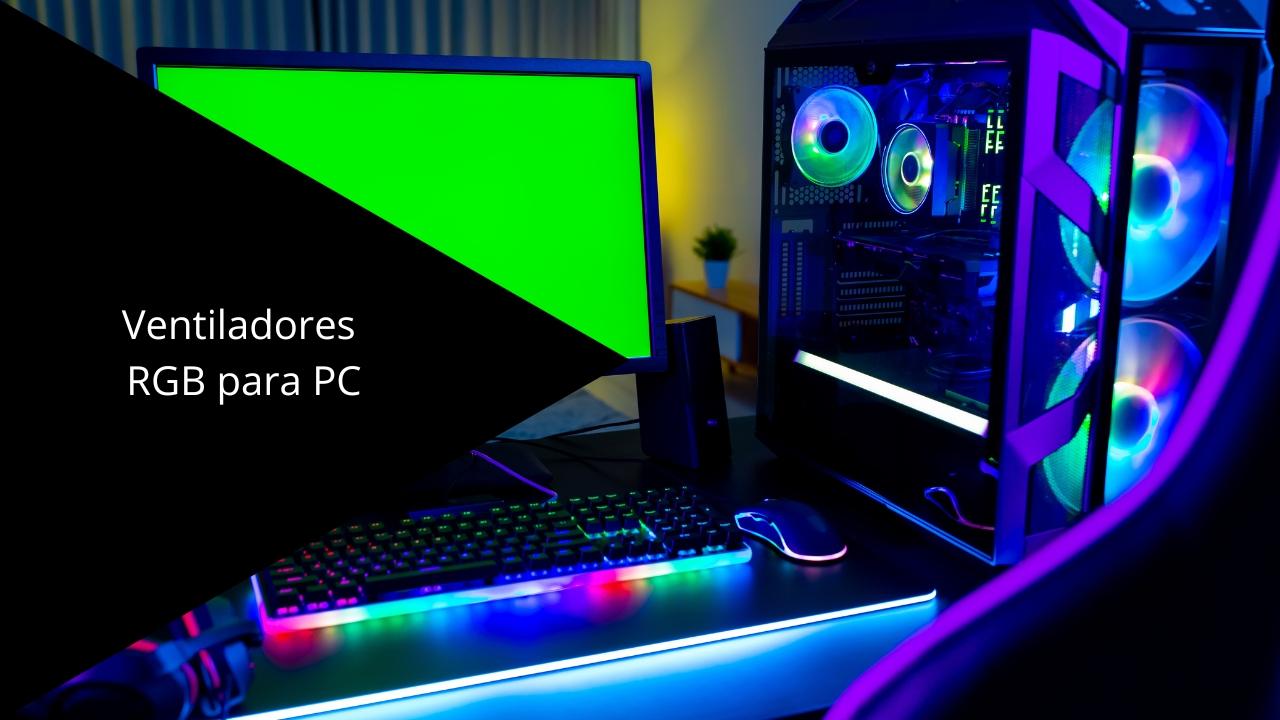
If you play PC games for hours , your computer gets hotter than you'd expect, and that can eventually damage its components. A good cooling system with RGB fans specifically designed for gaming not only keeps temperatures under control but also extends the lifespan of your computer and prevents crashes, restarts, or even data loss.
RGB fans for PC gaming combine performance and aesthetics : on the one hand, they improve airflow inside the case, and on the other, they add that visually appealing gaming touch with customizable lighting that's so common in modern setups. Let's take a detailed look at why they're worth installing, what you should consider when choosing them, and which types and features truly make the difference.
Why you need fans in your gaming PC
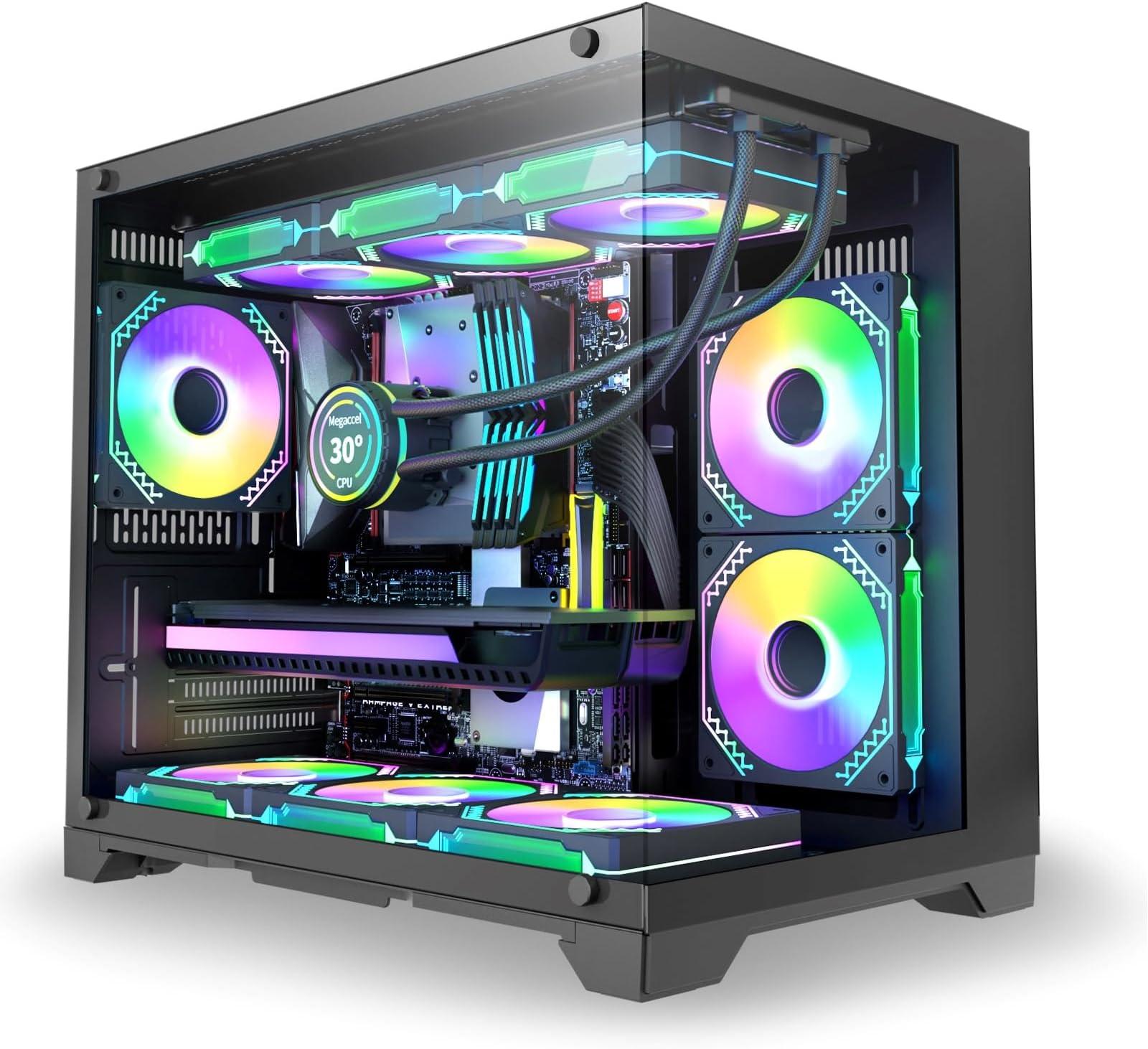
Any computer generates heat while running , and in a gaming PC this problem is amplified by the higher power consumption of its components. If this heat isn't properly dissipated, it accumulates inside the case and, over time, can cause failures in the system's most sensitive parts.
If heat is not dissipated properly , electronic components, which operate at high frequencies and with considerable current intensities in a very small space, can degrade prematurely. Sustained excessive temperatures shorten their lifespan and, in extreme cases, can permanently damage certain components.
Besides potential physical damage , overheating can cause crashes, spontaneous restarts, or errors that result in data loss. Nobody wants a hard drive or SSD to fail unexpectedly, and keeping the inside of the enclosure well-cooled is one of the best ways to reduce that risk.
The hottest days of the year are especially critical , because the ambient temperature is already high and the system has less capacity to expel hot air. If you notice your PC is noisier, gets very hot, or even shuts down during the summer, it most likely needs extra help in the form of additional or more efficient fans.
How does temperature affect performance?
An overheated PC not only has a shorter lifespan, it also performs worse . When the CPU or GPU reaches a temperature limit set by the manufacturer, it activates protection mechanisms that reduce its operating frequency. This is known as thermal throttling and directly translates to lower FPS and less fluid gameplay.
This automatic frequency reduction is a safety measure to prevent damage, but from the player's perspective, it's a clear performance loss. A computer that runs smoothly at the start of a game might begin to stutter after a period of intense gameplay if the cooling isn't sufficient.
The most direct solution to combat these temperature increases is to improve the airflow of the case: add more fans, reposition them to optimize air intake and exhaust, or replace the basic models that many cases usually come with for more powerful and quieter ones.
Before you rush out to buy RGB fans , it's a good idea to check which mounting positions your case supports (front, top, rear, bottom) and what sizes are compatible in each area. You should also check the available connections on your motherboard or controller to ensure you can power them and control their speed without any issues.
A well-designed fan configuration allows cool air to enter through strategic points (usually the front and bottom) and hot air to be exhausted from the rear and top. This maintains more stable temperatures, reduces the workload on the CPU and graphics card heatsinks, and improves overall system stability.
Types of fans for PC gaming
Although all fans may look similar on the outside , there are actually several types with different behaviors. Internally, they are generally divided into two main families: radial (or blower) and axial.
Radial fans, also known as blowers , generate an airflow perpendicular to the fan's axis. They are commonly used in compact graphics cards or small form factor cases because they expel hot air directly outwards through dedicated vents.
Axial fans are the type you see in most PC cases . Their blades push air parallel to the axis of rotation, creating a linear airflow that's very useful for moving large volumes of air through the case. They are the most common choice for gaming setups.
In the gaming and high-performance arena , axial fans with good static pressure and an optimized blade design allow for both cooling liquid cooling radiators and improving overall airflow within the case. They are the most interesting option when discussing RGB PC fans.
In addition to the airflow type, other factors include the bearing type, the number and shape of the blades, the frame size, the maximum and minimum revolutions per minute, and the speed control method (voltage-based or PWM). All of these factors influence thermal performance and noise levels.
Fan sizes and case compatibility
The larger the fan diameter , the larger its blades can be, and the more air it can move at lower revolutions per minute. This usually translates to superior airflow with less noise, which is very desirable if you want a powerful system without sounding like a jet engine taking off.
The most common standard sizes for gaming cases are 120 mm, 140 mm, and, in some specific models, 200 mm. However, there are more than ten different sizes available on the market, so it's essential to check your case's specifications to know what you can install in each area.
For many users, the ideal gaming setup often involves installing several 120mm or 140mm fans, which offer a well-balanced combination of size, airflow, and ease of installation. If your case allows it, opting for 140mm fans in the front and 120mm fans in the rear and top usually works very well.
Before ordering, also check the available space inside the case, especially if you are going to install liquid cooling radiators along with RGB fans, as the assembly may take up more space than expected and rub against the motherboard, RAM, or GPU.
Connections and speed control
PC fans can use different types of connectors depending on how they are powered and how their speed is controlled. The most common are 3-pin and 4-pin connectors.
Fans with a 3-pin connector typically operate at a fixed voltage of 12V, maintaining a fairly constant speed. Some motherboards allow for slight voltage adjustment, but they don't offer the same level of control as PWM models.
The 4-pin fans incorporate PWM (Pulse Width Modulation) control , allowing them to automatically adjust their rotation speed based on temperature, provided they are connected to a compatible header on the motherboard. This way, they spin slower when the system is idle and speed up under load.
This PWM self-regulation provides a very interesting balance between cooling and noise, as the system can keep the PC quiet during light tasks and only increase the revolutions when really needed, such as in prolonged gaming sessions or heavy loads.
In addition to the number of pins, some RGB fans require extra connectors for lighting (3-pin ARGB, for example) or are controlled via a specific controller included in the package. It's worth checking whether you'll be managing them with the motherboard software or a separate controller.
Blades, RPM and airflow
The design of the blades has a direct impact on a fan's performance. Their shape, pitch, number, and size determine the amount of air moved and the static pressure they can generate, which is essential if they are to be mounted on radiators or in areas with restrictive grilles.
Fans with many smaller blades tend to offer a higher overall airflow, while those with fewer but larger blades usually provide higher static pressure, ideal for passing through dense dust filters or thick radiators.
Revolutions per minute (RPM) indicate the fan's rotational speed . A higher RPM moves more air in a given time, but also increases noise. Finding the right balance between airflow and noise level is key to a comfortable fan for everyday use.
In the case of mid-range and high-end gaming fans , it is not uncommon to see wide operating ranges, with minimums of 400-500 RPM for almost inaudible operation and maximums that are around or exceed 2.000 RPM when maximum cooling power is needed.
In addition to airflow measured in CFM (cubic feet per minute) , it's also important to consider static pressure expressed in mmH2O. A good static pressure value allows air to flow forcefully through radiators, grilles, and other enclosed areas without losing efficiency, which is very useful in gaming PCs with heavy hardware.
Noise, bearings and ease of use
Fan noise is one of the most important factors for many gamers, especially if they spend a lot of time in front of their PC or have it very close. This noise is measured in decibels (dB) and depends on the RPM, the type of internal bearing, and the design of the frame and blades.
In terms of bearings, there are several technologies : ball bearings, which offer high reliability and stable behavior; fluid dynamic or hydraulic bearings, which are very durable although in some cases somewhat less quiet; and advanced levitation or magnetic dome systems, designed to minimize friction and noise.
The quietest PC fans typically use oil bearings or special fluids that reduce wear and vibration. In the long run, this not only improves acoustic comfort but also extends the fan's lifespan by decreasing friction between moving parts.
The manufacturer's documentation usually lists the maximum noise level in decibels at top speed. Values below 30-33 dB are considered relatively quiet for gaming, provided the noise isn't too high-pitched or annoying.
A typical example in mid-range/high-end fans would be models that support up to 2.000 RPM with noise levels around 32,5 dB at their peak, offering a very interesting balance between power and noise for intensive use without being excessively noisy.
RGB and ARGB lighting: custom gaming aesthetics
Beyond pure performance, many gamers want their PCs to look spectacular, and that's where RGB or ARGB fans come in. These models integrate LED rings or zones that illuminate the blades or frame with different colors and effects.
The key is that not all RGB systems are the same . Fans with basic lighting usually offer a fixed color or a few preset modes, while ARGB (Addressable RGB) models allow you to customize each LED independently, creating much more complex combinations and animations.
If you're interested in customizing every last detail , you should make sure the system is ARGB and compatible with your motherboard's software or your existing lighting ecosystem (for example, solutions from manufacturers like ASUS, MSI, Gigabyte, etc.). This will allow you to synchronize fans, LED strips, RAM, and other components.
RGB fans typically include dedicated lighting connectors, separate from the fan's power connector. In many cases, they come with a controller or hub that simplifies connecting multiple fans and managing lighting effects.
Aesthetically, there are models in black, white, or even transparent , so you can match them to the rest of your setup. All-white RGB fans look especially good in white configurations, giving the inside of the case a very clean and modern look.
Bearings, blades, and other technical factors to consider
When talking about high-performance fans for PC gaming , it's worth going a step further and looking at details that often go unnoticed, such as the quality of the bearings, the shape of the frame, the thickness of the fan, or even the existence of rubber corners to absorb vibrations.
Ball bearings typically offer maximum reliability , performing very well in both horizontal and vertical positions and withstanding high temperatures, which is important if the fan is going to be near a very hot GPU or radiator.
Fluid or hydraulic bearings are known for their long lifespan and smooth operation; however, some are not as quiet as more advanced magnetic solutions. Even so, they remain a solid choice for a gaming PC that will be powered on for extended periods.
Levitation or magnetic dome systems reduce friction between moving parts, resulting in less mechanical noise and less wear over time. These fans are typically positioned in higher-end models and have a slightly higher cost, but they offer very attractive acoustic performance.
Another aspect to consider is the blade design and spacing. Some designs are intended to maximize free airflow, while others prioritize static pressure for specific applications. Choosing one model over another can make all the difference depending on whether you're mounting it on a radiator, behind a dense filter, or simply as a front fan.
It's also worth checking if they include rubber pads on the corners, as these help prevent annoying vibrations from contact with the metal casing. These small details contribute to reducing unwanted noise and improving the overall perceived quality of the build.
Example of high-performance RGB fans
Among the wide range of RGB fans for PC gaming , some models stand out for combining good thermal performance, durability, and a very eye-catching lighting system. Many of them are sold in multi-fan packs, making it easy to create a complete intake and exhaust air configuration.
A typical example in this segment is the 3-fan kit (120mm) , which is very popular because it allows you to instantly improve the ventilation of almost any case. When installing three units, you can place two as front intakes and one as rear exhausts, or use them all together at the front if you want to maximize airflow.
These mid-to-high-end packs typically offer speed ranges from approximately 500 to 2.000 RPM, providing a good balance between quiet operation and power. Airflow rates of 55-60 CFM or higher and static pressures around 2-2,5 mmH2O are common in fans designed for demanding applications.
Manufacturers subject these fans to intensive wear testing , with certifications of continuous operation for tens of thousands of hours without failure, which gives an idea of their durability. Values around 40.000 hours of estimated lifespan are common in quality products.
In terms of noise, when the bearings and design are properly tuned , maximum levels of around 32-33 dB are achieved at full load, which is quite reasonable for a performance-oriented gaming PC. At medium or low speeds, the perceived noise is usually much more discreet.
Where to buy RGB fans for your gaming PC
The current market offers a huge variety of RGB fans , from well-known hardware brands to manufacturers specializing in cooling. Companies like DeepCool, Noctua, Razer, Corsair, and Cooler Master, among many others, offer extensive ranges with different sizes, power levels, and lighting styles.
Online PC gaming hardware stores typically organize their catalogs into specific categories for fans, where it's easy to filter by size, lighting type, RPM, noise level, or price. This allows you to quickly compare various options and find the model that best fits your budget and your case.
In these specialized stores, it is not uncommon to find advantageous conditions such as three-year warranties, fast shipping of 24 to 48 hours, and easy return options in case the product is not compatible or does not meet your expectations.
If your priority is pure performance , you might want to look first at brands known for offering quiet and efficient fans, even if the price is a bit higher. If, on the other hand, you're primarily looking for spectacular lighting for your setup, there are options with eye-catching ARGB systems that strike a good balance between performance and aesthetics.
Whatever your choice, it's advisable to invest in models from reputable manufacturers with good support, because fans are a component that will be spinning for many hours a day and should be backed by a solid warranty and reliable after-sales service.
How to choose the ideal fans for your gaming case
When deciding which fans to buy for your gaming PC , it's important to take a holistic view and not just focus on appearance. First, make sure your case's current cooling is sufficient; if not, you'll need to consider how many additional fans you can install and in what positions.
Also consider the layout of the internal hardware , especially the length of the graphics card, the height of the CPU cooler, and the position of the power supply. In compact cases, every centimeter counts, and it's easy to run into interference if it's not planned carefully.
Regarding the number of fans , a very common configuration for a gaming PC consists of two or three intake fans at the front and one or two exhaust fans at the rear and/or top. This creates a balanced airflow that constantly refreshes the inside of the case.
Finally, decide whether you prefer PWM control , where the motherboard automatically manages the fan speed based on temperature, or if 3-pin fans with a more fixed speed are sufficient. In most current gaming builds, opting for PWM is usually the most convenient and efficient solution.
Properly ventilating your gaming PC with RGB fans means enjoying lower temperatures, safer components, and sustained performance for hours of gameplay, all while looking spectacular inside your case. Choosing the right size, bearing type, control system, and lighting style makes your investment worthwhile, both practically and aesthetically.
