- A desktop PC offers more sustained performance, better cooling, and greater upgradeability than a laptop with similar hardware.
- The laptop stands out for its portability, lower energy consumption and space saving, although with clear thermal and expansion limitations.
- The choice depends on your profile: mobility and flexibility versus raw power, ergonomics and long equipment lifespan.
- There are hybrid solutions, such as combining a tower and a mobile device or using a gaming laptop as the brain of a desktop workstation.
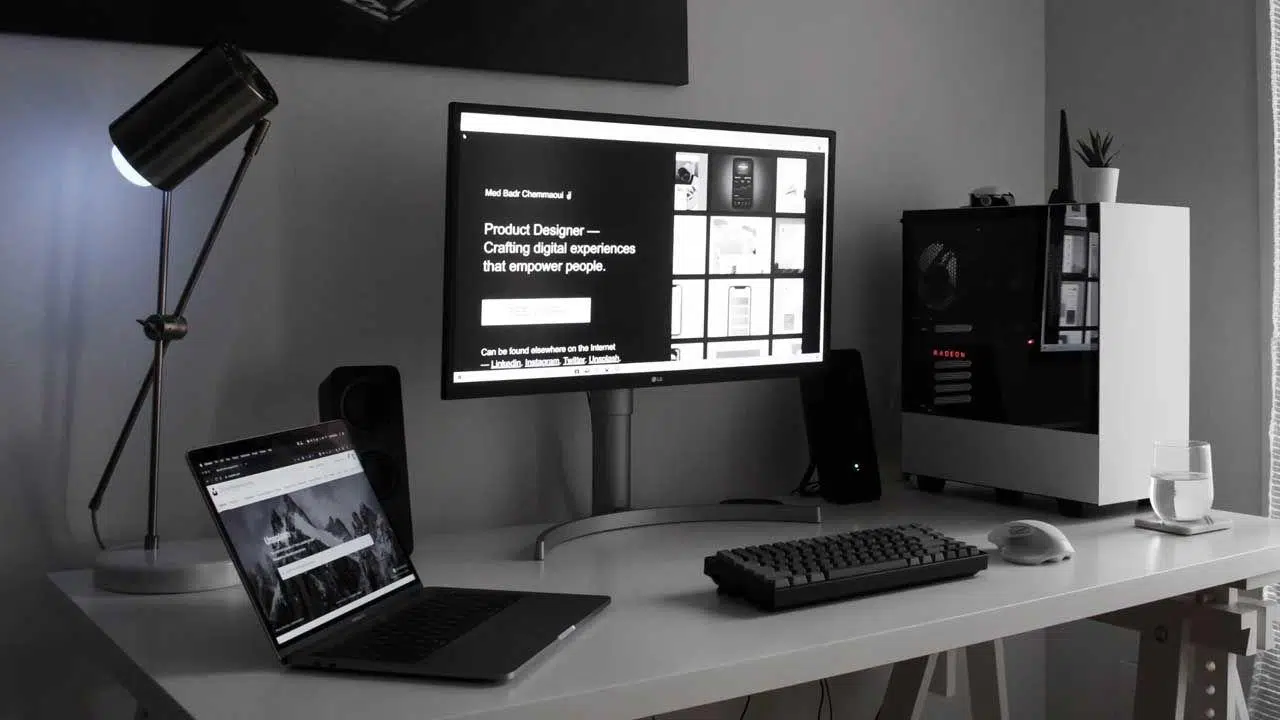
Choosing between a desktop computer and a laptop can become a real headache when you're going to use it for a variety of purposes: work, study, some leisure, and maybe even gaming. On paper, the components seem similar, the prices are close, and the question arises: does a desktop really perform that much better than a laptop with roughly the same specifications?
The situation becomes even more complicated when portability comes into play . Perhaps right now you barely move from your desk, but in a year you could be moving to a different city, traveling to meet with clients, or working part-time remotely. This uncertainty leaves many people stuck in a loop, changing their minds every day between a powerful laptop and a well-built desktop.
Laptop vs. Tower: Real-world performance with similar hardware
When comparing a desktop and a laptop with similar components , such as a 10th-generation Intel Core i5 and an RTX 3060, the obvious question is: how noticeable is the difference in everyday use? The key lies in power consumption limits, cooling, and the specific GPU version.
In CPUs, the pattern has been clear for years : laptop processors typically offer around 50-60% of the sustained performance of their desktop equivalents. It's not that the chip is "bad," it's that laptops have less space to dissipate heat, and manufacturers limit the wattage to prevent the processor from overheating or draining the battery.
Something similar happens with GPUs . Even with the same brand name (RTX 3060, for example), the desktop version is usually significantly better than the laptop version, with performance that can be around 20-30% higher depending on the power budget allocated by the manufacturer. In many cases, the laptop graphics card is only about 70-80% faster than the desktop version, so it's important to know what graphics card you have.
This means that, with similar specifications on the spec sheet , the desktop will handle demanding games better, be faster at exporting video, rendering 3D scenes, or compiling large projects. For light tasks (browsing, office applications, video calls, email management) you'll barely notice a difference, but when everything is under load, the desktop is in a completely different league.
A very concrete example of this comparison would be pitting a desktop PC with an Intel i5-10400F, a 12GB RTX 3060, and 16GB of DDR4 RAM against a laptop with an i5-10500H, a 6GB RTX 3060, and the same 16GB of memory. Although the number of cores is similar, the desktop CPU handles long, intensive work sessions better, and the desktop RTX 3060 not only has more power but also twice the VRAM.

How do cooling and energy consumption affect sustained performance?
The biggest difference between a desktop and a laptop isn't just raw power, but how long it can maintain that power . In a desktop, the case is spacious enough to accommodate a large heatsink, high-quality fans, and optimized airflow. Maintenance tasks like changing the thermal paste also help keep temperatures low. The result: lower temperatures and less thermal throttling.
In a laptop, on the other hand, thermal margins are minimal . Almost all the hardware (CPU, GPU, VRM, RAM) shares a very small volume, with one or two blower-type fans expelling the hot air. These fans are effective, but also noisier and, above all, less efficient than a good tower system.
When you spend hours editing video, rendering, or playing demanding games , your laptop often reaches its thermal limit sooner, so it's important to know if your computer is overheating . To protect its components, it lowers frequencies and voltages, reducing sustained performance. A desktop computer, with good cooling, can handle long sessions without breaking a sweat, maintaining high MHz for much longer.
This also has a direct impact on noise and comfort . A well-assembled tower, with good airflow and large fans, can be surprisingly quiet even under load. In a gaming laptop, it's common for the fans to kick into high gear and the noise level to rise considerably as soon as the GPU gets serious, something that's quite noticeable if you work in quiet environments. Furthermore, with a tower, you can mount a large monitor and position it at the correct eye level, use a full-size keyboard , a comfortable mouse, and a decent chair.
Updating, repairing, and the lifespan of each format
If you like to extend the life of your equipment with occasional upgrades , this tower makes it incredibly easy. Changing or expanding RAM, installing a new SSD, upgrading to a more powerful graphics card , or even replacing the power supply are relatively simple and inexpensive operations, with a huge variety of options available on the market.
The story is very different with laptops . In many modern models, the RAM is soldered in, there's only one M.2 slot for storage, and the rest of the components are practically immovable. In others, which are somewhat more generous, you can upgrade the memory and add a second SSD, but changing the GPU or CPU is usually not feasible for the average user.
Desktop computers are also far ahead in terms of repairs . If the power supply breaks, you just buy another one. If the motherboard fails, you choose a compatible one and you're good to go. If the graphics card dies, you replace it. In a laptop, a serious motherboard or GPU failure often means a very expensive repair or even having to buy a new computer altogether. That's why it's important to know the mistakes that shorten a PC's lifespan and how to avoid them.
All of this contributes to a longer actual lifespan for the desktop . You can start with a modest configuration and, over the years, upgrade to more RAM, a faster SSD, or a better GPU as needed and according to your budget. Laptops, on the other hand, tend to remain as they came from the factory, and when they no longer meet your needs, it's easier to sell them or store them and buy a new one.
Portability, space and ergonomics: more than just power
The laptop's main advantage is obvious: you can take it anywhere . You can work from the sofa, connect at your parents' house, go to a library or a coworking space, give a presentation at a client's office, or travel with your entire work environment in your backpack, unlike an all-in-one computer , which is less portable.
If you have limited space in your room or share an apartment , a laptop also simplifies life considerably. You need little more than a table and a chair, and you can store it in a drawer when you're not using it. No bulky boxes, cables everywhere, or monitors taking up half the floor space.
However, true ergonomics usually favor desktop computers . With a tower, you can mount a large monitor and position it at the correct eye level, use a full keyboard, a comfortable mouse, and a decent chair. It's much easier to achieve a healthy posture for long workdays.
Working directly with a laptop has its drawbacks : the keyboard is smaller, the screen forces you to look down, the trackpad isn't as comfortable as a mouse, and the keyboard area can get hot because it's directly above the hardware. A dock, external monitor, and peripherals solve this, but in that scenario, you might be wondering why you didn't just build a desktop tower from the start.
Energy consumption, noise and temperatures
Another factor to consider is power consumption . Laptops are designed to be efficient: the CPU and GPU continuously adjust their frequency and voltage to use as little power as possible, and this will be noticeable on your electricity bill if you spend many hours a day in front of the computer.
Tower PCs, on the other hand, typically have more generous power budgets . An ATX case , a 65W desktop CPU, combined with a GPU that can easily consume 170-200W or more, significantly increases power consumption when the system is under heavy load. For light use, however, they can also be relatively efficient thanks to the low-power modes of modern processors.
In terms of noise, a well-designed desktop computer almost always wins . A gaming laptop might be very quiet at idle, but under load, its thin, fast-spinning fans generate a rather noticeable high-pitched sound. In a tower PC, because larger, slower-spinning fans can be installed, the noise is deeper and more contained, and knowing how to configure components helps to reduce it even further.
In terms of temperature, the advantage usually goes to the tower PC . A case with good airflow keeps the CPU and GPU within comfortable operating ranges, which reduces component aging and improves stability. In a laptop, the CPU and GPU are very close together, with less room to dissipate heat, and it's easier to see high temperature spikes during intensive tasks.
Gaming laptops and mini PCs: intermediate alternatives
In recent years, gaming laptops have taken a huge leap forward . Models with high-performance CPUs and desktop RTX GPUs adapted to the laptop format allow you to play virtually any current title with very good graphics quality and high FPS, especially at Full HD and 1440p resolutions.
The great advantage of these gaming laptops is that they are true all-in-one devices : high refresh rate screen, backlit keyboard, trackpad, speakers, and battery. You arrive at a hotel, a friend's house, or university, plug it in (or not even that, if you're not going to use it too much), and you have a machine ready to work and play without any further assembly.
However, they are still subject to the same thermal and power consumption limitations as any other laptop, and that means that an equivalent gaming tower PC, with the same GPU rating, performs a little better and is more upgradeable in the medium term.
Meanwhile, mini PCs have also emerged —desktop computers in a very compact format, designed for office work, light professional use, and multimedia. Many integrate mid-range Intel Core i5 or AMD Ryzen 5 processors with more than enough performance for work tasks, browsing, video calls, and even some light editing. If you're interested in a compact computer, a mini PC might be a great fit.
Buying a refurbished mini PC can be a great solution if you want something discreet, energy-efficient, and without the need for massive graphics power. They aren't direct replacements for a gaming tower, but they fit perfectly on minimalist desks or in home office setups that don't require a dedicated GPU.
How to decide based on your user profile
There's no single answer to whether a desktop or laptop is better ; it depends on your lifestyle, your work, your space, and your budget. What we can do is match each type of computer with specific usage profiles, based on all of the above.
Choose a laptop if mobility is your priority . If you're a student, travel frequently for work, move between different homes, or simply like being able to move from room to room without hassle, portability outweighs the extra performance of a desktop computer.
In educational settings and for light remote work (word processing, spreadsheets, non-intensive IDEs, web browsing, online meetings), a modern laptop with a good mid-range CPU, 16 GB of RAM, and an SSD is more than sufficient. Furthermore, you can always add an external monitor when working from home for improved ergonomics.
It's also a good idea to prioritize a laptop if space is limited . Small rooms, shared apartments, or living rooms where you don't want a bulky computer permanently benefit greatly from a device that can be stored away at the end of the day.
Conversely, desktop PCs shine when power and expandability are key . If you play modern AAA titles, do video editing, 3D animation, rendering, heavy CAD design, or large-scale builds, a desktop PC will give you better performance for the same money and room to grow over time.
If you're on a tight budget and looking for maximum performance per euro spent , a well-balanced desktop PC is still your best bet. A tower PC with a good CPU and GPU equivalent to that of a mid-to-high-end gaming laptop usually costs less or performs better for the same price.
Hybrid cases and mixed configurations
There are many scenarios where combining both worlds makes sense . For example, you can use a powerful tower as your main workstation and gaming setup at home, and a lightweight laptop or even a tablet for basic tasks when you're on the go.
Another very common option is to use a powerful laptop as the brain of your desktop setup . You connect it via a dock to a large monitor, keyboard, and mouse, and you have an experience very similar to a desktop computer. When you need to move, you unplug it and take your work and gaming environment with you.
If you can't afford to buy two computers , choosing the right laptop can cover both bases: portability and reasonable power. However, it's wise to be aware of thermal and upgrade limitations, and perhaps invest a little more in a model with a good cooling system, a quality screen, and RAM and SSD expansion options.
For those who only need occasional portability of a few files (for example, to present a project or review documents away from home), a combination of a desktop computer and a tablet can also work well. The tablet can display PDFs, presentations, or even allow for basic digital drawing, while all the heavy lifting remains on the desktop PC.
Practical example: remote developer with choice of desktop or laptop
Let's imagine the case of a developer who works 100% remotely , does some gaming from time to time, and can choose between a desktop and a laptop with hardware very similar to what we have discussed before (10th generation i5, 16 GB of RAM, 500 GB/512 GB SSD and RTX 3060).
In the day-to-day tasks of programming, compiling, and running local services , the tower with an i5-10400F and RTX 3060 12GB will have a clear advantage: more sustained power, better cooling, and double the VRAM for gaming. In video games, especially demanding titles, you'll appreciate higher FPS and improved performance stability.
The laptop with an i5-10500H and RTX 3060 6GB, on the other hand, offers the flexibility to work from anywhere. You can work remotely from another city without leaving your development environment, use it in face-to-face meetings, or take it to a shared office if you ever decide to change your routine.
The performance difference exists, but it's not huge for all tasks . For compiling medium-sized projects, launching containers, using code editors, and browsing the web, both machines are more than adequate. The difference becomes more noticeable in gaming and GPU-intensive or 24/7 workloads, where the desktop performs better.
The final decision will depend on how much you value future portability . If you know your life will remain tied to the same desk for several years, a desktop computer is a better fit. If you suspect that in a year or two you'll be moving, changing cities, or not always having a fixed desk at your disposal, a laptop offers much more freedom.
The key is matching the type of computer to your actual lifestyle and work style : a desktop offers maximum performance, better value for money, quieter operation, cooler temperatures, and much greater upgradeability; a laptop provides complete flexibility, space savings, and longer battery life, in exchange for slightly less raw power and more limitations in the long run. Understanding these differences and being honest about your needs makes it much easier to choose the machine that truly suits you.